
I’m using the latest version, so maybe is something of my profile triggering it.
I’ve just opted out of the dashboard beta for now, mainly due to the lack of a 24 hour forecast at the hourly level and the mandatory dropdown for selecting reviews compared to the old dashboard.
Interestingly, this only happened for me today (I see others talking about having a dropdown all week?), I guess because I have no vocab reviews due to the Wanikani import.
1 Like
I can’t say I love having to use a dropdown to select my reviews when I don’t use the vocab feature so I don’t need it to be split. I know I can go straight to reviews by selecting reviews from the top bar (which also has my wondering why the behaviour is different there - shouldn’t it be consistent?). It isn’t the end of the world but I can’t really see a reason why anyone would prefer it over having a single button.
1 Like
maybe if you click on the left 3/4 ish of the button you just go straight to all reviews and if you click on the right end of the button you go to the drop down menu
2 Likes
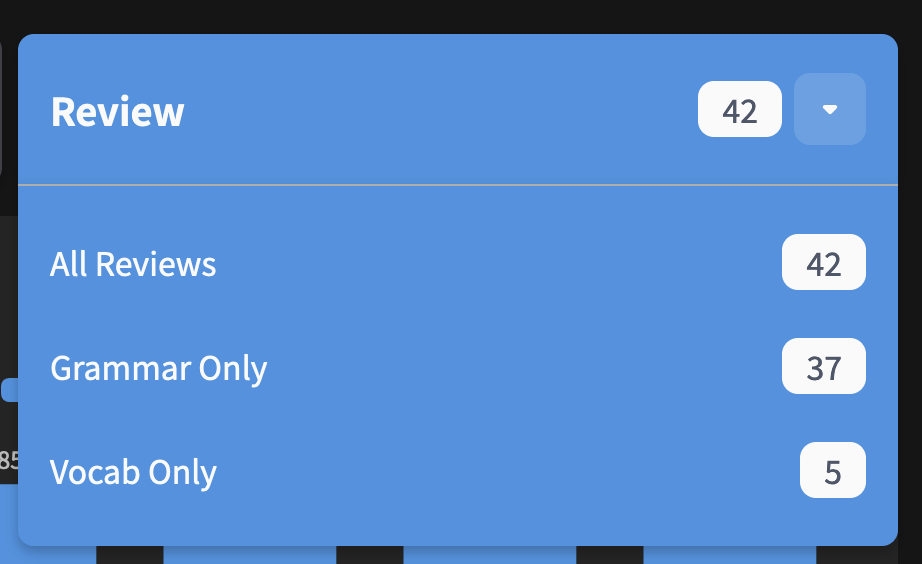
Please simplify the Reviews button by making it a 1-click action instead of the current 2-click design.
The act of beginning reviews is one of the most common action users perform on your product. The new 2-click design adds unnecessary friction to this essential process. Fortunately, there’s a simple solution:
Change the clickable area to only include the down arrow ⌄. This corresponds to the less frequently chosen options and is in line with the button’s Information Architecture (IA). The design already includes adequate padding, ensuring that the clickable area remains appropriately sized.
3 Likes
Huh, I would agree that dropdown thing is weird.

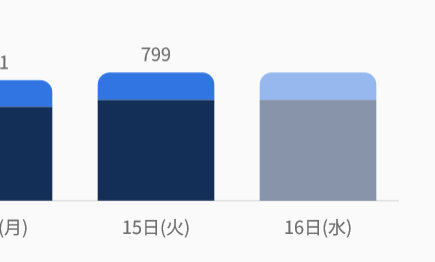
@Sean Also didn’t you by any chance forget to fix forecast graph’s 14th day stat bug I reported ten days ago?
Looks like it always counts only midnight reviews instead all those guys throughout the day, causing 14th day almost always have 0 reviews.
1 Like
Reviews Dropdown update
We’ve heard ya’ll didn’t like the implementation of the new Review dropdown, so we’re attempting one last attempt at nailing the UX for it.
The changes:
- Menu now opens on hover as opposed to opening on click (to reduce total click count)
- This hover-able is displayed as the red square in the image
- You can now jump straight to doing All Reviews by clicking the area displayed in the orange square
- Changing the Split Reviews to Off setting now reverts you back to the old Review All button
- (See the 2nd image)

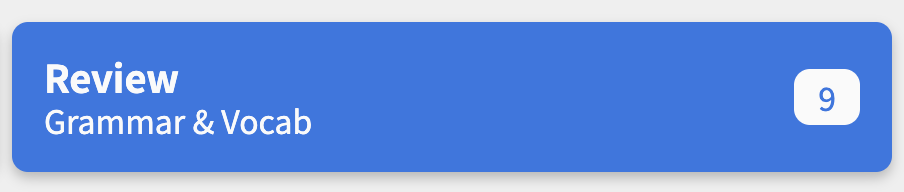
As mentioned, we’re trying to nail this button as it will allow as to extend it in the future when we implement a Decks overhaul we’re planning.
If people really hate it though, we might just revert it back to how it was.
Gonna tag all the users who previously gave feedback on the new dropdown, please let me know what you think with this new update! 
@bunnypro @JamesBunpro @ThePurpleOrange @Megumin @pjorge @araigoshi @badcity (welcome back) @HotAirGun
5 Likes
Good idea! I’ll add this in some capacity (maybe as a hoverable tooltip or something)
Ahhh completely forgot about this!
Thanks for reminding me.
The dev that can fix this is away for the week but will create a ticket
EDIT: I’m actually unable to replicate this!
I’m getting different values on the 14 days, in English and Japanese.
Is it consistently like this for you?
Yes, it’s almost always 0 for me, but when 14th day becomes 13th, apparently there is a bunch of reviews. Probably some timezone issues?
1 Like
Hover is better. But I like to split reviews. So, for me, the edge case is “do it all”. And I loved my two button  A solution would be a setting to choose the default for the new button: Grammar, vocab or all. If I just press it, it would go to the one in the setting but still showing all options on hover.
Thank you for all your effort.
1 Like
Dm’ed!
@Sean any idea of why my dashboard is displaying weird?
Might be something funny of my account settings since other users reported being displayed fine with Firefox
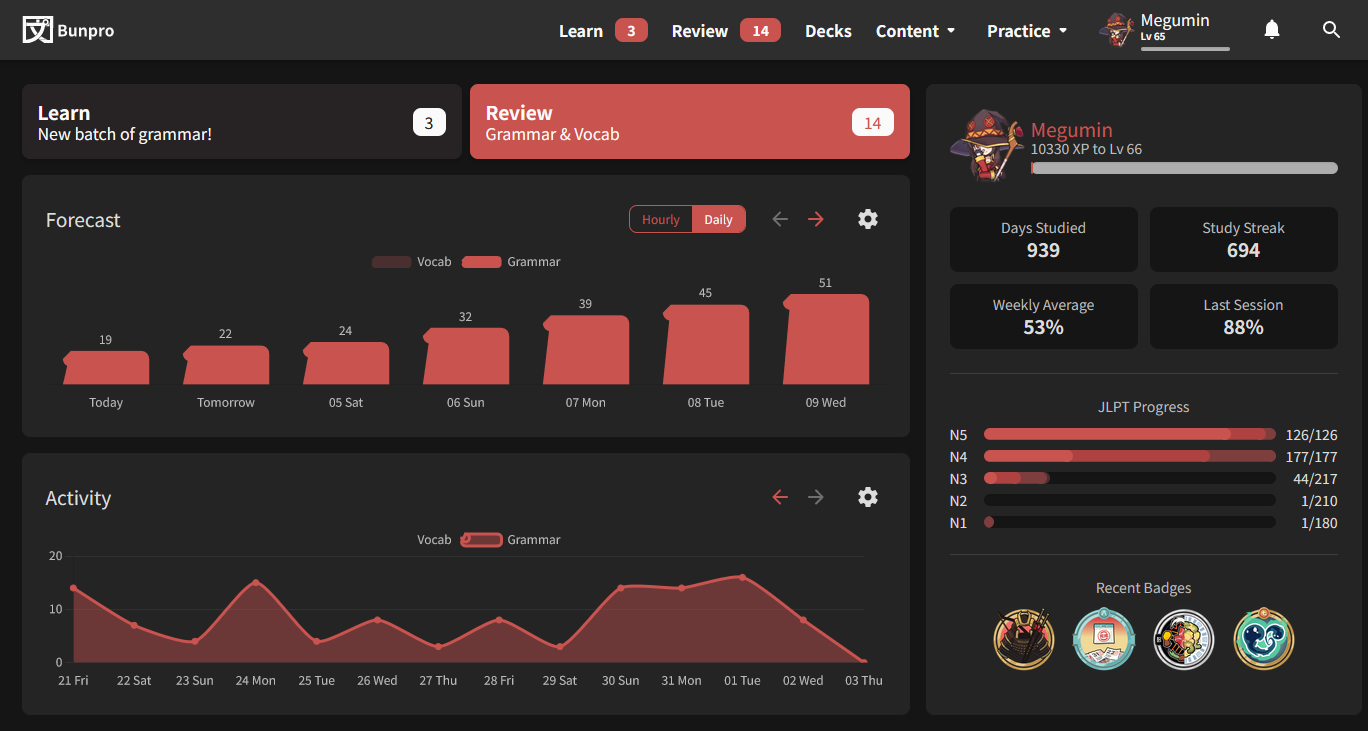

I’m having the same issue  Firefox 116.0
1 Like
Yes, I just found out it’s something that just started happening on 116.0.
I picked up a device I use mainly for reading with ttsu.app , and had an older version of Firefox, it was fine before updating on 115.2 and 115.3, but I started getting the weird duck graphs after 116.0
Having the old review button back with split reviews off fixes the dropdown issue for me (I still wish we had a 24 hour forecast option!). I see that you’d like to get rid of that long term though. For the new button, I think it’s kind of weird that the text goes one place but the text’s padding goes somewhere else.
I think the text area (including to the left, top, and bottom edge of the button) should go to your “default” reviews, while only the right most section where the dropdown arrow (including to the top, bottom, and right edges) goes to the dropdown. I don’t use the vocab feature, so I’m fine with that default being “all reviews” for me, but maybe people would like it to remember what review type they opened last if they use multiple types.
1 Like
Also happening since the 116 upgrade. I checked the release notes and only thing that sticks out is the support for the “q” unit on SVGs (and presumably Path2D, which uses the same definition), but I don’t know if BunPro uses either of those for rendering onto the canvas for charts.
Also happening on dashboard 1.0, for what it’s worth
2 Likes
@Megumin @araigoshi @andersmkruke
Thanks for finding the cause of this bug. That saves me a looooot of time!
The graph library we use is a third-party one so we have no control over the implementation of the visuals. I can’t think of a way we’re gonna be able to fix this internally without switching to a different graph library 
So unfortunately for this one we’re gonna have to just ask you to revert your Firefox version until they implement a fix on their end.
I think the text area (including to the left, top, and bottom edge of the button) should go to your “default” reviews, while only the right most section where the dropdown arrow (including to the top, bottom, and right edges) goes to the dropdown.
We actually had it like this for a while, but it was really easy to mis-click the arrow when you’re trying to open the drop-down. We thought it would be a lot safer to make the reviews button that takes you to a different page smaller, and make the much safer drop-down open action (which is safer) cover a larger surface area (hope that makes sense).
I’m not quite following how it would be hard to click in that previous iteration, unless literally just the arrow was the clickable area, like so:
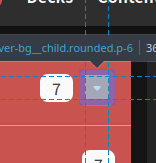
Whereas I’m suggesting a clickable area more like this for the dropdown (the purple area is also clickable, that’s just firefox highlighting padding vs content boxes):
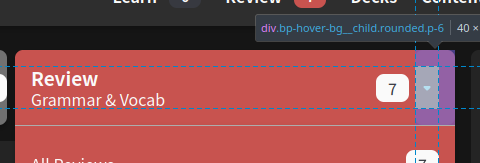
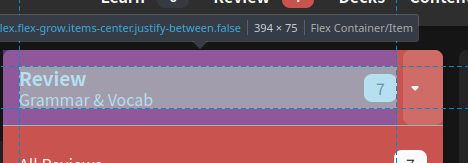
In this example I made a couple of changes to accomplish that in the browser dev tools. I removed the padding on the button, put the top, left, bottom on the left div inside the button instead, and used flex box to center the actual arrow icon within its container (while giving that container the right padding). This also leaves the active area for the rest of the button as:
3 Likes
Sadly this is not an option I’m really happy with as this has potential security reasons.
Haven’t checked the full changelog, but I can’t really imagine a scenario where this is a good idea nowadays.
Fortunately is not a breaking functionality problem, otherwise I’d either try another browser until it’s fixed or most likely put the thing on vacation mode and call it a day until it was sorted.
I’ll keep living with the weird bird shaped graphs for a while.
2 Likes