🦖 Kaijugation – Released 2026/04/06

Looks great! I’ve played around with 4+ similar tools in the past and this one is by the one with the most potential.

Here’s some feedback.

UI/UX wise:

  1. On 1920x1080, the Japanese text above the input box is super small (looks better on 150% zoom). On the Japanese localization, the kanji on the boxes below also read pretty small.
  2. Ability to check the selected Level or grammar point on screen. With perhaps a link to Bunpro’s page.
  3. The banner linking to the grammar point mentioned in OP does not show up for me. Maybe it’s because I haven’t done the opt-in on my Bunpro profile?
  4. Save previous Conjugation choices. Right now you need to manually check every option anew.
  5. Selecting choices (Target grammar, word type, etc): You don’t have a select ALL the options unless you first deselect all of them. Two clicks are not really necessary.
  6. Since it has a retro pixel art vibe, the kaiju and the other sprites could look a lot crisper with some CSS: image-rendering: pixelated would make it render in nearest-neighbor. Additionally, you could have some CRT screen shader effect or some scanlines but that’s probably an overkill and lots of folks would hate it :expressionless:

Content wise:

  1. The grammar points for the Level select mode are somewhat misleading, as if this feature wasn’t fully integrated with each grammar point the more ‘advanced’ you go. For example, N5 ~てあげる lessons don’t actually allow you to conjugate あげる. In fact, you’d get a wrong answer result if you tried that. Any conjugation of the base verb into the て form suffices.
    I imagine this is a nightmare to design and program, but it would definitely set it apart from other apps.
    Perhaps it could be implemented like taking down two enemies in a multi step thing? Where you first conjugate to some X form, then another step for the second part of the grammar.
  2. Ability to select multiple levels at once. Maybe some checkboxes? Or some way to randomize anything from a certain level.
  3. I don’t really care for Leaderboards, but it would be nice to have some streak meter or high score.
14 Likes

This is amazing! This is exactly the sort of all in one tool I needed!

(while there were some other tools that were similar, none of them have the same kind of scope and full features as this one; plus it’s tied into our accounts already; it’s perfect)

I will be recommending this to everyone;

6 Likes

Ahhhhhhhh so exciting to have a tool like this here on Bunpro! Thank you team <3

Felicidades por ser parte del equipo, Fernando, qué gusto que haya mentes latinoamericanas trabajando en un proyecto tan increíble como Bunpro, usaré esta herramienta aún con más ganas, ¡que sigan los éxitos!

4 Likes

What a good idea !
I will try it now :slight_smile:

4 Likes

I just tried, but the UI on ipad makes it hard. the keyboard takes up half of the screen space, so I can’t see which verb i need to conjugate :confused: also typing n results in ん, while im used to typing nn for that. so i get a bunch of mistakes because i get んん instead ^^


hope those issues will be adressed in the future :slight_smile:

9 Likes

Finally, I will be able to tackle the difference between passive and causative. Always makes me bug. That’s a good training tool to be forced to be quick to recognize.

6 Likes

If I’m not mistaken, both conditional なら and ば use the same tags (Conditional | Non-Past ) and the same translation “if”. Is there a way to figure out which one to kaijugate?

7 Likes

This is awesome! Looks super helpful! Excited to tighten up some of my weak points. Thanks!

2 Likes

Fun! I love that it has levels. A form of progression has been something I think the other tools I’ve used has lacked.
Will there be a way to have it quiz you on your progress so far?
Looking forward to it hitting the app!

1 Like

I second the request for seperation between the conditional forms, but it also doesn’t accept ならば for な-adjectives despite it being taught as an acceptable form.

All the graphics in the middle look blurry on screen. The text next to the Kaiju when you answer a question looks like it is outlining each individual stroke, rather than the character as a whole.
Screenshot 2026-01-12 at 13-25-08 Conjugate! Kaijugation - Bunpro
Screenshot 2026-01-12 at 13-33-10 Conjugate! Kaijugation - Bunpro

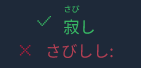
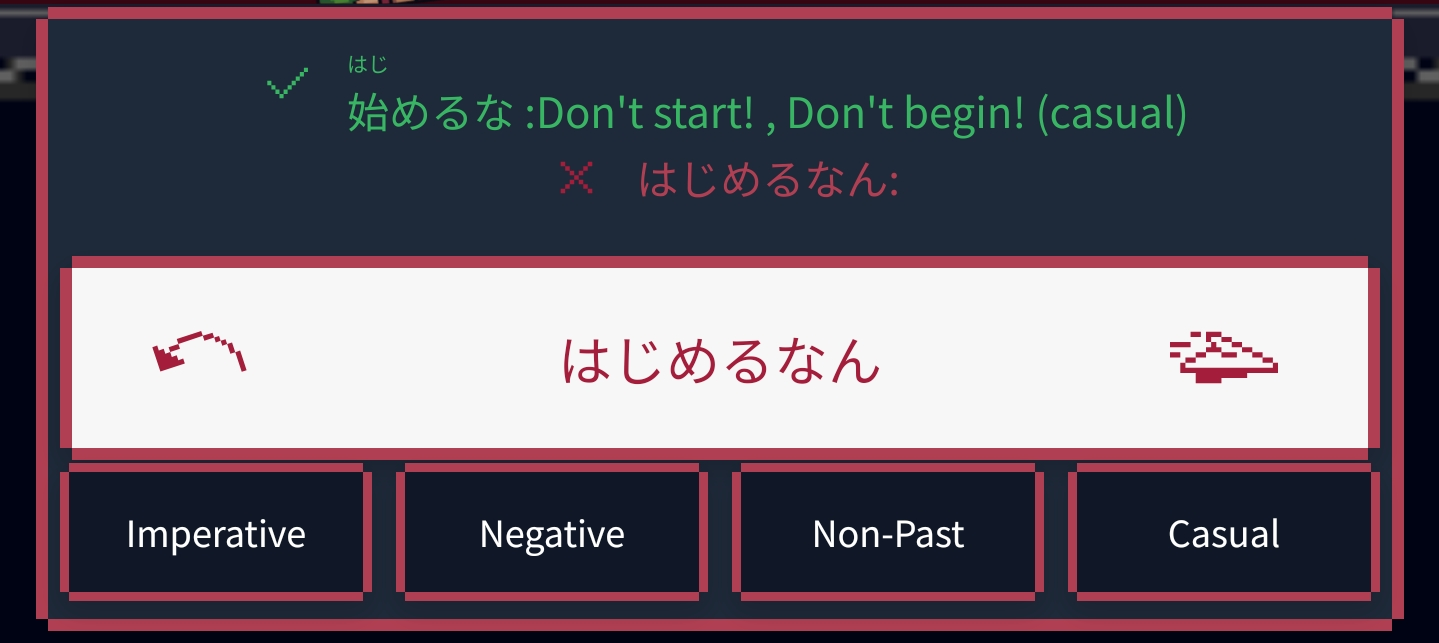
There’s an extra space before the comma for definitions, and then sometimes 1 or 2 spaces before the colon, and sometimes no space afterwards.
Screenshot 2026-01-12 at 13-28-47 Conjugate! Kaijugation - Bunpro
Screenshot 2026-01-12 at 13-27-12 Conjugate! Kaijugation - Bunpro

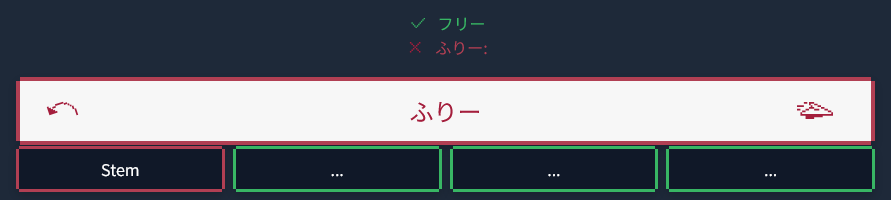
When you enter an incorrect answer (that is not a correct conjugation at all), there is another random colon with nothing after it as I’m guessing it can’t detect a legitimate conjugation (using an incorrect answer here as an example).
Screenshot 2026-01-12 at 13-32-56 Conjugate! Kaijugation - Bunpro

When using English input with a Katakana word, it is converted to Hiragana, and thus marked incorrect.

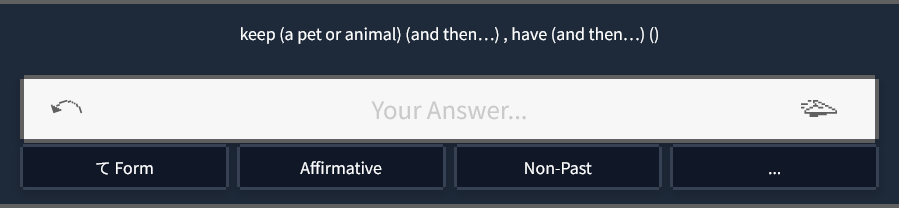
Some things have empty brackets trailing them if it isn’t polite/casual form. (飼う → 飼って)

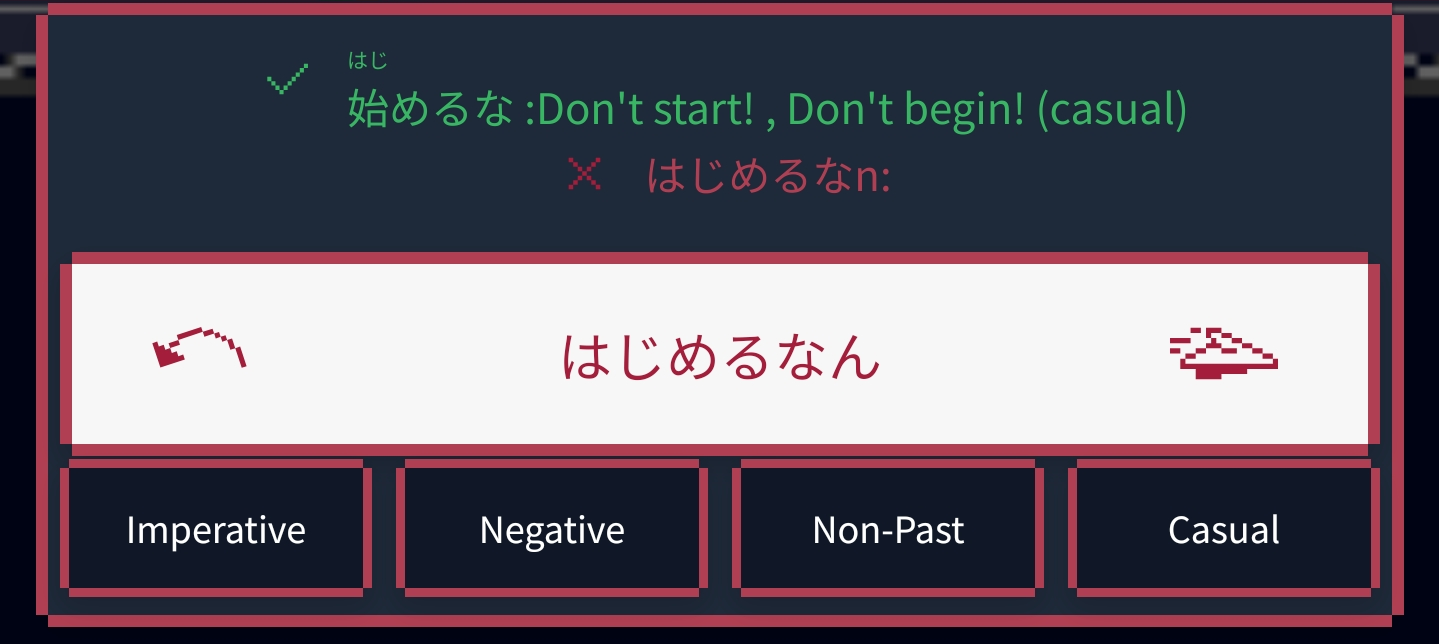
Since it auto converts the final n to ん without having to double type it when using English input mode, you can end up with ん in the answer box and n in the incorrect answer above:


9 Likes

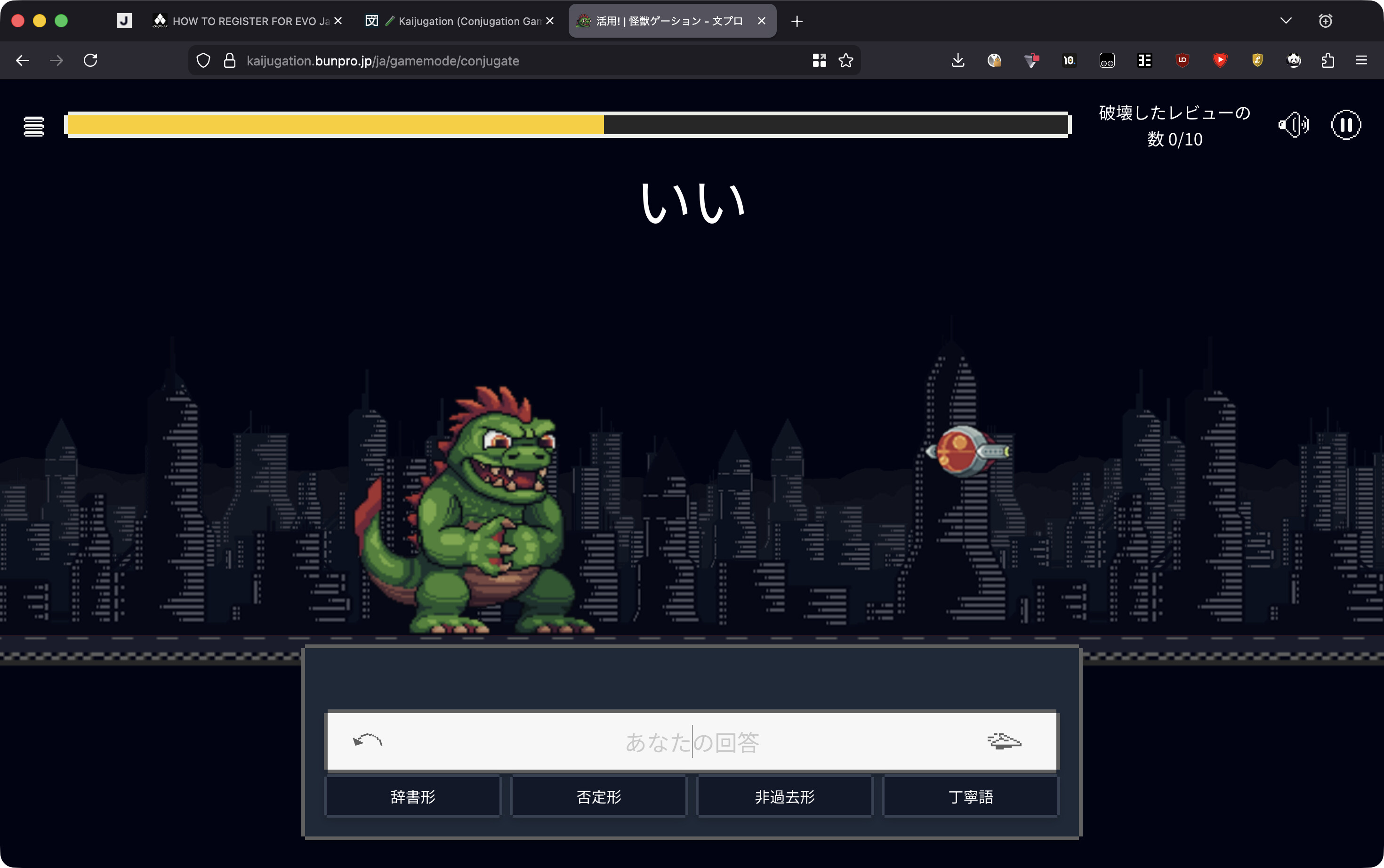
Looks great so far! My only problem is that the input field could be more centered (or in general the word being conjugated could be closer to the input field or form indicators) because at the moment it’s an unnecessary burden for my brain to try to remember all those things while thinking at the same time. When I focus on the form indicators at the bottom of the screen I already forget the original word from the top and vice versa :sweat_smile:

2 Likes

This is so amazing thank you, obsessed with the kaiju and the attention to detail little retro mouse hover sounds. Just had a couple of notes:

  1. Is it possible to have multiple grammar points mixed together i.e. “I was able to be made to work” or something crazy like that? Just as added difficulty.
  2. I think there’s a typo in “assessing damage” when it’s loading the results.
4 Likes

Very cool! :gun::ok_hand:

Not sure if it was mentioned, but it would be nice if the settings are remembered after finishing the sessions (or just in general) instead of choosing it every time from the beginning

5 Likes

Fantastic new feature, it’s exactly what I needed!
I was quite surprised to discover that the entire menu has been translated into French, thank you again for this great work.

So I’m wondering: are there plans to also translate the verbs within the game into French?
I really appreciate your decision to provide the requested conjugated translation instead of “desire, non-past, affirmative, polite.”
If we could have a French version, it would truly be the ultimate tool and save us from having to translate twice in our head hahaha
Thanks again, I’m going to add it to my daily routine :slight_smile:

1 Like

UI Designer here, maybe unpopular opinion but…

I don’t think it has to be presented as a retro-game.

Normally apps or brands do this kind of funny games on specific dates, but for the most part, when something it is a core part of your app (I mean this is going to stay on Bunpro forever) you should aim to include it using your design system and brand guidelines.

I get it, it is supposed to be fun. But the gamey aesthetics and the whole “Beat the game!” punchline will get old after playing three times.

If I had to include this it would be using the already fully-shaped UI of Bunpro, with lots of configuration options. I don’t like to feel like I’m entering a new app or website because I’m practicing conjugation. I like to feel that all the tools for learning japanese are in the same place and with the same feeling.

Aside from that, very happy with the possibility of doing this kind of practice and the effort you guys put! Thanks!

19 Likes

Are there plans to have this include keigo verbs? Because I would personally find that really useful and I’m sure I’m not the only one who finds that tricky.

4 Likes

Am I stupid or is there no prompt on the 良い level!

1 Like

If you look at the bottom you have the conjugaison that you need to input
I do agree that it’s kinda unintuitive to put all the way at the bottom though

1 Like

Firstly and it goes without saying, the conjugation game is an excellent feature and is in a great working state already! However, I would like a compact mode or similar so that information doesn’t require gymnastics jumping from top of screen - to the bottom, left to right, then back to the text entry bar.

The Word, Translation and Conjugation Instructions (Not sure what you’ve referred to it as, in this case it’s the for eg, ‘Volitional, Affirmative, Non-Past, Casual’ boxes) - Each one of these items are held within differing design surrounds and text sizes, and in a game where thinking quickly is the goal, I feel there’s a road block at least for myself with an interruption in flow down the page every exercise.

Design wise it does look visually appealing at the moment, but I do feel it’s form of function in this way. If it were up to me, or even having alternate view modes, i’d love to see the text elements all brought together into the same visual space and design for quick and easier understanding of what the prompting requires me to do.

5 Likes

Tested out a level briefly just now, this is very very cool and i love the aesthetic of it. Definitely will be using this in the near future to brush up on some of the more pesky conjugations. thanks!

2 Likes