
Is there any way to have the review order set to lowest-first to clear back-log? They have this feature in Wanikani and I thought it was so very helpful 
When you go into reviews, click on the gear to go into quiz settings. There are a couple different ways to order your reviews in there!
2 Likes
I was looking thought those and I found ways to change the order of hints and some other small adjustments, but I am looking for something that orders my reviews starting furthest back based on N Level (N5 first then N4 and so on). Wanikani has a feature that lets you clear backlog by having the system focus lower levels first for reviews and I really benefited from the feature and was hoping that it would be on here too somewhere
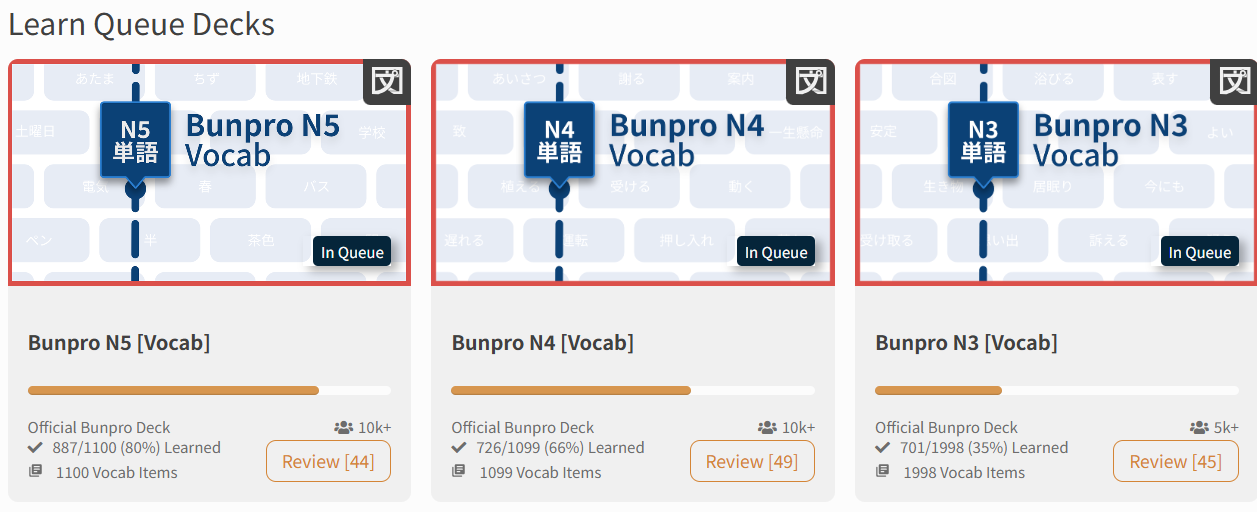
If you want to review by level, go to the decks page, and you can review by deck that you are studying!
like so:
1 Like
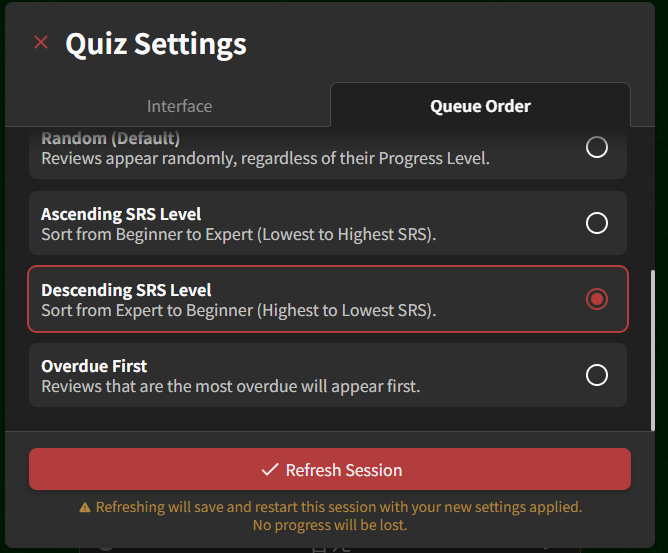
I meant the settings you can get to while you’re actively reviewing, not the general settings page. Not by N level, but you can sort them by SRS. I like doing descending when I’m clearing backlog since the reviews I do won’t come back around as fast.
1 Like
Oh! Yea that will do the trick I think, where is this page? You said that this is found while actively in the review session?
Oh this looks nice! I found this page on my learn queue but I don’t see any way to review the content specifically like you have on yours. I know there is a cram feature that is wonderful, but I wanted to see if I couldn’t have it apply towards my daily reviews and not just study on top of everything.
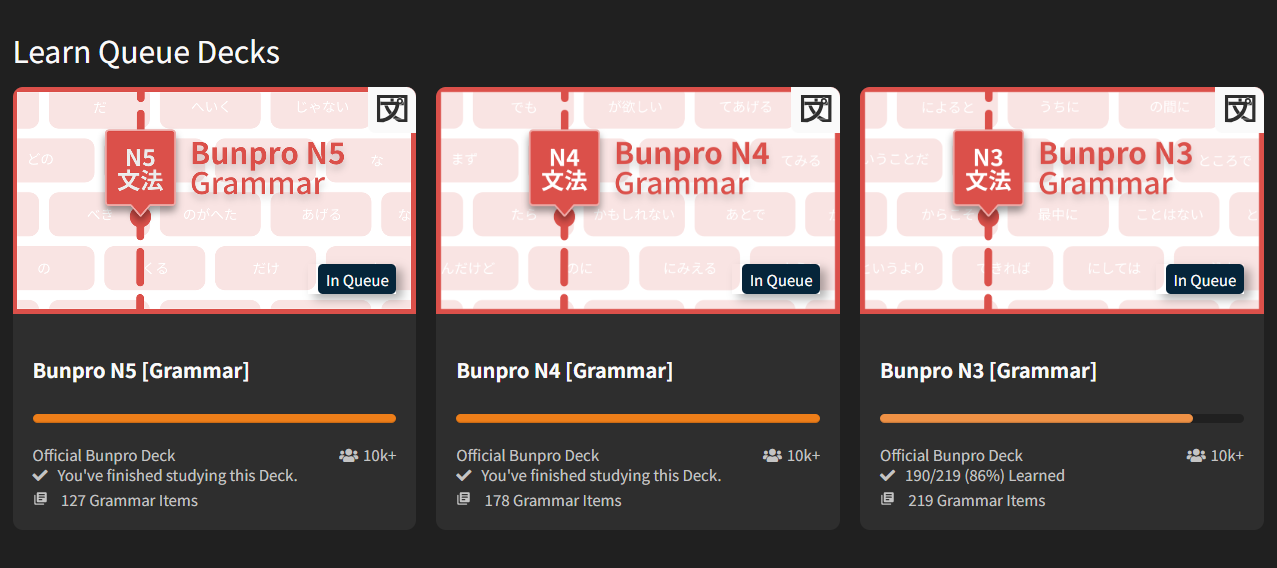
Hmmm that’s strange, maybe you have no reviews left for those items for today? The “review” thing only shows up if you have items to review in the deck
1 Like
I think it’s because I’m not actually backlogged, I am caught up and do around 70 reviews a day on here, I just wanted to see if my reviews could target earlier decks first because lately I have been kind of lost at the end of N3 grammar.
Yep! Start a review session, and there should be a gear in the top left. That’ll get you to the quiz settings.
1 Like
Does this setting apply to all reviews forward or just the current session?
It applies for all sessions going forward
1 Like
I renamed this thread to better target what I was looking for I understand you were helping me better tackle backlog and not just filter my reviews.
Thank you for your help and I’m sorry if I confused you my friend.
1 Like