
About editing Reviews

皆さん!今晩は!質問がありますよ。
Hi everyone! I have a question!

How do you erase all the reviews added to the Review Section? Been looking in the settings, but haven’t been able to find anything.

If you know please let me know. Otherwise… I am gonna have to erase one by one manually hehe.

Thanks.
ありがとうございます。
1 Like

Hi there and welcome to the forums!

What do you mean when you say the “Review Section”?
Can you please a screenshot or something?

There are quite a few places where you can see all your Vocab/Grammar progress

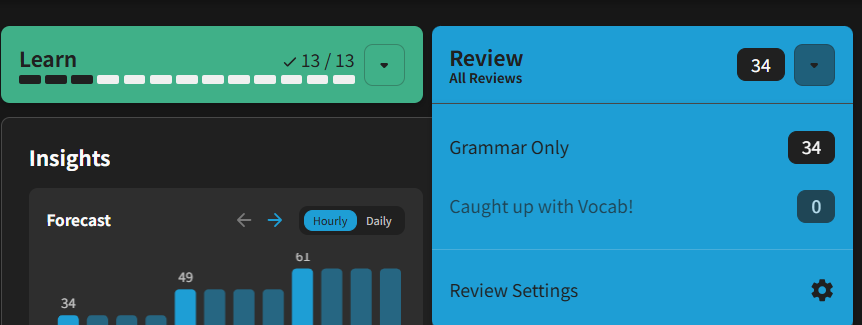
Yes of course here is the screenshot.

1 Like

The one in blue! Where you review what you learned!

1 Like

Ahhh I see!
So just all your Reviews in general.

This Reset settings page lets you erase all your Reviews in very broad strokes.
Looks like you’re only studying Grammar, so this^ might be the best option.
Not that it deletes all your history with those items too, and will be as if you never studied any Grammar on Bunpro.

Otherwise, you can go to the My Decks page, and click on the Decks that you’re studying from in the Learn Queue section.
From the individual Deck pages, you can manually select items and remove them in bulk.