Any youtube video teaching how to use bunpro?

Are there any youtube videos teaching how to use bunpro. I’m new so I just want to know I’m using it correctly. I’m on the default settings in beginner N5. A youtube video on tricks and tips would also be good.

I already know roughly 1,000 words so also like to know a good strategy to start using bunpro. Although I know those words, I find I mistype or don’t know how to spell out 75% of those words. I find typing out the words hard in bunpro but maybe that is the strategy.

2 Likes

I like to use the flashcards instead of the typing: you just click 1 for “I don’t know it” and 2 for “I know it”. If you click under the “Learn” tab and then click on the three dots under your deck that you use. Then, you go to the “Review” tab and click on the “Vocab Review Type” and then scroll down to answer and click “Reveal and Grade” and then click “Save Changes.”

This is what I was looking for. So a YouTube video would have helped.

I did try to change in the settings but I guess the deck over rides it. I’m able to use the flash card setting now.

Thanks

2 Likes

Np man! Its a lot nicer, hope your experience is better now! :smiley:

1 Like

Something is still off. For vocabulary N5. I’m learning the word child 子供.

It’s fill in, so it reveals the word child. Ideally I like to hear the word as well. I’m used to anki where there is both sound and reading.

I can only pick ‘fill in’ or ‘listening’ option for the deck. The listening part is listening to the entire sentence. I would prefer to just listen to one word and not the entire sentence.

I might just go back to anki as I’m used to that system.

1 Like

Some words specifically are weird I’ve noticed, as you said. Like, even though I have set the entire deck setting, some cards are still fill-in, and some don’t have audio. I don’t know how to fix this. If you’d prefer Anki, then go ahead and do Anki. Personally, I’m only doing Bunpro for vocab so I can finish my 2k deck, then I’ll move to Anki to just do mining. But, even if you are going back to Anki, I would definitely stick with Bunpro for grammar; it probably has some of the best grammar resources out there :+1:

1 Like

It’s fill in, so it reveals the word child. Ideally I like to hear the word as well. I’m used to anki where there is both sound and reading.

To play audio you can press the P hotkey, or you can also turn on “Autoplay Audio” from the Quiz Settings (the cog in the top left during Reviews)

Does this help your situation?

And yeah we really should get onto a tutorial video for Bunpro.
Things just change so fast that it will soon become outdated

3 Likes

Yes auto play setting and pressing P helped me.
Thanks.

I think a YouTube video of someone who became expert in Japanese using bunpro would help greatly.

1 Like

I’ll give you 3 frames of video with the top 3 bunpro tips, no Youtube required.

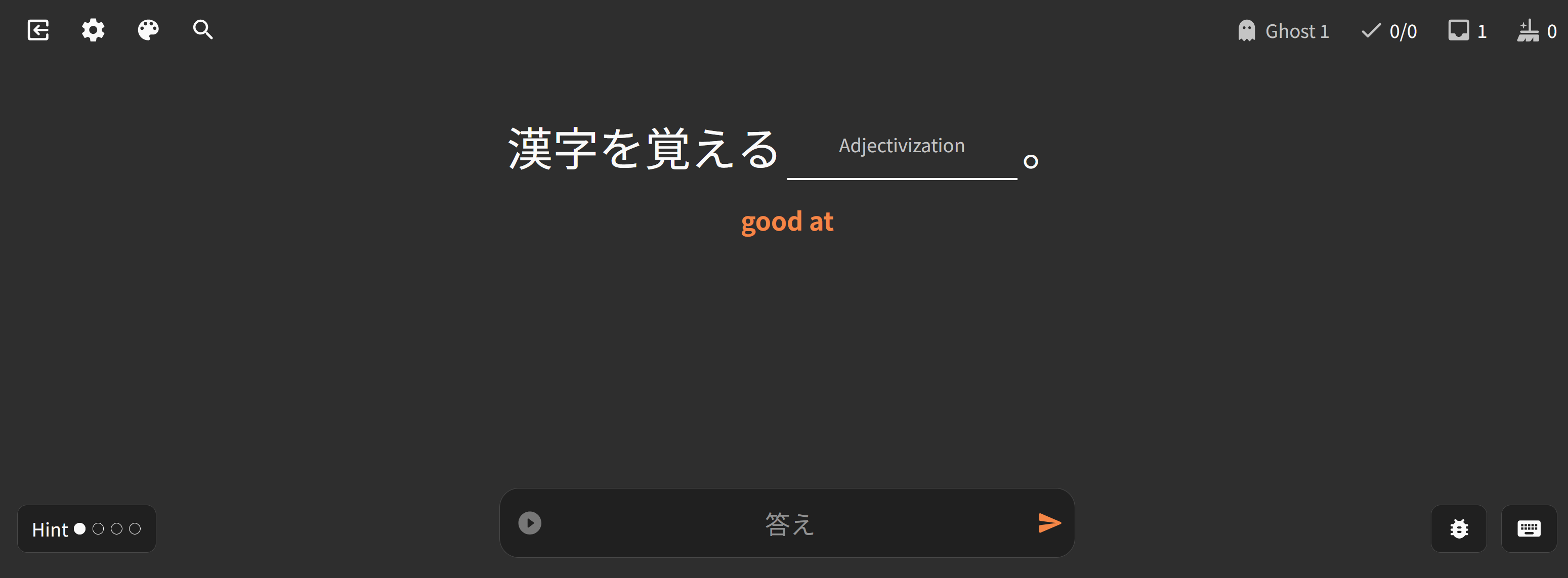
  1. If this number isn’t 0, do your reviews. Don’t learn new things, don’t play with your theme settings and don’t post a reply to anyone on the forum… like I just did.

  2. See that keyboard in the bottom right? That’s the hotkeys. Learn them now, save tons of time in the future! Collect them all! Also, make sure you have your keyboard set to EN–English! Now let’s click that gear in the top left!

  3. 3A - Everyone and their 3rd cousin is going to tell you to set this or that setting to whatever and what have you. There are only two settings to rule them all (aside from Wanikani Sync). Setting 1 is this one here in the 3rd frame of the video. Play an online game? Do 20 reviews between matches. Watching anime? 50 between each episode. Pick a number and do tip #1.

  4. 3B - The second setting is the daily learn queue number. Pick a number that doesn’t hinder your review queue getting to 0. Review queue not 0? Don’t learn!!

My settings hot take… I have a weekly goal, not a daily one, and it fluctuates week to week. I set my daily goal to 0 in Bunpro and some days I learn 20, some days I learn 0. Guess why? See frame 1! The review queue rules them all!

I know it wasn’t Youtube, wasn’t a Japanese expert and the video had to be assembled frame by frame and the audio wasn’t packaged with it, but I hope this helps :slight_smile:

9 Likes

I have considered making a video like this for quite some time. I think a lot of people would benefit from it :thinking:. Might be time to get off my butt and put something together.

14 Likes

A video would be fantastic and can only benefit Bunpro. I’ve recommended it to so many people IRL, but very few make the jump. I feel that if there was a short video that’s easy to digest, more people would sign up.

5 Likes

Same! The people I’ve been able to demo for have jumped at the chance to get in on a good thing, and to get referal perks. Plus I think for people who are new to SRS/are also less comfortable messing around in a site with unfamiliar UX it can be a lot to get used to

3 Likes

Here is my first time using bunpro experience even though I think I know about 1,000 words.

The first 10 N5 words had a word like mother and I typed ‘okasan’. It was wrong and I think I got it wrong 3 times. I think there was another あ in ‘okaasan’. Mother is just one example but I had hard time typing every 10th word.
I got so frustrated that I abandoned bunpro for like 2 weeks and then came back and give it another try by switching to non typing method.

2 Likes

A Youtube tutorial would be good. I’ve had Bunpro for ages and I’m still confused what the workflow for putting in answers is. Like, if you get the wrong answer, should you correct it? If you get it wrong in the wrapup, do you leave it wrong? If you correct it, does it think you know it when you actually don’t? So confusing, makes me not want to use it.

2 Likes

Also eager to see a video tutorial of bunpro made by an experienced user who can concisely explain the features and suggest workflows.
I was a bit lost when launching the app for the first time, found my way around on my own due to not seeing many recent tutorials on Youtube. Yet I’m sure I’m missing some fine adjustments hidden somewhere that I’ll discover in two years time :upside_down_face:

2 Likes

Excuse me, I have a question, is there any way in which you can shuffle the review types? For now, what I do is fill in the blank when learning, but then I cram the session with several times per topic, and manually change through the different methods like flashcards or listening practice. What I mean is, is there a way to have it randomize the card type either during learning or during cramming that you know of? Thanks!

Not related but still relevant...

…if you want to have a bit of a chuckle for 7 minutes :sweat_smile:

https://www.youtube.com/watch?v=hBOj45xt0vI

Welcome to the forums! And thanks for the feedback,

Long and short of it is that Undo is used for typos!
If you legitimately just made a typing blunder, you should feel comfortable to Undo the error.

Since you started using Bunpro (probably), we added this warning whenever you first try to undo an error:

1 Like

Ok got it tks! I see that now. Ok, time to learn some grammar, I’m going to get active again :slightly_smiling_face:

1 Like

Yeah we’ve added a few of these UX warnings.
We turned them off for existing users tho as we thought they might be obnoxious.

Let us know if you have any other feedback!