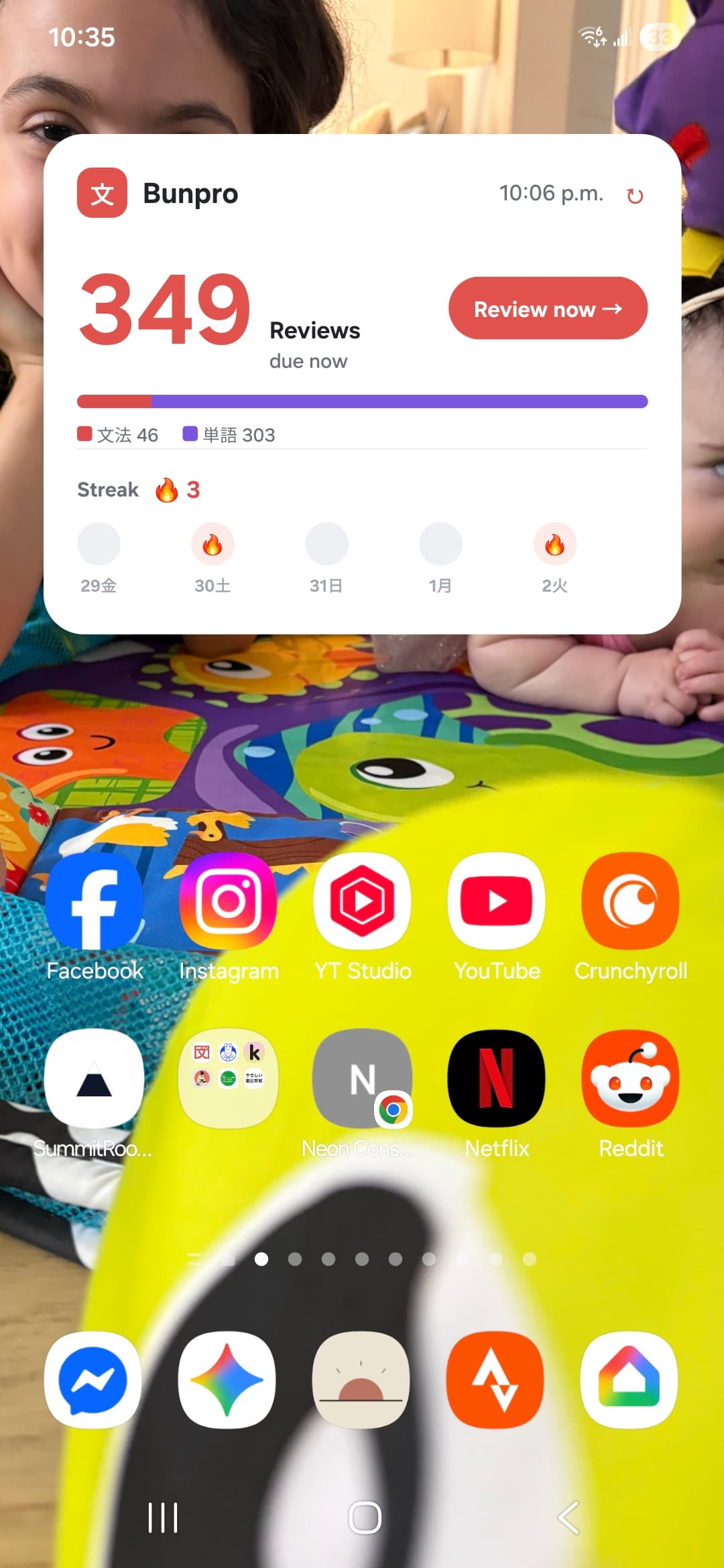
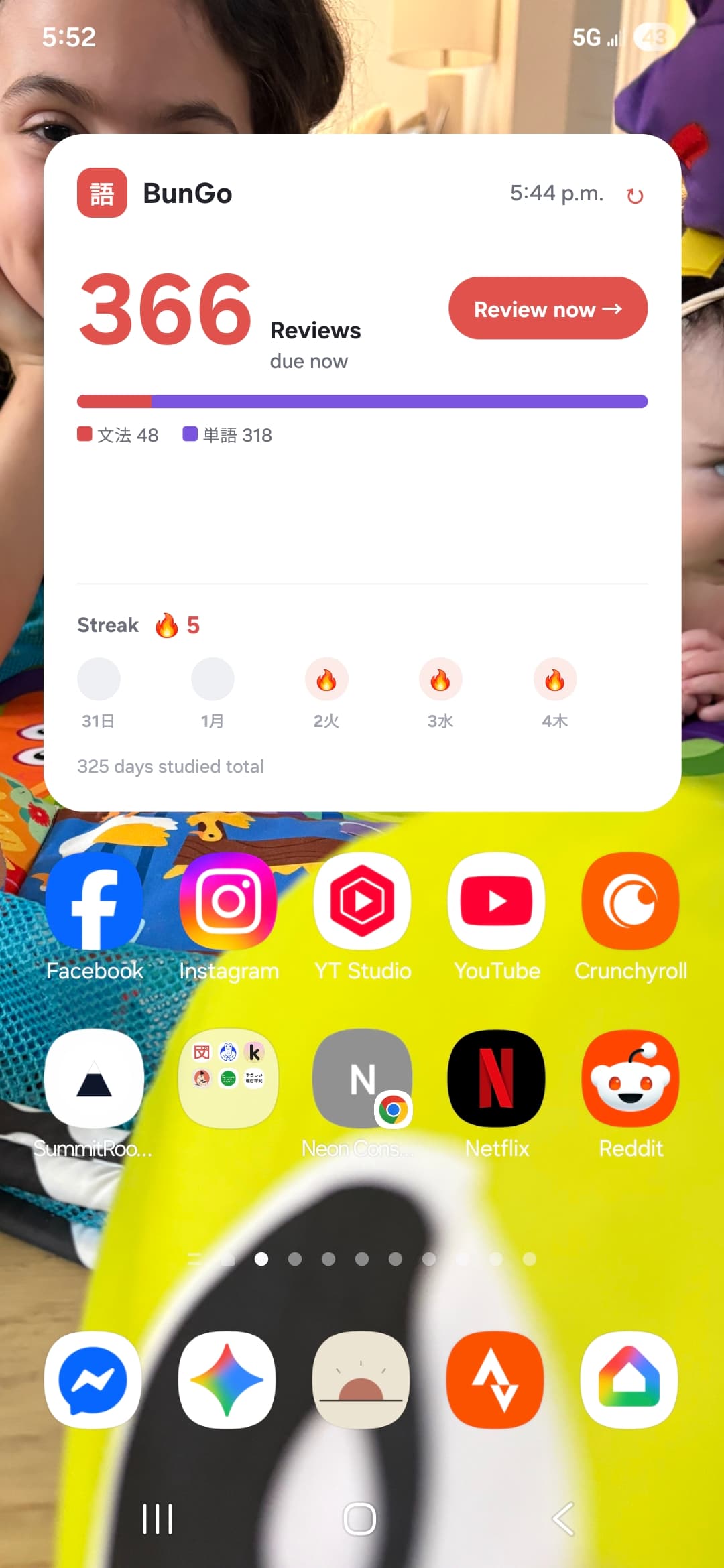
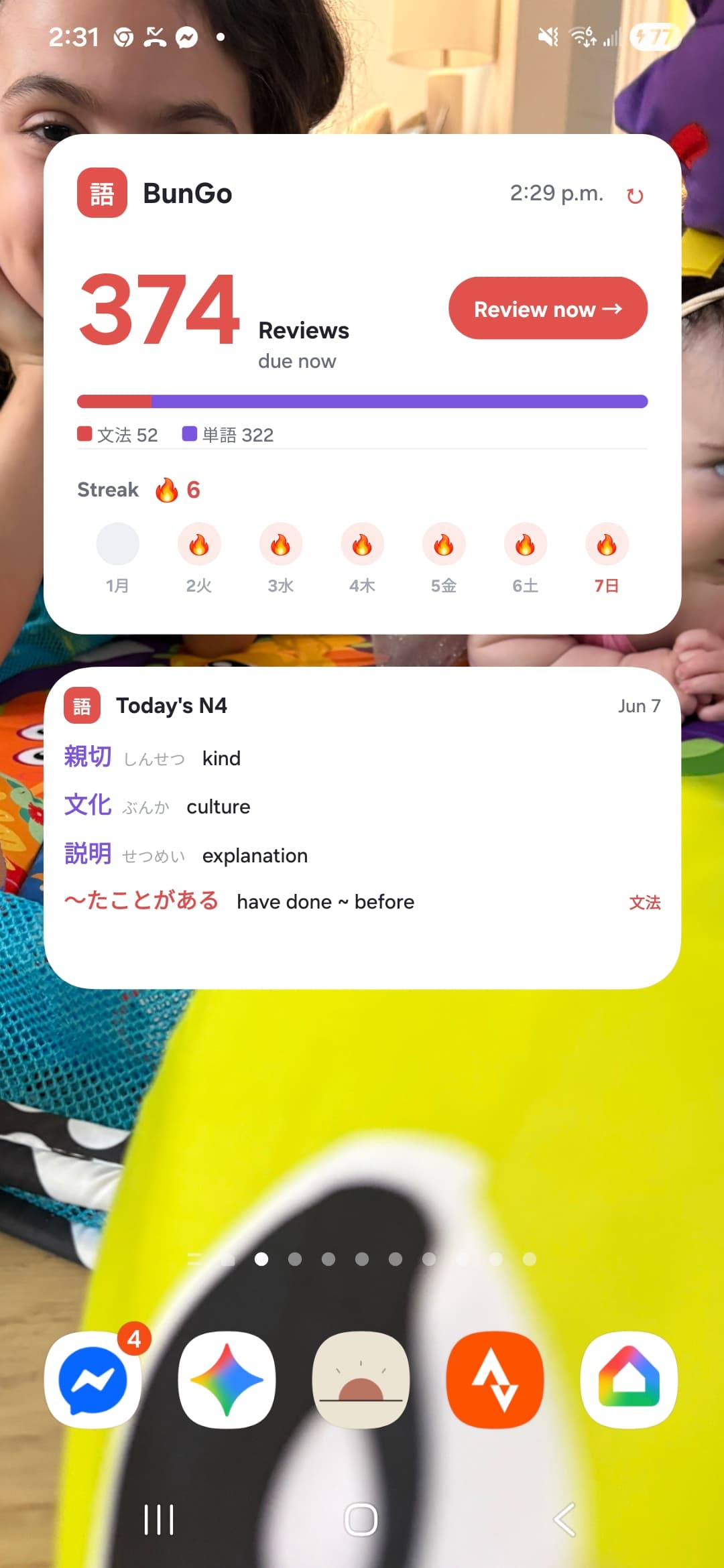
Hello all,
I recently made a widget for Bunpro on android and wanted to see if anyone wanted to use it as well. If so I can add it as a free app to the play store.

Hello all,
I recently made a widget for Bunpro on android and wanted to see if anyone wanted to use it as well. If so I can add it as a free app to the play store.
That’s super cute! I would be interested in using it, even though I barely ever do reviews on my phone lol
That’s so rad.
Does it require having the Bunpro app on your device? Or does it work with the web version as well?
You just log in with the widget so no need for app on the device 
Cries on iOS 🥲
My android tablet craves this widget
i wish apple would allow this
Looks like people like it! I will change up the name and logo so bunpro doesn’t hit me with a takedown and will add to the play store
Wht about an IOS
I NEED THIS SO BADLY when do u plan to release it ? (if you do plan to release it)
Wait, maybe I’m reading it wrong, but on the screenshots you’ve posted, the study streak and the days with activity don’t seem to agree with eachother.
Totally correct. Im currently fixing a few of these little bugs also the alignment needs centering ;p. Please let me know if you notice anything else!!
Hello all! I just submitted to the play store and will let everyone know when it is live also added a daily 3 set of grammar based on your JLPT level and 1 grammar point
Sounds good let me know when it’s released
That’s a great widget!
Can’t wait to add it to my tablet too.
Thanks for sharing it, love the addition of the vocab on there 
I crave this I am gonna use it as soon as it is realeased !!!
Hello all! I am looking for testers for the widget! If you want to give it a go before I do the public push let me know hy DMing me with your email and I will add it to the testers list. Then you should be able to install and see if it all works
I believe using Shortcuts and a couple of additional apps (such as Charty) it may be possible to achieve this in iOS.
Great news all it’s available on the Play Store! Enjoy and let me know if you habe any issues
I have a discord for a different Japanese tool here but feel free to hop on and ill make a separate room for this app