
Ah I see, thank you for the update. 
2 Likes
Oh, have I got dimmer again? 
Or were lots of new grammar points just added? 
2 Likes
This should be fixed now! Sorry about the confusion
2 Likes
Perhaps 
2 Likes
Apologies if this has already been asked, but has there been recent changes to the API? I noticed recently that I’ve been getting 404s on the study_queue endpoint. I haven’t changed any of my code recently. URL I’m using is https://bunpro.jp/api/user/$API_KEY/study_queue
1 Like
Hello again!
Please take a look at this thread, from the linked message onwards:
Hehe, perhaps there are more grammar points, or perhaps I got dimmer 
Oh wait, I can’t even work that out, so the conclusion is …
Must be more grammar points, right! #dumbbunny
2 Likes
Empty card content when cramming.
This appears to only happen when using the Cram Type “Input” with vocabulary.
When starting an “Input”-Cram with grammar and vocab the grammar card content shows up but the vocabulary doesn’t. Happens for me on Firefox and Chrome, the iOS Apps does not seem to have the problem.
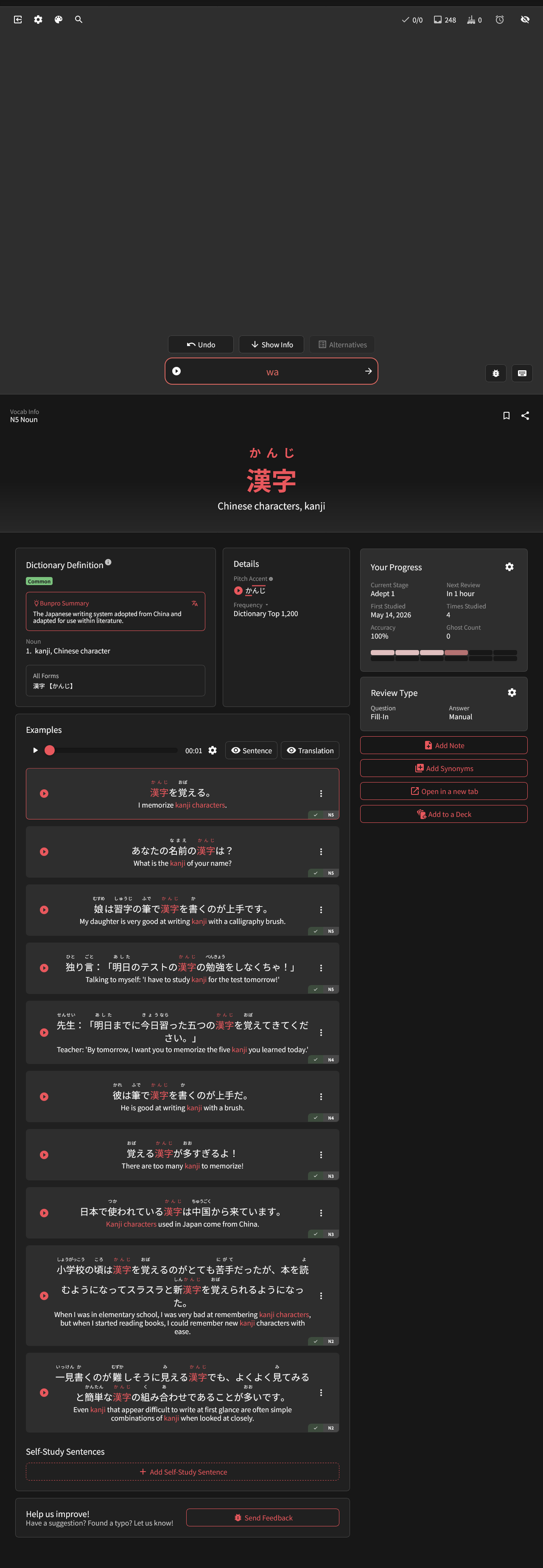
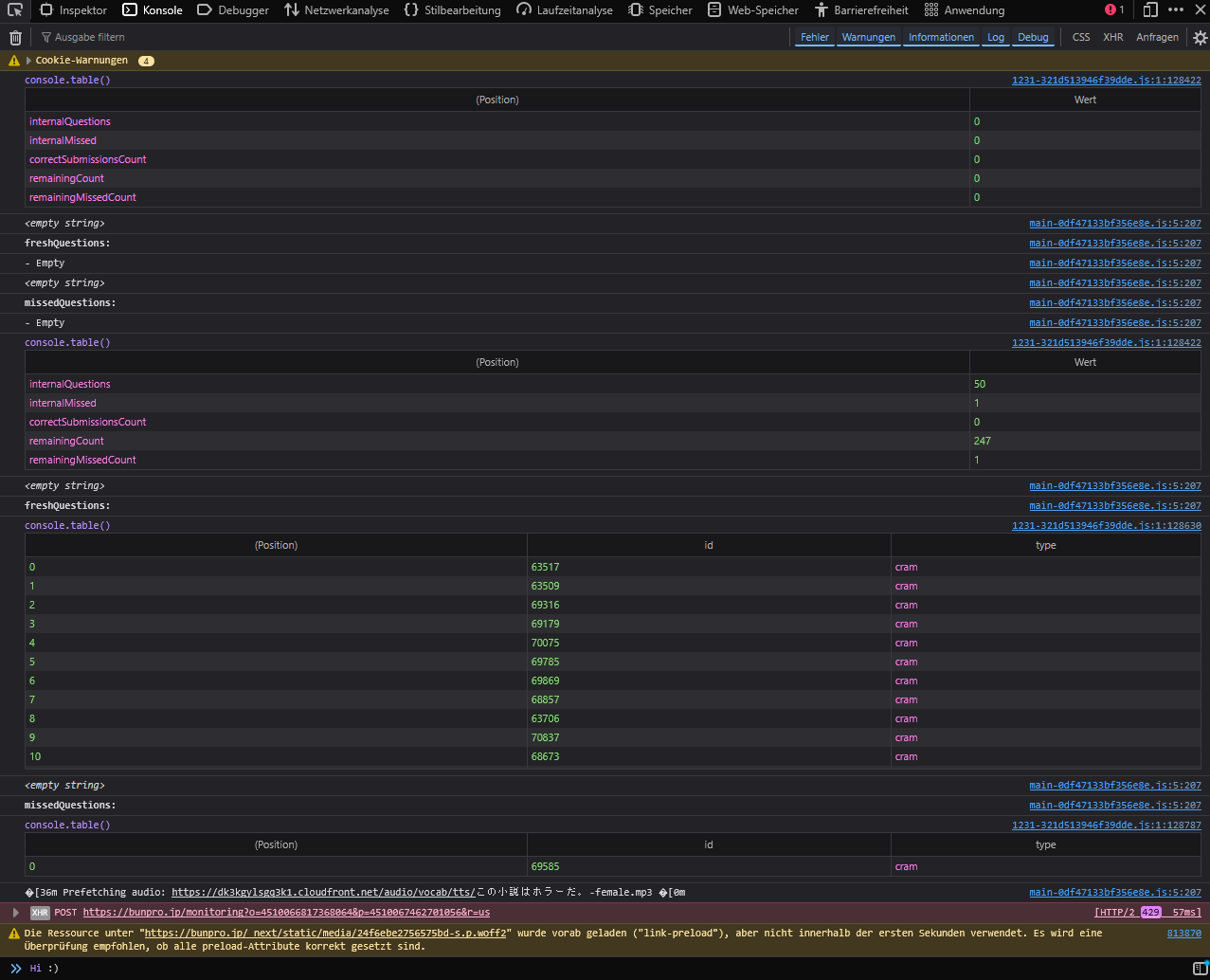
Hello! Thanks for reporting the bug.
I already have the fix ready and will ask to have it updated ASAP 🙇♂️
2 Likes
When searching for vocab, words that only have a kanji form and a katakana form can’t be found by typing in hiragana. Is this intended? I do understand if this is intended behaviour, but I think it’d make searching more accessible if hiragana and katakana were interchangeable in the search bar.
3 Likes
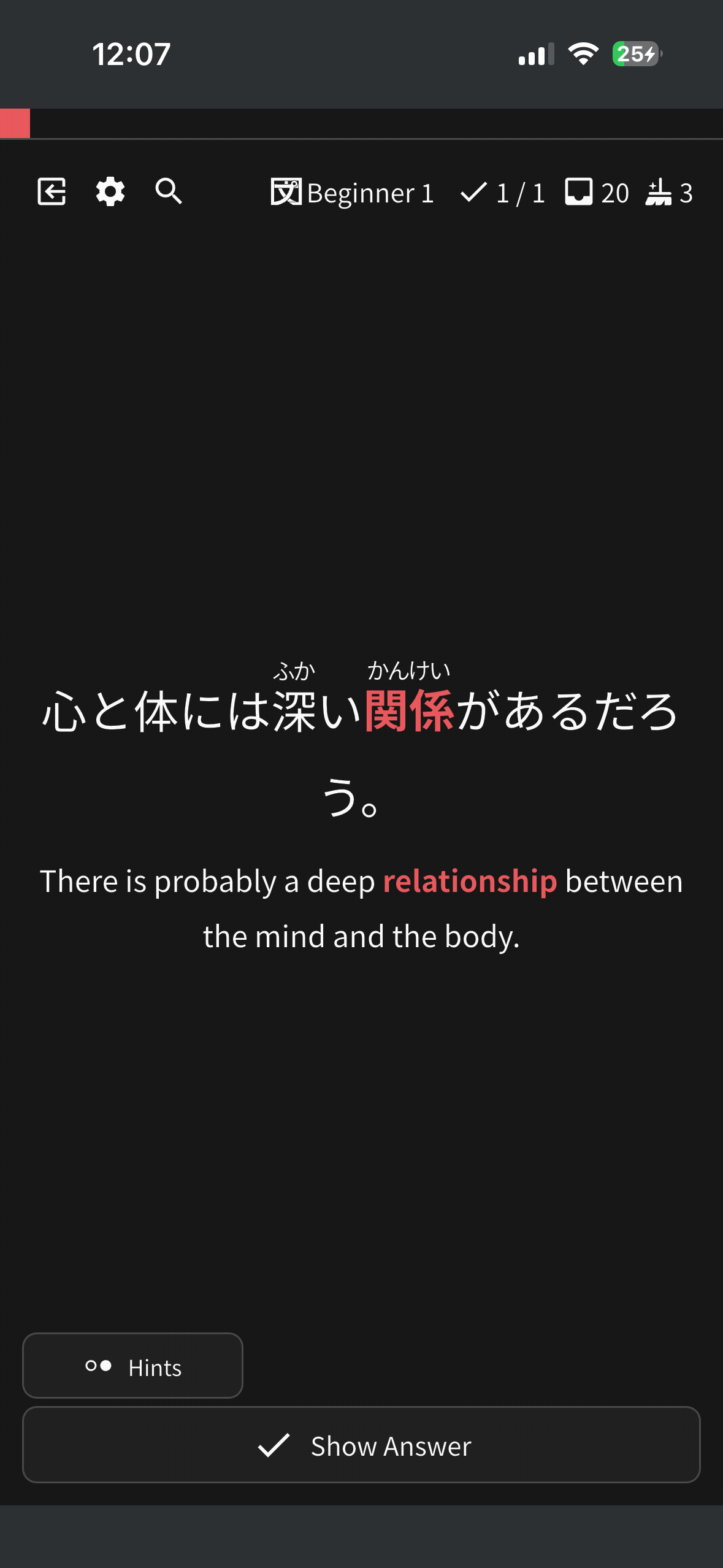
This card for some reason forces to a “show answer” only and no input. There are no changes to my settings and I’m not using anki mode. It’s only for this card in reviews. When I hit show answer and hit “good” or “bad” it goes back to text input for answers.
2 Likes
The data seems to have been incorrectly entered for that sentence. It should be fixed now but I will also try found out what happened 
2 Likes
I just finished the JLPT N4 Vocab deck, but I think I’ve run into a bug. On the dashboard it’s showing 1095/1095, on the deck itself it’s showing 1095/1096 at 99%, and it’s not showing as a clean-up-able deck in my learn, it’s showing I can still do lessons. If I click on it to learn, it errors. I went manually through the deck and did not find any that were missing from my reviews.
2 Likes
Welcome to the community! 
I’m guessing you’re using the app?
We recently added new Grammar Points which likely need to be downloaded first.
Are you able to try the following?
- Open the hamburger menu in the top left
- Tap the cog
- Go to ‘General’, scroll to the bottom
- Tap ‘Reset Data’
- Tap ‘Reset All’, and wait (a while)
- Once the popout closes, check to see if the issue has disappeared
Something strange is going on with how the number of newly learned items is being calculated. This is on Bunpro web.
Earlier today, I learned 3 new vocab items. But after finishing them, only two out of three bars on the dashboard were filled and Bunpro didn’t congratulate me on reaching my daily goal either. I continued to extra study and did three more vocab. At the end of that, six bars appeared normally, so it looks like it corrected itself. Interestingly, upon finishng the extra study, Bunpro congratulated me on reaching my daily goal.
Just now, I learned one item of grammar, and on the results page it says “You’ve learned 3 new items”. Fortunately the dashboard displays my number of learned items correctly.
[Edit next morning] I just did more lessons and it didn’t happen today, so maybe it was just a one-off hiccup.
1 Like
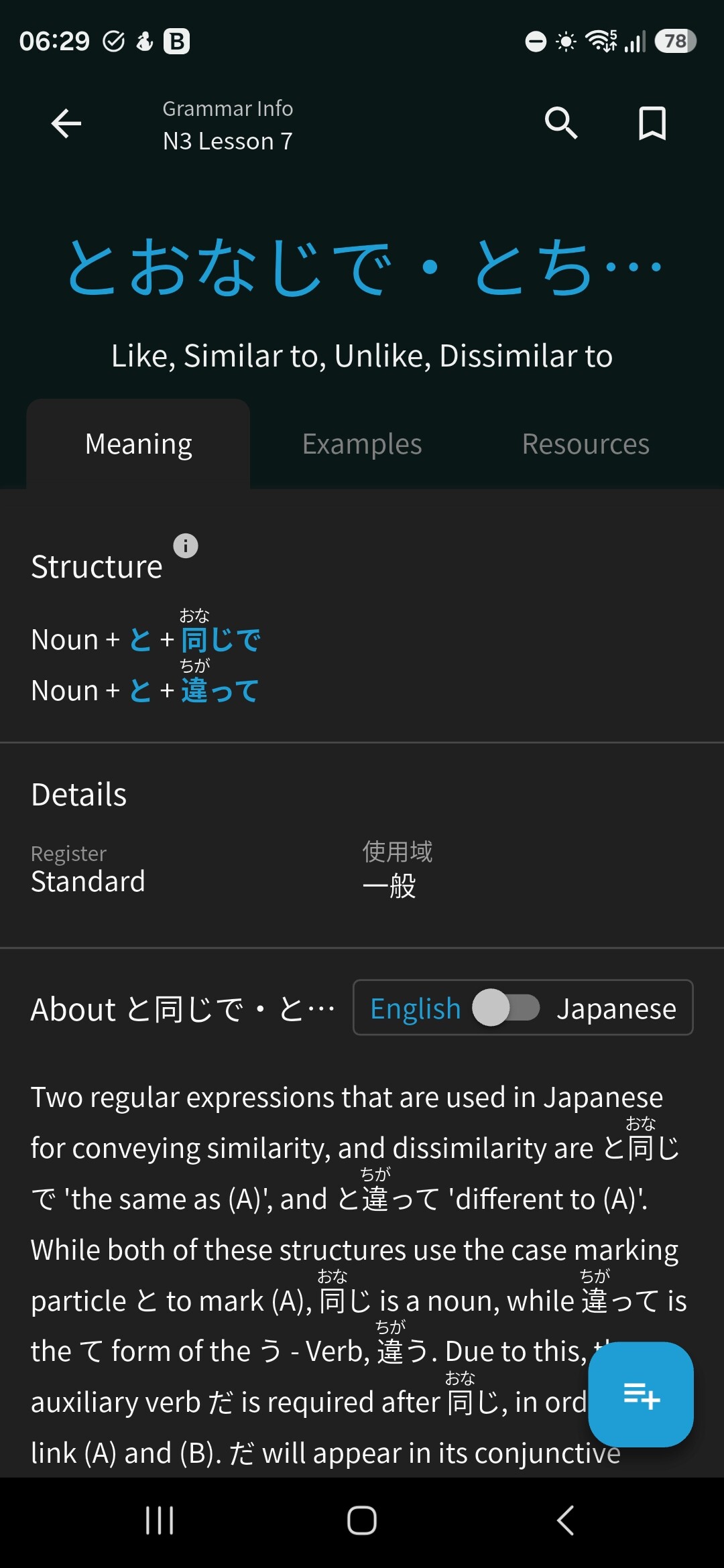
Hello, not sure if it is a bug… on the grammar point page, the blue grammar point description on top does not autofit the frame using the app on my phone. Android. Not sure about the exact technical description, pic attached.
1 Like
Your time zone is set properly and stuff I’m assuming?
If you were studying late at night / over midnight I can imagine this could be a bug that could exist.
Plz let me know!
1 Like
Just checked, timeline is set correctly. I just woke up and did some more learning and everything is working normally, so I think I was just way too quick to report a completely one-off hiccup.
1 Like
I have been reporting bugs via the app (which has me sending an email to Dominik?) but I haven’t had a response in quite a while so I’m dumping some here to get some visibility…
First, on Android, go to Grammar and search for つ. It should return ~ずつ (it does when I search on the web) but it doesn’t. It does return other grammar points that contain つ without starting with it, so I don’t know what’s so different about ~ずつ .
Probably my biggest issue is that when I go through my grammar reviews (Android), I keep getting cards that spontaneously switch to “Cloze”. I have my cards set to fill-in/flashcard, so there should just be the right/wrong buttons at the bottom. Like before, it doesn’t affect all cards, but after a dozen reviews or so, one card will switch.
What makes this different is that I think even after I go into settings and reset all my cards it keeps coming back. It seems to happen most often when I lose connection to the Bunpro servers.