
On a similar note, I noticed today while doing my reviews that furigana now doesn’t show up when I hover with my mouse, but only when I click on this, which is even less convenient than hovering the mouse. I would be happy for a shortcut to reveal furigana as well.
As far as I can tell, the grammar point させていただけませんか isn’t on bunpro… is it possible that we could have it added? (or if it is here, could someone point me to it?)
4 Likes
Not as a grammar point as far as i’m aware, but it’s sort of available as a vocab item: させて頂く | Bunpro
I say ‘sort of’ bc it’s not in the question form so might not be what you wanted to add to your reviews 
Thanks  I would like to practice it as a grammar point if possible!
1 Like
True, would be cool if it got added  (unless it’s already somewhere, n we just can’t see it
  )
)
2 Likes
Nice suggestion - This one is on our list for consideration already!
(By the way, you may find this thread useful, if you happen to think of any other grammar point suggestions in the future)
1 Like
Thank you!
1 Like
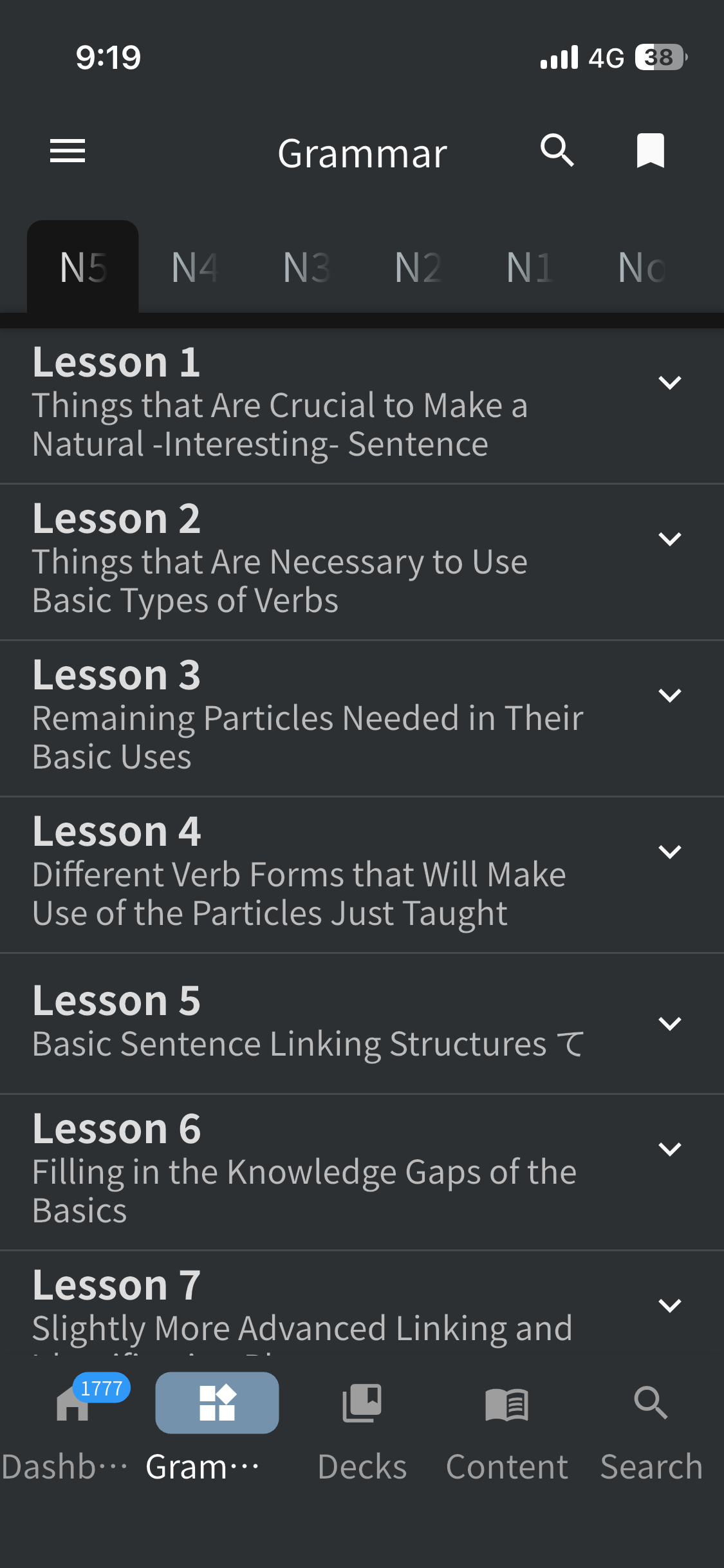
I really wish there was a way to easily see what level grammar points are at on this screen. Sometimes before a tutoring lesson I want to quickly figure out what things I’m still struggling with to do targeted practice. Maybe some kind of “sort by level” option?
Is there another way to see what grammar points are on Beginner still? I’ve started to keep a notepad doc to do this which is very time consuming and annoying (I don’t want to have to do this mid-review).
As far as I can tell the only way to find Beginner items is to go through them one by one and check the pages 🥲
Edit: Did something different.
Suggestion: Make the “Learn” box on the dashboard also reflect grammar and vocab that wasn’t learned via clicking the “Learn” box.
I mean this thing:
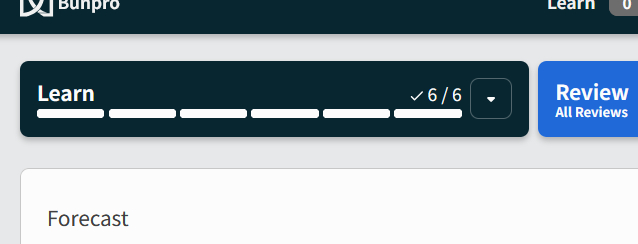
Currently, it only shows how many items you’ve learned by clicking this box. When hand-picking items from a deck or from Bunpro’s grammar list and learning them, they don’t show up here. I think it’d be nice if they did.
7 Likes
I’d like some kind of system or game or drills to grasp verb and adjective conjugations for past and negative. I just can’t get a good grasp on them. Also cosmetics and shop in the ios app since it’s on the website.
1 Like
Summary: Kanji and vocab links to Wanikani or elsewhere
I’d like the detailed information card to have links to Wanikani. This is especially important when I answer wrong and am trying to remind myself how to remember the correct answer.
- Exact vocabulary match: Wanikani sometimes has fun tips on how to remember vocabulary. Also knowing on what level the item is taught can be helpful.
- Kanji matches: Same idea, but may have multiple matches per vocabulary item.
As far as Wanikani API integration, it would be nice if it highlighted the link to Wanikani if I’d studied the item already, otherwise it could be deemphasized and say “Wanikani level 58” and I’d just have to accept that I haven’t learned it yet. But it could also just statically link regardless of my progress and that’d be nearly as good.
Even if Wanikani integration is impossible, details about kanji would be appreciated, like meaning and pronunciations. These details could be on-site or links to something like jisho.org: 雑誌 #kanji - Jisho.org.
1 Like
Pitch accent when selecting any japanese word on screen.
1 Like
On the mobile app, when I’m doing reveal & grade reviews, sometimes I will tap the reveal button but absolutely nothing happens for several seconds and there’s no visual indicator so it feels like I mis-tapped. Is it connection issue, is it the app chugging, I don’t know?
But when I go to tap again, if the timing is particularly unfortunate, the reveal button turns into the answer buttons right as I tap and so I end up tapping one of the answers instead. 
A visual indicator that the app is “loading” would be nice to avoid that.
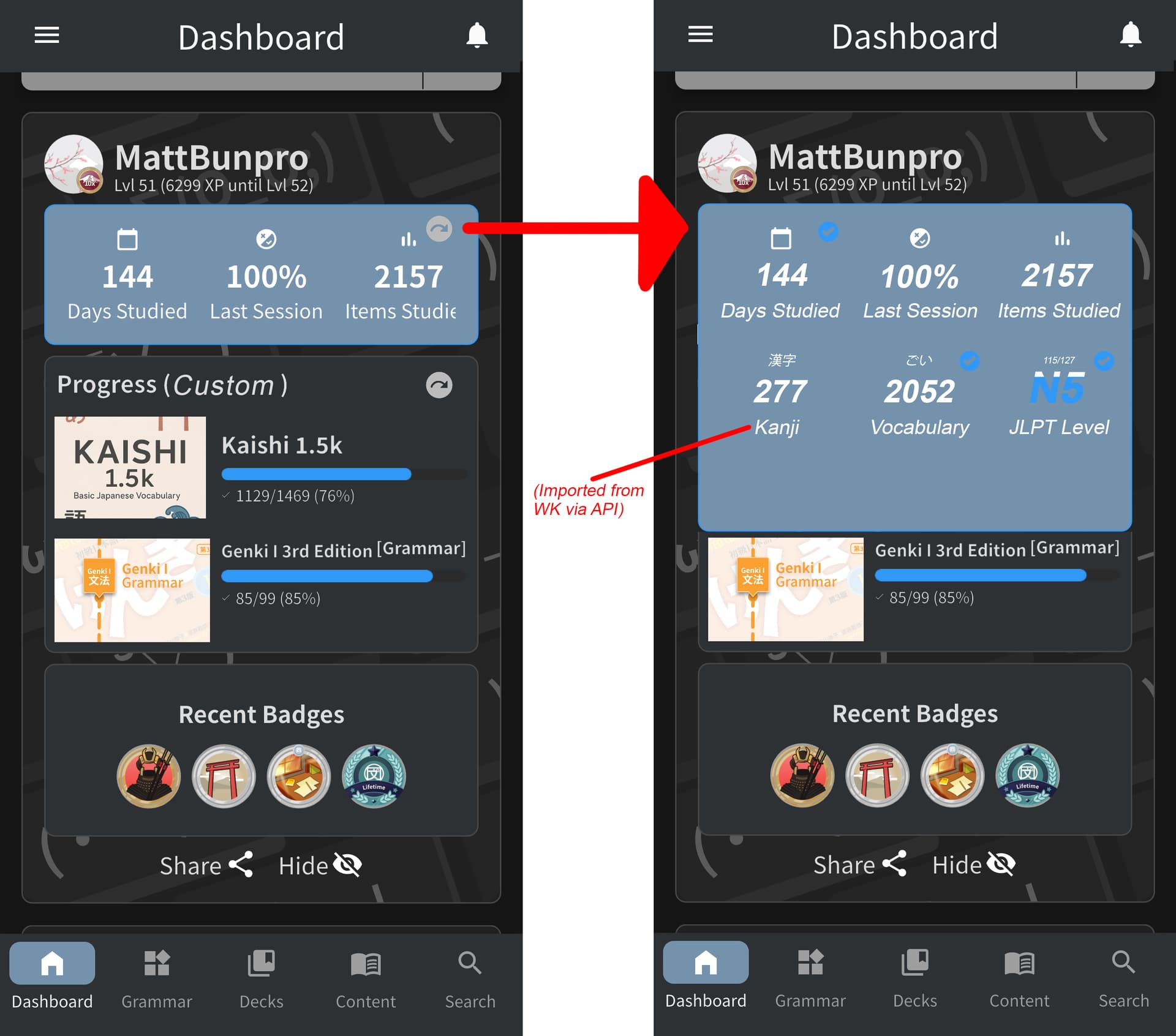
Rather than a JLPT-only focused home screen, I think it could be beneficial to set our own custom goals with other decks for our own individual studies.
It could be set manually, or simply display what we have in the learn queue.
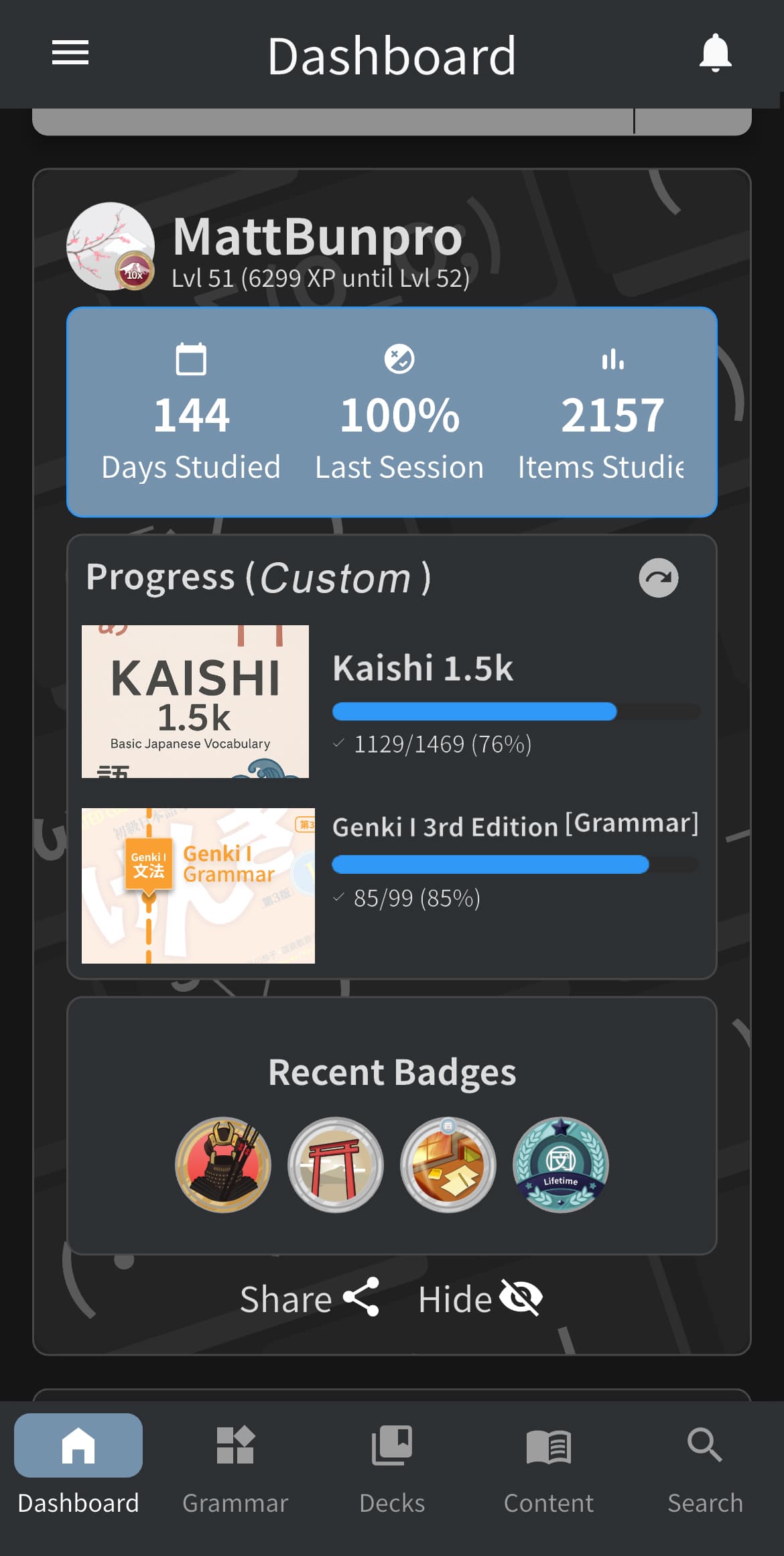
(I think being able to see our goals in small chunks like this is much nicer than having to stare down the barrel of how far away from N1 we are every time we open the app )
4 Likes
While we’re on it: having more options and being able to select which ones to display on the top row would sick as well 
First time submitting anything here, so no idea if this is the correct place to ask, but for IPhone Notifications, is it possible to implement the notifications to be sent every hour if you have not done the reviews by then?
I sometimes forget I have reviews and the bunpro app only sends the notification once and never again until all reviews are completed. Even something like the wanikani app (Tsurukame) does with notifications every time a new review is added would be great, just so the notifications appear more than once.
Thank you so much!
3 Likes
This.
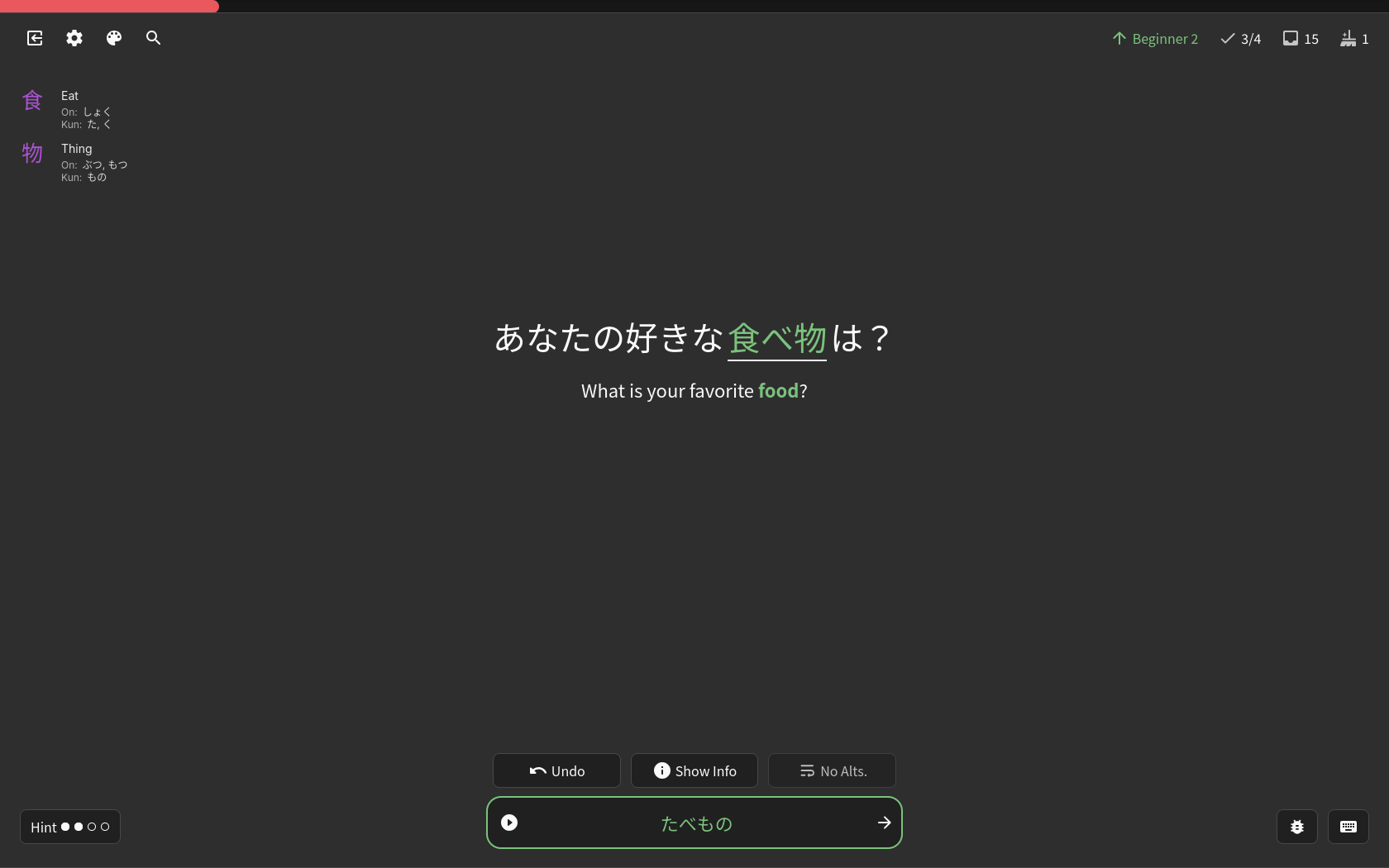
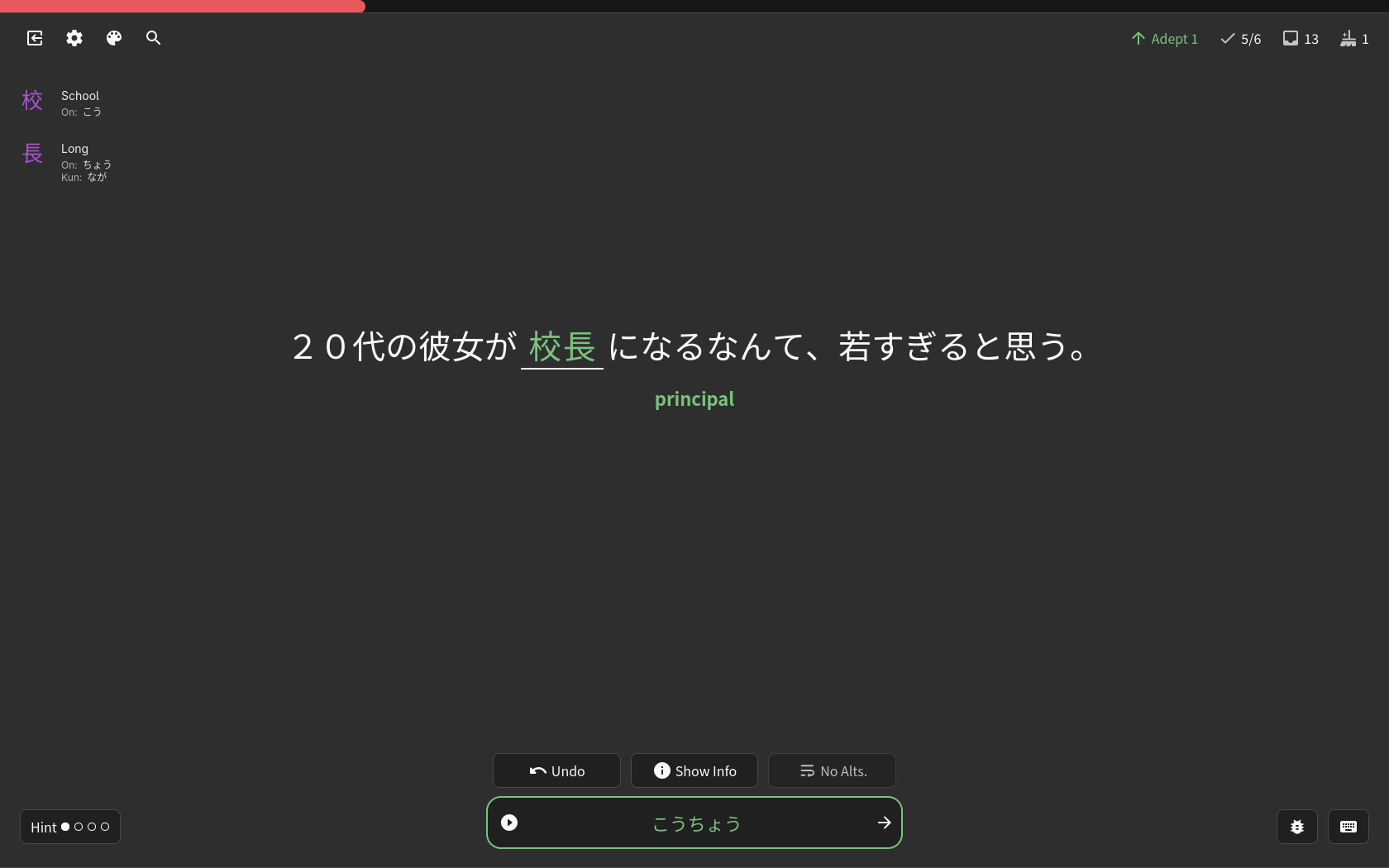
I was also missing the meaning of the kanji, because at the moment I’m grinding kanji alongside vocabulary.
For me, the solution was to show the kanji’s meaning and reading only if I entered the correct answer.
I wrote a small script that does this for me. When I click on the kanji, it takes me directly to WaniKani.
I probably can’t share the script here because of the ToS, but here are some screenshots.
2 Likes
That’s sweet, thanks for sharing! I think I’m most interested in seeing this info when I get something wrong and check the details card, but having it on correct answers seems useful, too. Anything to keep reinforcing all those kanji and help them stick.
I mean, when the answer is shown 

2 Likes