
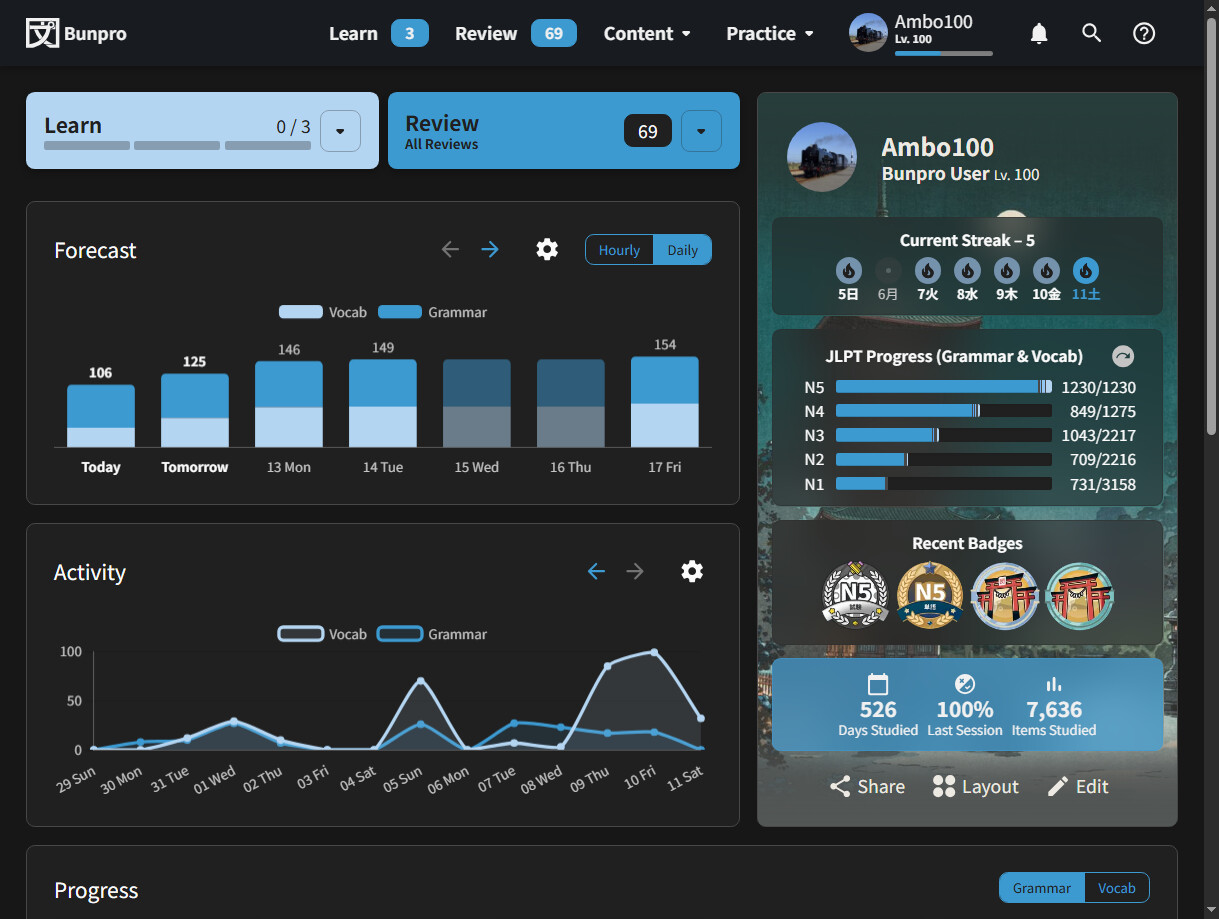
Does your Dashboard not look like this? I just took this screenshot from my App.
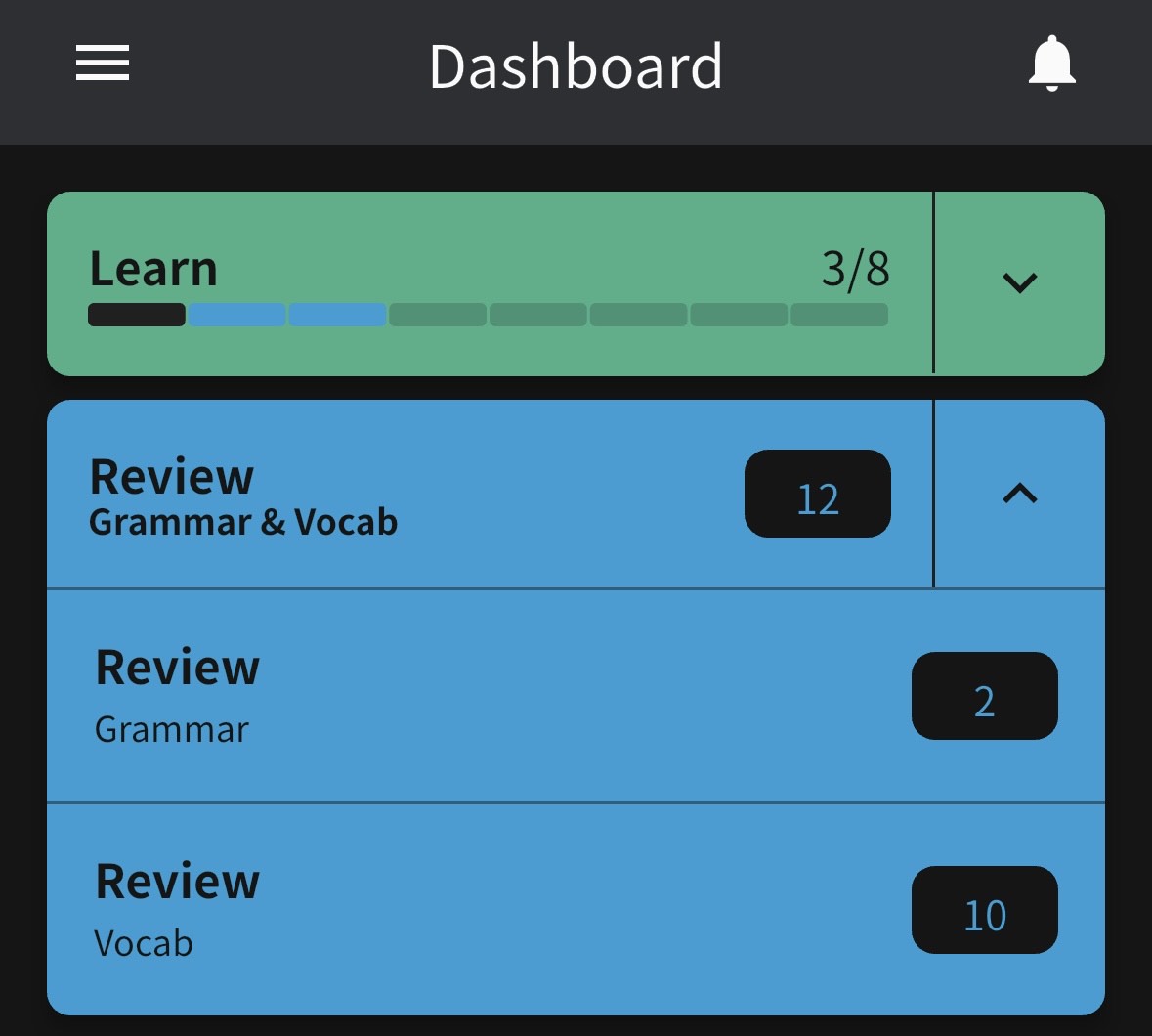
Yes it looks like that. However I’m trying to control the types of reviews that come my way. Mine just says I have such and such reviews to do. In my case, I want to just review grammar for a while. I don’t seem to be able to do that.
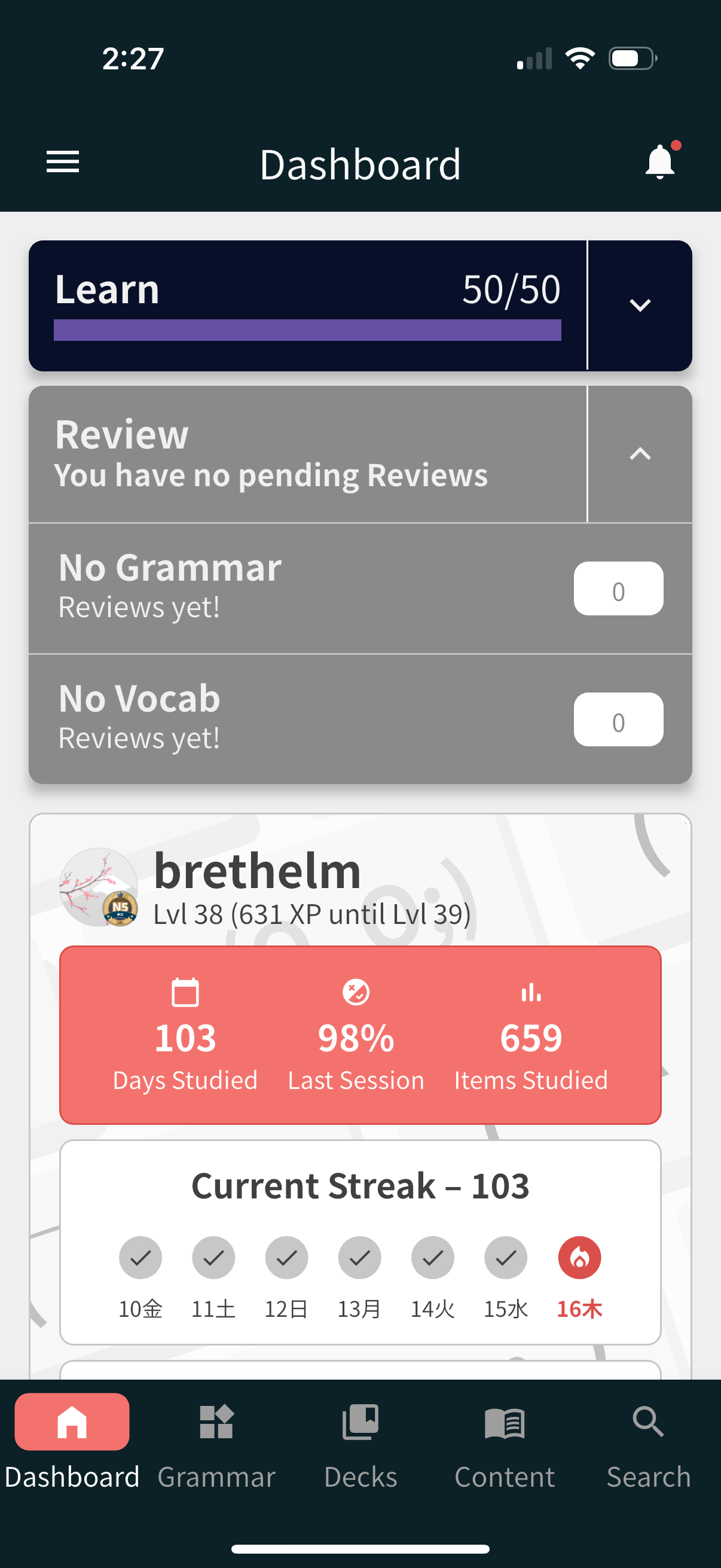
There may be something more going on here, but it looks to me like you simply don’t have any items that are available for review at the moment!
I have an issue which could be similar. My custom vocab decks are not syncing from web to Android. They do not appear in the Learn Queue, nor do they appear in the decks section of the app. Sync buttons don’t work either.
Do your decks which you’re studying from show up in the Decks section on both web and mobile versions? It might confirm if you have the same issue I do, especially if it’s a custom deck.
Yes I understand that but what I’m trying to do is stop the flow of vocab reviews and prioritize grammar. That’s what I thought the split reviews functionality would allow me to do. But that functionality is not present for me.
No I’m getting reviews. I’m just up to date with them which is why they show zero. What I want to do is control the types of reviews I am getting.
So what the result of this is is that on a particular review cycle I may get 1 grammar review and 160 vocab. I would to make it so I get 30 grammar and 131 vocab, as an example.
The Split Reviews functionality simply allows you to either review only grammar or only vocab in a given review session.
Currently the only way to “pause” vocab reviews that I’m aware of is to actually remove them from your learn cue, but that will set that vocab’s learning progress back to zero.
I cry 
That’s not how SRS works, though. You get reviews based on whether you remembered a grammar point/vocabulary or not. For more practice, you can use the cram feature.
I was able to fix my issue by setting my grammar srs strictness to full. Now I’m getting plenty of grammar reviews.
I also cannot see the option to split reviews in settings.
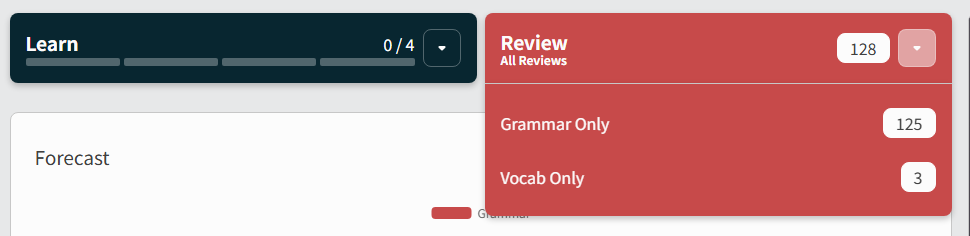
I believe the setting was removed and now Split Reviews is just the default going forward. Users can either click the dropdown and select which Grammar/Vocab section they’d like to Review individually, or they can just click the Review button to get both at the same time.
I don’t even see a dropdown.
Can you show me what your Dashboard looks like if you’re not seeing this?
I’ll forward along your message to the devs and by Monday or so we can figure it out, sorry about that.
1 Like
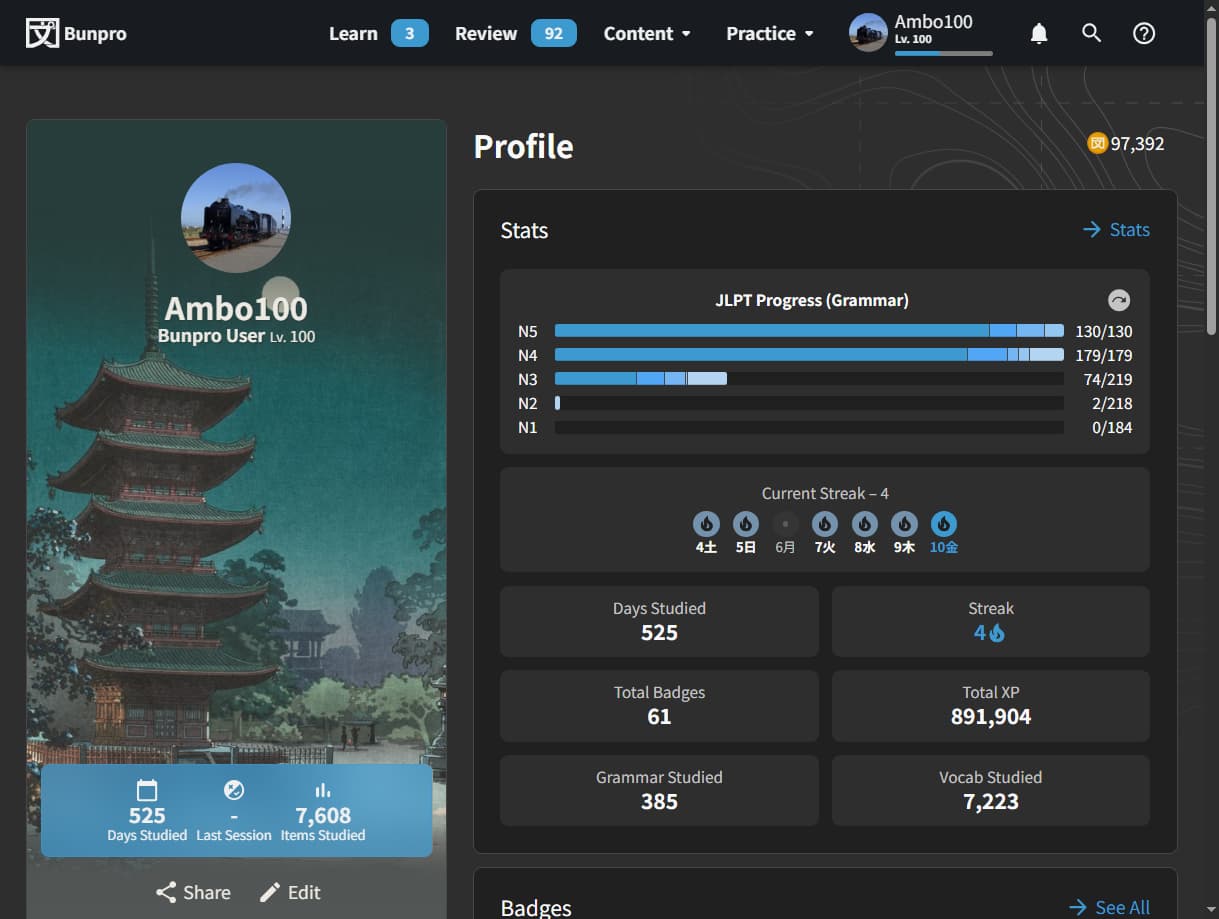
I don’t know if the dashboard is the same as profile but every page the menu bar looks like this.
Thank you, I appreciate it!
I did find on another thread a workaround was to use these links which I am using for now but it’s a bit inconvinient.
https://bunpro.jp/reviews?only_review=vocab
https://bunpro.jp/reviews?only_review=grammar
The Menu bar is supposed to be like that for every page, allows for quick Total Review sessions. Your Dashboard should be where the Review button has a drop-down button that when clicked shows you the screenshot I have above.
Can you go to your Dashboard and take a screenshot of what you see there please?
1 Like
I couldn’t find the dashboard anywhere. I found a link to it on this topic.
It took me a while to figure out that I have to enable the dashboard as the start page from settings. I haven’t studied in a few years so I must have changed it some time ago?
It looks fine now thank you!
I forgot we even had this as a setting to be honest, yeah probably must have changed it awhile ago and forgot. The Dashboard is just the default state that users see when they visit bunpro.jp (unless they changed it in Settings) - hitting the ‘Bunpro’ word in the top left of your screenshot also takes you back to Dashboard (along with a button inside Summary after you finish Reviews.) Glad you got it all sorted though, happy studying! 
2 Likes