
I wanted practice reading Japanese in fonts other than the default, so I made this script to show each Bunpro review sentence in a random font, including handwriting and brush fonts (selectable from the script menu).
It’s a fork of Jitai, the WaniKani font randomizer by obskyr and marciska. The idea, font list and most of the behavior come from Jitai. I adapted it to Bunpro’s review page and added a settings panel.
What it does
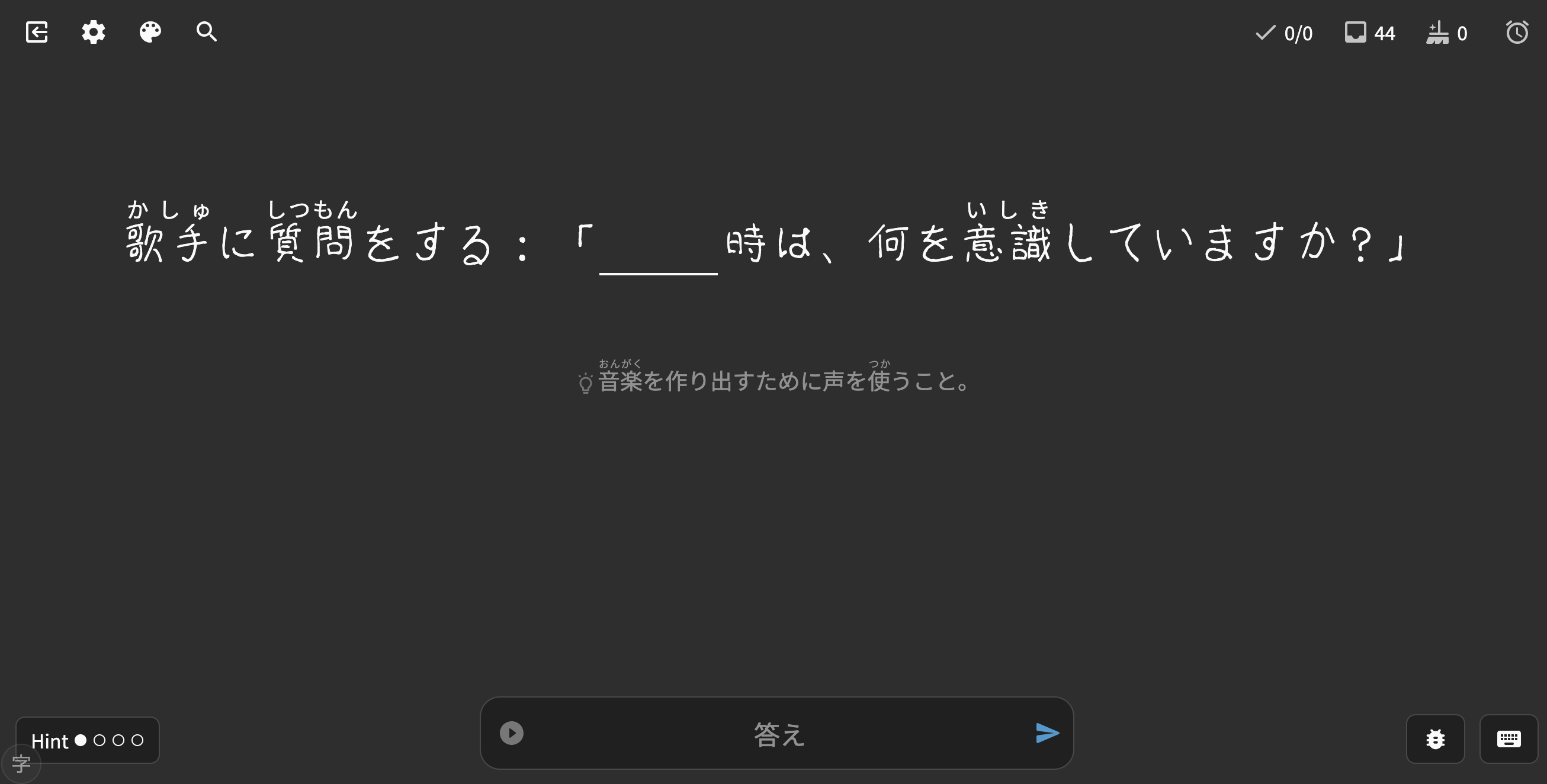
- Each new sentence uses a random font from the ones you select.
- Hover the sentence or hold Ctrl+Shift to see the normal font.
- After you answer, the sentence switches back to the normal font. Hover to see the random one.
- Alt+J switches to another font.
- Fonts missing any character in the sentence are skipped for that sentence.
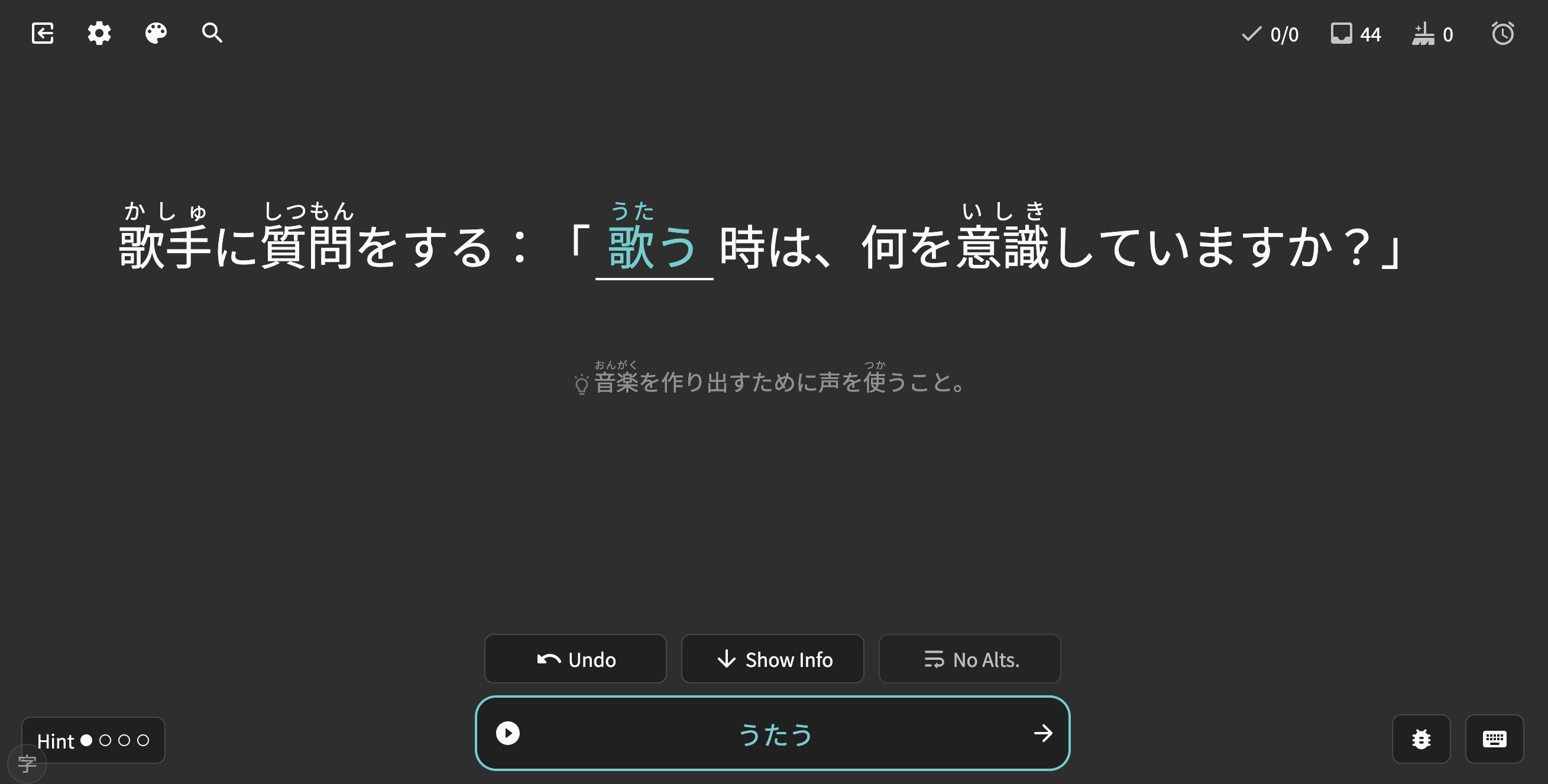
Install
Install from Greasy Fork: Jitai for Bunpro. Requires a userscript manager such as Tampermonkey.
Settings
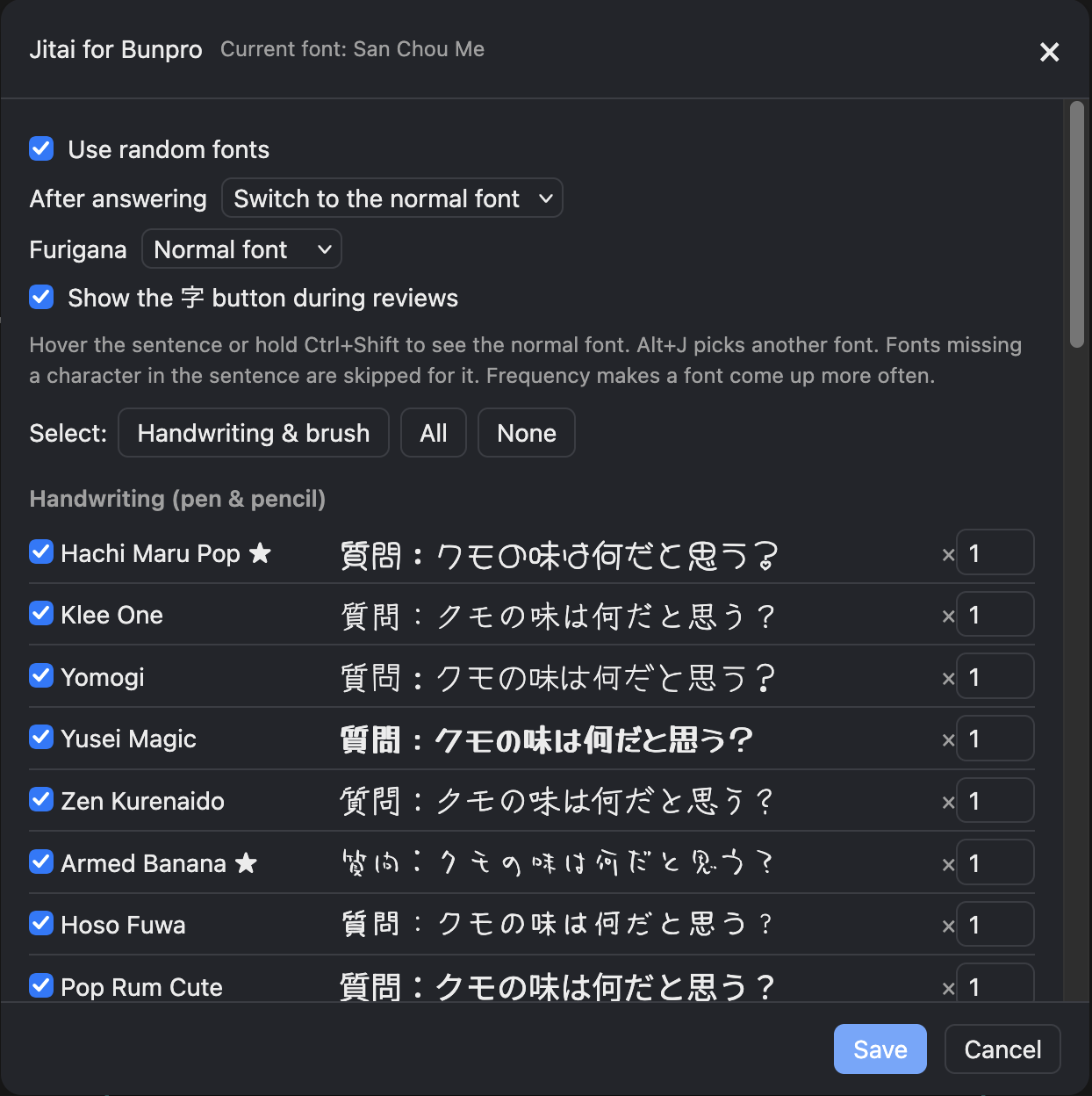
Open with the 字 button in the bottom-left corner during reviews, or from the Tampermonkey menu.
- Fonts to use, grouped by style, with previews
- How often each font appears
- Whether the normal font returns after answering
- Whether furigana uses the random font
- Show or hide the 字 button
Notes
- Web fonts only. Jitai’s local and Adobe fonts are not included.
- Seven fonts load from Jitai’s font host. The rest load from Google Fonts.
Credits
- Jitai by Samuel R. Messner (obskyr) and Marco Omainska (marciska), MIT License. This fork uses the same license.
- Fonts from Google Fonts and the authors linked in the script, each under its own license.
Bug reports are welcome here. Please include any console messages (F12) that start with Jitai for Bunpro.