Vacation mode - the eternal bug

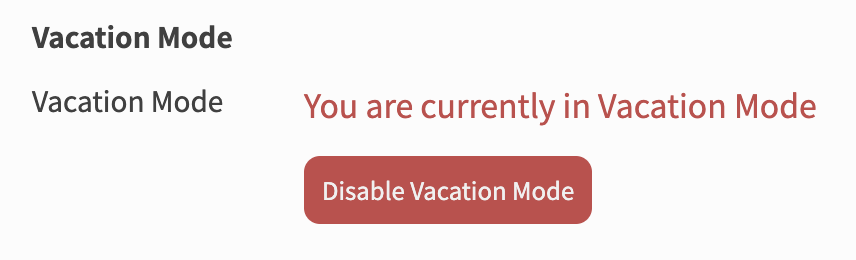
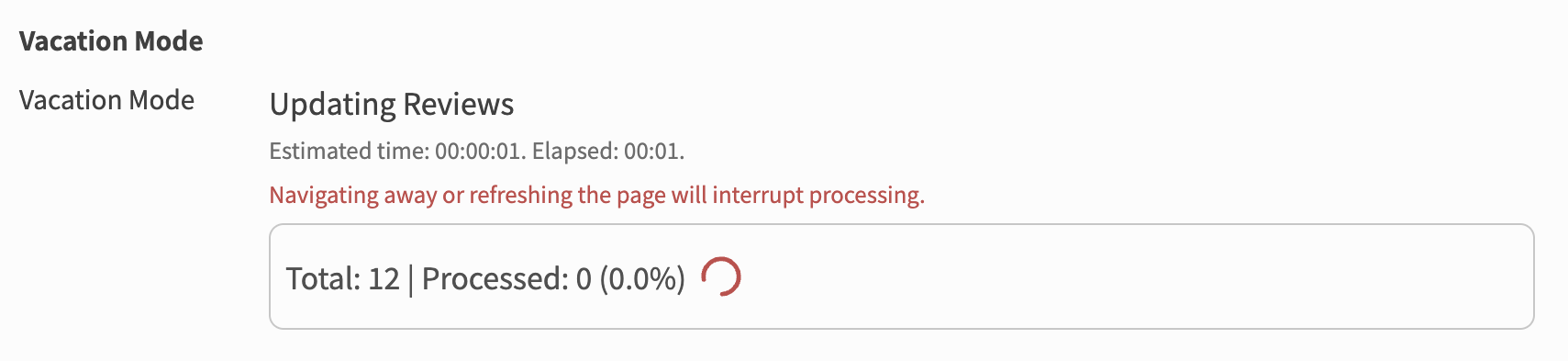
Unfortunately I’ve also run into this issue now. I had my vacation mode on for a few days while I get review piles under control across my wk/bp, but when I went to turn it off today it sat on the “processing” mode for about an hour (I went to class and came back and it was still thinking), and when I refreshed to try again it became stuck like this:

I know I probably confused it by refreshing, but I wasn’t sure what else to do since it was just perpetually processing.

After a few minutes it returned the ‘Disable Vacation Mode’ button, which I’ve clicked again, but it’s looking like it’s just going to be endlessly processing again. Is there a solution for this?

1 Like

Just took a look and it seems you are out of vacation mode. Would you mind confirming for me please?

We also revamped vacation mode (not released yet) to solve the main issue with it which we think is the fact that it isn’t clearly communicated that it will take up to 3-4 minutes depending on how many reviews you have.

1 Like

It has since turned off vacation mode - but only after I refreshed it, because it was still on this same screen that it had been on since I clicked it after my original post, about 4 hours ago.

To be clear, the screenshot I posted earlier where it was “stuck” was after it had been “processing” for about an hour already. Refreshing that time made it get stuck for a few minutes. Refreshing this time, after 4 hours, apparently fixed it. Not sure what really made the difference there, but it does make it seem as if its not just an issue of refreshing too early.

Thank you for looking into it, though.

1 Like

You should communicate that it take 3-4 HOURS, not minutes. Mine went back to active after 3 hours which terribly long for a 1 day vacation.

@imasamuka: I used WK vacation mode a couple of times and never ran into any issues.

Also: since I’m off vacation mode my app doesn’t sync anymore. Have to do reviews in browser now, bc for some reason the app shows almost 700 items waiting for me…

1 Like

I have the same issue. I’ve been trying to exit vacation mode since yesterday on 4 separate occassions. It thinks for an obscene amount of time, and then goes back on vacation mode instead of switching it off.

@Wizz-chen
I am looking for the issue in the app, but for now you can try opening settings and search for “reset data” then tap on “reset all data” and it should fix the issue.

Sorry for the inconvenience :bowing_man:

Can you somehow manually disable my vacation mode? I’ve been unable to use the app for
2 days now, and I’m getting tired of clicking the button, looking back 2 hours later and still being in vacation mode.

1 Like

Having this issue as well, as reported here a few hours ago. This should probably be addressed as a priority bug since the account becomes completely useless.

1 Like

I also can’t disable vacation mode, neither in the app or browser.

1 Like

@daleksbride @cosayashi

Your accounts should now be fixed!
Sorry for the late reply and the inconvenience 🙇‍♂️

2 Likes

Hello, I have also the same problem is it possible to fix it for me ?

2 Likes

Welcome to the forums! :tada:
Sorry for the confusion + inconvenience.

Looks like you reset your account halfway through the Vacation? I see no Reviews on your account!

Should be fixed on your account now!

2 Likes

It’s fixed !
Thank you for your quick response ! :grinning_face_with_smiling_eyes:

1 Like

Hello, I am pretty sure I have the same problem, I have come back to Bunpro after a while, so it might be related to that.

1 Like

Just fixed it on your account!

Sorry for the inconvenience, and have a great day!

1 Like

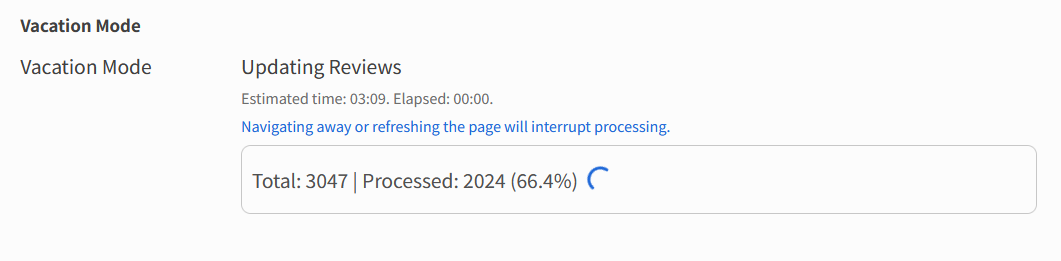
FYI a massive overhaul has been made to how the “unfreezing” process happens for Vacation Mode.
It now gives you feedback about how far through the process is, and also has slightly clearer wording.

6 Likes

Thank you, I really appreciate it!

1 Like

Just wanted to follow up on this. Appreciate the overhaul, but still seems a bit buggy/unreliable. I tried disabling vacation mode this morning and it has been stuck at 66.4% now for about 20 minutes despite the estimated time being 3:09. The elapsed time also doesn’t seem to be working.

This seems to be an old thread, but I’m also stuck in vacation mode at 95.9%… I’ve let it run for 10+ minutes and nothing has happened, so my account is effectively frozen.

Should be fixed now! Seems there was an edge case with a couple reviews that caused an error.

1 Like