
This is really cool, I like the mini quiz for checking all the unknown vocabulary. But I also want to add one vote to adding a “skip” button or something, since I don’t really want to flood my vocab reviews with obscure terms that didn’t even make the N1 or any of A decks. (or sometimes it also finds terms which are kind of duplicates of words I’m already studying from one of the official decks)
6 Likes
This would be a killer feature for learning vocab. I’d love this.
2 Likes
This is a cool feature, but I would like a “skip” button so that I wouldn’t need to add all of the new items to my reviews.
6 Likes
Is there a way to know the level (Nx or Ax) a word is assigned to and filter new words based on it ? It’s partly motivated by my using reading-style reviews, which only works for Nx words, but I’m also trying to avoid “harder” words as there is already plenty to learn among N3 without dipping into N1 material. This new feature reflects something I’ve been doing by hand so far so seems really useful to see it automated, however without easy-to-access details on words rating I can’t see myself switching to it yet.
3 Likes
Is this feature available in mobile?
3 Likes
we need now a feature where we can display all the unknown vocabs for the vocab review sentences aswell, and for these vocabs we would also need some vocab display settings aswell, and for these vocabs…
3 Likes
I’ll be adding a “Skip” button in the next update!
Thus you can rate half the words, skip the rest, and the skipped ones wont get added to your queues.
8 Likes
Not yet!
I just checked with the mobile dev – he’s working on it!
2 Likes
Nice, ありがとうございました!
1 Like
We can’t access the feature while on review mode ?
1 Like
I like the idea, can we have a quick cram option like the Grammar section above? I’d rather train these words without having them added on my review schedule afterwards.
2 Likes
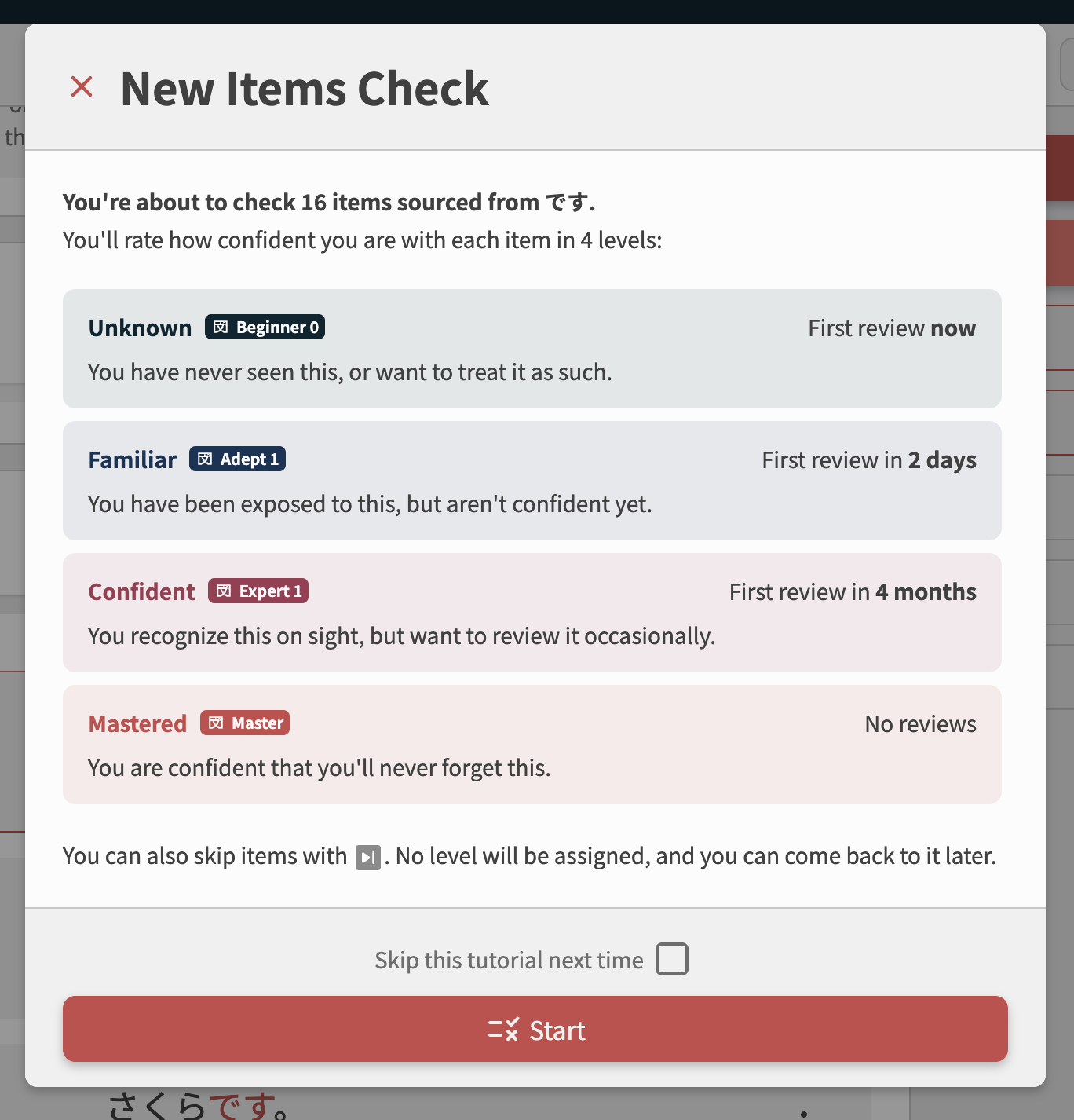
An Update (#1)
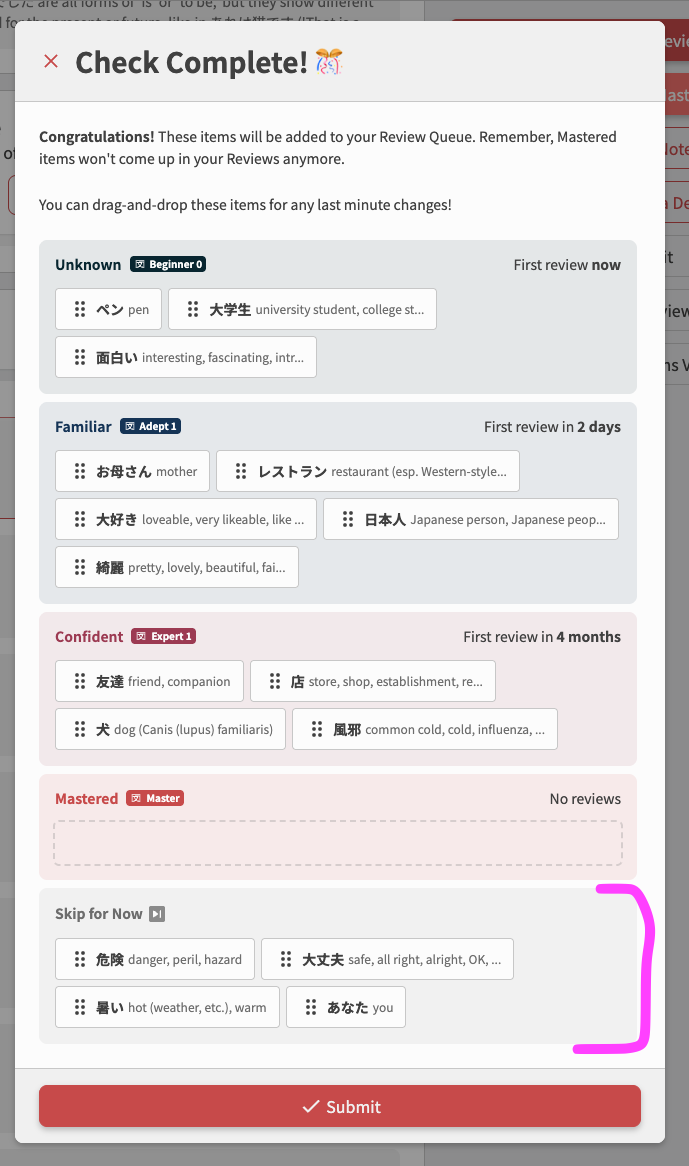
 Skip system has been added
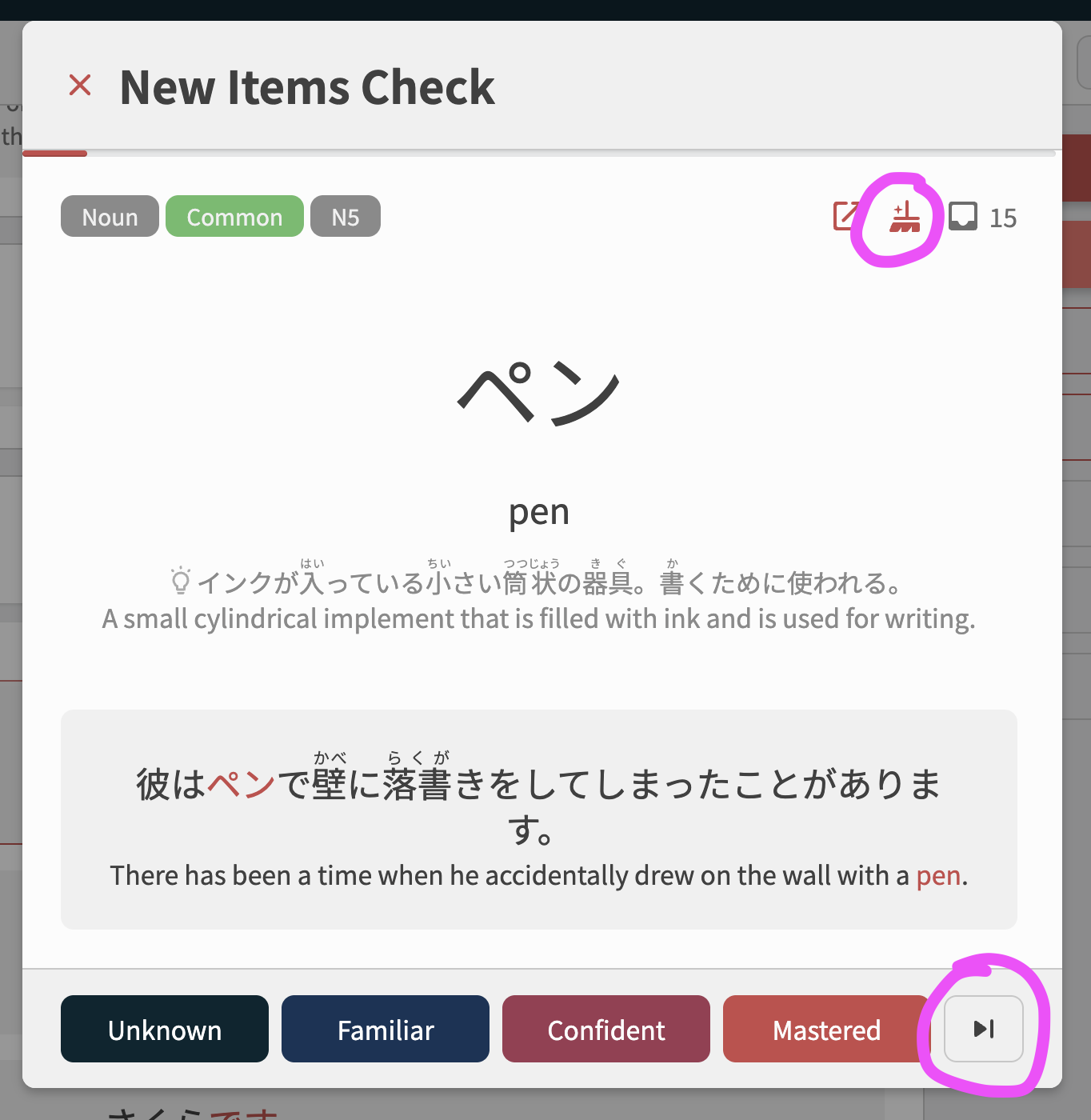
- Added a “Skip” button to the level-buttons during the mini-quiz
- Hotkey is 5
- Added a “Wrap Up Early” button (the broom
 icon)
icon)
- Shows up once you’ve marked one item
- Marks all items as Skipped
- Jumps straight to the Submit step
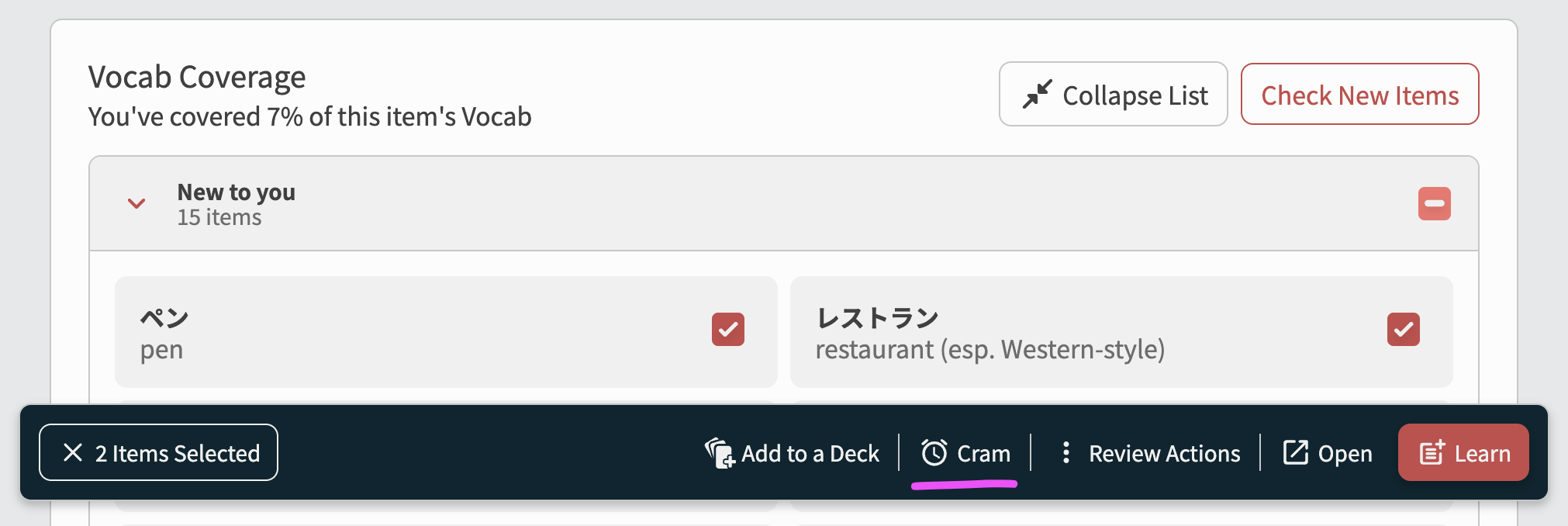
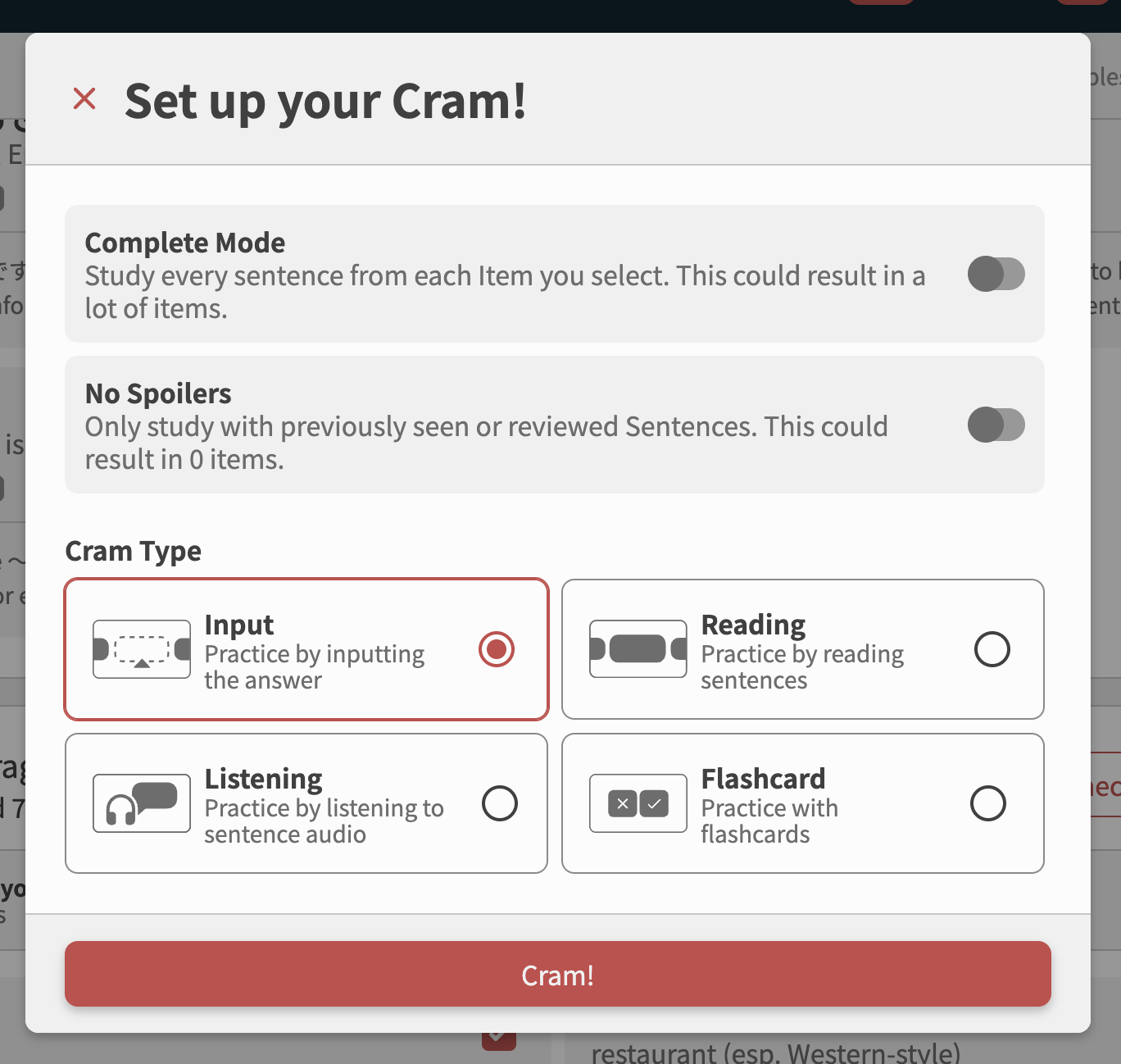
“Cram” option added to the multi-select menu
Was a very easy win for us to add the “Quick Cram” button to this Grammar/Vocab multi-select menu.
It will also appear in other places that the menu is seen – such as in the Grammar Library, the Search page, the Bookmarks page and so on.
PSA: For all the users that want fill-in-the-blank sentences for the Covered Vocab, please chant:
“Cloze now, cloze now, cloze now for heaven’s sake! Cloze now or we smite the @Jake!”
into your mirror 3 times at 3am
18 Likes
Please im crying  this is too funny
2 Likes
Just like Slay the Spire, we get to skip cards 
1 Like
Only just now did I have a moment to check this new feature out, but it’s great. I really like it. Because Bunpro’s example sentences generally use very common vocab, I like the new vocab coverage widget as a way to easily add common, useful vocab to my learn queue. The skip system for vocab that seems less useful at this time makes things perfect.
Some vocab requires a lot of context to understand and use properly, so I think the one weakness this system still has is when a particular word really requires context sentences while Bunpro doesn’t have example sentences for that vocab yet. That’s why my most anticipated feature at this time is more example sentences in the “A” vocab decks.
4 Likes
Hello?! I really wasn’t expecting it to be added that fast, thank you.
1 Like
Not sure if you’ve seen it yet, but I went through all the vocab for N5 Grammar Points and sent a bug ticket for (almost) every instance of where a word was parsed incorrectly and added to the vocab coverage (So sorry for so many tickets, i think there’s like 40 or so ^^;) - That being said, there will likely be more mismatched vocab in the other N-levels too, so not sure if you guys will change your parsing, fine tomb comb-it like Spaceballs, or if you would like more tickets (*you probably don’t  )
)
Either all, this is a 10/10 new feature, well done to everyone! <3
3 Likes
Awesome!
1 Like
I’ll DM you!
1 Like
Another nice feature would be get the vocab coverage for multiple grammar points at once. For example then I don’t need to go through all current SRS grammar points individually. Or I could add unknown vocab for all grammar points added in the last week in one batch
4 Likes