
Hey! Really appreciate the feedback. Sadly, the parsing is done entirely by a library I have no involvement in and it’s way above my skill level… it would be possible to replace the parser I currently use with another one, you’d only need to change the “tokenizer.py” file. However, this would require a fair bit of research into comparing different parsers to make sure they really work better and do that you want them to. Sadly I don’t think checking with bunpro data is really feasible as this would slow the program down by orders of magnitude… I haven’t had much time to work on this lately but if you find out more about this feel free to let me know and if I ever get back to it, I’ll keep it in mind!
2 Likes
So, I’ve done more research and realized the following.
- What is done in japanese-vocabulary-extractor is to split into morphemes.
- For learning vocab, we probably want Bunsetsu (words).
Good explanation at:
I found a Python library that can do this: GitHub - megagonlabs/ginza: A Japanese NLP Library using spaCy as framework based on Universal Dependencies
Code:
import spacy
import ginza

nlp = spacy.load("ja_ginza_electra")
doc = nlp("こんな料理上手なお母さんを持って幸せなんだから分かってるのか?")

for sent in doc.sents:
    for bunsetsu in ginza.bunsetu_phrase_spans(sent):
        # print(bunsetsu)
        print(bunsetsu.lemma_)
Output:
こんな
料理上手
お母さん
持つ
幸せ
分かる
Analysis of results
- Results seem pretty good.
- If you are learning Vocab, there is no need to learn things like を, て, か, から. These are basically grammar.
- 料理上手 still exists, but I guess that’s too bad, it seems to be a common “word”.
Problems
- Haven’t figured out how to convert these to jmdict IDs.
- Library’s dependencies are a bit of a mess, so you might not want it in your application.
- No wheels for many Python versions, have to build from RUST on some Python versions, etc.
- Works for me on Python 3.11, with Visual C++ Redistributable on Windows.
2 Likes
After more testing, ginza works well on that first sentence, but is bad on other sentences.
Sentence: 私立聖祥大附属小学校に通う小学3年生!
Output:
私立聖祥大附属小学校
通う
小学3年生
Anyways, I realized that I’ve been fiddling with this too much. Could have spent the time on studying instead of working on tooling 
I’m just going to pick one and stick with it and call it a day.
3 Likes
I know I said that I was going to stop fiddling, but I believe I found the best way.
Just use a LLM to do this.
For example, Google Gemini 2.5 Pro Preview 03-25 is free and performs pretty well.
System Prompt:
You are an AI agent that is to help English students learn Japanese.
Given a piece of Japanese text, break it down into a list of vocabuary words for the students to learn.
Do not return particles or proper nouns.
Ensure that the result is in order that they appear in the text
Remove duplicates.
Return all words, do not attempt to remove any.

# Example Input
私立聖祥大附属小学校に通う小学3年生!

# Example Output
{
  "result": [
    {
      "Kana": "しりつ",
      "Kanji": "私立"
    },
    {
      "Kana": "ふぞく",
      "Kanji": "附属"
    },
    {
      "Kana": "しょうがっこう",
      "Kanji": "小学校"
    },
    {
      "Kana": "かよう",
      "Kanji": "通う"
    },
    {
      "Kana": "しょうがく",
      "Kanji": "小学"
    },
    {
      "Kana": "ねんせい",
      "Kanji": "年生"
    }
  ]
}
Input is just the subtitles text for an anime.
Output:
{
  "result": [
    {
      "Kana": "ひろい",
      "Kanji": "広い"
    },
    {
      "Kana": "そら",
      "Kanji": "空"
    },
    {
      "Kana": "した",
      "Kanji": "下"
    },
    {
      "Kana": "いくせん",
      "Kanji": "幾千"
    },
    {
      "Kana": "いくまん",
      "Kanji": "幾万"
    },
    {
      "Kana": "ひとたち",
      "Kanji": "人達"
    },
    {
      "Kana": "いろんな",
      "Kanji": "色んな"
    },
    {
      "Kana": "ひと",
      "Kanji": "人"
    },
    {
      "Kana": "ねがい",
      "Kanji": "願い"
    },
...
All that remains is to figure out the JMDict IDs from the Kanji/Kana.
1 Like
A little while ago I noticed someone forked my repository on github and I believe in this commit they changed to ginza in their fork: feat: freq info in card · Fluttrr/japanese-vocabulary-extractor@7db3383 · GitHub
Probably worth taking a look at, but I am too busy to test this out currently.
As for the LLM idea: This sounds great, but speed will likely be a huge issue, especially for big batches. I have no experience using LLM APIs with loads and loads of requests (I assume the input for each request will be quite limited), and I have no clue how running it locally would work… totally worth taking a look at though and I believe if people were willing to wait a while for their decks to be made, this could totally work.
As for the JMDict ID issue: I don’t think this should be an issue at all? It should be as simple as:
jam = Jamdict()
result = jam.lookup(word)
definitions = result.entries[0]
id = definitions.idseq
This is done in the dictionary.py file.
1 Like
Why use a LLM for problems that are already solved faster and cheaper with existing solutions?
1 Like
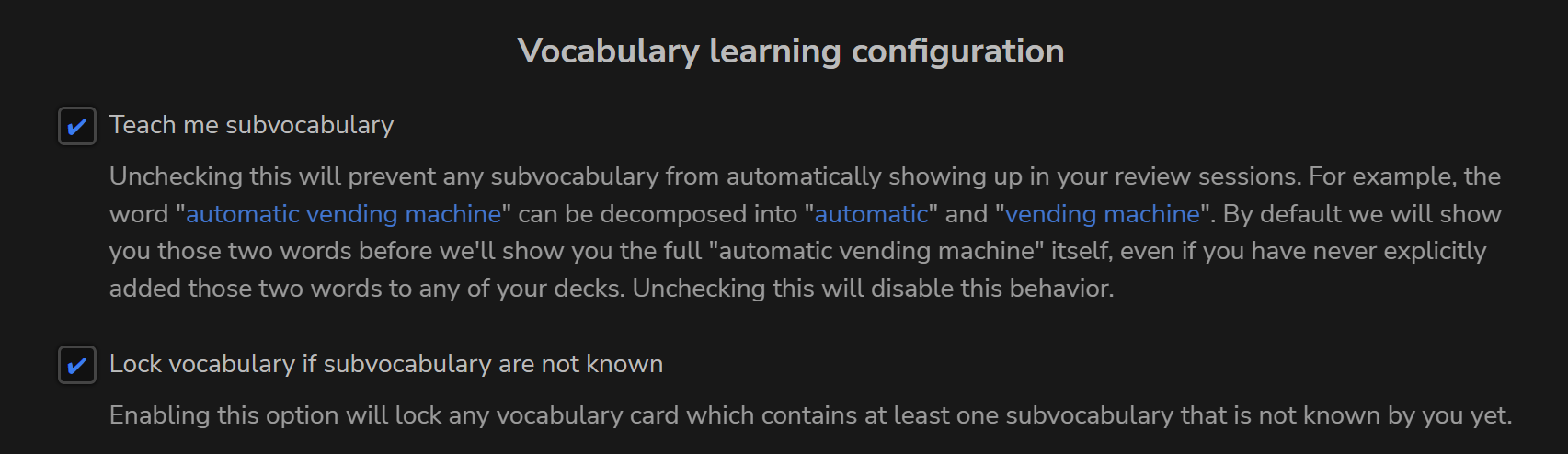
If you can create a big list of word with this tool, you guys can go into jpdb.io and create a new deck from text. This will create a big deck based on the inserted text. The huge advantage is that you can sort the words in jpdb chronologically in the original insertion order or based on their whole (in my opinion superior) corpus or if you have words multiple times in the deck based on local the frequency within the deck. Also, jpdb allows you to import existing anki decks and even progress while providing a superior experience (at least compared to base anki). And you can tell jpdb to break down words to subvocabulary before learning it, making learning more intuitive imo.
That was me. Yeah, I started fiddling around and quickly realized the tool produces too many false words due to overlap in readings, too granular splitting, etc. Also Mecab was not really maintained.
Ginza produced better results, also you can see I added some filtering by part of speech to exclude grammar stuff.
However I don’t really read manga at the moment, so I stopped investigating how I can improve further. Also didn’t reach a stage where I can make meaningful pull request back into your tool.
However with my adjustments it could go from importing manga to generating Anki deck, with filtering out known words from WK or arbitrary list (Bunpro has no public API so no luck there).
I guess you can get some ideas from that.
2 Likes
Bunpro has no public API but it has a Frontend API, on which both the web app and the mobile apps rely. I plan to do public Postman docs for this. You can join us here Bunpro API when?
1 Like
In general I like the results of JPDB parser, and how it gives you the longest (?) match. For compound words and expressions that can be further broken down, one can click through from the dictionary entry.
If only there was a way to feed it fugirana available in the source text (epub/jpdb-reader/etc), so it can use that to disambiguate entries.
Yes! That is exactly what I got too.
It seems great at first, but after more testing, it wasn’t that good.
1 Like
JPDB is pretty good, but I don’t like the fact that it returns things that shouldn’t be studied.
Example: 私立聖祥大附属小学校に通う小学3年生!
JPDB: 私立, 聖, 祥, 大, 附属, 小学校, に, 通う, 小学, 3年, 生
It doesn’t make much sense to add “聖祥大” to your reviews - It’s just a name.
Overall I think I have best success by splitting into vocab list with JPDB.
Then, sending the original text, and the JPDB vocab list to Gemini to clean up.
Task: Identify items that should be removed from the vocabulary list.
Use the Japanese text to understand the context of the items in the vocabulary list.

Only remove the following
* Particles
* Proper nouns, unless they are names of common objects or places.
* Grammar points
* Duplicates

Output:
* Return the list of items to be removed, together with the detailed removal reason.
{
  "item": "聖",
  "reason": "Part of a proper noun (私立聖祥大附属小学校)."
},
{
  "item": "祥",
  "reason": "Part of a proper noun (私立聖祥大附属小学校)."
},
{
  "item": "大",
  "reason": "Part of a proper noun (私立聖祥大附属小学校)."
},
Gemini is also able to remove extra stuff from JPDB output. (I didn’t bother to locate the original sentence).
{
  "item": "ちゃう",
  "reason": "Grammar point (casual form of 〜てしまう auxiliary verb)."
},
{
  "item": "ない",
  "reason": "Grammar point (negation suffix/auxiliary adjective)."
},
Perhaps it could be even link to Bunpro’s grammar points, but that’s not a priority for me (and probably won’t be doing it).
Maybe provide a list of Bunpro grammar points and the original text to Gemini, and tell Gemini to return a list of Bunpro grammar points.
But, you need to figure out how to programmatically insert the grammar point into a deck in Bunpro.
1 Like
I might be late to the party, but where I can find the latest summary on the state of things?
As far as I understand, in this Community Decks conversations it was mentioned that things can be exported from jpdb and imported into BunPro as custom decks, but there were some technical limitations on the size of the imported file.
2 Likes
I’m creating this thread to keep everyone updated:
1 Like
Thank you very much, Sean!
I’m looking forward to get my hands on that feature so I could export manga/anime vocab before watching/reading the actual content. 
2 Likes
Regarding the import from jpdb (if somebody is interested Anime difficulty list – jpdb), as far as I can tell there is no export, unfortunately, so the only option for now is to get the actual html code with some tool like playwright or an headless browser and get the text from the page (including going to the next page in case if the item has more than 50 words). Since most of the stuff is plain text extraction, this type of “scraping” doesn’t put too much of load on jpdb and since we only need words, won’t do anything nasty to the resource.
Does it sound interesting the same way as import from files?
1 Like
The easiest way now (I think, at least what I’m using) would be to use jiten.moe instead of JPDB. Inside the Deck, you can export it as a CSV and then copy the JMDict ID’s into the Bunpro Importer tool and it should only take a few minutes.
For anime/manga you can either download each episode & volume word list (they wont have repeating words) and manually import each one inside a Bunpro deck but that’s adding ~10x+ the amount of work. Some people may find benefit in that, but since the words aren’t repeated, having everything in one long chronological list makes the most sense to me (IMO, everyone’s different of course.)
2 Likes
If you are set on exporting from JPDB, I found this: GitHub - JaiWWW/JPDB-Export: Adds a button to export deck contents, plus some other minor changes (see readme for full details) · GitHub
Please check it carefully though, as I haven’t tested it and it is obviously a third-party tool!
1 Like
Well, I don’t usually trust third-party, so I’ve done own little implementation with headless browser. I was thinking if that’s possible by just visiting pages, e.g. making a little utility to export using a link without using browser but rather simple backend script.
e.g. you feed it a link (let’s say Karakai Jouzu no Takagi-san – Prebuilt decks – jpdb)
and it will export it and import right away into bunpro.
I’m thinking about it as a possible “import strategy”, like a feature for BunPro.
This site (jiten.moe) looks like something I was looking for, thanks!
Given BunPro can already work with csv and anki decks, that’s probably the fastest way to go.
Regarding the manual import, I guess it’s still something to automate, but the difference with JPDB is you get file export right away, so you don’t need to parse pages, just download the files and combine those it a way to fit header, subheader and then up to 500 items per file.
Thank you for the recommendation, @EdBunpro!