

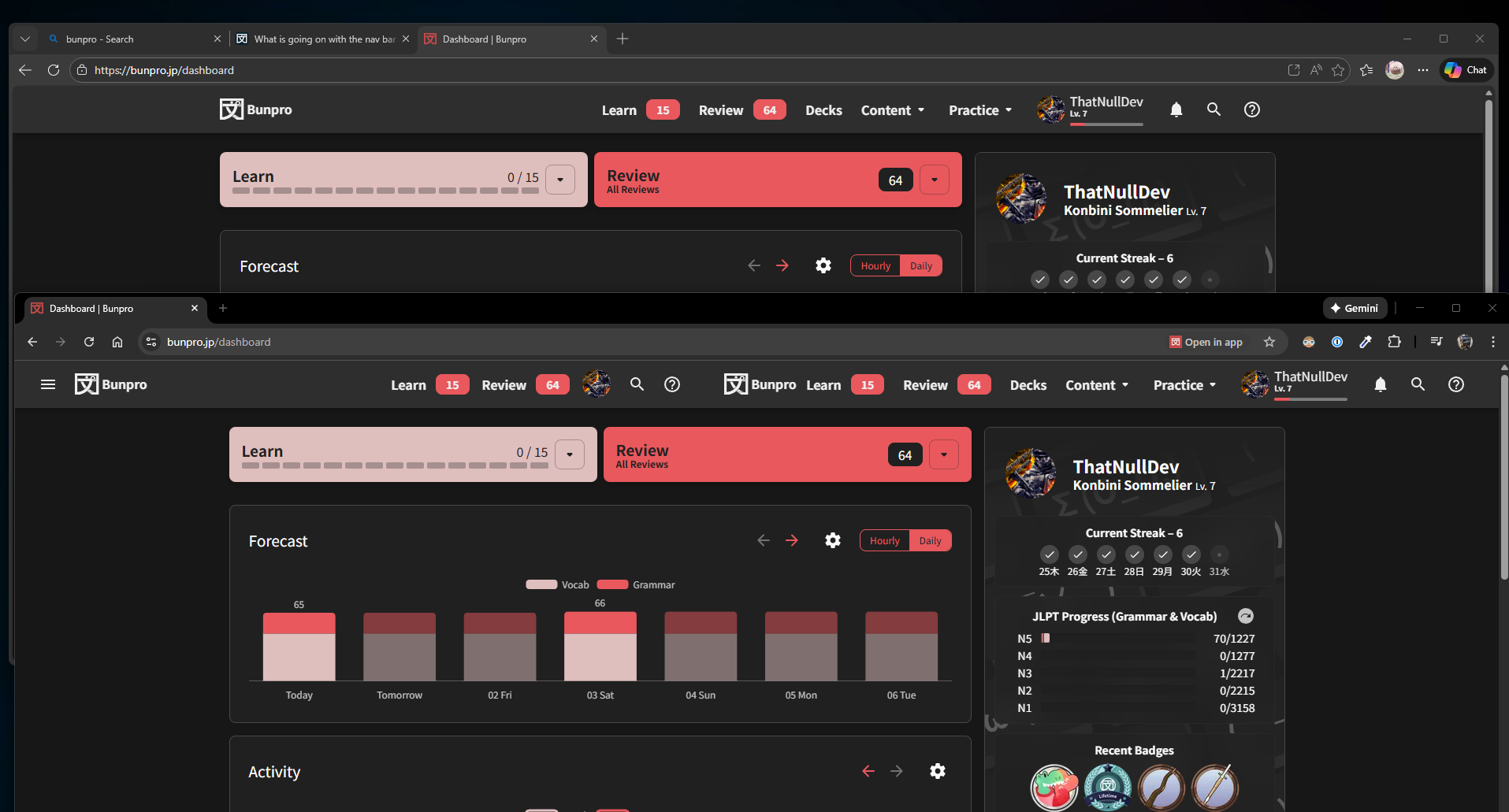
There are 2 parts of the navigation bar showing. is this supposed to happen?
1 Like
I don’t have this on Chrome. Maybe clearing your cache or restarting your browser might fix it?
1 Like
Welcome!
I can only assume it’s a one-off spaz with some of the Javascript we use for responsive design.
If you’re getting this consistently, can you please let me know your browser and browser version, as well as the name of your monitor?
1 Like
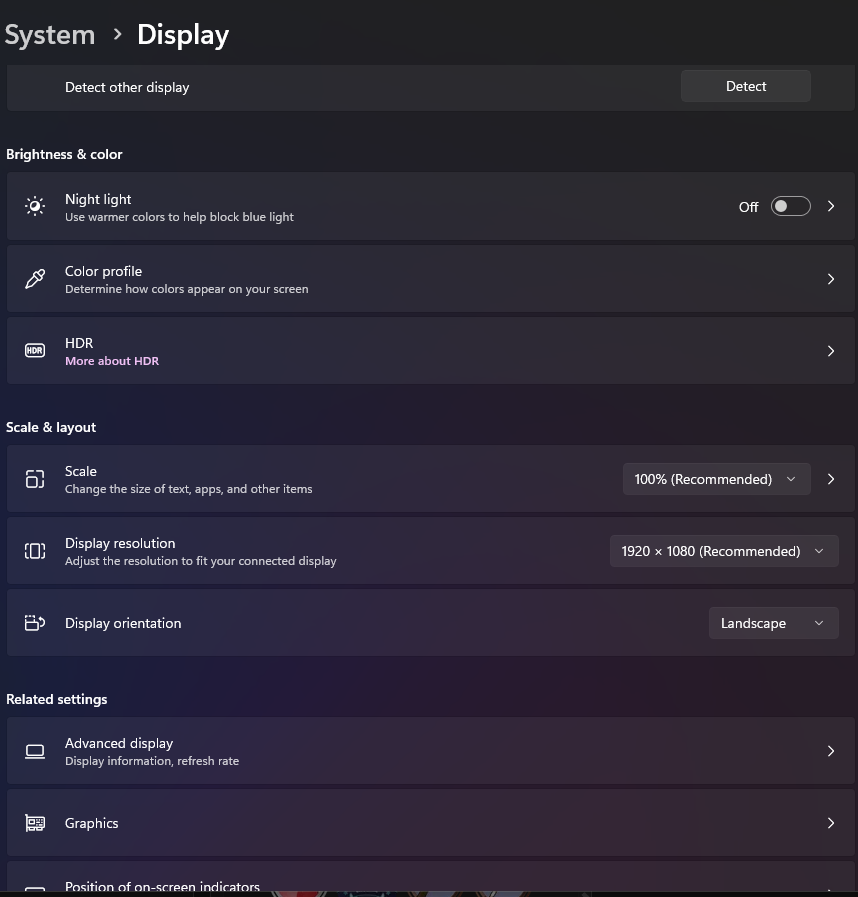
I am using the latest version of Chrome, and can’t get it to clear with wiping cookies and cache. I has an acer monitor @1920x1080 won win 11
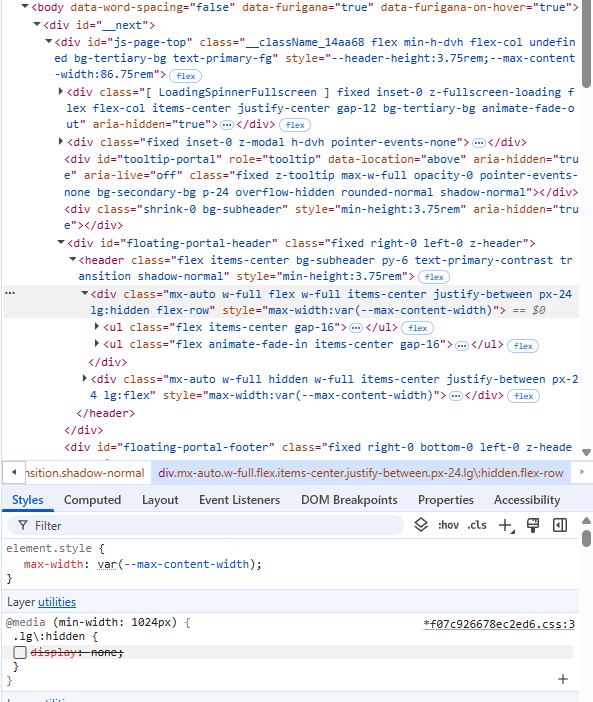
I was able to replicate this by manually disabling the following display: none rule in DevTools (also see screenshot):
@media (min-width: 1024px) {
  .lg\:hidden { display: none; }
}
Wondering if, despite the 1920 x 1080 resolution, they’re zoomed in a bit or have the OS scaling their display and that’s affecting the 1024 breakpoint behavior.
2 Likes
fwiw I am not having this problem, or any problems, on chrome Version 143.0.7499.170 , mac os
1 Like
Can you please try in Incognito or after disabling any browser extensions?
I’ve never seen or heard of this one before, which instantly makes me thing it’s extension-related
2 Likes