Hey!
Thanks for the report, will be fixing it with the next update 
Sorry for the inconvenience 

Hey!
Thanks for the report, will be fixing it with the next update
Sorry for the inconvenience
I’ve been learning points from the Learn->Bunpro N5 [Grammar] as normal, and my stats have obviously been increasing steadily as well.
But yesterday, I went into Content->Grammar Library and discovered I had 3 grammar points (なぜ, どうして, なんで) in Lesson 6 that I didn’t do. No problem. I opened each page individually, read them, and clicked Add to Reviews button, then did my reviews on them.
However, my progress did not increase by 3. I counted each grammar point I learned so far in the Grammar Library, and it totals 85 (3 more), but only 82 is listed.
Note: I did use the new beta Grammar Library to browse for the grammar points, but I don’t see why that’d cause an issue. I added each one to review from the individual grammar page, not from the Grammar Library page.

The 3 Grammar Points are new. I Had already learned all 127 Grammarpoints. Now there are 130. Maybe they were moved from another JLPT Niveau to N5?
Weird…
Fixed for now.
Lemme know if you see this again plz!
These just haven’t been published properly yet.
We’ll make an announcement and add them to the N5 Deck when they’re ready.
What Deck is it?
And is it on the mobile app or the website?
Hello.
I think I know what is happening:
We recently switched to adding wrong answers from previous sessions directly into the Wrap Up queue from the start of the next session.
Before this switch, they would appear as if they were fresh and “newly due” at the start of sessions – whereas in reality they were just items that the user didn’t properly Wrap Up in previous sessions.
These unwrapped-up items would then show up in people’s Summaries as incorrect, and it was confusing people.
The new behaviour now pushes users to properly Wrap Up their Reviews.
Back to your original post:
The stat you’ve mentioned factors in total attempts over correctly answered questions, whereas the post-Review Summary shows incorrect vs correct (Items that you’ve wrapped up will always be incorrect).
Basically the solution is to always do Wrap-Up – this ensures the SRS system works properly.
Hope that answers your question!
Figured this one out!
Should be fixed now.
Thanks for the details!
@bunnypro What caused your Deck content count issue should be fixed too.
What does it means to “Wrap Up items”? English is not my native language. What exactly Happens when I klick on it?
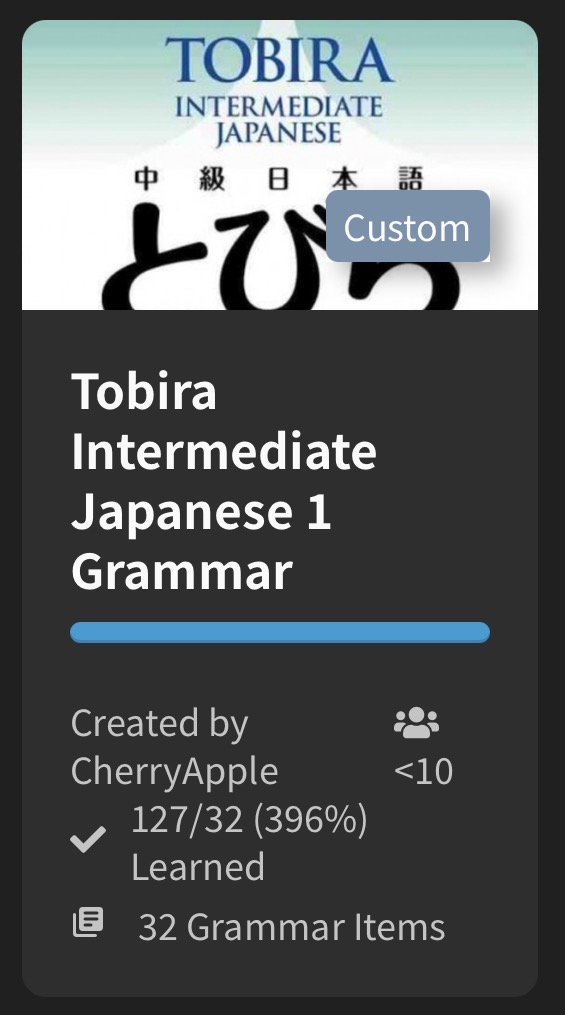
Thanks for fixing my Tobira Deck.
I think the issue with the Deck creation lies deeper. I created a new deck as a Test. There are 10 grammarpoints in it, but it tells me that there is no content.
If you click on Wrap Up You get quizzed on the reviews you got wrong once more. If you don’t click on that, those will be added to your next review session.
Wrap up in this context means to tie up the loose ends before finishing (finishing those started but unfinished tasks like reviews you got wrong).
Ah, ok. This seems very likely. My habit is to do reviews on the bus so when the journey ends I don’t have time for the wrap up. I will try to do some sessions with 1-2 actual reviews and then just sort out my wrap-up reviews to see if this fixes it.
Thank you!
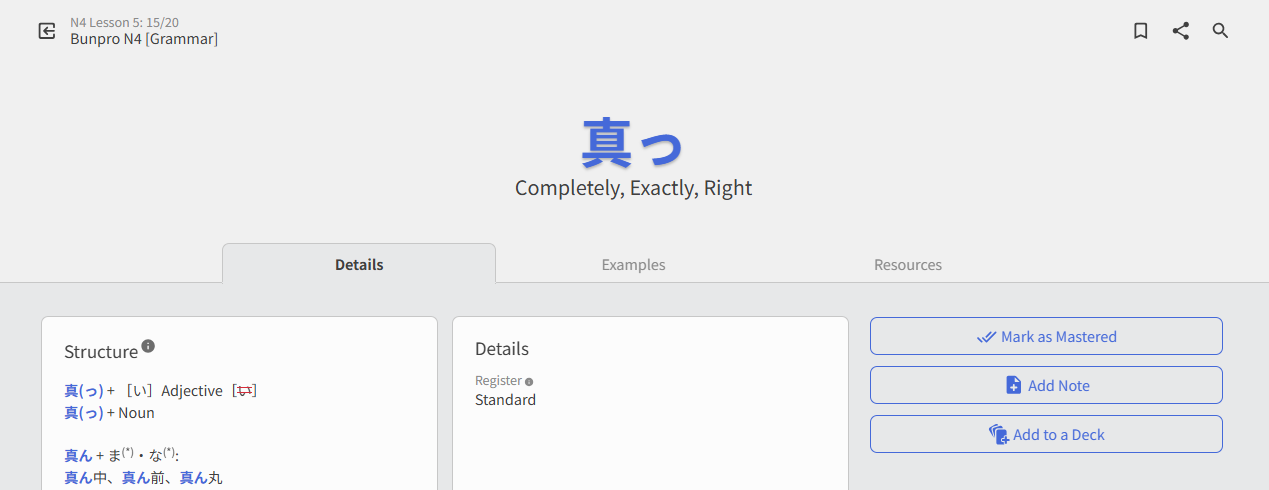
Hello! Clicked on my “Learn” drop down list today to learn a new grammar point and I do not see the button Add to Reviews at all:
I can’t get any audio to play on the app since yesterday…
I fixed this issue I believe.
It will update properly the next time you add/remove an item from it.
I can’t remember ever having the Add to Reviews button in Learn.
You currently can only Mark as Mastered!
Finishing the quiz at the end of Learn adds it to your Reviews.
I figured out a little more specifically what my issue is with “Due Notifications” on Android: it only works if the previous review was also done on Android. I presume the same would be true for the first review after a lesson (the notification for a first review would show up if the lesson was done on the Android client).
I try to exclusively do my reviews/lessons on web client, where I have a keyboard. I got to wondering if this might be the reason I wasn’t getting notifications, so I tried a few reviews on the Android client as a test - low-and-behold, I got the notification for those reviews! So this is why I thought “due notifications” just wasn’t working at all.
This sort of habit and workflow (get notified about reviews on Android, do them on web client with a keyboard) worked incredibly well for me with WaniKani and Smouldering Durtles as the android client, so I was hoping to reproduce it with Bunpro.
Is there a way to get “due notifications” on android regardless of the client used for the previous review/lesson? If not, would it be possible to make this work? Or, is there any other way to get a notification on Android about a Bunpro review becoming available?
Thanks in advance for any help or insight you can offer!
Potential minor stats calendar / heatmap bug. Maybe I’m the only one affected somehow. I tried a few searches in this thread and didn’t find a match. If I missed where this was pointed out, let me know and I’ll delete this redundancy.
There are several ways to state this issue:
Client and circumstances:
Questions for others using a browser instead of an app:
All screenshots below were taken after 00:00 and before 01:00 local time (MST), but I’ve confirmed that the same problem is visible between 12:00 and 14:00. The time of day probably isn’t a factor.
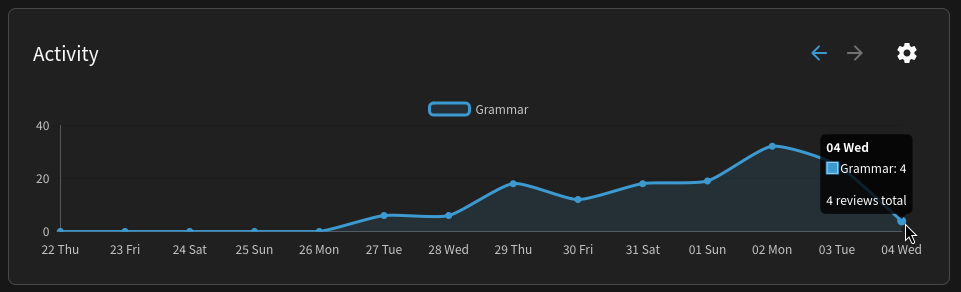
Confirmation via the dashboard ( Dashboard | Bunpro ) that I reviewed 4 items before 01:00 on Wednesday, 2026-02-04:
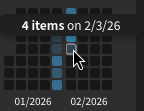
The stats page incorrectly shows 0 reviews for Wednesday:
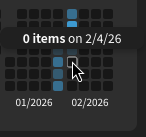
But it does display Wednesday’s reviews as Tuesday’s reviews. “Tuesday” is also in Wednesday’s middle-of-the-week vertical placement:
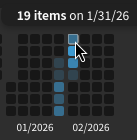
Saturday, 2026-01-31, is displayed as the first day of the week. If it were labeled as Sunday like in the Android app, all numbers would be correct:
The “first day” of January:
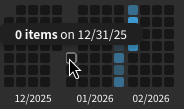
For convenience, here’s the output of cal -vn2 01 2026:
    1月 2026           2月 2026
日     4 11 18 25      1  8 15 22
月     5 12 19 26      2  9 16 23
火     6 13 20 27      3 10 17 24
水     7 14 21 28      4 11 18 25
木  1  8 15 22 29      5 12 19 26
金  2  9 16 23 30      6 13 20 27
土  3 10 17 24 31      7 14 21 28
Hi there, Whenever I add/remove grammar point/s in my custom deck, it says no new lesson available even if the deck was added to learning queue, and when I click the learn at the top nothing happens. It’s also stuck at saying 50 grammar points in the my decks page regardless of adding/removing. Thank you!