Cloning giant Decks indeed currently breaks a lot of the time 
It’s on our list of things to fix in a massive Decks overhaul we’re working on.
I’ll see if I can implement a fix in the current version tho

Cloning giant Decks indeed currently breaks a lot of the time
It’s on our list of things to fix in a massive Decks overhaul we’re working on.
I’ll see if I can implement a fix in the current version tho
I’ve had a similar issue with reviews order on the Android app for quite some time now, but it might have gotten even worse lately
Hey!
I think the ordering bug is fixed and will be released this week 
Sorry for the inconvenience 
Hi there,
I noticed that once in a while, a page on Bunpro (web version) doesn’t load. Sometimes it loads slowly, but other times the page doesn’t load at all. It’s gotten to the point that it’s quite annoying.  Other websites work fine, so I don’t think it’s my internet connection.
I posted about it in another thread and some people also reported having the same issue – Bunpro often slow or doesn't load
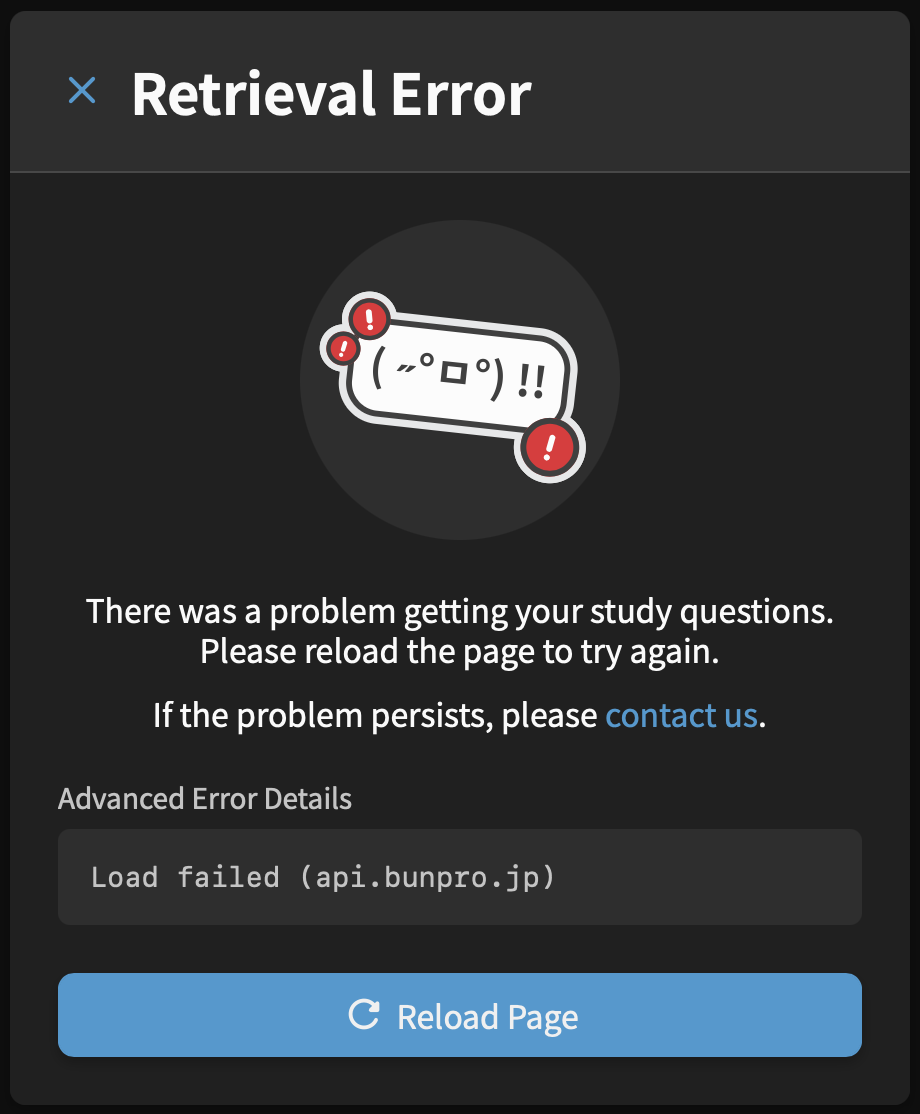
I keep seeing these error messages regularly:
Thanks!! So glad to hear. Haven’t done reviews at all lately because of this so I’m very hopeful.
An update – I implemented a fix that will be out tomorrow/Friday.
Will try and remember to tag you when it’s out
This fix has been released to the live site.
You should now be able to clone way faster.
Ah perfect, it worked now, thank you so much!
Sorry to bother you again, but there seems to be a big bug in the feature.
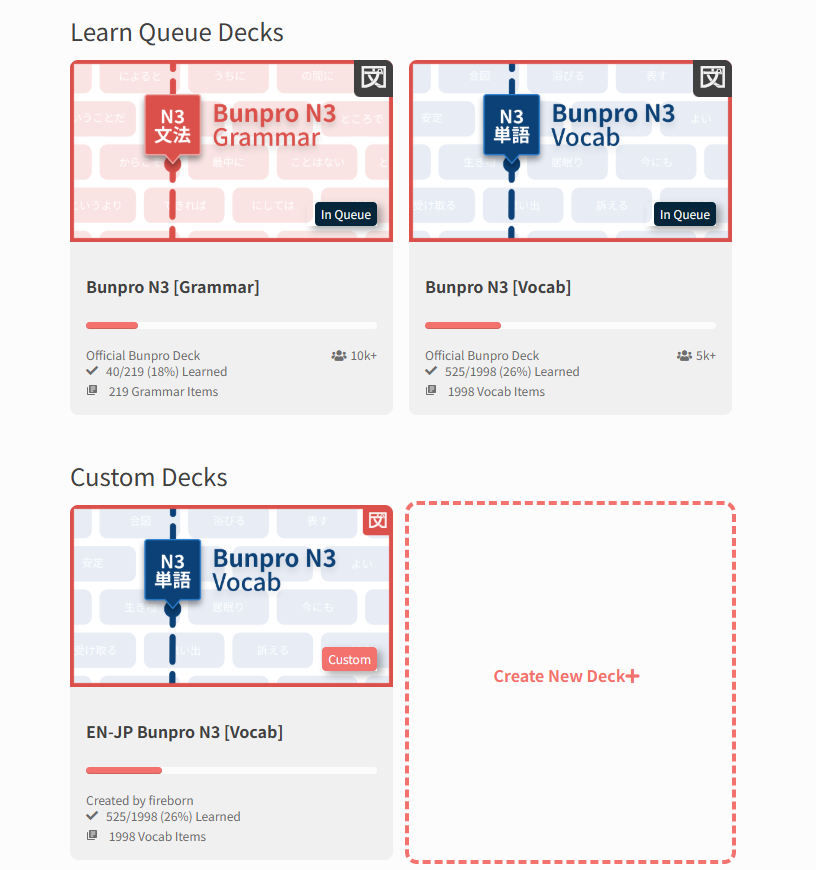
I cloned the N3 vocab deck. But now, EVERY change I make to the CLONED deck is ALSO changed in the original deck! I would think the two decks would be 100% separate after cloning?
I marked all of Lesson 1 in the CLONED deck as “reset all”, but it ALSO reset all items in the original deck. Then I marked them all as “remove all”, and it ALSO removed ALL OF MY items from the original deck and ALL of my progress 
Can you please take a look at this? I’m now afraid to delete the cloned deck in case it would remove my original N3 deck too!
Ahhh then unfortunately this is a feature and not a bug:
Unlike something like Anki, Progress is shared across Decks
I.e., if you have です at level Expert 2, then it will appear as that level in every Deck that includes it (Bunpro N5, Genki 1 etc.)
Basically, there is only one instance of Grammar/Vocab (and your related Progress), and Decks are specific orderings of those items
EDIT: Was it just the one Lesson that you wiped?
Wow, okay, I think there should really be a disclaimer or explanation on how that works then. Because I seriously messed up my reviews/progress in the original deck now
Yes, just Lesson 1, thankfully, 75 items apparently.
I meant to do reviews in the one deck one way (JP-EN, Translate Question) and reviews in the other deck the other way (EN-JP, Fill In Question). But if progress is shared across BOTH decks, that wouldn’t be possible? As in, if I get it correct in one deck, it would update the progress in the OTHER deck, and that’s not what I want?
Ah, and to add to this… Maybe another term other than “Clone” would be better then, too? “Clone” to me implies “Copy”, not “Copy and share a progress connection with original deck”…
In your opinion, what would be the use case for even cloning a deck, if progress is shared across both decks?
Correct, you can’t have different Review Types for a single Vocab/Grammar!
We’re planning on adding Dynamic Review Types in the future however (likely this year).
Hmmm I think Clone is the right word, but indeed their needs to be more friction added to the Reset/Remove action, especially when you are doing so for more than ~5 items.
A question I have purely for my own research – what other learning platforms are you coming from (if any)?
Will help me figure out the best user experience for this sort of thing
I made a custom deck, for some reason it says it only contains 3 vocab and 1 grammar point and that I have completed/finished studying the whole deck!
It actually contains about 70+ vocab and I have only studied a few of them. Because of this, when I try to learn any, they don’t show up and my account currently shows -3 to learn and 175% studied.
My connection with wanikani is no longer working. Had it set up with API. Tried creating a new API key on the wanikani side, still not working on Bunpro side. I’m seeing furigana for everything
edit: seems to be fixed!
Hi there!
Which of your Decks are you referring to?
Ah sorry for the belated reply, I only saw your response now!
Hmmm I think Clone is the right word, but indeed their needs to be more friction added to the Reset/Remove action, especially when you are doing so for more than ~5 items.
Maybe a warning if you have items in multiple decks? Like “This action will reset/learn/remove all instances of these items across all your decks. Are you sure you want to proceed?” as a safety measure?
A question I have purely for my own research – what other learning platforms are you coming from (if any)?
I use both Anki and Wanikani every day. Wanikani is super rigid with everything (I don’t use scripts), but what I like about Anki is that I can make my own deck/cards and mark them as ‘basic and reverse’ and it will automatically test me both JP-EN and EN-JP. E.g. I will have 1 card marked as reversed, and it will test me with a card saying “自転車” (and I need to answer “bicycle”) and another instance of the card reading “bicycle” (and I need to answer “自転車”). I really want to learn the vocab both ways, so it sticks better AND so I can learn to actively recall Japanese words better.
I was hoping cloning a deck would make this possible, that was my thought process at least.
My N4 adverbs deck!
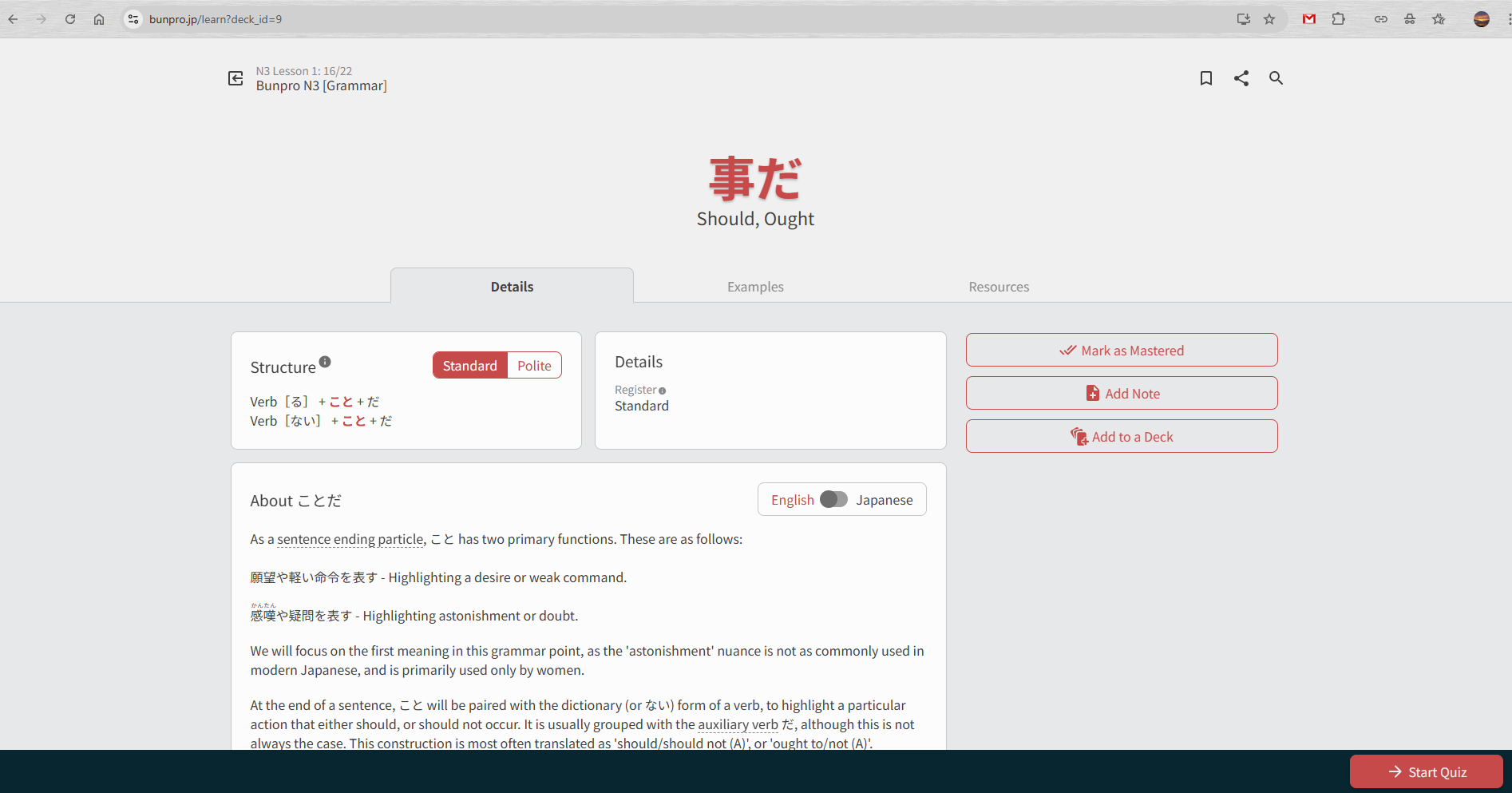
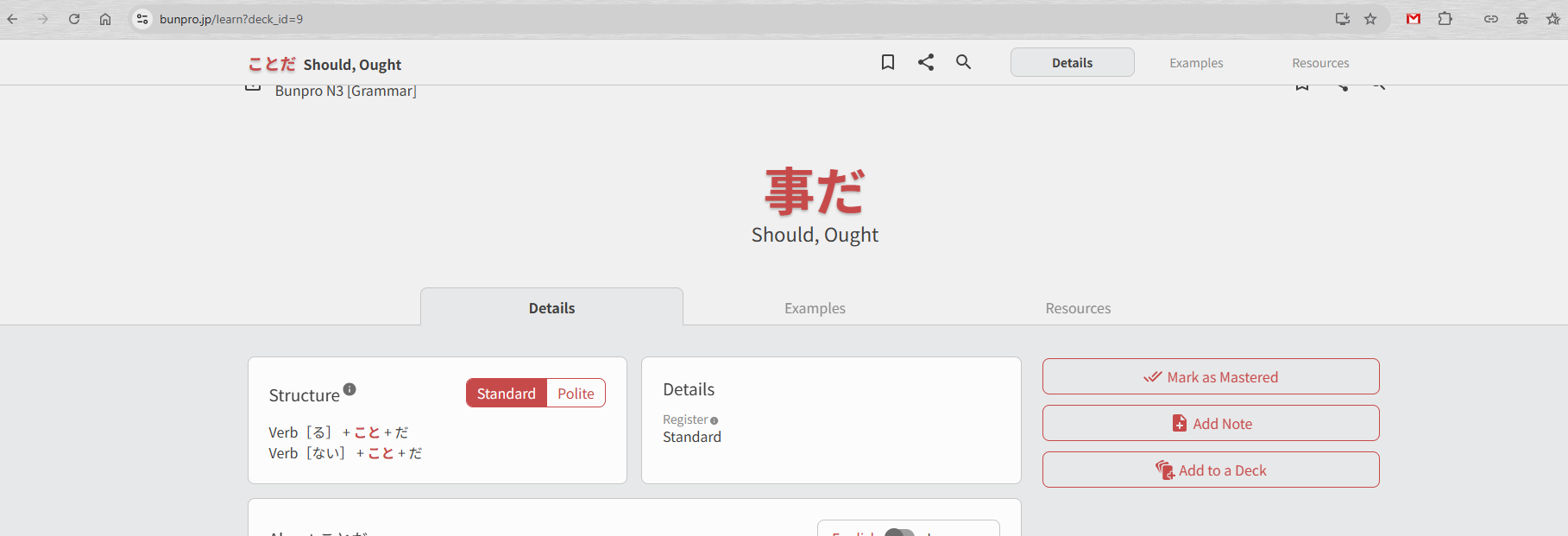
I think there’s a visual bug in the web browser version - learn new grammar.
When I open the page, things look fine:
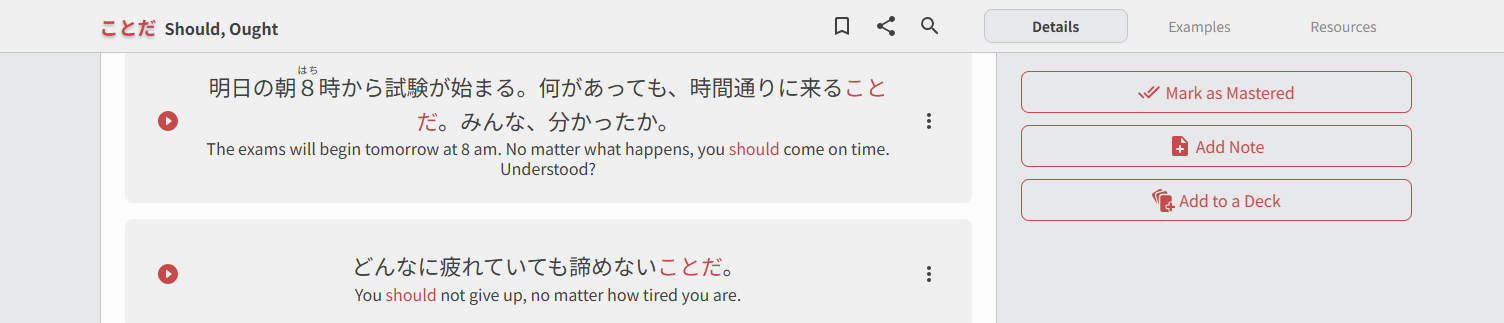
However, when I scroll down, a new bar appears at the top.
When I scroll up again, the bar doesn’t disappear, and then overlaps with the regular UI, see the top of the page of this screenshot:
I have been having a really frustrating problem my reviews this month.
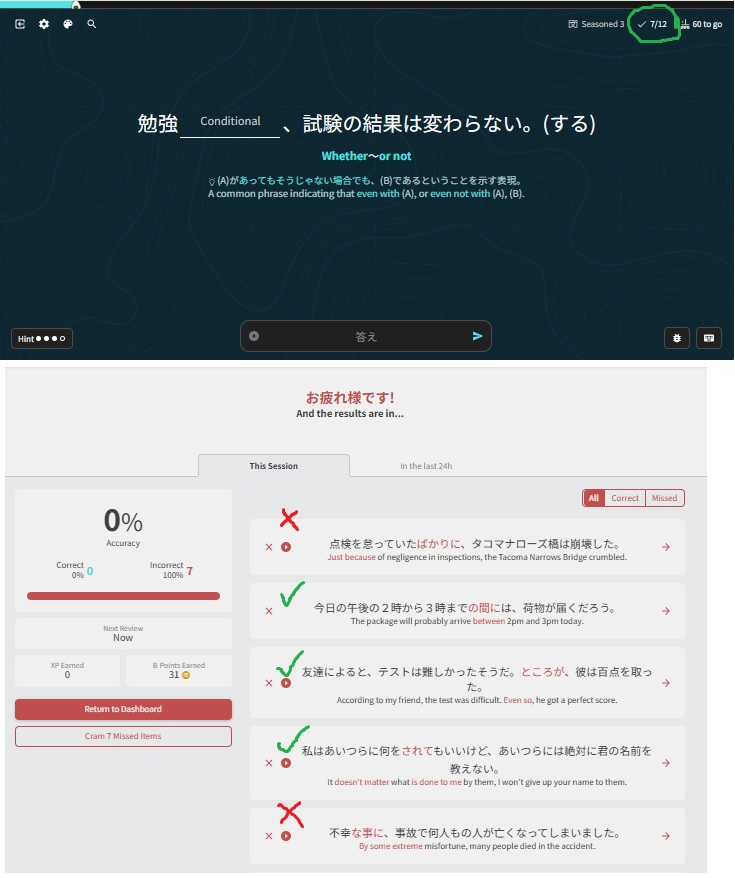
As I am doing my reviews, the top bar seems to keep an accurate track of my progress, but when I finish, the summary gives a very random report. Often it marks all my reviews as incorrect while other times it will be a bit more random, marking incorrect reviews as correct.
Here is a screenshot of a session. I attempted 12 reviews but I only got 7 correct. The summary claims that I only attempted 7 and that they were all incorrect.
The list of seven grammar points shown in the summary were a combination of correct and incorrect (which I have crudely highlighted)
Any suggestions appreciated