Feedback - Bug Reports

Hello! Clicked on my “Learn” drop down list today to learn a new grammar point and I do not see the button Add to Reviews at all:


It’s the same for a Quartet 1 lesson I did today too. Not sure how long this has been the case as I haven’t used the “Learn” button in quite some time. I usually just go to the deck and add the lesson from there (to match what I’m doing in Quartet).

1 Like

I can’t get any audio to play on the app since yesterday…

1 Like

I fixed this issue I believe.
It will update properly the next time you add/remove an item from it.

1 Like

I can’t remember ever having the Add to Reviews button in Learn.
You currently can only Mark as Mastered!

Finishing the quiz at the end of Learn adds it to your Reviews.

I figured out a little more specifically what my issue is with “Due Notifications” on Android: it only works if the previous review was also done on Android. I presume the same would be true for the first review after a lesson (the notification for a first review would show up if the lesson was done on the Android client).

I try to exclusively do my reviews/lessons on web client, where I have a keyboard. I got to wondering if this might be the reason I wasn’t getting notifications, so I tried a few reviews on the Android client as a test - low-and-behold, I got the notification for those reviews! So this is why I thought “due notifications” just wasn’t working at all.

This sort of habit and workflow (get notified about reviews on Android, do them on web client with a keyboard) worked incredibly well for me with WaniKani and Smouldering Durtles as the android client, so I was hoping to reproduce it with Bunpro.

Is there a way to get “due notifications” on android regardless of the client used for the previous review/lesson? If not, would it be possible to make this work? Or, is there any other way to get a notification on Android about a Bunpro review becoming available?

Thanks in advance for any help or insight you can offer!

1 Like

Potential minor stats calendar / heatmap bug. Maybe I’m the only one affected somehow. I tried a few searches in this thread and didn’t find a match. If I missed where this was pointed out, let me know and I’ll delete this redundancy.

There are several ways to state this issue:

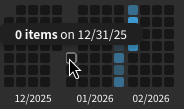
  • According to the mouseover labels, months begin with the last day of their preceding month and donate their own last day to the next month. For example, the calendars are currently displaying that the last day of February is 2026-02-27.
  • All weeks have labels displaying that they begin on Saturday.
  • All study and review stats are attributed to the correct squares within the calendar. However, the date labels are wrong.

Client and circumstances:

  • Client: Only known to affect browsers on my phone (Android + Chrome) and computer (Linux + Firefox). Android app is unaffected.
  • Local time: all times of day.
  • Local and computer time zone: MST.
  • Bunpro settings time zone: MST and PST.
    • I discovered this in MST and swapped to PST for a 01:00 daily reset. The problem didn’t go away.
(Expandable) My confidence is high enough that this section isn't needed anymore. The last picture, visible below, is enough by itself.

Questions for others using a browser instead of an app:

  1. Do your calendars / heatmaps in your stats page ( Stats | Bunpro ) display all stats shifted back to the day before?
  2. Do your calendars / heatmaps start with blocks dated as Saturday at the top? If yes, would all of your stats be correct if the top were labeled as Sunday instead?

All screenshots below were taken after 00:00 and before 01:00 local time (MST), but I’ve confirmed that the same problem is visible between 12:00 and 14:00. The time of day probably isn’t a factor.

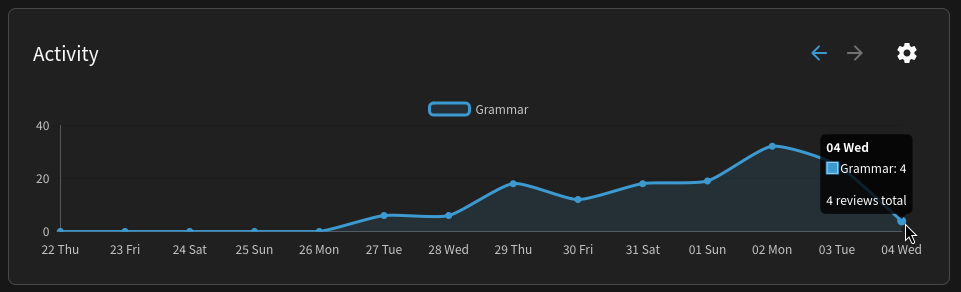
Confirmation via the dashboard ( Dashboard | Bunpro ) that I reviewed 4 items before 01:00 on Wednesday, 2026-02-04:

The stats page incorrectly shows 0 reviews for Wednesday:
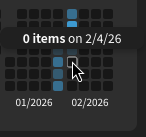
image

But it does display Wednesday’s reviews as Tuesday’s reviews. “Tuesday” is also in Wednesday’s middle-of-the-week vertical placement:
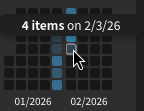
image

Saturday, 2026-01-31, is displayed as the first day of the week. If it were labeled as Sunday like in the Android app, all numbers would be correct:
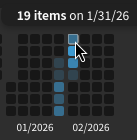
image

The “first day” of January:
image

For convenience, here’s the output of cal -vn2 01 2026:

    1月 2026           2月 2026
日     4 11 18 25      1  8 15 22
月     5 12 19 26      2  9 16 23
火     6 13 20 27      3 10 17 24
水     7 14 21 28      4 11 18 25
木  1  8 15 22 29      5 12 19 26
金  2  9 16 23 30      6 13 20 27
土  3 10 17 24 31      7 14 21 28

Hi there, Whenever I add/remove grammar point/s in my custom deck, it says no new lesson available even if the deck was added to learning queue, and when I click the learn at the top nothing happens. It’s also stuck at saying 50 grammar points in the my decks page regardless of adding/removing. Thank you!

I have the Same Problem since a few days. One Deck was already fixed, but when I add a new Grammar Point the number stays the same.

1 Like

LOL. Well, no wonder. I haven’t used the Learn button for so long, I forgot that I’m supposed to do the Quiz right after.

2 Likes

We updated the button. It should be easier to click it now.

Thanks for letting us know.

2 Likes

Hello - I may see a bug. When I get a grammar question wrong, a ghost review is created less than half the time. In the settings, I have “Grammar ghost reviews = On”, not “Minimal”, so I expect to always see a new ghost review. It has been that way for years. There were some posts in this topic about a ghost creation bug a few months ago… has it come back? Or am I confused?

1 Like

Not sure if it counts as a bug, but this seems the best place to report it.

I’m working through the Genki 3rd edition deck, and in Chapter 8 I came across 選択 (せんたく - choice). This seemed odd, as I’ve been through all the vocab of Genki 1 already and this one was completely new. I checked the vocab list for the chapter and confirmed that this should be 洗濯 (せんたく - laundry), which in the book is given as the verb 洗濯する.

Just to make sure,
There’s another ghost setting a bit further down that page, called “Minimum SRS For Ghosts”. Could that setting be causing your problem?

2 Likes

Thank you!! The “Minimal SRS for ghosts” was the issue. I wonder how that happened…

2 Likes

I think this is a bug but I can’t discount the possibility that I’m just really dense.

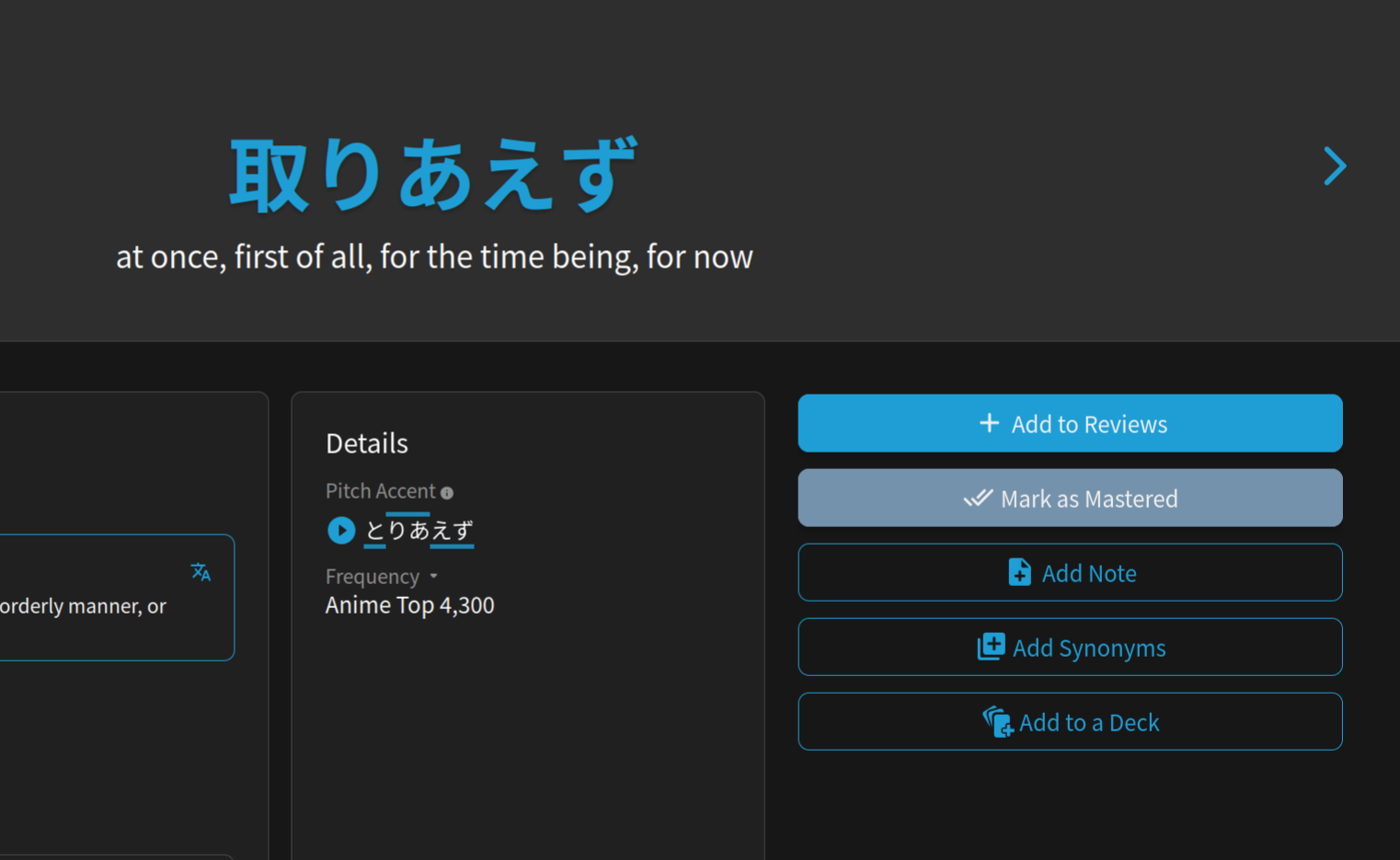
I made a custom deck and have not selected to add it to learn queue or any of the cards in it, and none of these cards are ones I have already started learning. However, the cards are all in my current review session. When clicked on, none of them have the SRS level thing on the right side of the screen and they can’t be removed from the learn queue because they haven’t been added in the first place. See screenshot below with the ‘add to reviews’ button still being there

1 Like

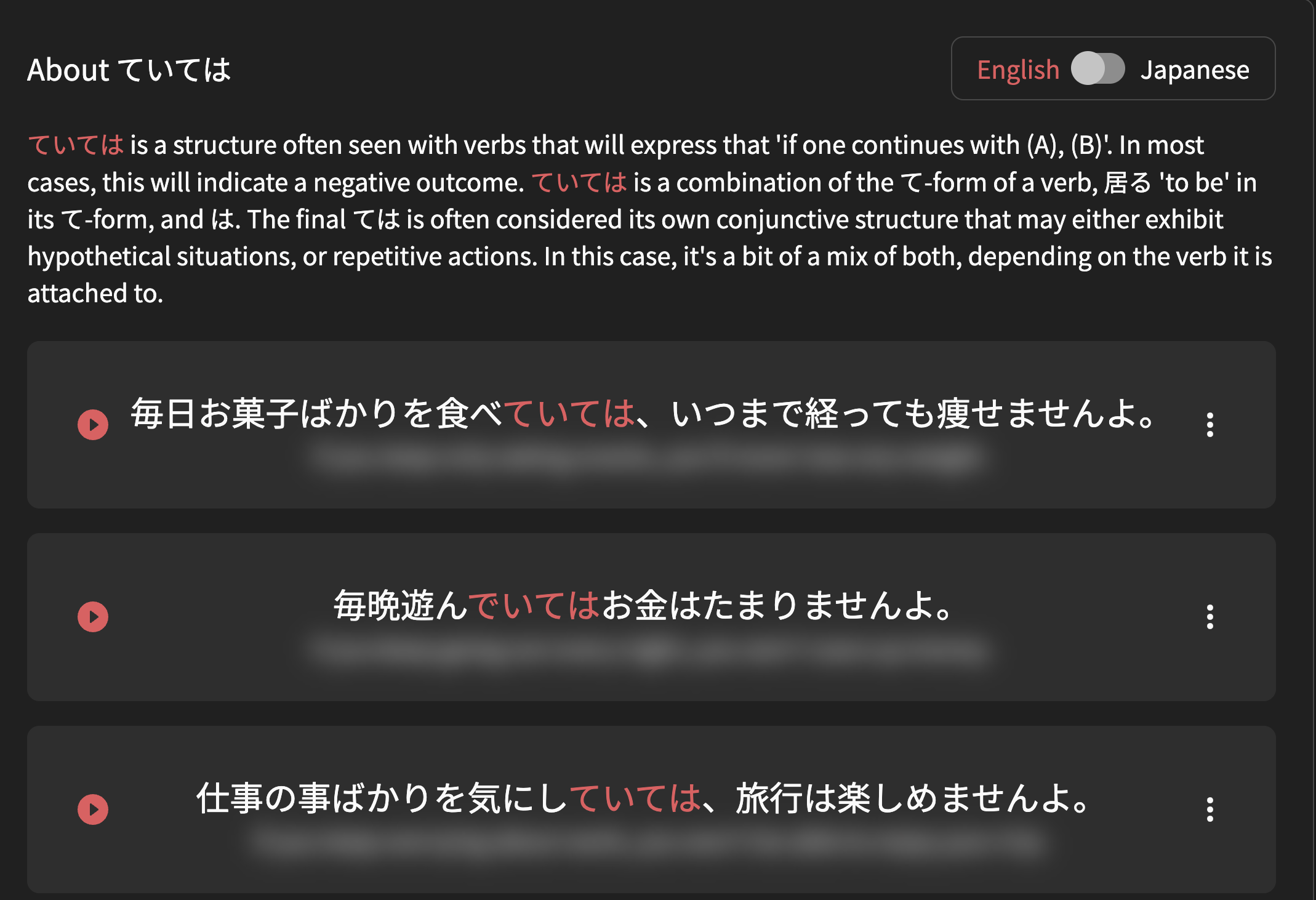
The blur effect of English sentence are not enough (we can see the text) on iOS and iPadOS (image 2) compared to the desktop version (image 1).


3 Likes

This definitely should not be possible, sounds like a bug.

I’m gonna recap your situation and you tell me if anything sounds wrong:

  1. You have a custom Deck (one for a manga)
  2. This Deck is NOT in your Learn Queue
  3. Items for it (e.g. 取り敢えず) that you have NOT Learned are showing up in your Reviews quiz
  4. When you click “Show Info” and scroll down during Reviews, you see similar to what you showed me in your screenshot

^Does this sound correct?
Is it still happening?
I couldn’t replicate it on your account (for 取り敢えず at least), but that’s likely because you have too many Reviews in your queue for me to test properly.

Anyway, just let me know if I’ve got your situation correctly and I can test further.
If you could clear your queue of un-bugged Learned items a bit more I can also try replicate it again

1 Like

Hello! We think we fixed this bug – the Grammar count should have corrected itself. Does it still say the Deck is finished? Let us know!

2 Likes

I did some Reviews Just now, but the SRS Stage didn’t change and in the summary after the review all answers were marked as wrong. I used the option we’re you don’t have to type in the Word.

Edit: I was doing the vocab Reviews from the Dashboard. When I did Reviews from a Grammar Deck, I Had No Problems with the SRS Stage.

1 Like

I just checked your account.
You have a lot of wrap-up items, and it’s forcing you to Wrap Up your old un-wrapped-up items first.

Wrap Up items are counted as incorrect.

Screenshot shows how your Reviews start – with 20 items already in the Wrap Up queue.

Screenshot 2026-02-07 at 14.30.14

I’m guessing you have lots of stuff to wrap up for Vocab, but not Grammar.

PS. Wrap-Up should be done after every session to ensure the SRS system works properly.

2 Likes