
We can choose how we want to suffer, quite the selfexpression i’d would say.
2 Likes
Hey,
Seems like audio doesn’t work anymore on Android. Was fine a few hours ago, then I installed the new version and now it doesn’t play no matter how much I spam that  icon. Tried a few different reviews in different SRS levels but nothing works.
Hope it’s fixed soon, I do rely on sound a lot during reviews 🥲
Also queue order switches directly when I change it in the option, which wasn’t the case previously. Maybz the two are linked somehow? Like it’s clearly 便利-er but I’d take audio over insta queue order switching any day
2 Likes
Checking it!
The insta switch and audio shouldn’t be related, could you also provide which version of android, app and device are you on?
Also, could you check to be sure if the device is not muted/audio volume is not 0.
2 Likes
Hello, I have a question about audio in the reviews. Is there a possibility to manually play the audio for the review sentence?
Under general settings there is a way to enable automatic audio play, which is not suitable for me as I use bunpro on an ad hoc basis during the day.
I saw some indication that there should be a play button somewhere on the review screen? I can play audio in the info session page of the grammar point without problems.
I only use bunpro app, android 16.
Sorry for posting here, I did not find a better discussion for this.
1 Like
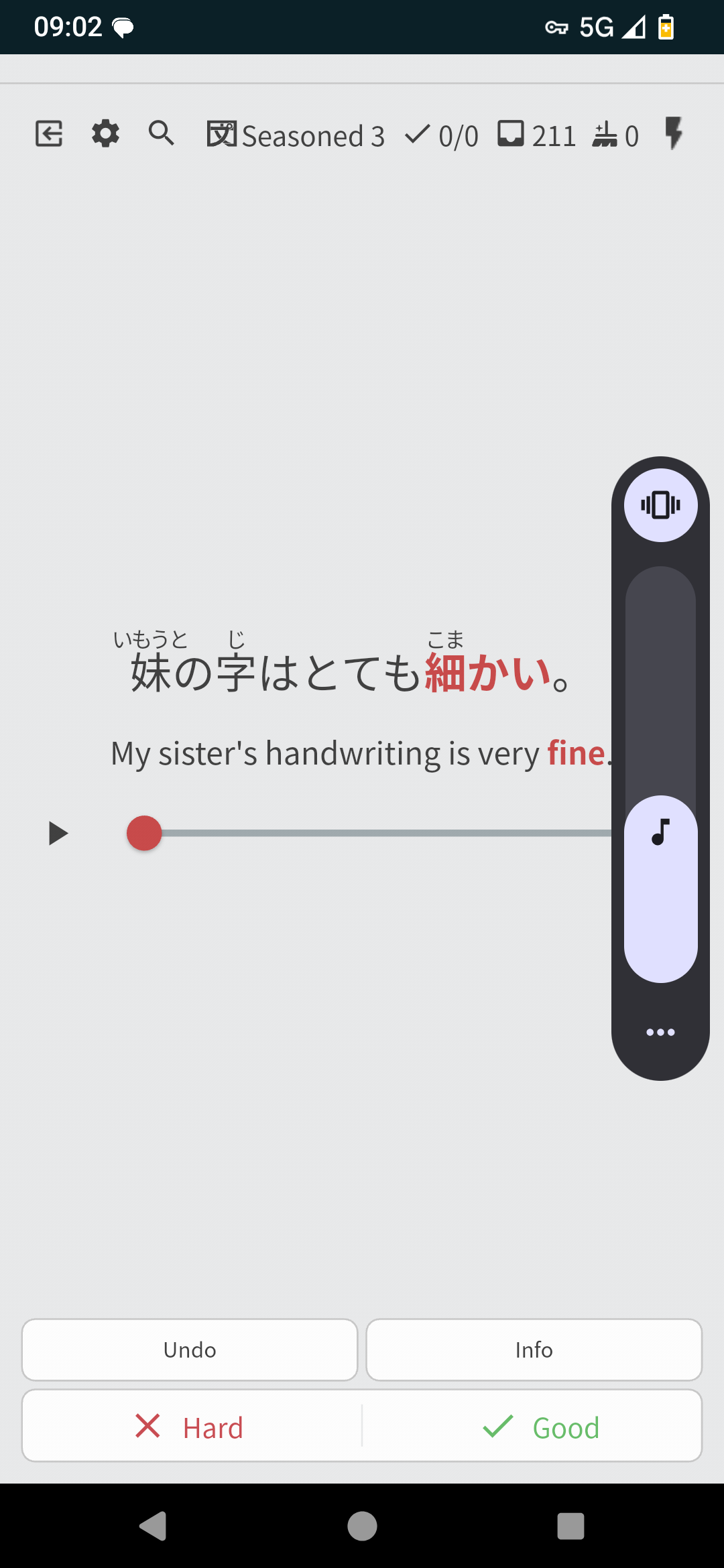
Yeah, you should be able to play the audio manually by hitting the button right here. However it’s doesn’t seem to be working anymore (at least for me). Do you have the same issue ?
1 Like

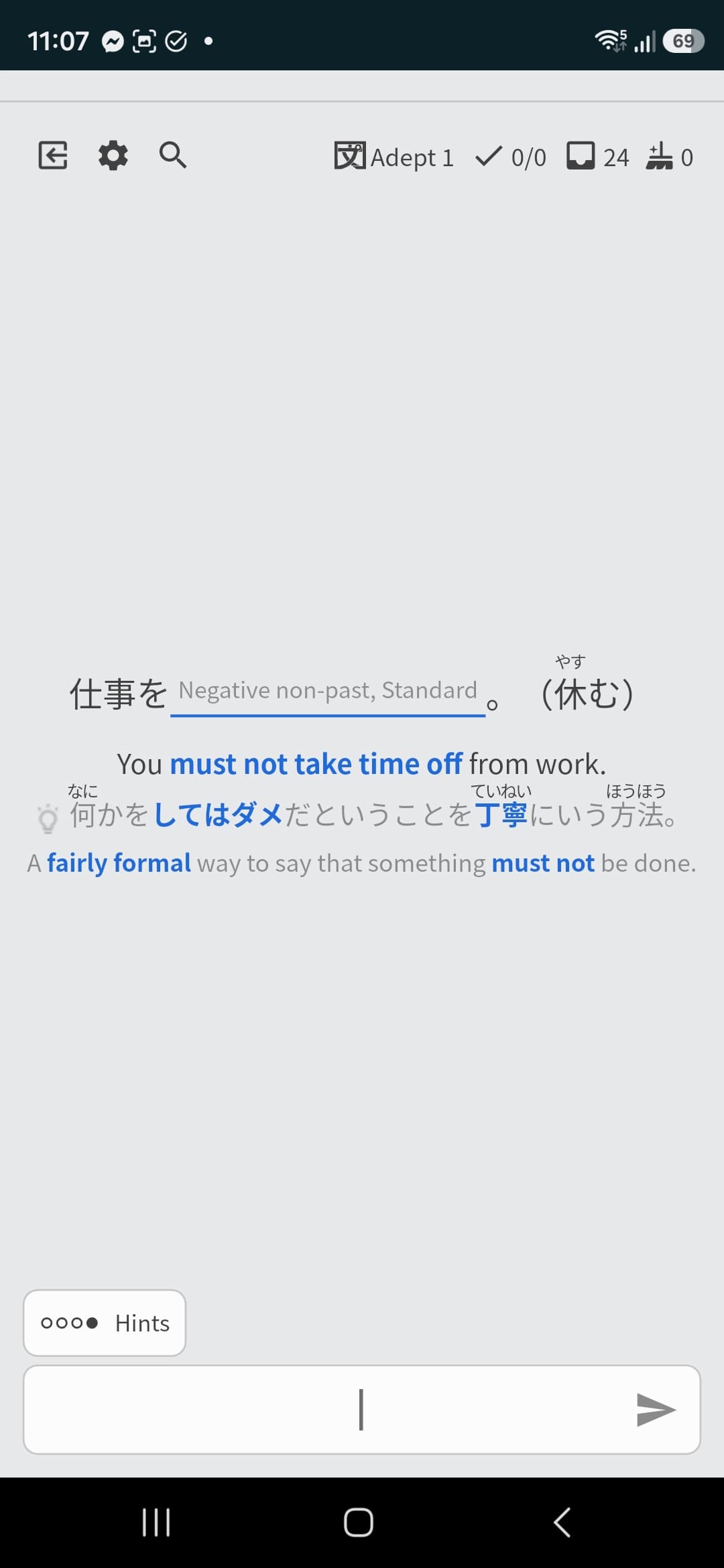
Ah, we’re not using the same review types. I’m in reading mode while you’re using fill-in. I guess audio is not available for those ?
2 Likes
The play button only appears after you’ve answered, otherwise the audio would reveal the answer to you.
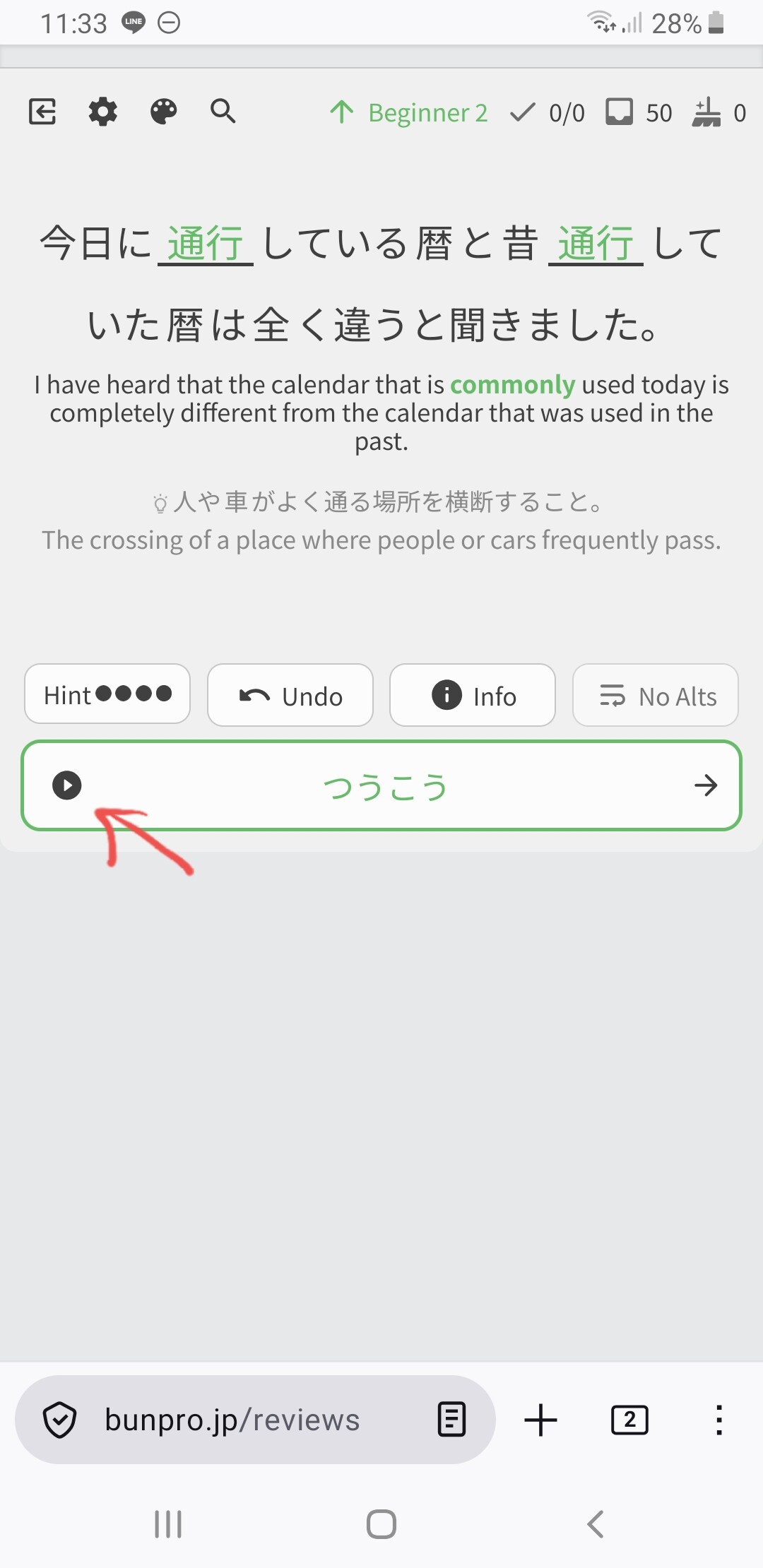
On pc, you can also press P to play the audio.
4 Likes
Ah, thank you very much! It is strange that it appears in the fill in the blank field, never noticed it!
You saved me! ありがと❤
2 Likes
In the Android app, I was stopping my reviews and did a cleanup (I’m using the review type where it shows me the Japanese and I just say whether I know what it means or not) and it just kept asking me all of the cleanup questions on repeat, so I had to end the cleanup manually.
1 Like
I reported this a few months ago but never got a response, so I’m hoping to try again.
When I visited Japan in November, I did some Offline reviews on the plane. The next time I opened the app, after changing timezones, my “days studied” counter had suddenly increased by 300. It currently reads 642 days, which is longer than my account has even existed.
Would it be possible for someone to manually decrease the counter by 300? For example, today it reads 642 when it should say 342.
2 Likes
@harukakat
Hey!
I have asked person responsible, should be fixed soon!
@travv0
Could you [DM] more details?
1 Like
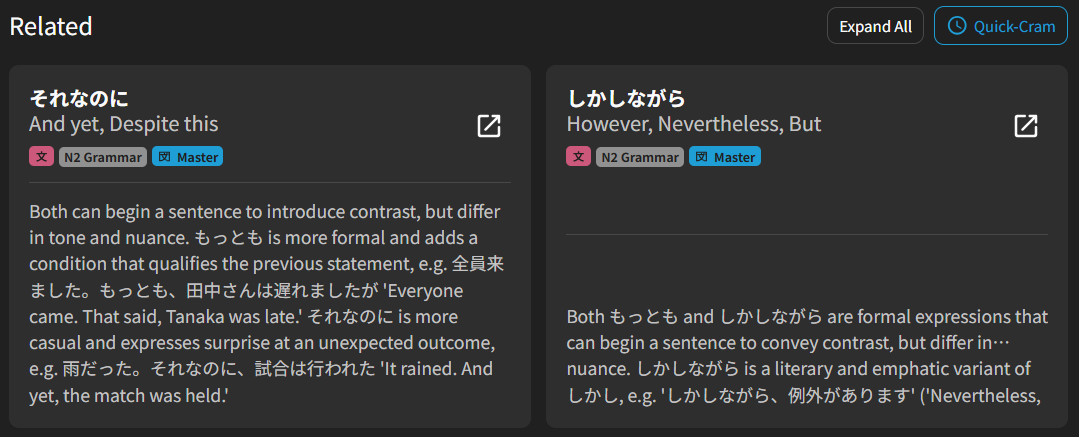
When expanding a “related” grammar point explanation, something a bit weird happens to adjacent cards (see the card on the right below, where the “…” appears before the text continues.
2 Likes
I saw the reply to this, but following up because when you check Complete Mode, it does still read “(n) items to Cram x12”.
1 Like
Hi! Very minor thing, but I hit level 102 and I seem to have lost the ability to manually change the flare that shows up on my profile here? ty 
3 Likes
For people at level 102, you should be able to set you flair to 102 now. Turns out the issue was we just didn’t have support for levels that high on the forums.
5 Likes
1 Like
Thank you Jake!
1 Like
I think you’re the first person I’ve seen with that lv102 badge. Cool!
Though I think Jake is going to have to make 103, 104 and 105 badges for you within the next few weeks. 
2 Likes