We changed the graphs to use the timezone set by your account, instead of the one set by your browser.
Do they match / are you using a VPN?

We changed the graphs to use the timezone set by your account, instead of the one set by your browser.
Do they match / are you using a VPN?
thanks for letting me know.
I checked and my account was set to GMT+0 whereas I live in GMT+1, but the reviews were off by two hours. I will check in the upcoming days and see if that fixes it. I’ve set it to GMT+1 now.
I assume the change was only done for web, because on mobile I didn’t experience the same issue?
As for VPN: I have a browser profile with a split tunnel set up for *.jp to route via Japan proxy, because at some point I got lazy to add every single website that blocks access from outside one by one, I might or might not occasionally have used bunpro with this profile, but that would’ve been an 8 hour shift and not two.
In any case thanks for letting me know. Unfortunately I’m not getting new reviews for the next 5 hours or so, so i can’t tell you if it worked to change the time zone. I will reply if it didn’t!
E: works perfectly now
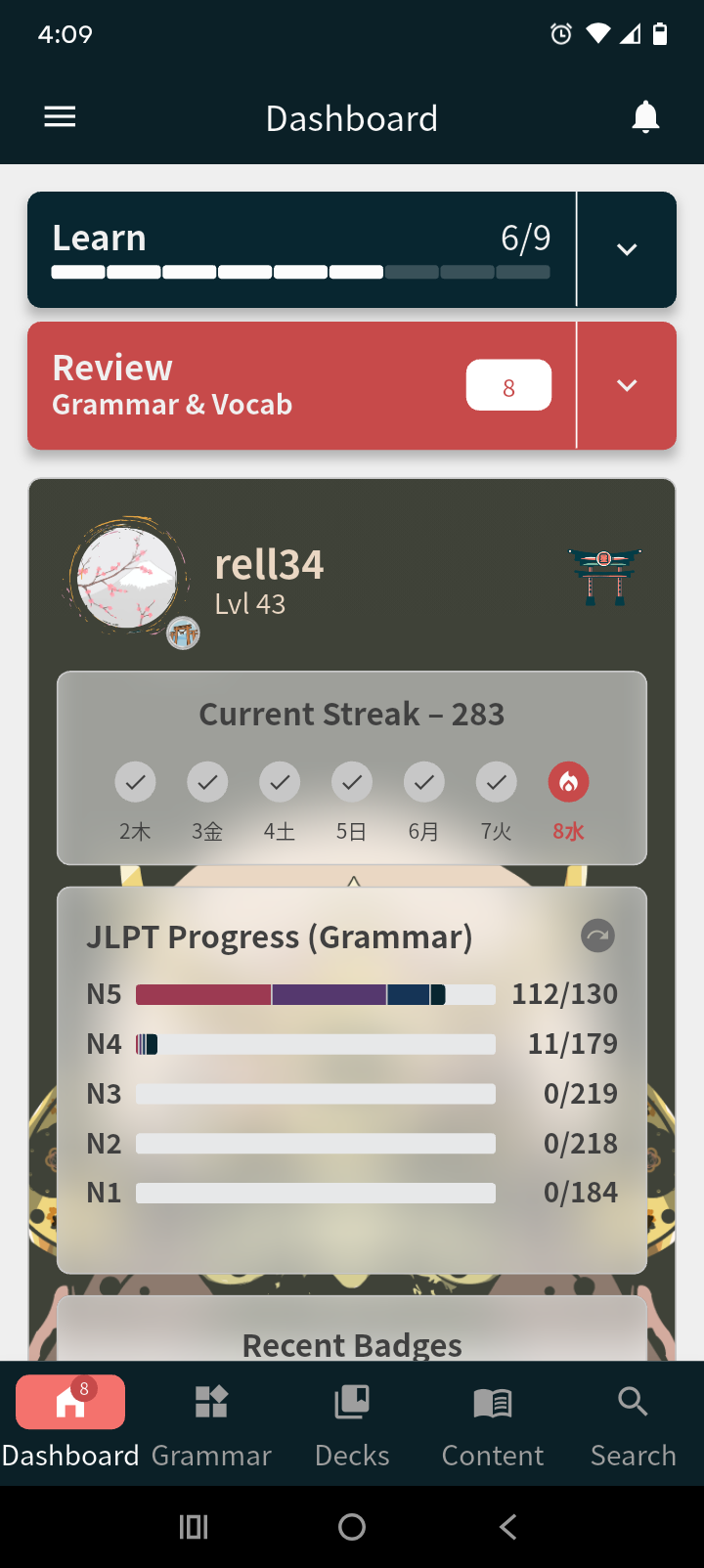
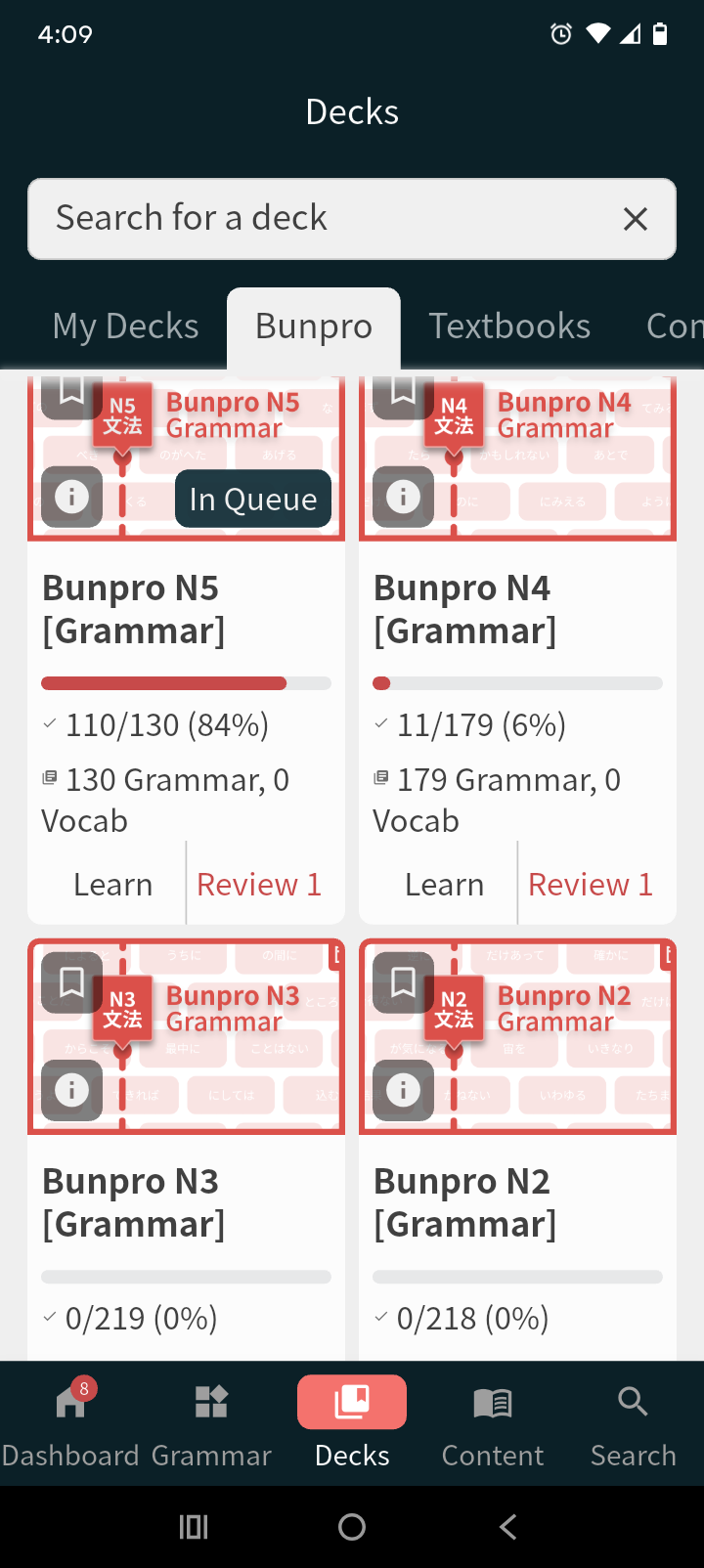
On mobile - custom decks view- the amount of grammar done does not match the one when visiting the website instead of the app. The correct one is on the website. Tried resyncing on the app setting and it does not work…
Clearing the cache did not work, but uninstalling the app then installing it again brought audio back. I guess “Clear storage” button might work too, then.
not a bug, I’m just a bingus
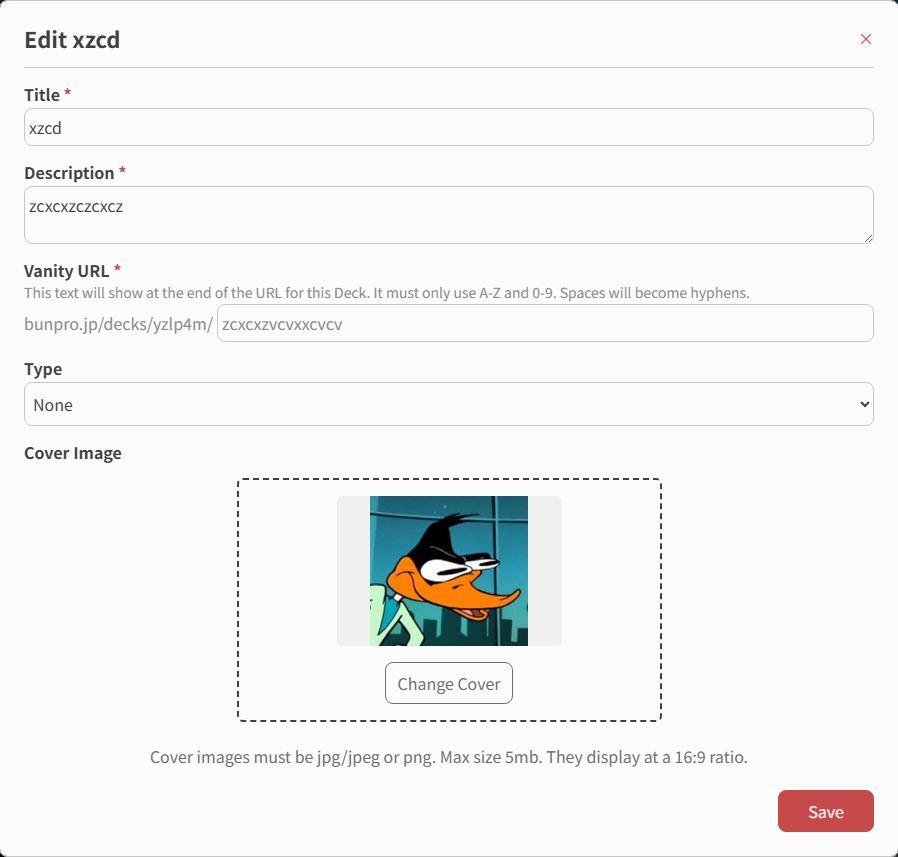
is it not possible to edit the cover photo for a community deck you have made? I was too lazy to add one when I made them and now I can’t find a way to do it.
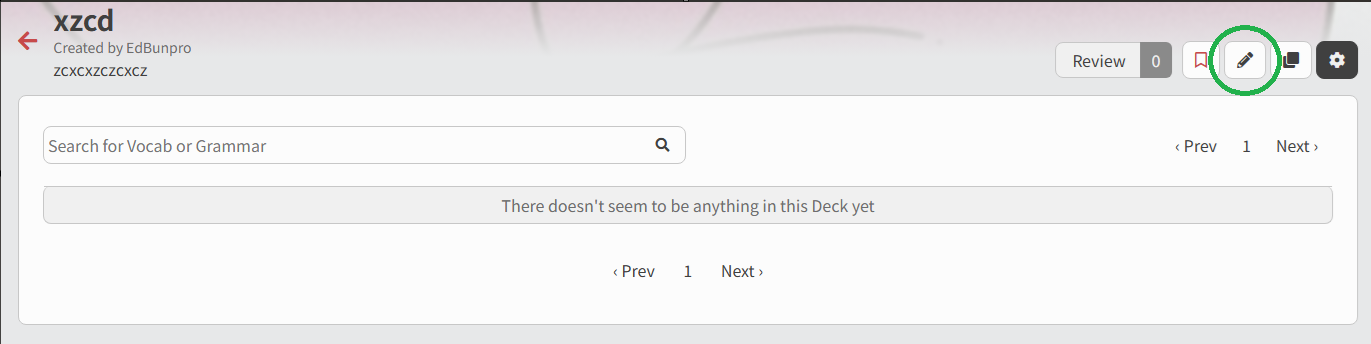
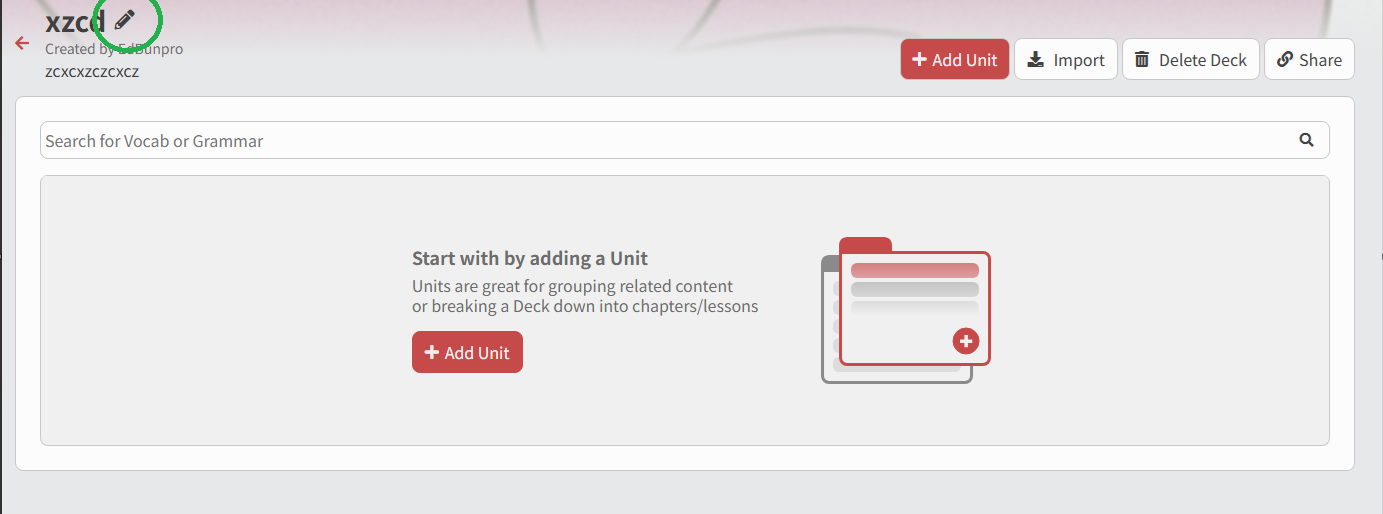
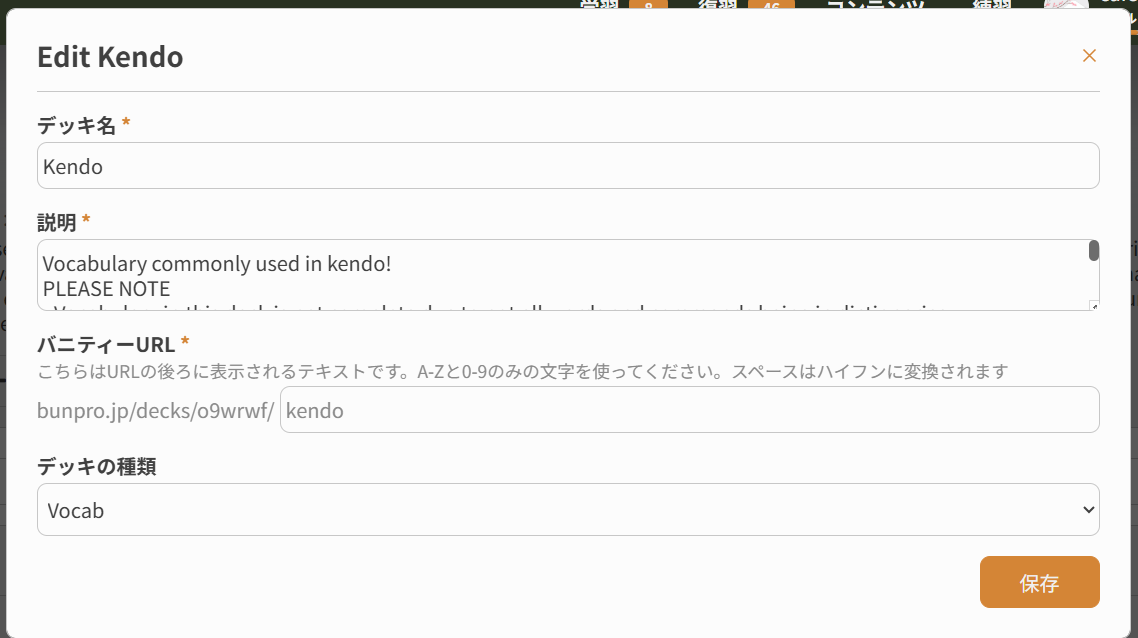
Click the lil’ pencil next to the Deck name and it’ll let you edit everything! 
Thanks! I did do that but when I scrolled I couldn’t find any option to change the image for some reason:(
^ This should be the sequence to change the cover photo, can you show me on your end what’s getting screwed up?
Hello! Sorry not on pc atm but basically that bottom part where it lets you upload an image is missing for me
Yeah let me know later what you find, link to the deck too would be appreciated when you grab a chance!
Thanks @EdBunpro !
The problem also applies to my other two public decks
I’m assuming it is because they are public that I can’t change the cover
Ah right then yeah users can’t usually change photos after a deck has been published to help prevent a few things, sorry about that. But DM me the photo you want to use and I’ll manually edit your Deck and do it for you, no worries. 
NW! I’m lazy so i’ll just leave it as is. Thanks for the clarification and help!
I’m having issues where I have my review settings set to reveal and grade, but during reviews it’ll randomly revert back to needing to type the answer.
It’s getting really annoying.
I think this is the same issue as I have
Welcome to the forums! 
I’m imaging what you saw is your individual Deck’s setting taking precedence over your global settings (the ones in your Review Settings).
Does this sound like what was causing the issue?
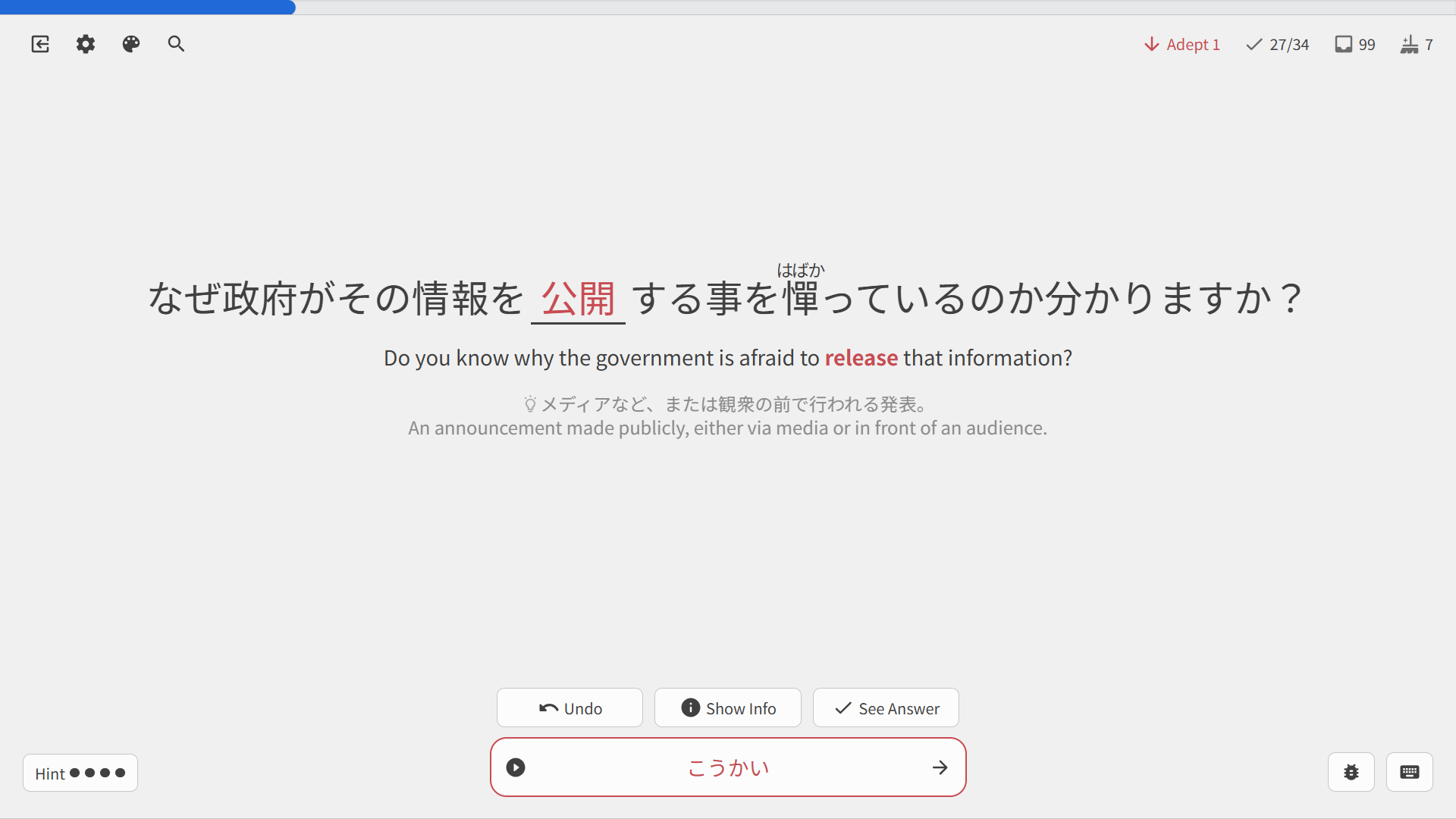
This is probably not a bug, rather the opposite actually, but I can’t think of a better place to ask. I just came across an instance where I input an incorrect anser (the correct answer was 公表), but Bunpro did turn my kana input into kanji (公開). I’ve never seen this before. Is this a new feature?
This is on the app. The higher number (which is the correct one I believe) is on the dashboard, in the JLPT progress section. The lower number is in the deck section where you can see all the decks you’re currently studying from. Basically I’m adding new grammar from the N5 deck, and the deck itself isn’t updating the new numbers.
Doing my reviews today, all 43 functioned correctly (as I’d selected).