
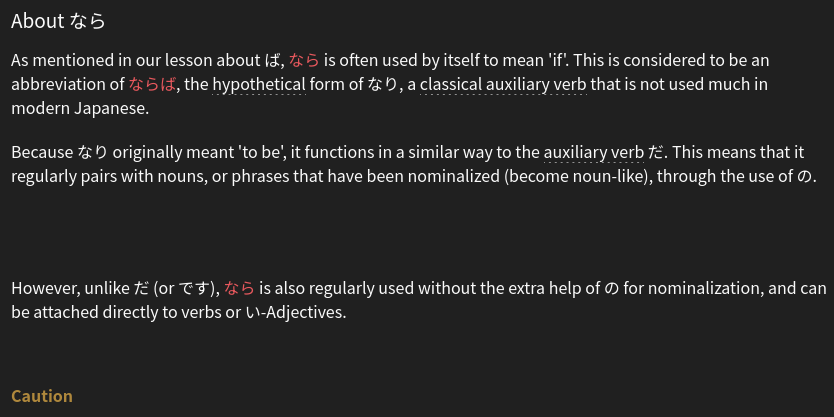
Just did some N4 grammar points and the example sentances within the explanation weren’t there. It would say something like “See how the word was used in this example…” but there was no example. あとで、~ていた、に (Frequency)、とうとう、より、ごとに. I cant remmber if it was in all of these or just a couple. These are the ones i did today though.
3 Likes
Seconding this. I’m working through the N4 grammar deck and in the ‘About’ section of the grammar point the example sentences between the explanations are just gone. Going to the grammar point’s individual page in the Grammar Library shows them still there. The list of example sentences at the bottom seem to show just fine.
I’ve disabled add-blockers and tested it on Firefox and Brave browsers, and the result remains the same.
3 Likes
The “Hide English” option in Settings → General → Content Display doesn’t seem to be working as of the past couple days. I have it set to “Yes” but when I look at grammar descriptions the English for the example sentences is shown by default and I don’t seem to have a way to blur it.
It worked as expected - English blurred by default and revealed on hover/click - until a few days ago. I don’t think I changed any settings to induce a change in the English hiding behavior.
1 Like
nvm seems we can accurately replicate it on our end, the dev team has been informed! sorry about that.
1 Like
This too should now be fixed! 🙇♂️
1 Like

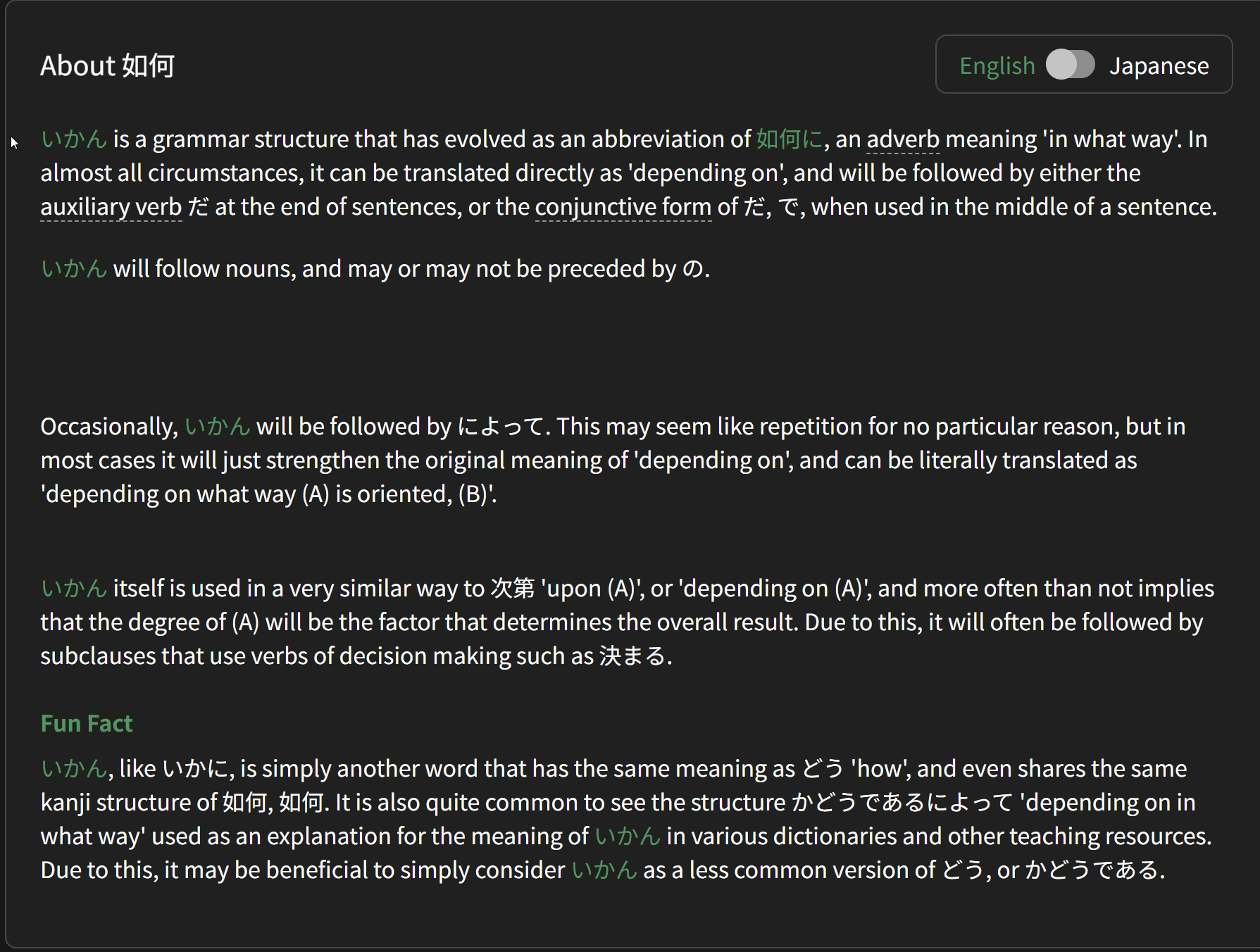
This is for ~たことがある (N5 Lesson 10: 1/12)
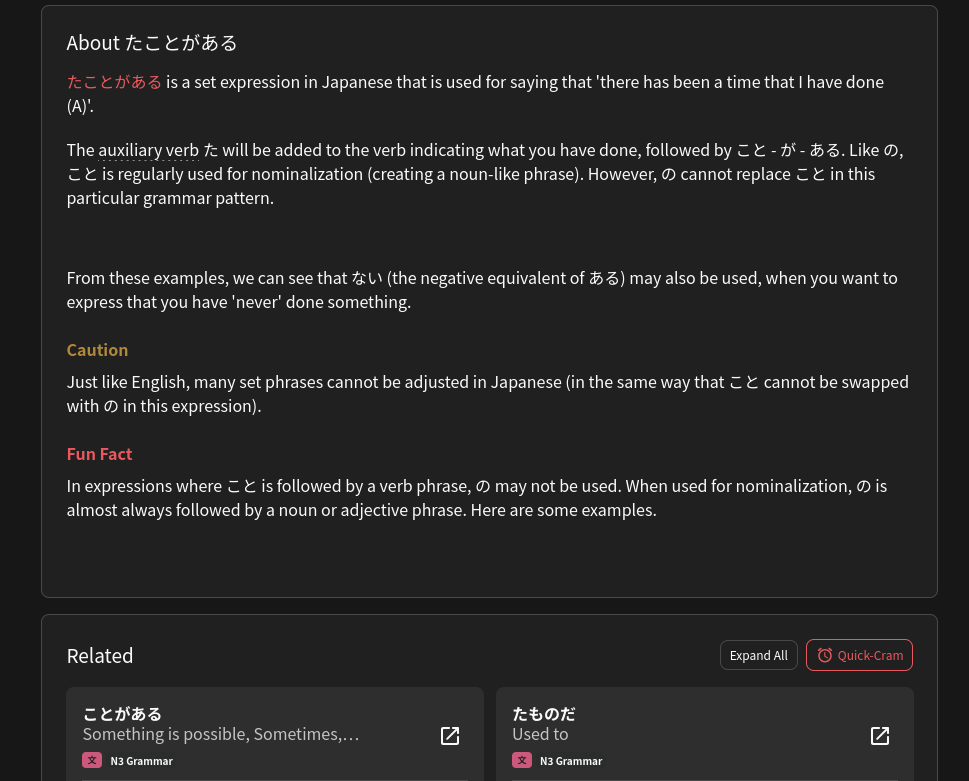
Didn’t know if it should be placed here, because it seems like an oversight rather than a bug. But it states there should be some examples, but they appear to not be showing.
Hello again!
What browsers/OSs are you two on?
I can’t replicate it on the live site!
Did you refresh the page?
Try a hard browser refresh (Shift + Ctrl + R).
I’ve just tried it on Desktop Edge, Firefox and phone Samsung Browser all of which seem to be affected by this issue. I’ve also tried accessing the site and looking at the sentence examples from a different IPs - VPNs, Mobile data to no avail.
1 Like
Same here with どころか on the web app (chrome/mobile).
As mentioned previously, it works as expected when accessing the grammar point via search, only the page opened via the “learn” button is affected.
Edit : It doesn’t affect どころか especially. I’ve added it manually, and the same thing happens with the next item the learning queue.
Good luck ! 
1 Like
I’m on Zen Browser on EndeavourOS. I just searched for the grammar now which makes it display correctly. As others said, the issue seems to only show when using the learn button.
1 Like
Should be fixed now!
I somehow missed everyone said it was Learn-specific 
Was a separate unrelated bug that caused it this time 🫠
Thanks again everyone!!
6 Likes
Often the weird ones that cause the most trouble 
Thanks for the quick fix 
1 Like
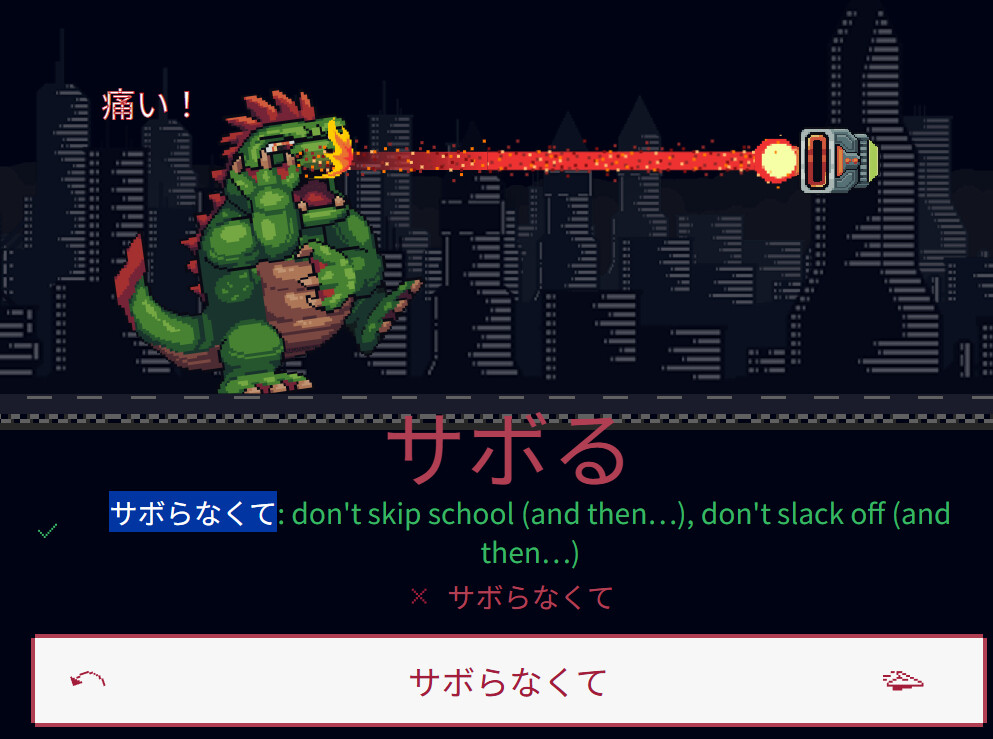
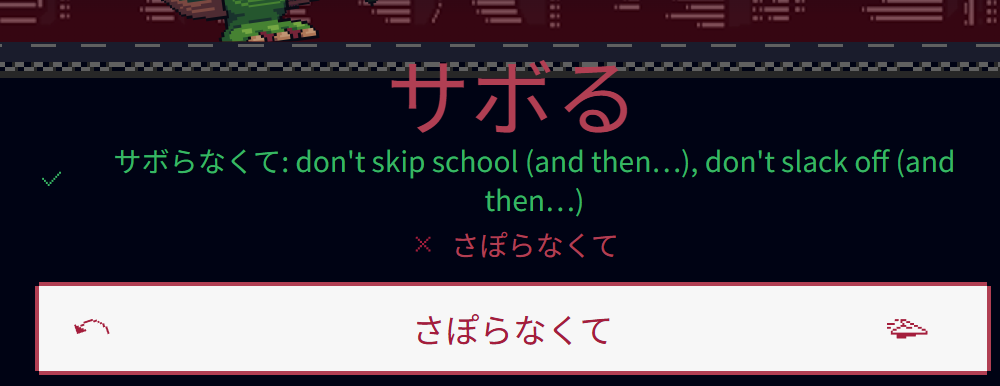
Was using the default input method which converts romaji into hiragana automatically, it didn’t convert it into katakana when you send it as it usually converts for kanji in reviews, even copy pasting the correct answer is considered incorrect
3 Likes
For some days now, the level progress does not show. Usually, it would show a progress bar, right? For me, now it shows:
Level Progress: -38602/7700
Total XP:131798
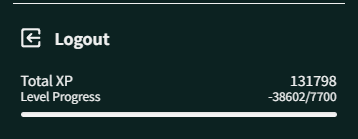
Thank you for any tips on this.
1 Like
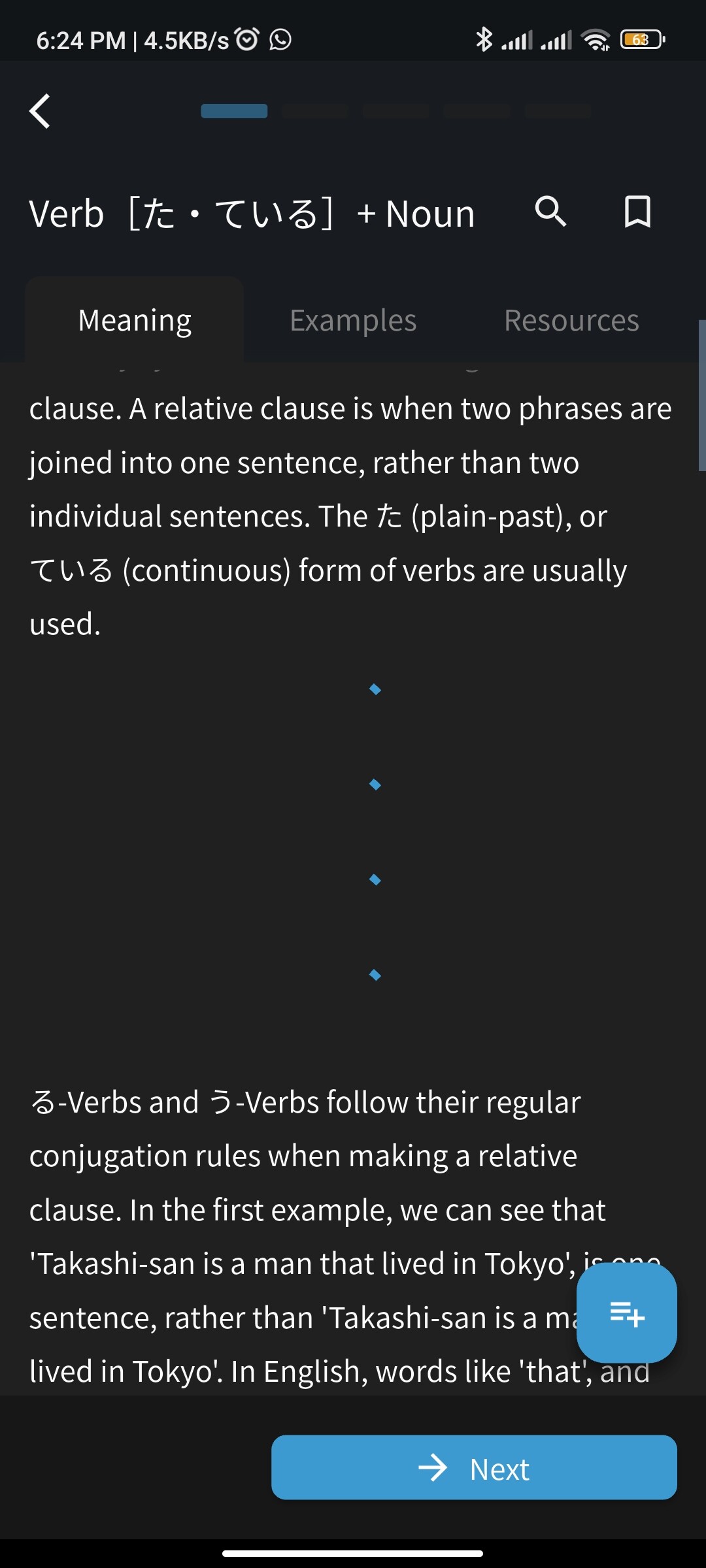
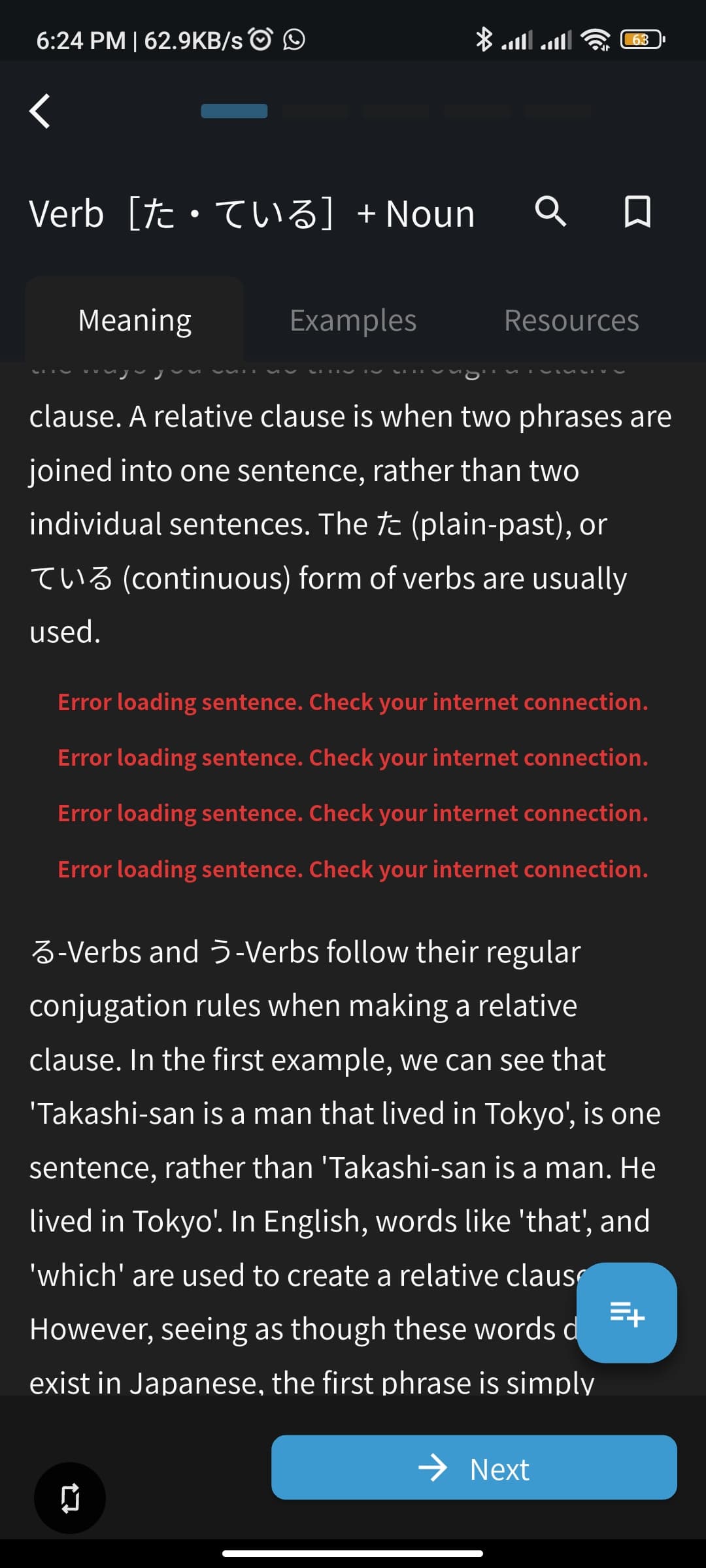
this has been happening since yesterday for me, the example sentences just wont show up for every grammar lessons. i tried fixing my wifi, using hotspot from other device and cellular data, and even downloading the app on other phone but the problem is still the same in my other phone. I hope dev can fix this somehow
at least i can still learn from the browser
3 Likes
The devs are aware of this and are working to get an update pushed for this ASAP, sorry about that!
2 Likes
Hi there!
For some reason your XP and Level were out of sync.
I’ve recalculated your Level based on your XP, manually on your account.
Out of curiosity, so I can potentially find the source of the bug that caused this to begin with, have you ever done a lot of mass-updating of items before?
I.e. gone into the Grammar Library or somewhere similar and mass-selected and updated items?
This should be fixed now if you close and re-open your app!
Thanks for the report, and sorry for the inconvenience 🙇♂️
1 Like