:bunpro_icon: Feedback - Bug Reports

Twice. Both times within the last week.

The cram for grammar with ghosts looks fine.
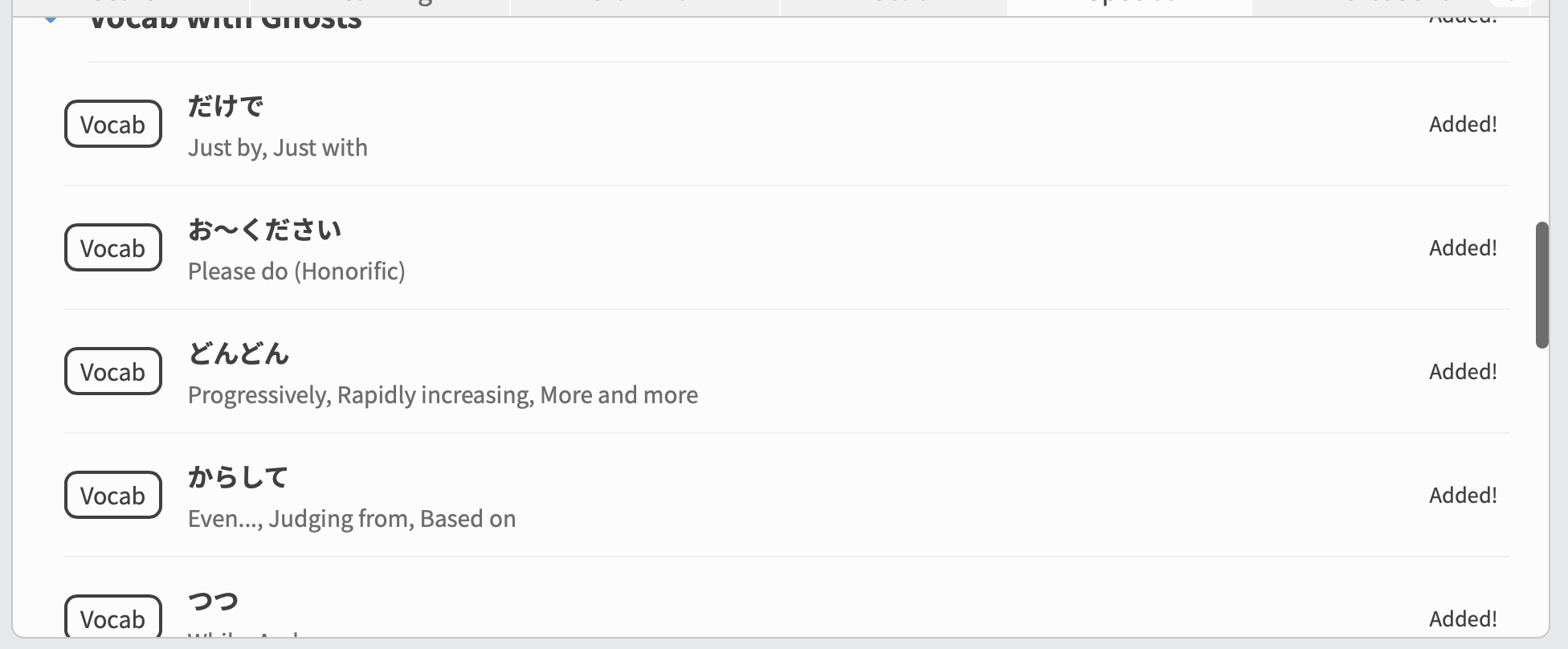
Vocab with ghosts still has some issues.

At this moment I have 46 vocab ghosts while “vocab with ghosts” cram section gives me 15 to review. Content of it seems fine but I think there should be more of them.

Also, reviewing if it works now, I have found out that after expanding “vocab with ghosts” section, I see there some vocab that I did not learned at all. Even elements that does not have separate page on Bunpro, when I am trying to look at them.

2 Likes

Wanikani Furigana is not working as of May 4 on the web UI. It’s just showing me all the Furigana. It feels like cheating to do my reviews right now. Android app still works correctly.

Edit: Still not working on May 5.

1 Like

Do you have any examples of words that are showing furigana that shouldn’t?
On your account, these are the only Kanji marked as “known”: 㜟, 砂, 立

Have you manually been marking kanji as known/unknown?
Have you reset your progress or anything like that in WK?

Not sure what has happened here đŸ˜”â€đŸ’«

1 Like

Uhh, well this is awkward. Today it’s working perfectly. I quit last night because it wasn’t working and used the Android app instead. Thanks for your attention! I’ll post again if it recreates.

1 Like

My Android app is stuck with 554 reviews to do after I returned from vacation and disabled vacation mode. All these reviews have been done on PC and I have zero reviews to do there, but no amount of refreshing the app fixes it. I tried to force stop it and clear the cache but it just stays on 554 reviews.

Everytime i open the desktop site I get the onboarding tutorial despite completion. No response to the two tickets I opened 18 and 7 days ago. fix please?

1 Like

Not really a bug per se, but do you think it might be possible to get the stylish :bunprogold: symbol to appear here?

That would look awesome :bunprogold:

3 Likes

As an extension of that, I’ve managed to fix the reviews issue by reinstalling the app, but now it’s showing me all furigana always on all kanji, even though I have my Wanikani API key in the settings and Wanikani furigana is enabled.
On PC however the furigana is displaying (or hiding) perfectly fine.

1 Like

:bunprogold: changed to :bunpro_icon: I’ve lost my will to live

2 Likes

I reset my N3 grammar to do Cloze reviews. When I add the grammar they are added back as Expert 2, when I have explicitly set them to be Adept 1. So then I have to manually add them back in. Maybe Bunpro secretly remembers my past rank on these grammar points?

1 Like

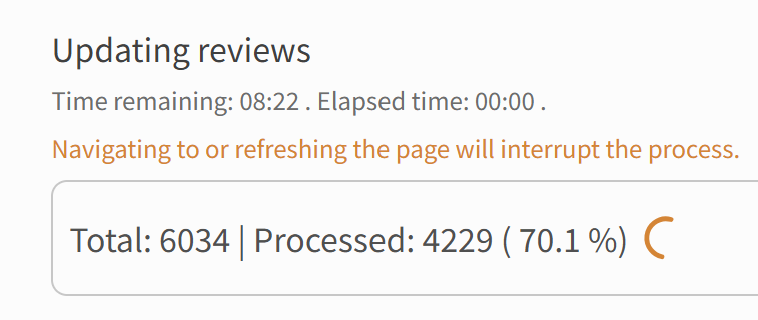
I dont know if this is a bug or not but whenever I try to exit vacation mode it gets stuck on a certain loading point and I have to refresh the page and start again, which causes other problems
(it has been stuck on 70.1 percent for a wee bit now)

edit to append an image (i think it has been like this for like 15 mins now?)

edit edit: had to refresh the page as expected but it seems that it still works in the background maybe and the processor just stops updating because on the second refresh it got stuck at 77.5 percent but when I opened dashboard in another tab it had loaded normally as non vacation mode

edit edit edit: ignore above edit, it seems Sean turned it off for me LOL

3 Likes

I want to add that I also often have this issue. It is noticeably worse when I had gone into vacation mode after clearing my queue versus having less of an issue if reviews were remaining.

2 Likes

Where are you resetting them and where are you re-adding them?
What pages on the site? Or are you using the app?

In relation to my earlier post, I put my bunpro on vacation mode overnight so that my sunday reviews would be deferred to today (monday) but now it’s just indicating that my monday reviews will come at 6pm today :frowning:

edit: which it also shouldnt do because my reviews are set to “start of the day” and I just tried to update it again to that but theyre still set to arrive at 6pm

1 Like

When did you make your Edit to your original post?
I tried to manually turn off your Vacation Mode maybe half an hour ago

the first edit was about 2 hours ago and the second edit was about 20 mins ago, so it must have been from you manually turning off my vacation mode!

Thank you for helping me :bowing_woman:

1 Like

Yeah sorry for interferring with your flow!
Was meant to reply here that I had done it, but then got sidetracked đŸ« 

Plz lemme know if it gets fully locked again.
I’m guessing this lock-up wasn’t the first time? :eyes:

2 Likes

Yeah it happened last time too, this is only my second time using vacation mode because I didn’t want to run into the problem again
 Last time it weirdly erased my streak (not the biggest deal bc you can manually fix it but it made me worried about using it again)

1 Like

I reset them on the website with mobile and adding them on the app.