I haven’t forwarded the details on to the app dev yet, no.
I can hold off on it until A6 is published. 
I haven’t forwarded the details on to the app dev yet, no.
I can hold off on it until A6 is published. 
Just spoke with the mobile developer, this is indeed a bug. The ‘Mark as Mastered’ still appears when you’re inside of a Learn session and press the button, but outside of that it is indeed missing. I think it’ll be part of the next update we give to the app, which shouldn’t be too terribly far off. Thanks for passing this along! Sorry for the lil’ inconvenience.
Thanks for fixing the bottom margin on iOS!!
One other thing that is getting worse and worse is how the learn pages feel super sluggish on the app. Im only learning 10 new words a day currently in 5 word blocks, and still there is around 2 seconds when pressing “Next” or swiping between new cards.
I’m on a current generation iPhone Pro so performance should not be an issue.
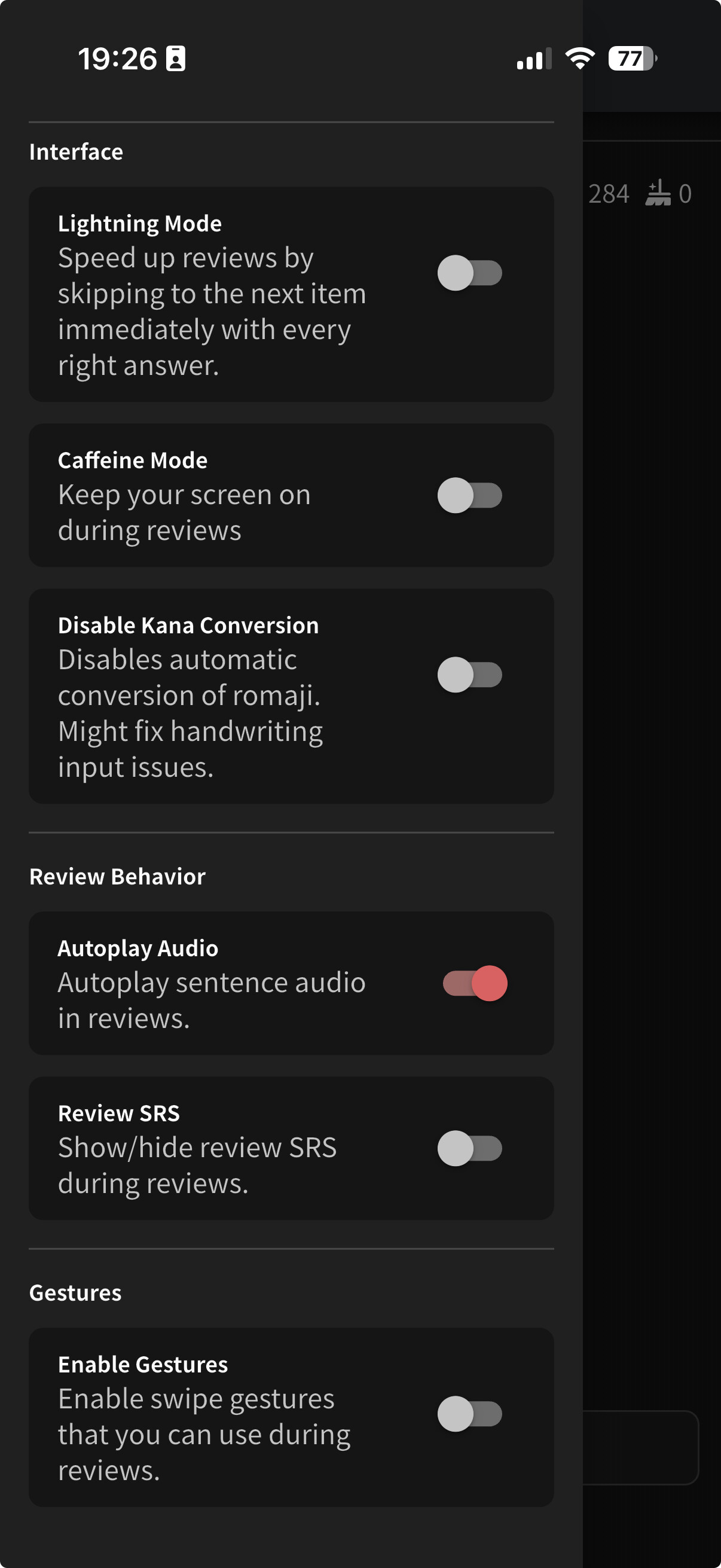
Another thing I dislike when using the app is the lack of audio replay for vocab like it works on the web app. Even with the setting turned on autoplay does not work for vocab word only cards.
Hi team.
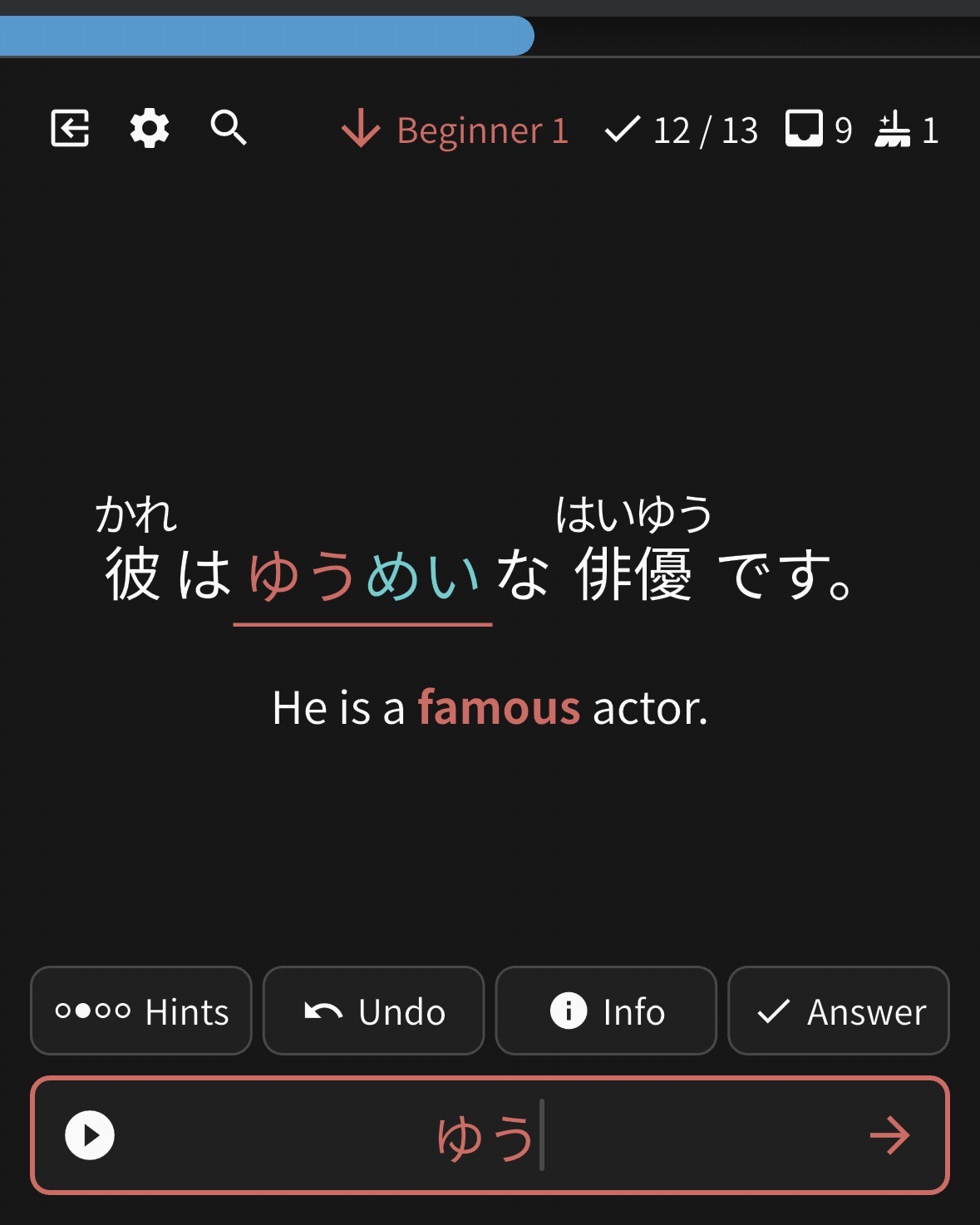
Not sure if I am misunderstanding but shouldn’t be offered to cram 5 items rather than 3 here?
Keep up the excellent work!
@magnus1
Glad we could help with the bottom padding on the iOS!
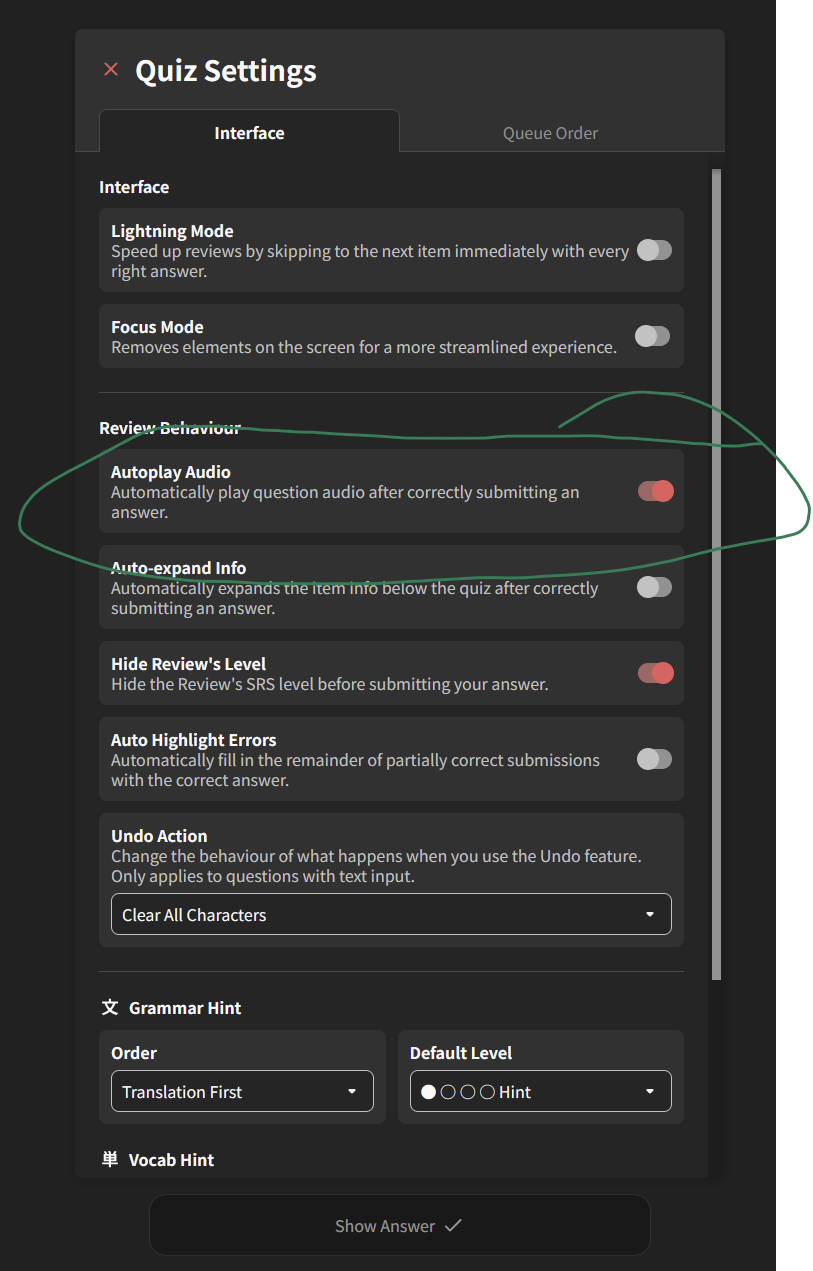
I am looking into the autoplay issue, but it seems to be hard to reproduce.
Could you provide more details in the private message?
(Does it not work everywhere? Can you play all the sentences?)
@Xelbas
I am looking into it.
Thanks for clearing that up — I indeed saw it while I was inside of a learn session today, so I that confirmed I was seeing under some contexts but not others.
It’s been helpful knowing it can be found under those 3 dots too. So thanks for pointing that out.
Greetings everyone. I noticed a couple of things recently. But I am new so maybe I am doing things wrong.
The first is that if I type part of the word correctly, I will be shown the missing part. Not sure if this is intentional?
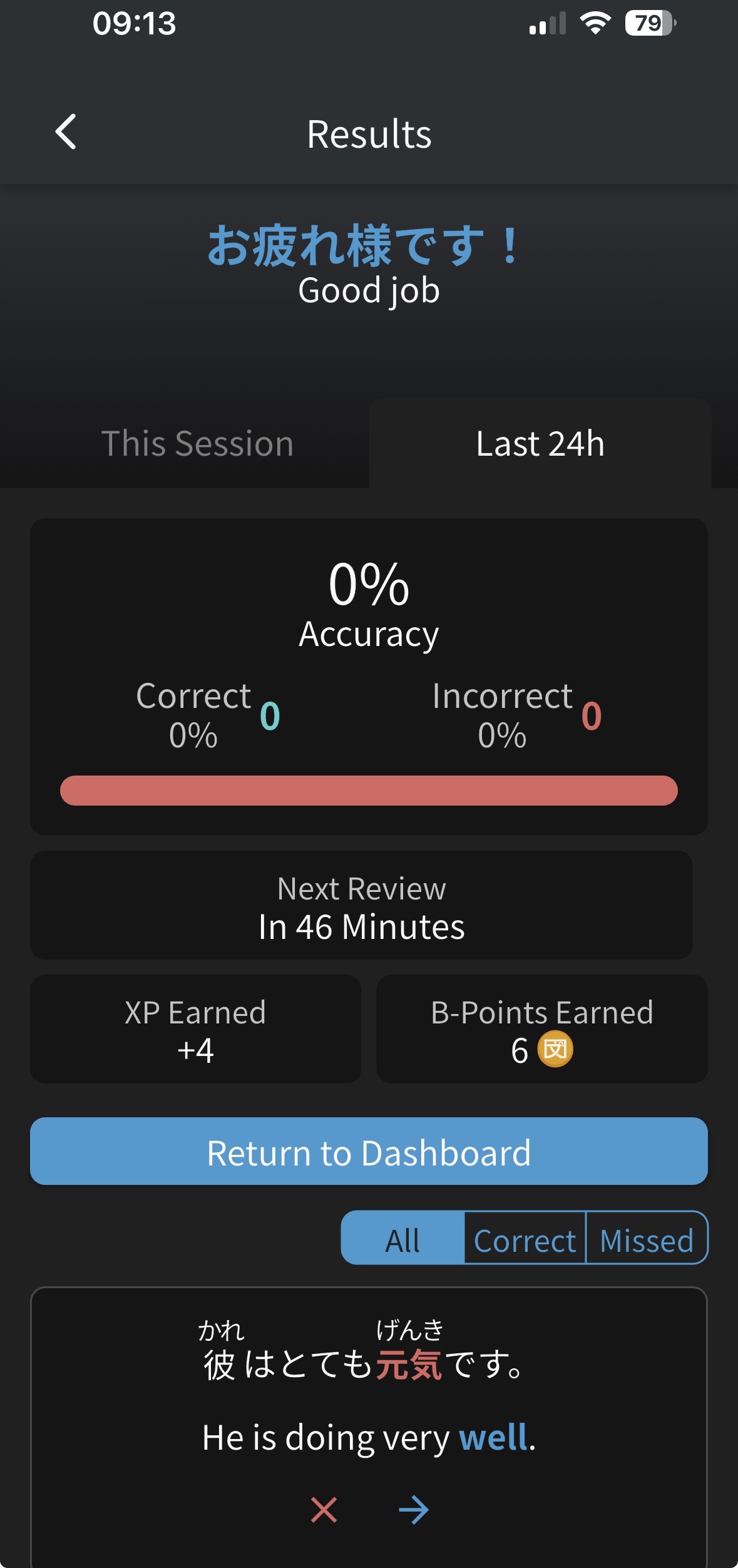
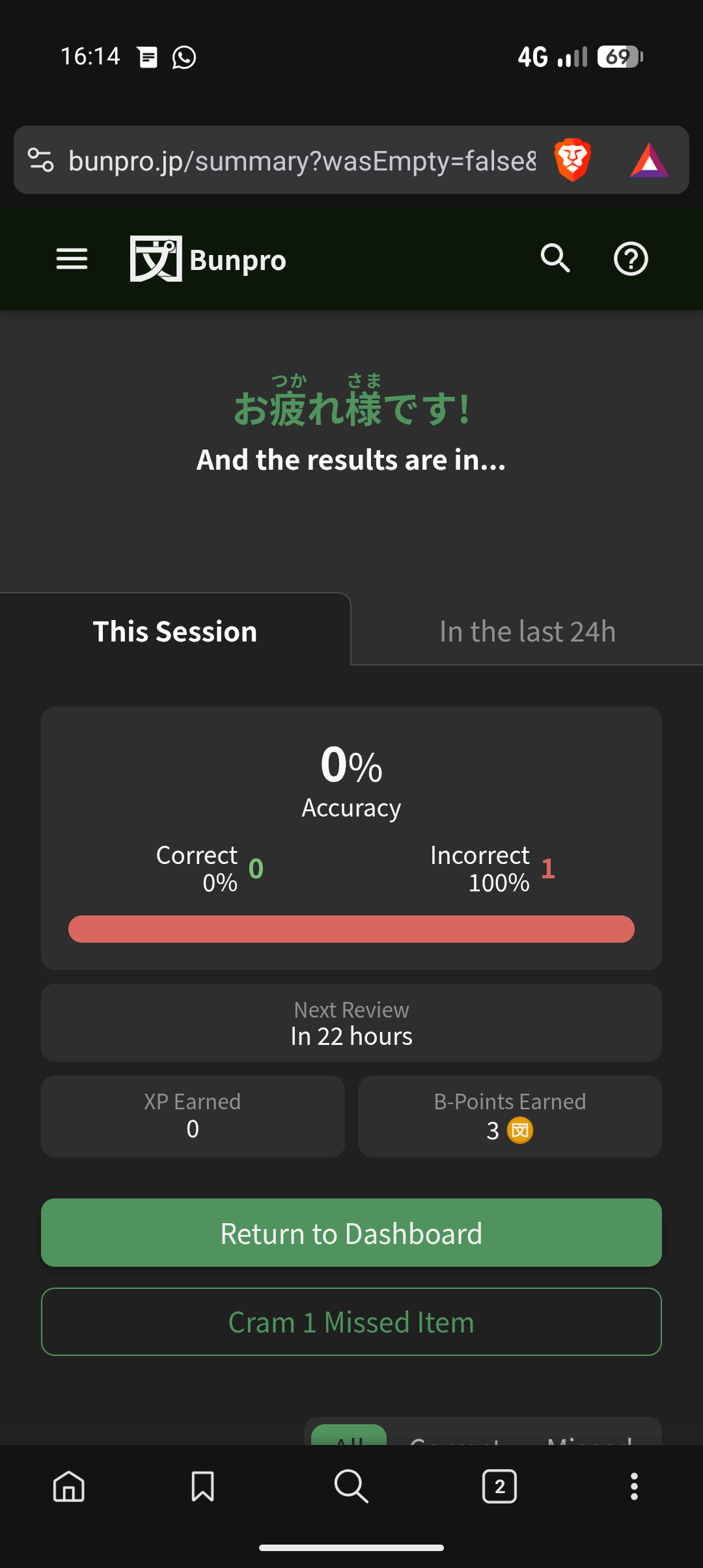
The other is that the 24 hr results summary after a review session works on the website but not on the app:
Thank you for your hard work
I can just relay it here, its not that hard to explain and maybe just a feature missing on the app.
Question type: Translate
Answer: Flashcard
I’m talking about the audio for just the word of a vocab card from this option on the web app:
@Xelbas
Yup, it is intentional, when there is a small typo or part of text was missing.
In the next update we will add option to disable it in the mobile app.
(You will be able to find it in the app settings, under ‘Reviews’ - ‘Auto Highlight Errors’).
As for the result summary I am looking into the bug.
@magnus1
Hey, this is exactly the same function.
It has a bit different wording, but it should auto-play audio for the vocab-flashcard when tapping on the ‘show answer’. Will be checking it.
Thanks @Sean ! Appreciate it.
BTW is the plan to roll out sentences in a similar fashion for A6+ ? Or going forward will new material be rolled out Cloze ready?
I only ask, since if the plan is to indeed roll out the same way, sentences without Cloze, then this would be a really good feature to polish.
If that’s not the plan, then I understand the desire to remove and unify.
Thanks!
In the Android app, if I change my device’s volume during a review, a new icon pops up near the top of the screen, that looks like a keyboard. If I tap, it tells me about keyboard shortcuts that are clearly intended for a desktop user. This isn’t a huge problem, but it definitely seems like a bug.
This was fixed yesterday, will be rolled out in the upcoming update with some other changes/goodies!
Yeah the A1 to A6 was a bit of a mess, and we’re planning on releasing in polished batches from now on (e.g. next we’ll release A7, fully translated, with TTS audio, and with Cloze support).
So this should not happen in the future!
On the IOS app, selecting “alternate” for voice gender does not actually alternate each time audio is played. On the web if i play audio it will randomly pick one, and then if i hit play again it will change to the other. On IOS it does not change until the next review.
Is it one of my settings that’s messing with this or is it a bug? Thank you in advance
Hi there and welcome to the forums!
This page is still in Beta, so I take a bet it’s related to that.
I’ll pass it on to the relevant folks and we’ll get back. Thanks for the report!
EDIT: Looks like you changed the Sorting Order to “Alphabetical” on the old (non-Beta) page, but on the Beta page Sorting is not allowed for Grammar Decks.
I’ve changed it back to Default for you
Ordering reviews by SRS level (descending) seems to only half-work when having a session of many reviews.
It does start out by presenting things in what appears to be SRS order, starting out with mastered items and then moving its way down the levels until Beginner 3 or 2… and then suddenly it jumps back up to Mastered or just below, works its way down the levels again until Beginner… and then it jumps back up again.
It’s like it’s serving “batches” that are properly ordered individually, rather than properly ordering the whole session, as an example the review session I just did a couple of minutes ago.
Is this the intended behaviour?
I reported this bug several days ago in this same thread. I’m surprised to see no followup discussion. I will repeat though that you can workaround it by simply doing one review at a time. The bug only occurs when you are 2-3 deep in the queue at least.
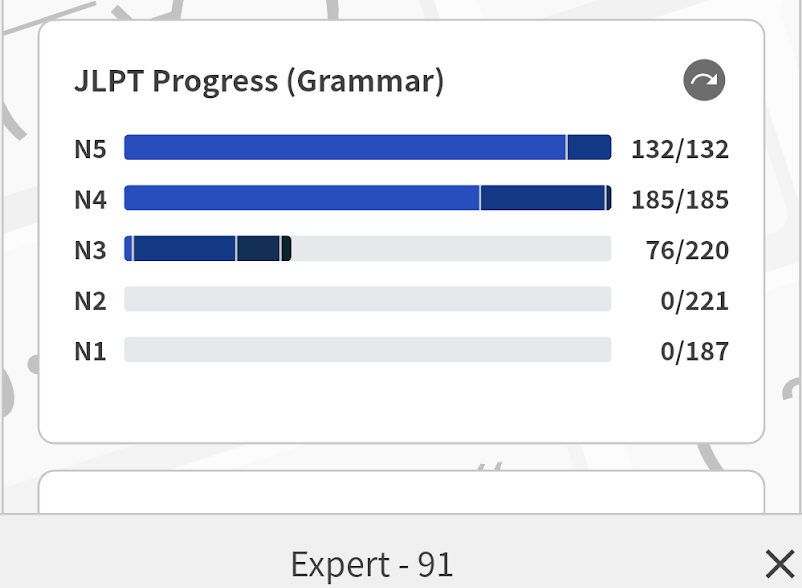
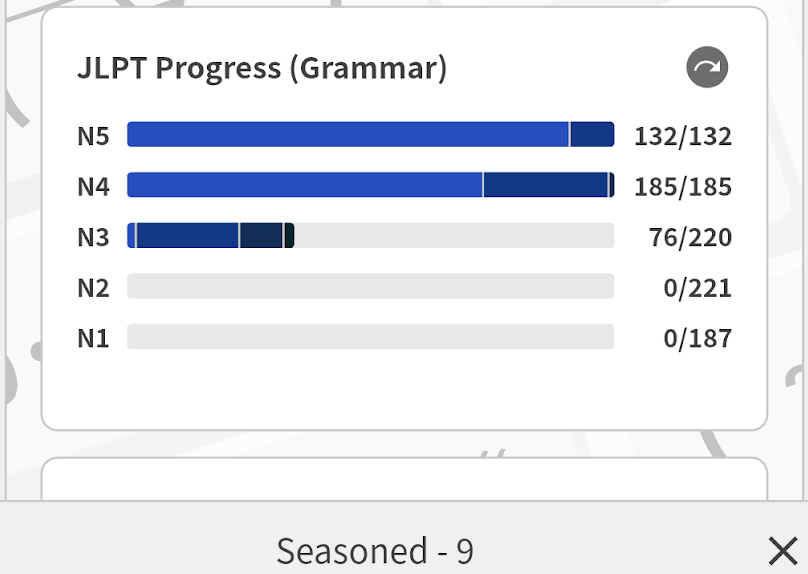
See the two attached images below (from the Android app). The screenshots don’t show where I tapped, but in both cases I tapped on the N5 bar (once on the left side and once on the right), which I only just realized will show a popup stat at the bottom of the screen when you do this. But… that stat is wrong. Notice that 91 + 9 != 132. Presumably both of those numbers are wrong. For sure at least one of them is.
I can also confirm that it happens on desktop too, not just the Android app.