
Wow, thank you so much!!! I really appreciate it!!  You’re the MVP!!
2 Likes
I would once again like to request a counter for non-JLPT items. I can see how many items I’ve studied overall, but I have to subtract JLPT items from that to find how many non-JLPT items I have learned. It would be nice to see how many non jlpt non grammar items I have learned as a separate number.
9 Likes
It would be nice if you could customise the progress bars to be decks, or just generic items you’ve learned. The JLPT structure is nice, but JLPT is just one goal of language learning.
5 Likes
I’d like to see a refresh of the 関西弁 deck particularly with the option to turn of the standard Japanese translation on the grammar points which would be useful for reading mode. Additionally example sentences with each vocab would be lovely.
4 Likes
Yes, I would really appreciate this!
Numbers/data help keep me going but I would like to be able to use those numbers better
1 Like
(not sure if this is already an option)
As I mentioned in the Bug Reports thread, I’m currently experiencing an issue where Ghosts aren’t being created so I have to manually create them. When a Ghost is automatically created, they don’t appear until like two or three hours later. But when I manually create a Ghost, it’s available for review right away. Is there anyway to make automatic Ghosts like that as well, so where I miss a question, a Ghost is created, and I can review that Ghost right away?
1 Like
When studying grammar, could we have the toggle for switching between English and Japanese floating off to the side?
I’ve just started N3, and while I can understand a lot in Japanese, I often need to switch back to English briefly.
Having the toggle floating at the side means I don’t have to scroll back to the top to do this.
2 Likes
Hello !
I’d like to be able to set review-type depending on SRS level. I’m focusing on listening right now and want to switch to listening-type reviews for all the items I’m already familiar with (seasoned 1 and above probably ?), but there doesn’t seem to be a way to do that aside from manually, one at a time (which isn’t realistic, I’ve got ~1400 words that fit that criteria)
3 Likes
Is there any possibility of being able to refund items on the B-points Shop? At least in a time window like the first week after purchase or something?
I don’t think is really needed for most items, but for the Quiz Themes, the current preview doesn’t really show you how the theme will look (Mostly because of size).
In my case, I bought a theme that looked cool, but then I realized when doing the actual reviews, my eyes kind of feel unconformable. I do reviews at night mostly and with a big screen and the theme makes it hard for me to focus on the text of the question
1 Like
So changing this section to instead reflect progress on all your currently studied Decks?

1 Like
I will be coming back to the Bug Reports thread after a short absence, so will tackle the bug there.
Is there anyway to make automatic Ghosts like that as well, so where I miss a question, a Ghost is created, and I can review that Ghost right away?
As for automatically created Ghosts, there is no way to do this at the moment.
Out of curiosity, why do you want to practice Ghosts right after they’re created?
Rather than decks (personally) I’d like to be able to toggle to something like this:
Progress (vocab)
JLPT (1000/9000)
Non JLPT (500/infinity)
Overall (1500/infinity)
4 Likes
Not currently.
What was the theme, and what about the Preview did you feel like was missing?
Yeah I’d love this as well. As someone who doesn’t care about the jlpt it’d be nice to see my overall progress better.
I don’t know how many non-Jlpt words I’ve added and that annoys me.
2 Likes
The preview is too small. I didn’t have problems reading the text in the preview. But when the theme is applied to the whole screen my eyes lose focus because of the colors
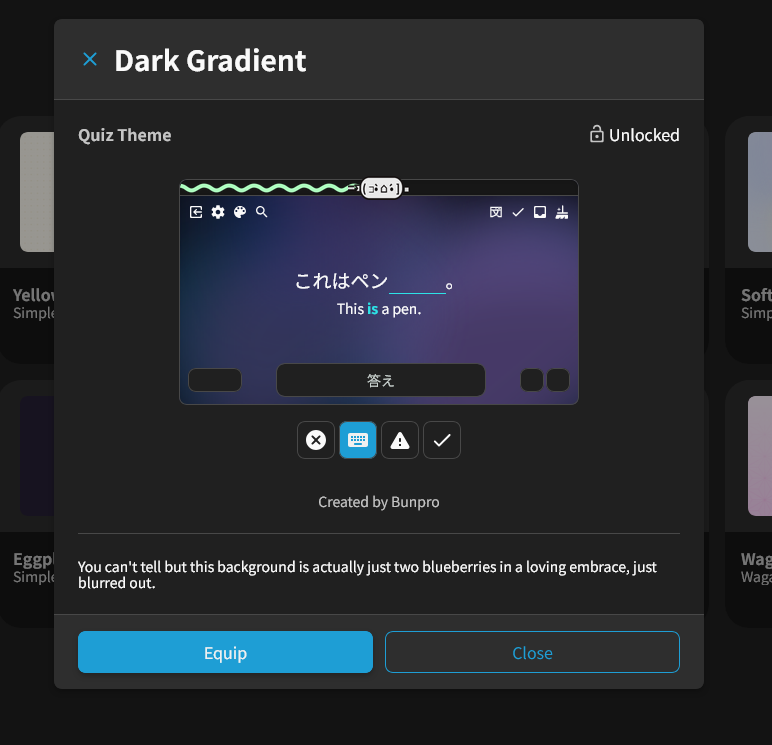
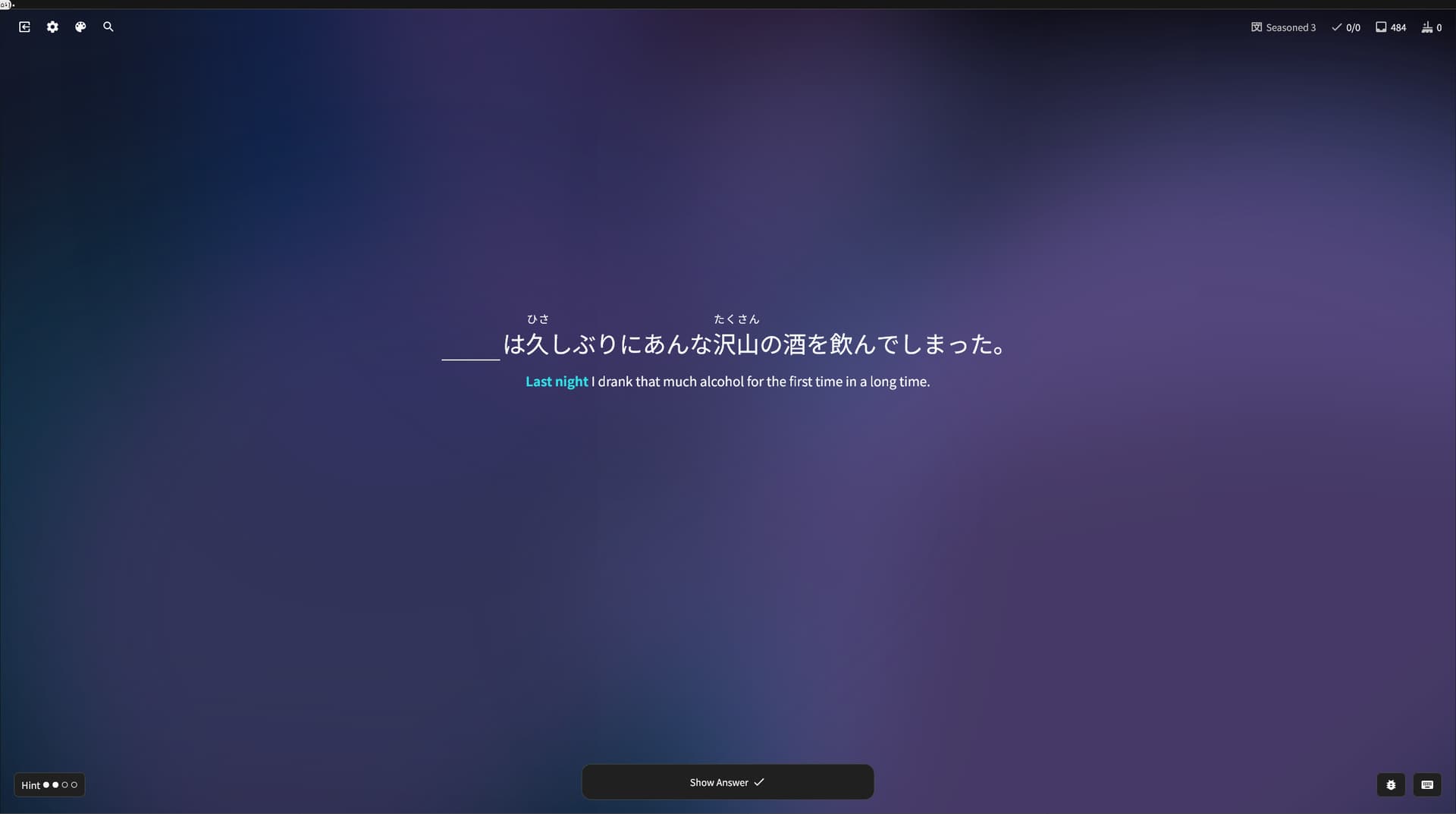
A full screen preview would be really useful to see how does the theme interact with the text for each user case (Different monitors, eye conditions, etc). Like the same we have now, but if you press it, it goes full screen just like if you were doing the review for real
2 Likes
What monitor are you using, and do you know the screen size that your browser is rendering your page at?
That seems even larger than 1920 x 1080
You could maybe benefit from using our larger font size (20px – can try it here)?
But yeah I can maybe freestyle making that preview more dynamic in terms of sizing.
EDIT: I’m wondering if simply improving the Preview would actually help.
I’m kinda thinking you have to actually test an item (especially the Quiz Themes) before knowing your purchase is the right one
Infinity wouldn’t make for a very nice progress bar though. Maybe a separate JLPT and Non-JLPT items studied counter. I personally really like the idea of being able to customize which decks, JLPT or otherwise, show up as dashboard progress bars.
1 Like
On that note, it’d be nice if there was a return window. That way we could test things live and get a refund if something unexpectedly doesn’t match the vibe etc
2 Likes
I kinda just like there being a review there all ready to go rather than waiting an hour (even if that’s how SRS is supposed to work, I get it). all good if this feature isn’t in as the ghost bug is gone and all is good.
1 Like
Decks studied would be really cool. But some of the other customisation tidbits suggested below would be awesome too if wider groups could be made.
1 Like