Nice new branding!

I suggest rolling it out everywhere 

Hi! It would be very helpful if the grammar and vocabulary sections could be frozen separately, similar to the current vacation mode. At the moment, vacation mode locks both sections at the same time.
Sometimes I don’t feel like reviewing grammar points for a few days, or even a week, and it would be great to have the option to pause just the grammar section so that the number of pending reviews doesn’t increase during that time (and vice versa for vocabulary).
Keep up the great work!
I will say that for anything below adept level (so basically beginner), it will still follow the proper hourly SRS frequency.
So you do a Learn queue in the morning it will still follow the 4, 8, 24 hours review times and then once it moves into adept it will follow the days frequency and now just appear at 3 AM for the day it was going to be due.
So if you will still have something at 11 AM, 7 PM, and the 7 PM+1 again if you started a learn queue at 7 AM.
Even when you have ghosts on, it will follow the ghost srs frequency and ignore the 3AM queuing time.
And if you just wanted to try it all, I am 95% sure you can change that setting and anything new you learned will follow that queue timing but anything you have down already will follow the hourly queue timing. So you could try it with like 5 words for now just to see what I was talking about.
If I am wrong then feel free to come yell at me  and I will apologize! But I also can understand still what you are talking about being a feature to just jump next in queue
for jlpt progress on the dashboard can i get percentage options?
Would it be possible to add the little sign whether a lesson was started or completed in he grammar library in the app? That would make it so much easier to have an overview on how far along I am!
Also would love to have little sign that immediatel, shows vocab coverage ( complete or not would be enough) because I like to study lessons where I have already learned all vocab.
One more little request: lesson order according to JLPT would be cool, since I have added a deck including grammar and I really don’t want to study N2 grammar before I am done with easier JLPT levels, but there is no way to skip that, if it’s in my review queue without adding new vocab and grammar manually from the deck, or?
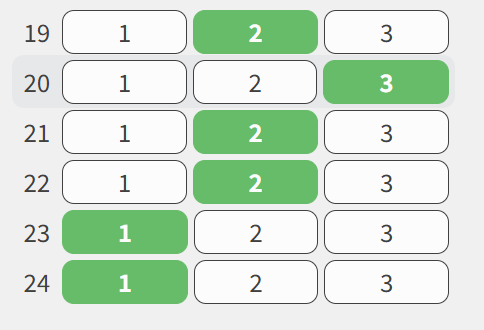
I’ve been spending a lot of time on the practice JLPT tests recently. Thank you for that! One suggestion though. When reviewing a test you’ve taken, the current question is “highlighted” in the question list on the right, but the contrast of the highlight is practically nonexistent. It is extremely difficult to see. Example image below (question 20 is the one highlighted here).
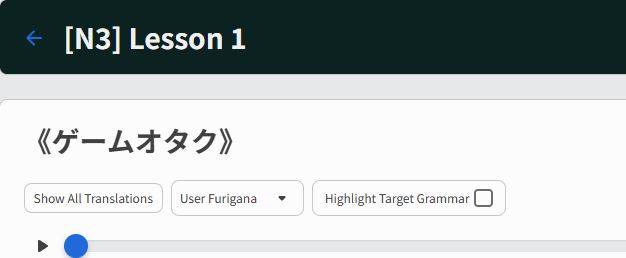
For the reading practice content page, it would be nice to have an option to going forward to the next lesson. I only found a back arrow, and that only at the top, picture below.
It would be nice to have an arrow to the next lesson, either on the top or on the bottom, or ideally both. This way I would not need to go back to the main content page to select the next lesson but continue directly to the next one, from the previous lesson page.
Thank you for considering.
Another request:
When I incorrectly respond to a grammar point review, I need to click on more info to see the info on the grammar point. After that the page will be scrollable. Would it be possible to do away with the click - that is, once the response is incorrect, I would just need to scroll down to see the grammar point info.
Thank you.
We have “F” set up as a hotkey so you don’t have to click on “Show Info”!
Just to add onto what Jacob mentioned above with the hotkey, we actually already have a setting that does this automatically. Inside your Settings page, under the ‘Reviews’ category, you’ll see the following setting:
When it’s toggled on, any correct or incorrect answer automatically will expand the info (but will not auto-jump you to it, you’ll still need to scroll like you mentioned.) Hope both of these suggestions help!
Feature Request.
Please implement a export progress as json / txt file option.
A list of all words and their SRS ranking would be very helpful. Even if the feature starts out without customizability and as a rigid structure, it would be very useful for then implementing into chatbot immersion to allow the bot to focus on weak words & avoid difficulty.
Feature request:
Review ahead option.
In my case used for two instances:
1 free idle time
2 too many reviews coming up next, and so I would like to do a bunch a time anxiety free.
Thanks
I’ve noticed that if I go to the N3 deck page on desktop and add individual words to my reviews manually, that still counts toward my daily learn goal even though I didn’t use the learn queue.
However, if I go to another deck (for example, Core 2k) and add N3 deck words from there, they don’t count towards the learn goal.
Similarly, if I try to add words from deck pages on mobile, it never counts towards the learn goal. Only the learn queue counts on mobile.
Not sure if I explained the issue clearly enough, but it would be nice if all N3 words I added counted toward my learn goal for the day, no matter what page I happened to add them from.
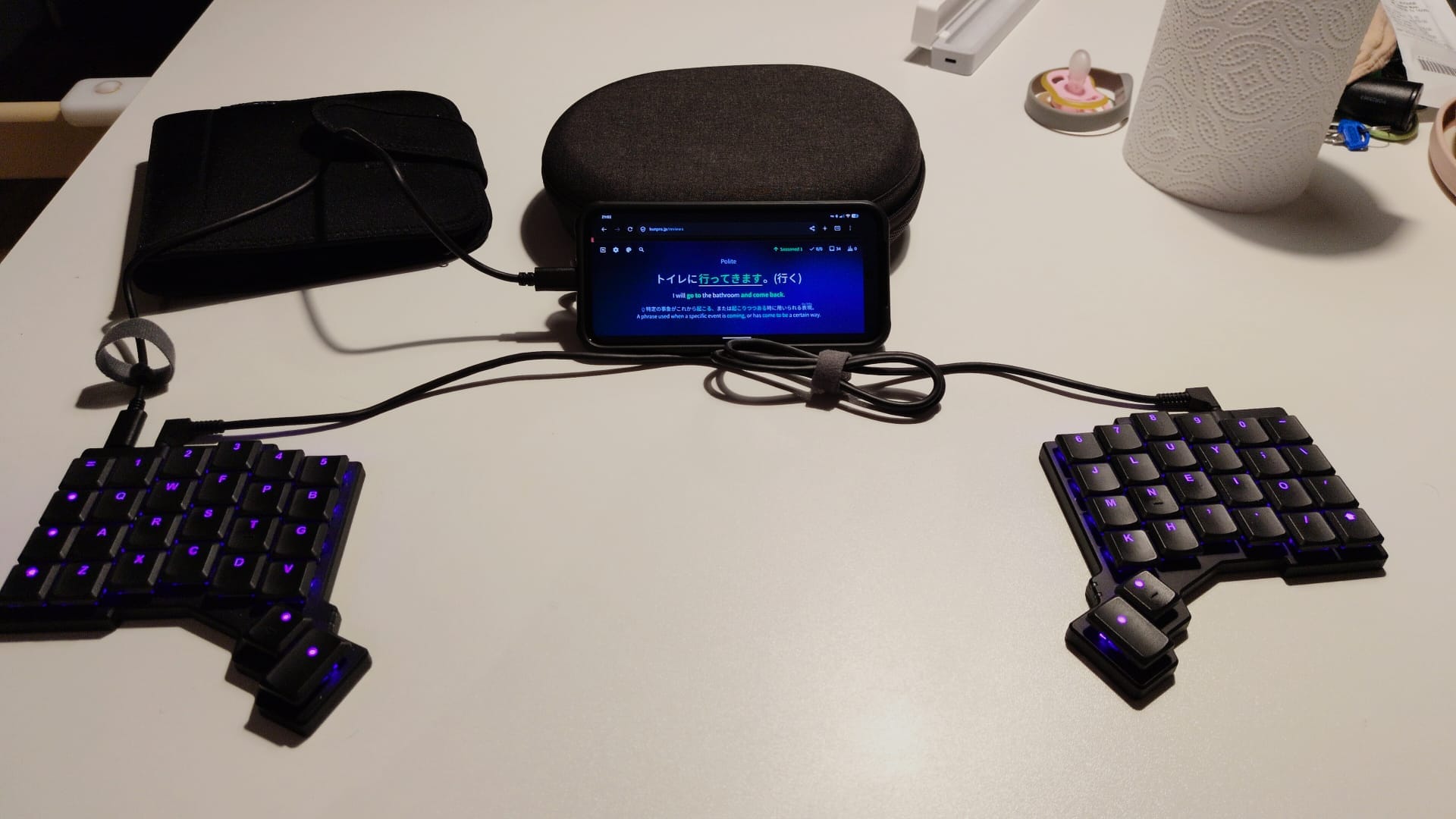
Hi, this is some feedback on using the app on android with an external keyboard (it’s intended as constructive feedback, not complaints).
I’m away from home, and to keep up with my reviews on bunpro and wanikani, I’ve packed my keyboard, which I can connect to my phone via USB C. Being able to type like this is much more efficient!
When using the bunpro app and doing reviews, the automatic kana conversion does not work with input from the keyboard - the letters appear as they are typed.
Further, I don’t seem to be able to rotate and use a landscape layout, which makes it a bit easier to read due to the larger font size, and works best physically with the keyboard plugged in. The little rotate button doesn’t show up when I rotate the device.
So I did my reviews in Firefox, which is a little annoying due to fighting the menu bar.
Generally, the review screen in landscape is a little tricky - as I type, the input element is focused, which can scroll the example sentence out of view. The hints also compete for space. I appreciate that might be a bit of a tricky design problem. But maybe some space could be saved by not having the separate input element at all, given that the input could be (is?) shown in the blank spot in the example sentence. Perhaps a horizontally split layout could be introduced for users of mobile devices with landscape orientation.
Thanks!
Thank you to whomever fixed this issue already!!! That was fast! 
I would like a tool where you have to put a given sentence into order because i feel like it would help my western brain to fix the habit of where and how to put the verb and particles. Also it forces me to think more about the whole sentence than normal grammar reviews. But I wouldn’t want it inside of grammar reviews.
Furthermore more sentences in the reading tab would be cool. With AI being the best tool to check if you understood the sentence most of the time, there isn’t really a reliable way to check if you understood more than the jist of the sentence, but its often the nuances that come in relevant in japanese, especially since AI is terrible when it comes to those.
Also I would like if you could import ANKI vocab progress into Bunpro, but I also know that that’s just wishful thinking since I know it’s terrible from a technical level to do that.
I would greatly appreciate the option to differentiate review types by SRS ranking. I find doing recognition for lower-ranking SRS items and cloze-deletion for higher-ranking ones is a nice balance for me. I need a degree of exposure to an item before it really sinks in. From there, cloze-deletion is much more manageable. Thank you!
I’m having the same problem.
I like to study directly from the deck and add the item to reviews, but when doing that from the mobile app, it doesn’t sum progress on the learn queue as it does from the PC.
Hi! It’s great that we can add missing vocabulary items from grammar points’ example sentences to our reviews. Could this be utilized in reading practice paragraphs as well?
(Sorry if this was already suggested) Would it be possible to give a visual for difference in formality for similar grammar? For example, if there was a little infographic for the “Should/Must” grammar points (なくては・なければ・ねば) under the “similar points” section, it would be really helpful!
Please, please, please give us the ability to edit the ‘hint’ sentences. Or even just the key word.
You guys may love having the same key-word for 6 different grammar points, but I really don’t!