
P.S. Thank You so much Bunpro team for the great work improving constantly unlike other apps/sites that dont make significant updates, I’m talking to you wanikani.
1 Like
Having the same ghost multiple times at different stages is incredibly grating. Why doesn’t it just reset the progress back to level 1 if I “fail” a normal review.
とされている KEEPS getting put in my ghosts because I typed とかんがえられている when I’m expecting something else. For that matter, if it’s a ghost, why are regular reviews showing up at all?! Once they are slain, regular reviews should continue… surely?
1 Like
Hi there and welcome back.
Ghosts appear in tandem with regular Reviews. They don’t affect your SRS progress at all.
You can also turn them off here!
Take a look at some of the other options here, cuz you can actually do this now:
Why doesn’t it just reset the progress back to level 1 if I “fail” a normal review.
Using the “SRS Strictness” setting!
Feature request:
To be clear, it’s entirely possible these already exist and I’ve just missed it with how comprehensive this website is. I keep discovering new features even though I’ve already been using it for a few years. Good job Bunpro team!
I’d like a workload calculator or simulator for bunpro’s SRS algorithm. Given a certain number of cards learned each day and given that I study a certain number of times each day, I would like to know how many I will need to review during the day if I continue a certain study pattern for a long period of time. Perhaps some settings to base it off prior performance for the past few days, or a percentage of cards that I would answer correctly each time would work well additionally. The application here is specifically for budgeting time for my Japanese class which uses the Genki Textbook, and making sure I don’t spend time doing more than 100 cards a day while also making sure I learn a certain number of cards each day.
Another thing I’d like ideally is some filtering for adding cards to custom decks manually, since it is a bit of a hassle to add vocab cards if I don’t know the kanji but I know I only want to learn common or n3 level words.
4 Likes
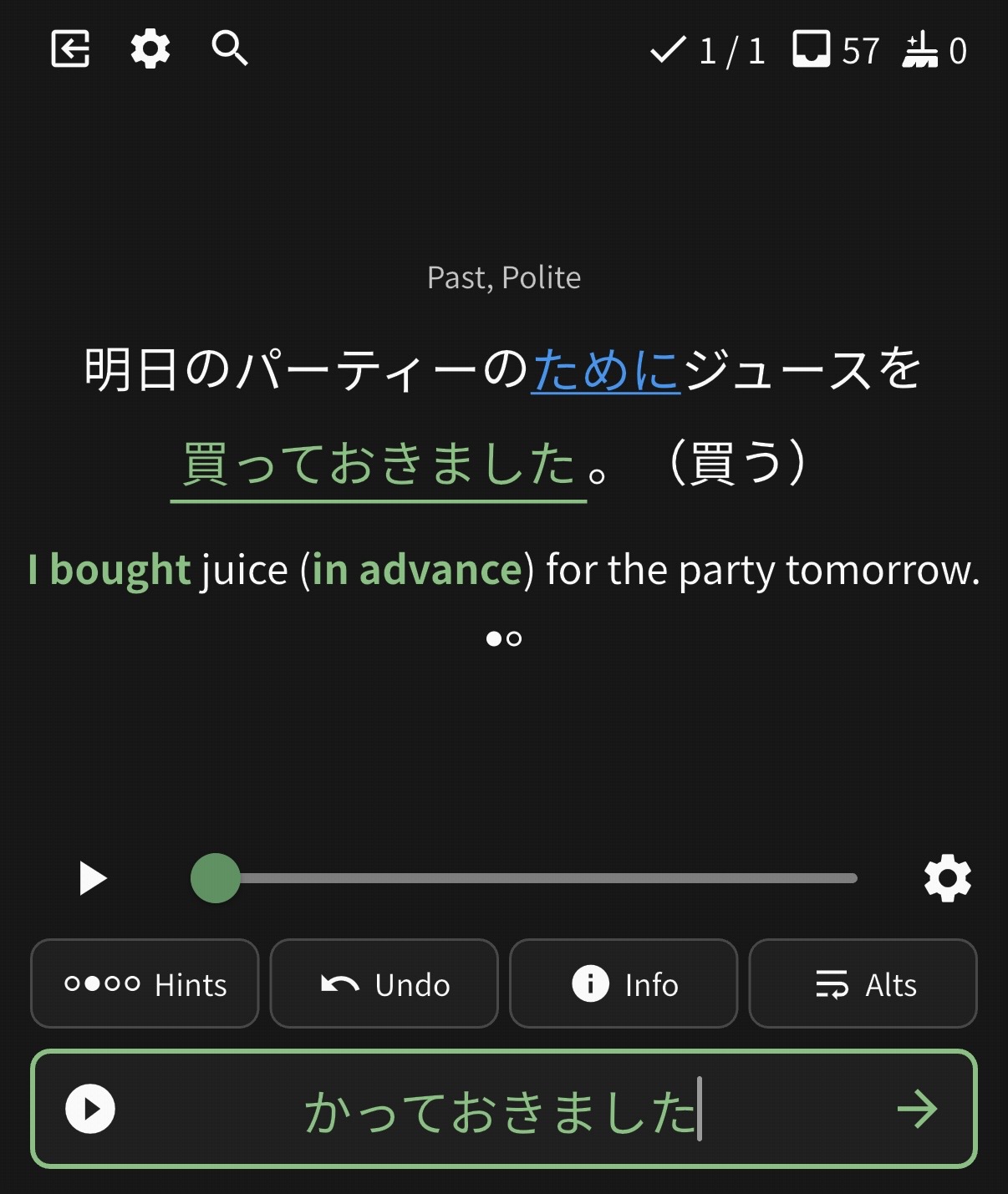
There are some cards (maybe just this one?) that have links on them to other grammar points.
It’s unclear why these cards have these links and it’s a bit distracting. My recommendation would be to remove the links.
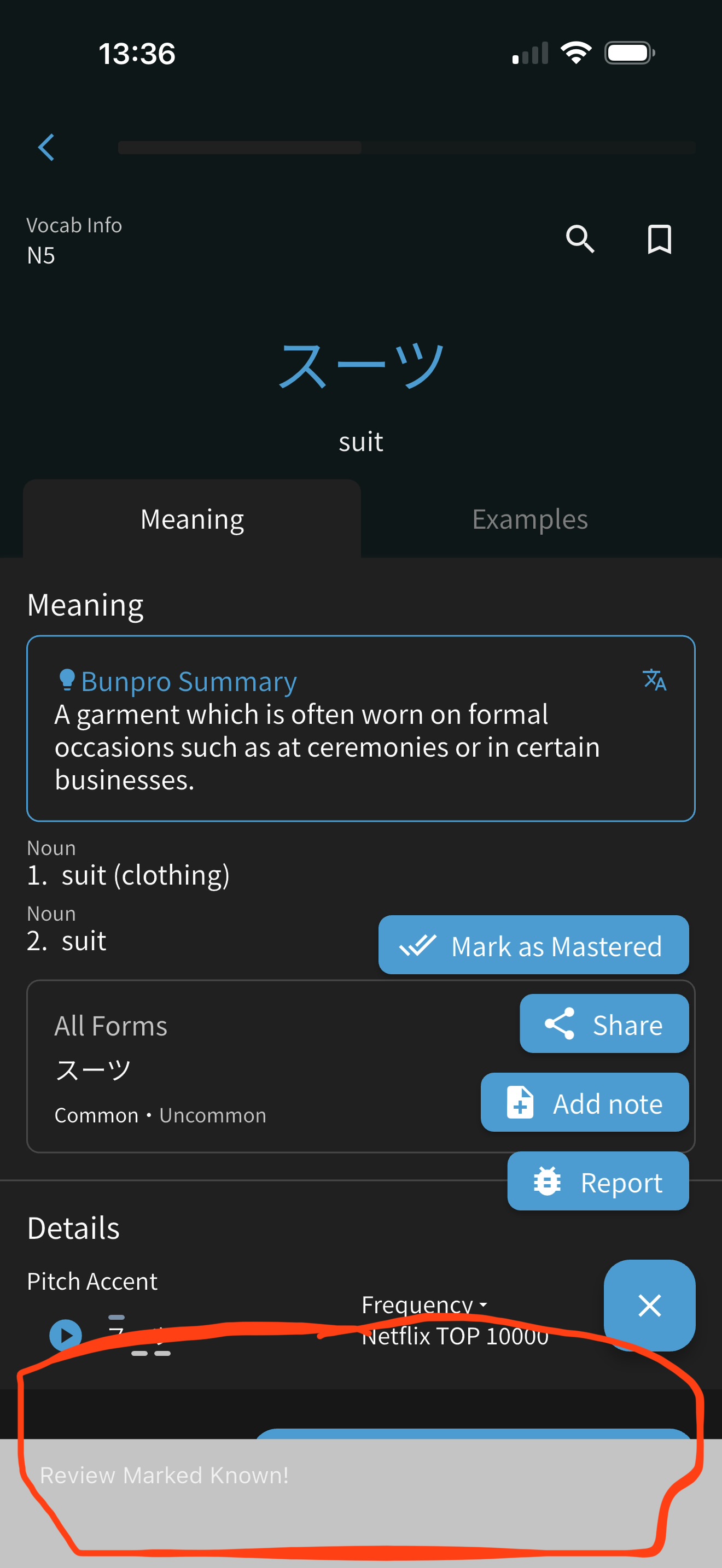
It would be great if the message that pops up at the bottom when you manually mark a card as mastered would actually appear elsewhere. The reason is, while reviewing, I tend to discover cards I want to mark mastered, and then immediately keep rolling through my deck. However, this notification blocks the ability to continue onward for a few moments or so. A few moments might not sound like a lot, but when you’re trying to roll through 300+ reviews, those moments add up.
I originally thought moving it to the top would be the fix, but then it would block the button in the upper left-hand portion of the screen to go back to the deck. So if you put it there, it would need to pop out in such a way that doesn’t block that ability either.
1 Like
The blue links are from years ago before we had the wrapper (clicking on an item in the sentence brings up info about it) and relied on the link to inform the user what the grammar term was. I’ve adjusted the sentence you took a screenshot of to use the wrapper now, looks like it got missed in the past fixes. Sorry about that! I’ll do a double-check to see if there’s any stragglers out there, thanks for the little trip down memory lane though seeing the blue link like that 
1 Like
@zekeheling
We will add the ‘close’ button with the next update.
You will be able to close this notification anytime.
塾 Beta
Would be great to have a global grammar search for custom 塾 sessions, on the 文法 screen:
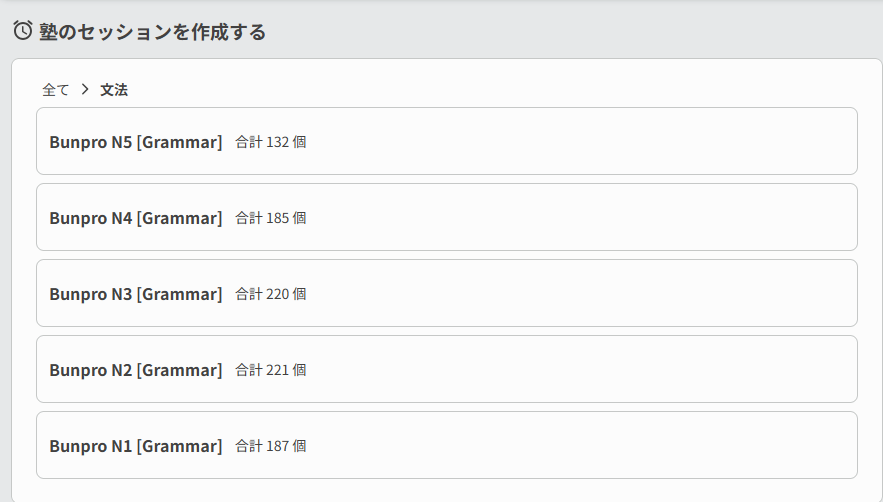
I know exactly which grammar points I want to study, but I now have to open the grammar library to search what N level they are.
1 Like
I’m trying to get back into Bunpro after a long period of not using it but my reviews have stacked up like crazy ! 600+ and I am wondering if there is a way to stagger the reviews? I feel so unmotivated to come back looking at that number lol ! Thanks for any help !
1 Like
Perhaps setting a max amount of reviews per session could be of use to you? Easier to go through 30-50 reviews in one sitting vs something like 600 in my eyes.
To access this, on your Dashboard click the dropdown arrow next to Review and select ‘Review Settings’. Near the top of the Queue Order tab you’ll see ‘Session Review Limit’ where you can set how many Reviews you’d like to do per session.
On the JLPT Progress widget, is it possible to ONLY show Grammar like what I’ve done for the activity insights panel? It would be nice if we could keep this consistent as it’s kinda off-putting when I look over, see a number like 1200 and then have to remind myself that this is grammar + vocab.
Suggestion:
This is really nit-picky, but still it has been bothering me for a little while whenever I get a hint to use a more ‘feminine’ tone, just for the voice-over to be a male.
Some grammer points are marked as almost exclusively feminine or masculine, but the voice over is of the opposite gender. (Example: かしら (JLPT N4) | Bunpro)
Maybe re-record those with the correct gender for a better real-life experience.
can we get option to make mind map of the grammar point? for all of us, who learn more visually
In regards to the N3 とすると grammar point… Given how it explains three different words that usually are used the exact same way (despite there being nuances to separate them), I believe it’d be good to give each of those words their own entry in Bunpro’s official N3 grammar deck. It’d help students make sure to memorize all three of them. I can elaborate further upon request.
Feature suggestion
I sometimes find myself on the bus home from work wishing I had some reviews to do, only to see that my next chunk of reviews wont be ready for several hours yet.
So I’d love to be able to sort of “skip head” to my next hour-chunk of reviews. eg if its 4pm but I have no reviews until 9pm, then by pressing the review button I can have the option to start the 9pm reviews right away.
3 Likes
Hey sorry if I am misunderstanding your suggestion but unless you want reviews only be available Hourly and only skip to the next “hour” then Bunpro kind of has a solution to this.
It is a setting under Settings > Reviews and if you scroll down to “Review Queueing Timing” and switch it to “Daily - Start of the day (3AM)”
This way you will not have to wait until a certain hour for reviews to be ready, but again I may misunderstand your suggestion where you actually just want them by hourly still and not all available at one time.
unless you want reviews only be available Hourly and only skip to the next “hour”
I think that’s kind of exactly what I want. Because I still like being able to add new reviews in the morning and then do their first one or two SRS levels throughout that same day. My understanding is that changing the Review Queueing Timing setting would make it so these new reviews wont show up until the next day (basically the Anki system)
So I want to keep the hourly chunks, just with the ability to timeskip a little bit
2 Likes
Suggestion: Add the fireworks animation to the iOS app when you master an item, same as the desktop version. I kinda like it… 
1 Like
Suggestion: It would be really cool if among the cram builder filtering options we could filter for words that do/don’t have hidden furigana. This would help a lot with learning the kanji readings.
1 Like