
I can’t see it either using my phone. Not in the browser, and not in the installed version (and I don’t mean the app).
1 Like
Oh yeah, there it is. Thanks!
1 Like
Nice feature! Excited to try it!
2 Likes
Think this sums up a lot of us 

15 Likes
That’s such a cool feature! Thank you!
One of the next steps the system suggested for me was taking an N4 mock test, but I started using Bunpro from N3 onwards and have finished N3 and N2 mock tests already, so I skipped this one. Even though this might not be a super common case, maybe it could be useful for the system to skip suggesting mock tests when one of these on a higher N… level was completed already? Of course it’s no big issue to just click “skip” once as well! Thank you for your support!
1 Like
This is a nice feature! I’m generally very quick to explore every corner of a new app, but I still found 1 thing that I hadn’t looked at yet.
And I assumed I would take the N5 practice test once I fully finished the content for the level, but it sounds like a step will pop up before then. It’ll be interesting to see when the step pops up for me!
1 Like

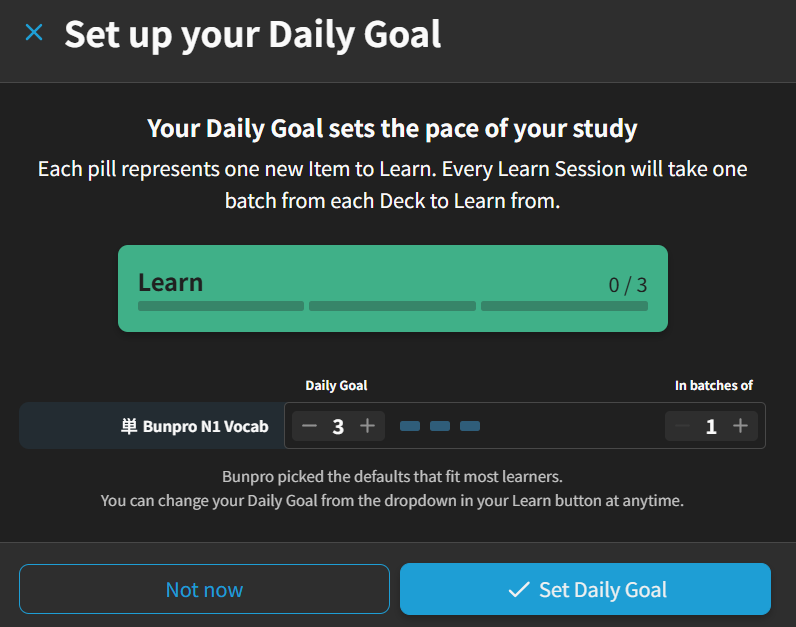
Just click on “Set Daily Goal”, even if it’s just your current default, and it should clear away. Otherwise let us know and we’ll take a look.
2 Likes
Ah OK, I see it’s possible to change to 0 and then choose “Set Daily Goal” - thanks 
2 Likes
I’m so happy to see the positive responses!
When we set out to design Path, we really wanted something that didn’t feel predatory or disrespected your time in Bunpro as a user. The idea is for Path to only show when it has something to say. Otherwise, it stays out of the way, letting you continue and focus. That’s why by design, made it possible to skip anything.
We didn’t want to add anything that read as filler, just things that helped you on your specific Japanese journey, while also showing you more of Bunpro that has always been there, just not surfaced.
And, on a personal note, it doesn’t hurt that it shares name with a The Path on The Witcher series, which was anyway a concept I really liked.
6 Likes
Does this mean that if I have
- Completed N1 grammar
- Only completed N4 Vocab
The system is going to recommend me to do N1 JLPT practice exam? Or have I completely misunderstood what it says here?
At the moment it looks like I’m getting recommended to do JLPT exams and reading practices for N1 level material, when I’m still working through N3 vocab. That feels a little wrong to me.
1 Like
For the moment, yes. This first version of Path essentially works completely based on your Grammar, not Vocab.
And I agree it’s not ideal. We have plans for involving Vocab more in the decision tree that surfaces Steps, we just didn’t want this release to be held off by needing to also support Vocab from the get go.
3 Likes
is there a way to hide it from the dashboard? I like it but I don’t really want to see them all the time
4 Likes
+1 for this.
In general, I think it’s a great new feature that will be useful for new users.
However, it’s not something I’m personally interested in as I use Bunpro for pretty specific purposes, so at the moment it’s just an extra element I need to scroll by to get to the features I use/see the info I care about. So an opt-in/out toggle would be awesome!
6 Likes
I was surprised by launching bunpro today with the new thing on the dashboard turns out it’s a nice little add-on! I think it’s cool especially if you don’t know much about the mystery stuff you can do all around on bunpro. thumbs up here 
2 Likes
Is this something I can turn off? I think some people are going to love it, but it’s not for me. I have enough apps prompting me to do stuff already.
5 Likes
I know it’s not ideal, but you can just hit Skip on all of the Steps for now and once you don’t have any new ones, the card goes away. I know this is a workaround. We’re also working on some simple customization options for the Dashboard, where you can easily toggle Path off, though that’s part of a larger update.
3 Likes
Not sure if this is the specific place for this feature as well, but it keeps urging me to set daily goals every time I go back to the main page despite the fact that right now I am intentionally not doing new lessons.
Any way to get this popup to go away for good?
1 Like
I had a similar issue because one of the decks in my queue had a ‘zero’ goal (I’m waiting to finish another deck before starting it).
The pop-up finally went away when I set a goal, and then set it back to zero.
3 Likes
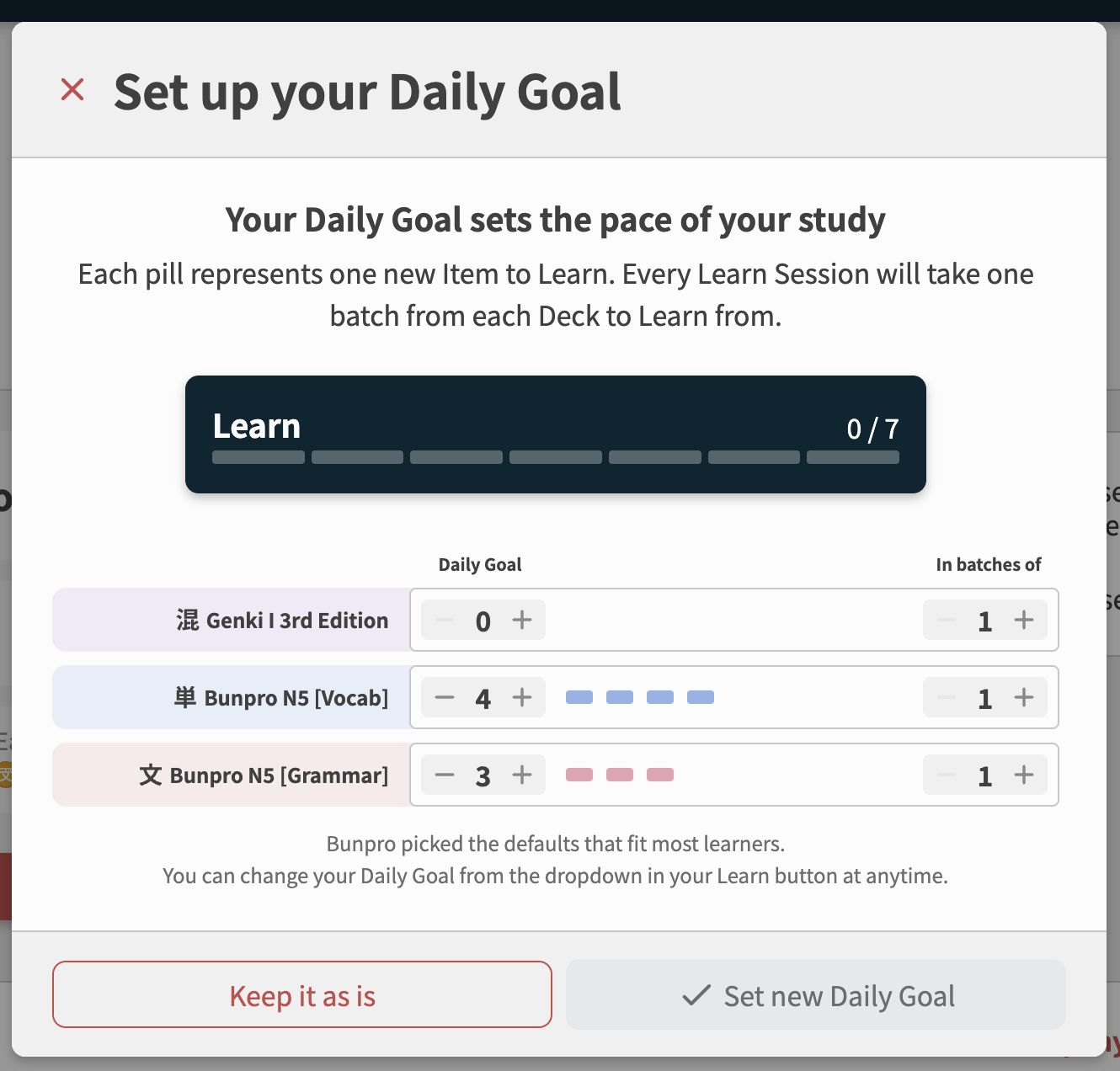
Fixed this!
It now allows Daily Goals of zero, and I changed the “Not now” button to a “Keep as is” button, which will permanently hide this popout.
Thanks as always
@CarlThePumpkinMan
@SilentRequiem
Tagging you two here as it relates to your feedback too!
4 Likes