Feedback - Bug Reports

I made a custom deck, for some reason it says it only contains 3 vocab and 1 grammar point and that I have completed/finished studying the whole deck!

It actually contains about 70+ vocab and I have only studied a few of them. Because of this, when I try to learn any, they don’t show up and my account currently shows -3 to learn and 175% studied.

1 Like

My connection with wanikani is no longer working. Had it set up with API. Tried creating a new API key on the wanikani side, still not working on Bunpro side. I’m seeing furigana for everything :frowning:

edit: seems to be fixed!

Hi there!
Which of your Decks are you referring to?

Ah sorry for the belated reply, I only saw your response now!

Hmmm I think Clone is the right word, but indeed their needs to be more friction added to the Reset/Remove action, especially when you are doing so for more than ~5 items.

Maybe a warning if you have items in multiple decks? Like “This action will reset/learn/remove all instances of these items across all your decks. Are you sure you want to proceed?” as a safety measure?

A question I have purely for my own research – what other learning platforms are you coming from (if any)?

I use both Anki and Wanikani every day. Wanikani is super rigid with everything (I don’t use scripts), but what I like about Anki is that I can make my own deck/cards and mark them as ‘basic and reverse’ and it will automatically test me both JP-EN and EN-JP. E.g. I will have 1 card marked as reversed, and it will test me with a card saying “自転車” (and I need to answer “bicycle”) and another instance of the card reading “bicycle” (and I need to answer “自転車”). I really want to learn the vocab both ways, so it sticks better AND so I can learn to actively recall Japanese words better.

I was hoping cloning a deck would make this possible, that was my thought process at least.

1 Like

My N4 adverbs deck! :slight_smile:

1 Like

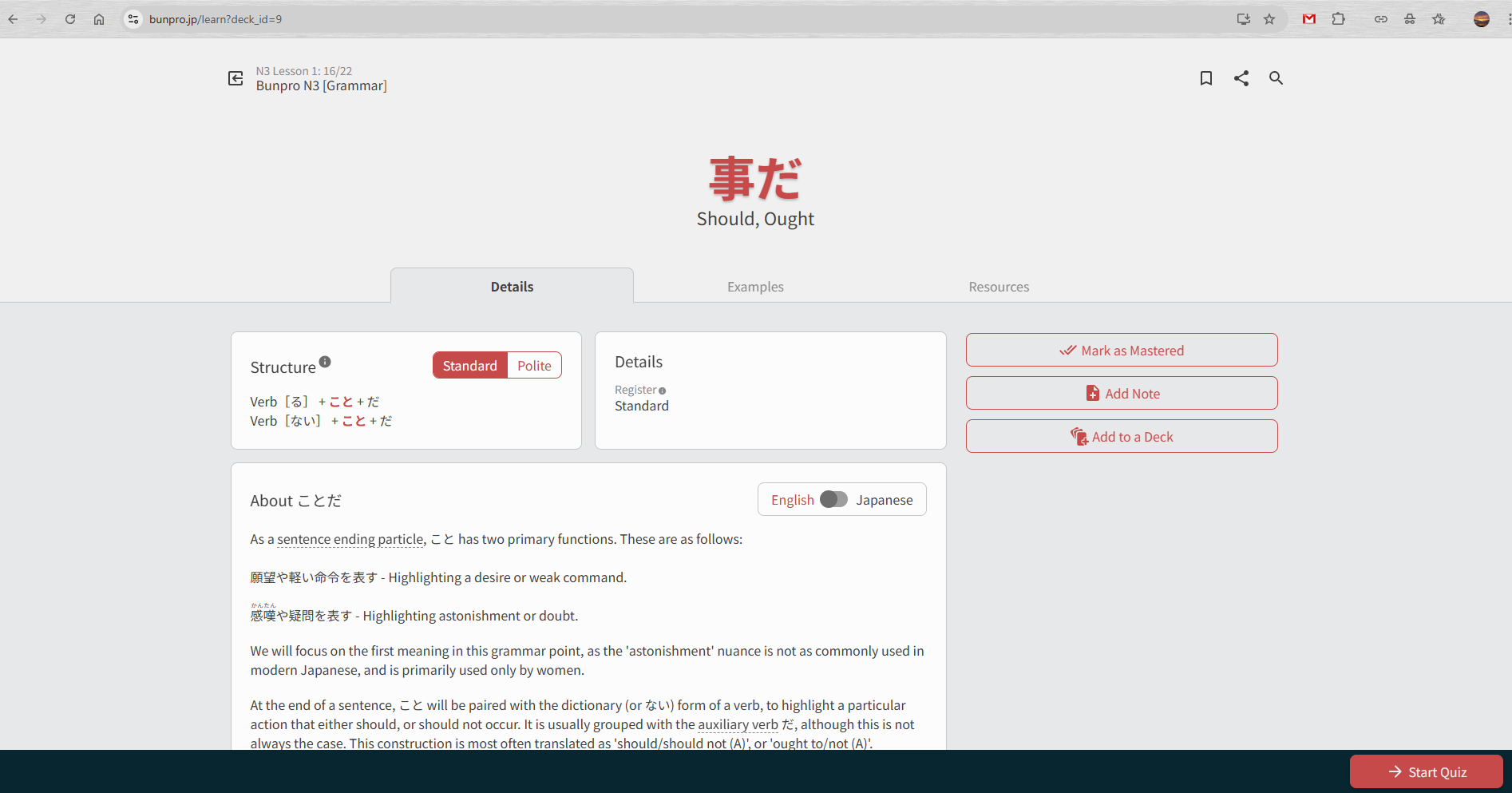
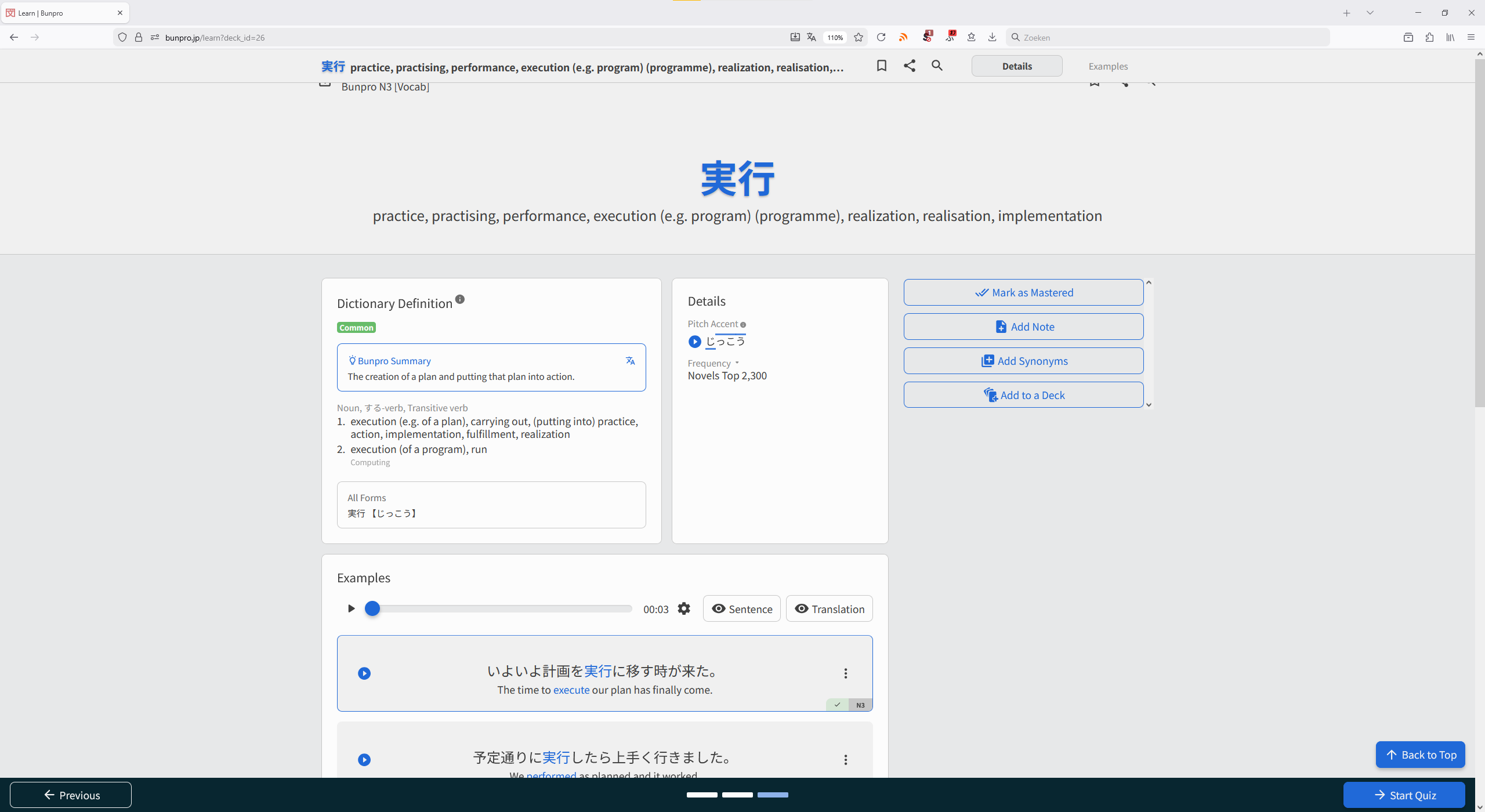
I think there’s a visual bug in the web browser version - learn new grammar.

When I open the page, things look fine:

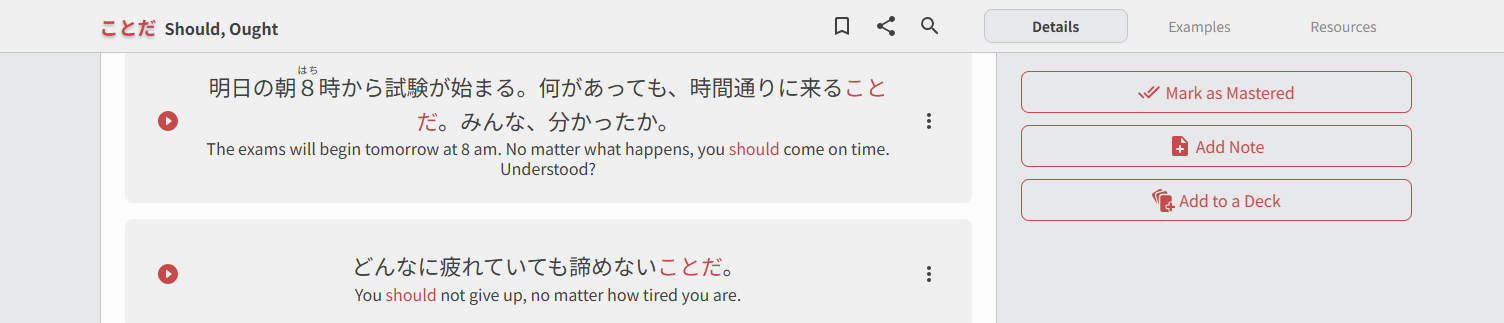
However, when I scroll down, a new bar appears at the top.

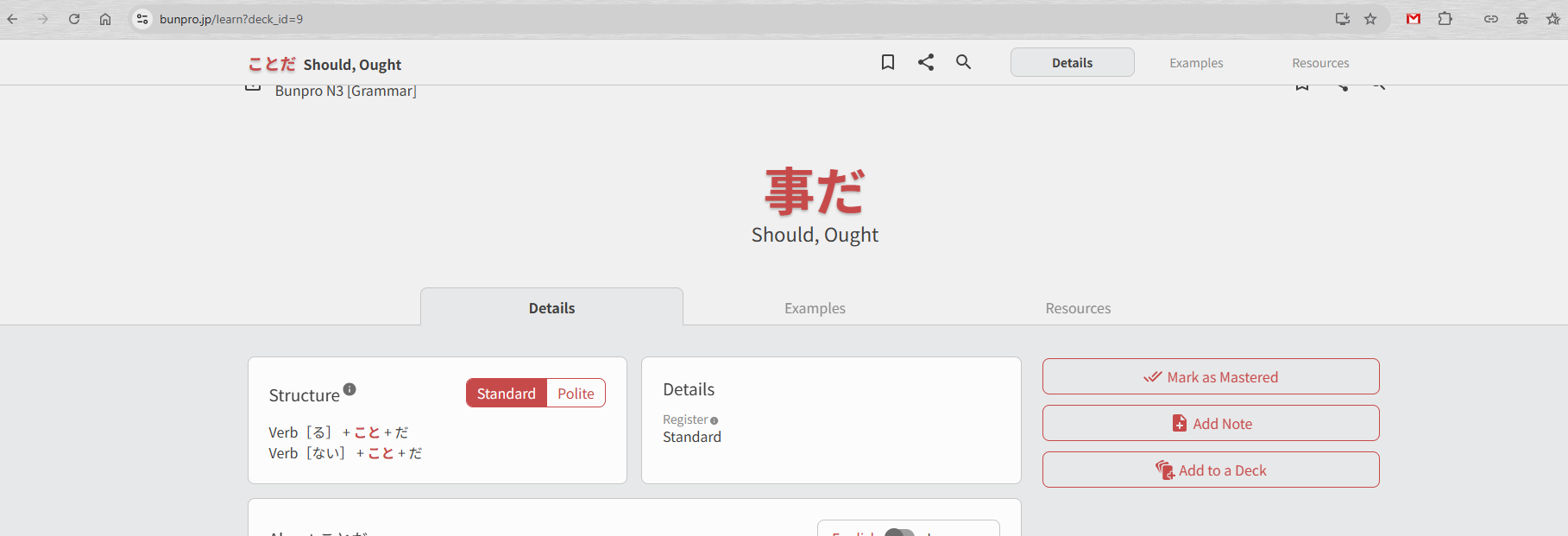
When I scroll up again, the bar doesn’t disappear, and then overlaps with the regular UI, see the top of the page of this screenshot:

4 Likes

I have been having a really frustrating problem my reviews this month.

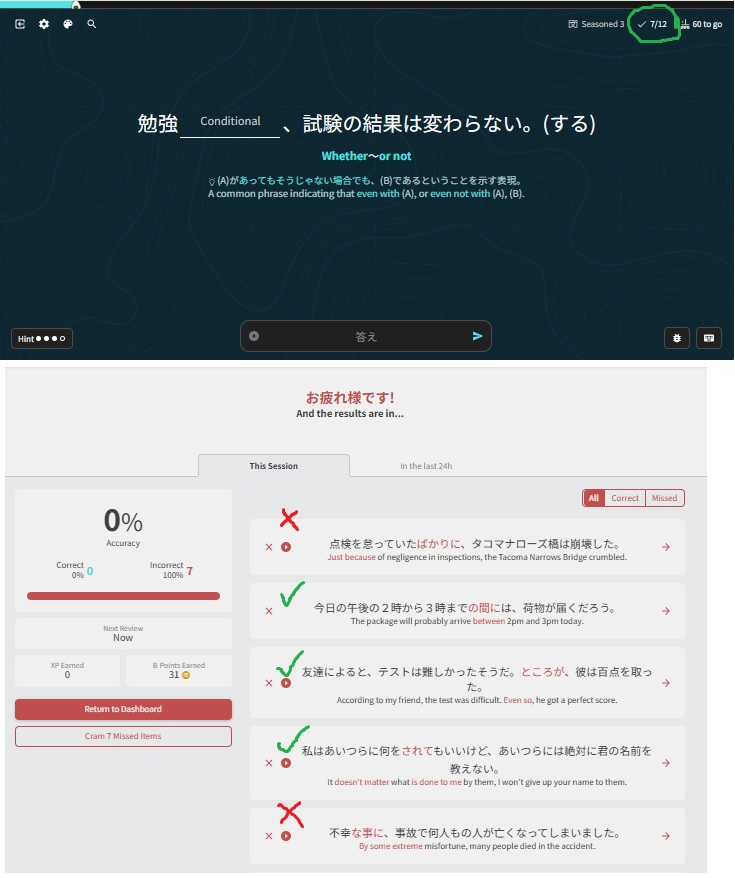
As I am doing my reviews, the top bar seems to keep an accurate track of my progress, but when I finish, the summary gives a very random report. Often it marks all my reviews as incorrect while other times it will be a bit more random, marking incorrect reviews as correct.

Here is a screenshot of a session. I attempted 12 reviews but I only got 7 correct. The summary claims that I only attempted 7 and that they were all incorrect.
The list of seven grammar points shown in the summary were a combination of correct and incorrect (which I have crudely highlighted)

Any suggestions appreciated

1 Like

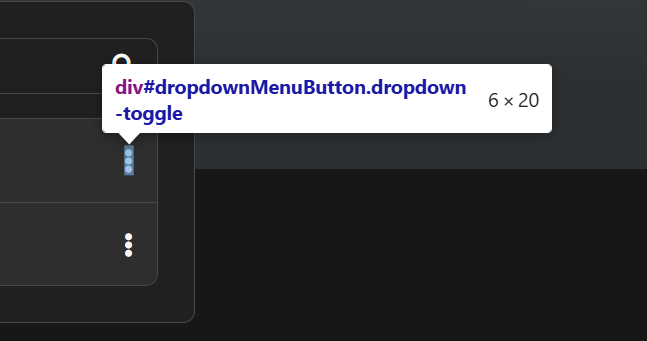
On deck creator, this button area of click is only adscribed to the icon itself. It should be bigger (24px would be fine).

image

2 Likes

I have a bug where after making a new custom deck I’m unable to add it to my learn queue properly. After making the deck, changing the settings, and adding it to my learn queue; it just said that the deck was already complete and removed it from my queue despite every word being SRS 0. Going to the deck page itself after that, the normal red “Learn” was gone and replaced with the gray “Review” button of a properly completed deck instead. Pressing on this button now at least let me access the cards, review, and get them into my review stack.

What’s interesting to note is that after adding the deck to my learn queue, although it said the deck was already complete and wouldn’t let me study it it did increase my review count by the same amount of words as the entire deck, and those reviews went away again after I managed to go through the whole deck through the deck page as messaged above. So, for some reason, new customs decks can’t be added to the learn queue but will instead go directly to my review queue. I tried making a seperate new deck and had the same results. No screenshots unfortunately as everything is already done and I don’t even know what I would have to show to visualize everything.

1 Like

I have problems with the new deck that I created. It shows the wrong number of grammarpoints and it says that I’ve already learned everything from this deck. Which is not true.

Edit: it seems that I can’t share the Link yet. But it’s already in “pending review”.

1 Like

In n5 grammar it looks like a few ways to say “why” were added to the grammar points, but I can’t get any of the example sentences to play for them.

1 Like

Oops, excuse me. This report is a double of fireborn’s report a few posts up.

Double

Currently, on Web Bunpro, if you scroll down during a lesson (which makes the bar at the top appear), and then scroll back up, the bar doesn’t disappear and hides a part of the UI.

2 Likes

I’m also seeing this on all lessons using the latest version macOS Safari. The bar does go away when I scroll back to the top, but then reappears after a few seconds, partially overlapping the Return to Dashboard, Bookmark, and Share buttons.

1 Like

I’m having the same problem as described above since this week.

MacOS Tahoe 26.2
Safari 26.2

1 Like

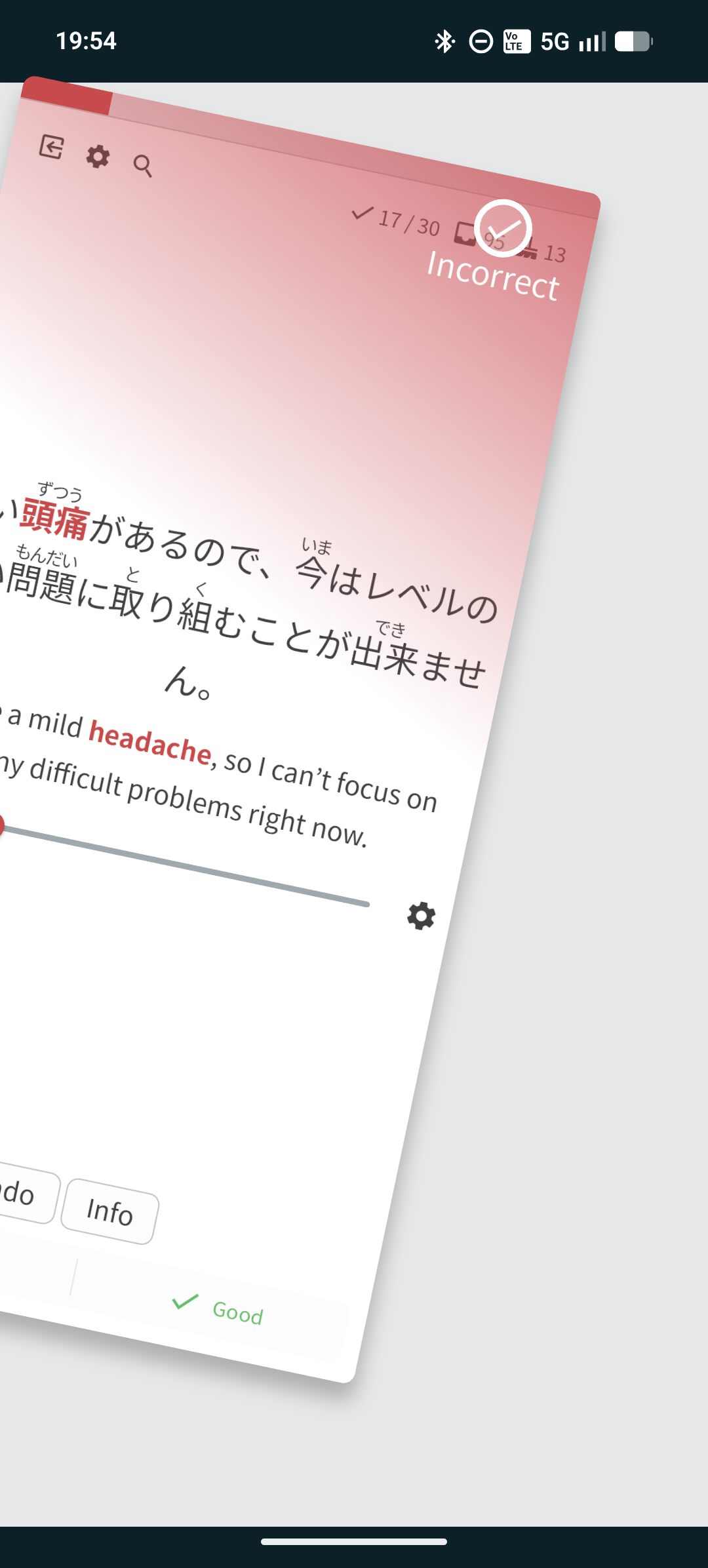
The tick when swiping as wrong should be a cross, or other symbol. It’s weird that it’s a tick both ways, especially when my screen is using a monochrome filter.

1 Like

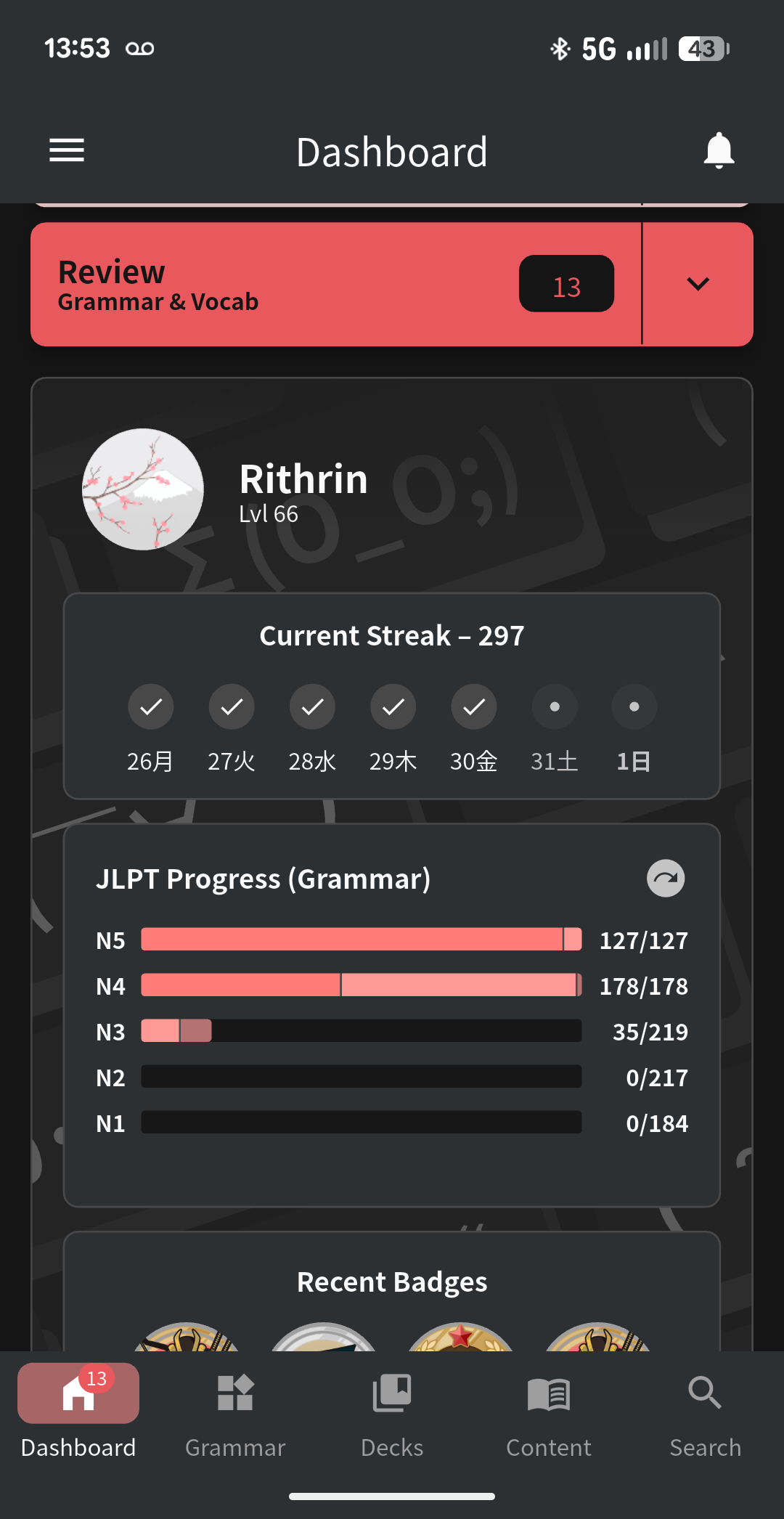
This seems to be a one-off issue, but something weird happened with my review results from yesterday.

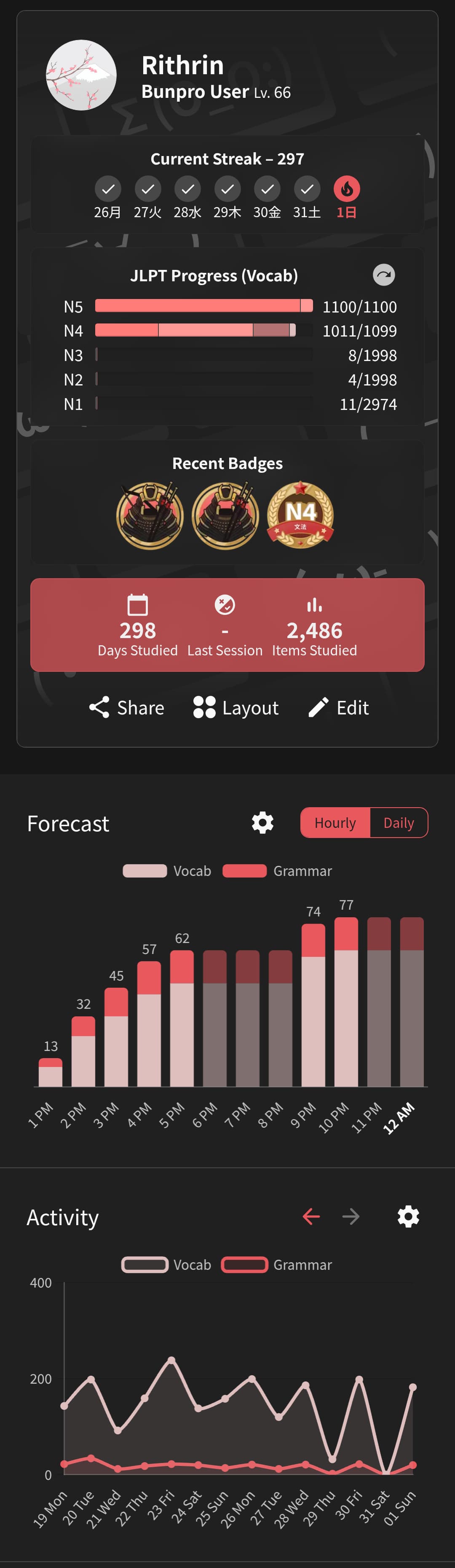
The app reported that both on 1/31 and 2/1 I had not continued my streak. However, it showed 0 reviews on 1/31 and over 100 reviews for 2/1. I know I did most of those reviews around 10pm on 1/31 and the remainder after midnight on 2/1.

But what’s weirder is that the web UI does show both those days as having continued the streak.

The main reason I’m bringing this up, though, is that my review queue was essentially empty, so I’m not getting the 100+ reviews I was expecting today.

WebGUI View:

App View:

My guess is that the app didn’t report those reviews somehow until I opened it around 1pm on 2/1 (today), and so the review queue is basically acting like I did all of them just now.

1 Like

@Obviiious @BreadmanNin @fireborn

The bug with scrolling on Grammar/Vocab pages has been fixed and published!
Thanks everyone for the reports.

5 Likes

They werel awaiting some additional audio I believe.
Audio has been added now 🙇‍♂️


I think this is a mobile bug on Android. It’s showing the wrong number. Not a big issue. Seems fine on web version.

2 Likes

Hi again!
Are you referring to that it should be 3/10 as opposed to 3/13?

1 Like