
I think items (Garmmar/Vocab) should have a last edited timestamp, so that I know if i’m crazy or it did actually get edited.
1 Like
Hello, I noticed that sometimes Bunpro doesn’t give furigana for vocab that I haven’t seen yet on WaniKani. I’m pretty sure this happened several times already, but today I caught an example so I can report it: 降りる which is WaniKani lvl 23 while I am lvl 22. I have however learned 降 (as a Kanji, not vocab) and 下りる already so maybe that is causing the issue? The bug is a bit mysterious to me because in the vast majority of cases, the WaniKani integration works perfectly fine.
2 Likes
hey, I’m level 21 and the furikana appears well for me, I did learn 下りる tho. I think it’s mainly because you already learnt the kanji. Do you have other example of words where furikana don’t appear?
2 Likes
You’re right, apparently the furigana appears only based on Kanji, not based on vocabulary. I just encountered the word 部下 without furigana, which isn’t on WaniKani at all, but for which I had learned the Kanji.
This method of assigning furigana based on Kanji only was not what I expected, because it required me to enter a reading that I hadn’t yet learned in my answer, but I guess it’s also a good way to learn to guess readings and look up new words if necessary. So there is no bug here, I had just misunderstood how the feature was supposed to work 
1 Like
OK, I think I figured it out. It only seems to happen during reviews, when opening the info on an item that doesn’t have example sentences. The “open sidebar” button doesn’t appear for these items. It does for other items.
This is on Bunpro web on a mobile device. It happens on both my phone and a small tablet I have.
Probably not particularly helpful, but I included a screenshot, as well as one of those rolling screenshots.
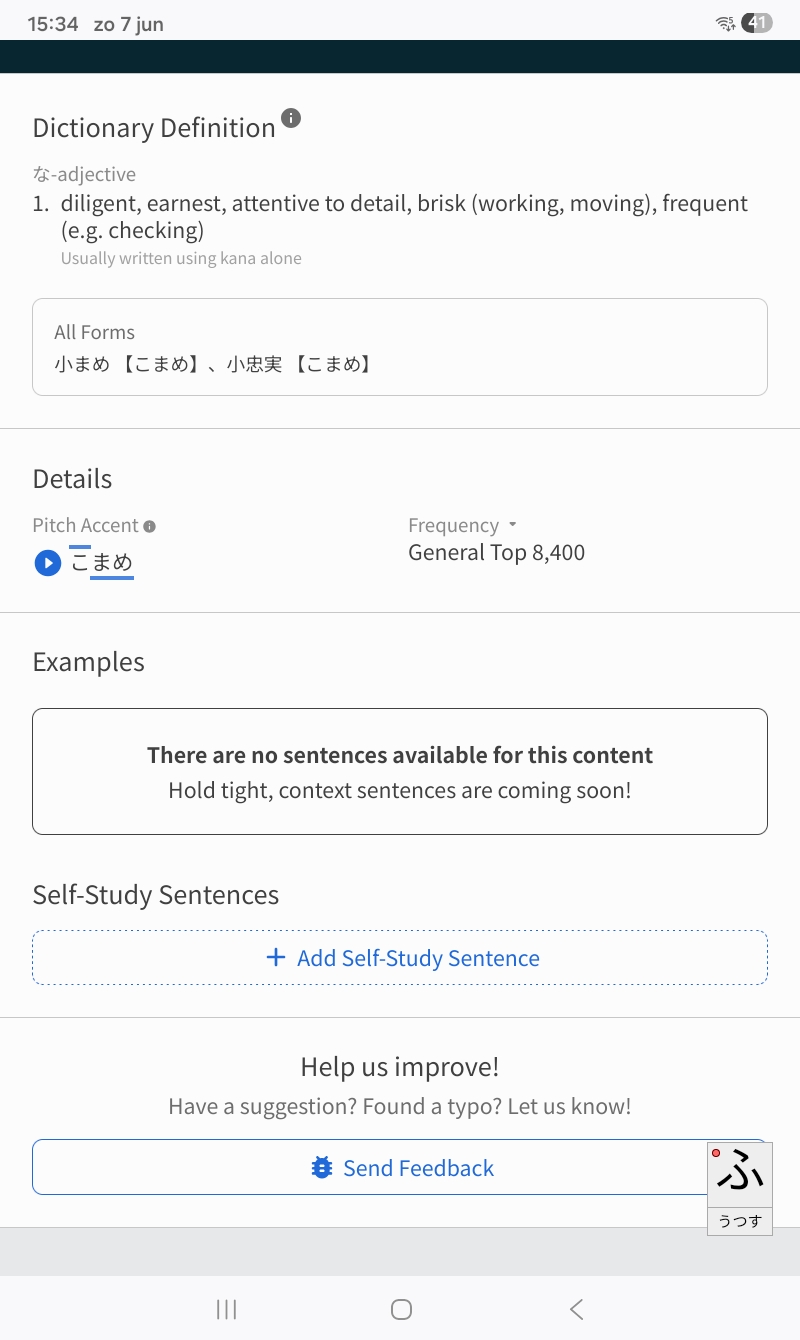
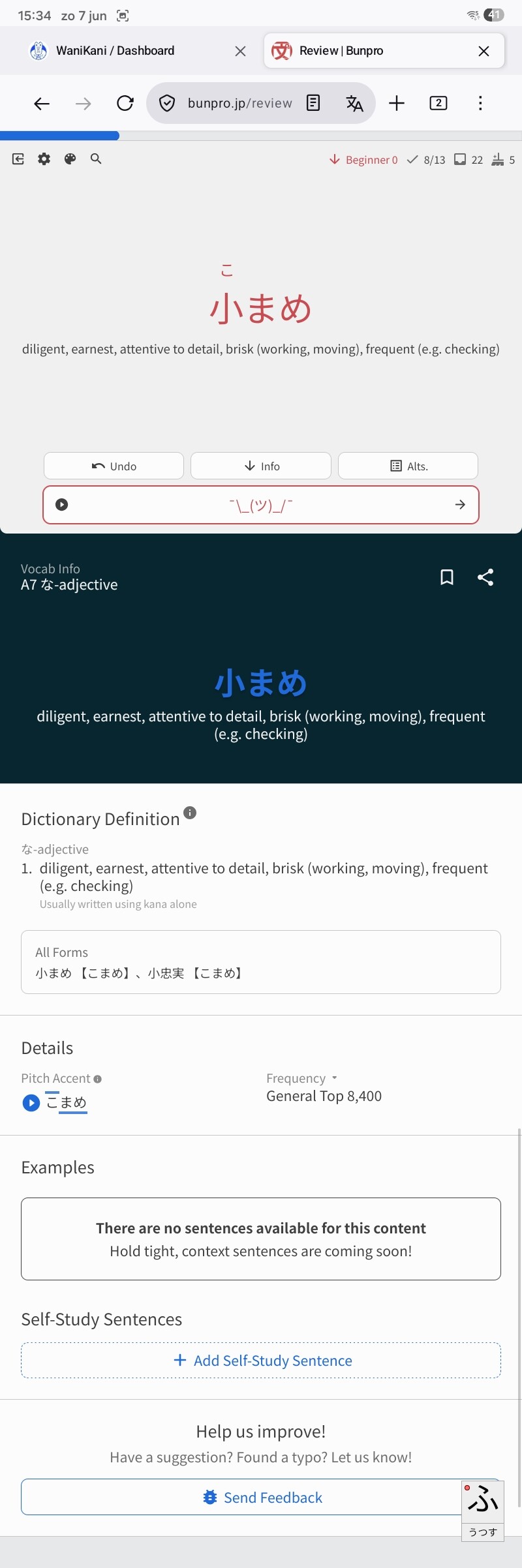
[Edit] Hm… I just did the same thing on my mobile phone (different vocab item though) and the “open sidebar” button did appear this time. So I’m not sure what the matter is. Maybe the vertical length of the page matters? My phone is slim and long, my tablet is wide, so the page is longer on my phone.
Feedback: I suppose this is a, as kids nowadays say, skill issue, but since i’m repeating my n5 course that i did outside bunpro i get tripped up by sentences requiring (well not really requiring, but rather using) grammar even though they’re not grammar reviews (such as the sentence about police kindly requesting you to put the gun down). It would be nice if these started poping as grammar reviews rather than word reviews, and as word reviews when the system marks you as good enough to fill that in.
Request: During cram it would be nice if you could opt in to input full sentence or drag and drop the words ala duolingo style.
Bug: In reviews, when there is a request to input 死ぬ its ruby characters are missing. Not that big of an issue, just would be nice if it were consistent.
Hey thanks for the feedback! Hopefully I can help with a few of these!! 
It would be nice if these started poping as grammar reviews rather than word reviews, and as word reviews when the system marks you as good enough to fill that in.
We don’t require any “grammar” for vocab reviews, and always accept the plain form of whatever word we are looking for, regardless of the part of speech. If you find any questions that don’t accept the plain form, please use the feedback tool to let us know and we will fix it as soon as we can!
Bug: In reviews, when there is a request to input
死ぬits ruby characters are missing. Not that big of an issue, just would be nice if it were consistent.
Not completely sure if this is an app-related problem, or if I’m not understanding the question correctly, but all of our 死ぬ example sentences appear to be formatted correctly as well. If you can send a more specific feedback about the particular sentence, our team could definitely help narrow it down. 
Sure. It seems to be visible in vocabulary section, ex the following video (firefox 151)
(uploaded to uguu https://h.uguu.se/yPUrQnpV.mp4)
in cram/practice as well
https://d.uguu.se/gFxnkyaa.mp4
Although it’s confusing that sometimes you have to hover over the symbol to get its spelling.
I’m a little confused about how this accessory is supposed to show up
the preview shows like this
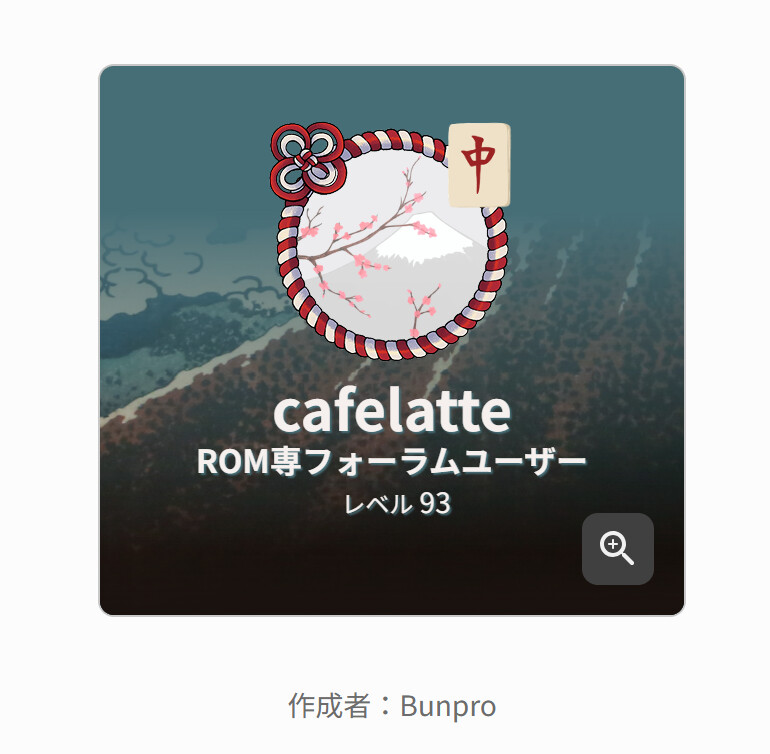
but it shows up on my homepage like this (Which I dont mind FTR)

I guess its only going to show like the preview in your shareable profile page…? but I think that should be made a bit clearer or it should show previews of both pages, since I never look at my profile page, I only look at my home page so I care more about how that presents.
1 Like
Will the iOS bug for app badges ever be fixed? The badges showing how many reviews you have do not show up on their own. They only show up when you actually open the app which kinda defeats the purpose.
3 Likes
On the Android app (latest version) Searching for words is very inconsistent. Additionally the list of works under the buttons showing how much of each word count you have don’t work either.
2 Likes
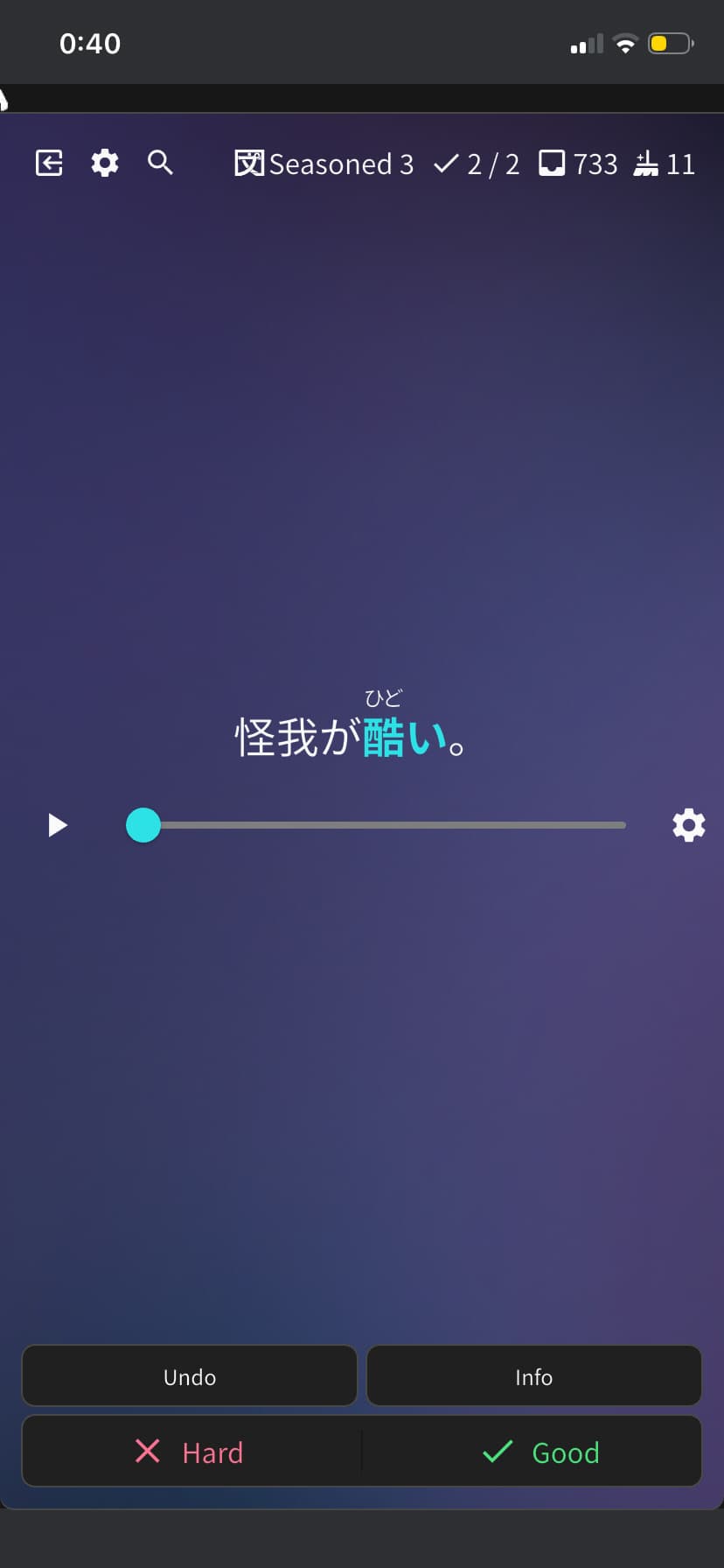
On iOS, it doesn’t seem like there’s a way to reveal the translation of a listening question after you’ve chosen to view the answer. This makes it really hard to accurately assess my performance on these questions unless I’m using the web site.
1 Like
On the Android app, the Answer button does not work correctly after making a mistake.
The first time I tap Answer, it displays the alternatives as expected. However, after that, tapping Answer again has no effect, no matter how many times I press it.
The only way to view the different alternatives is to tap the circles below the hint. Those work correctly, but the Answer button itself appears to stop responding after the first use.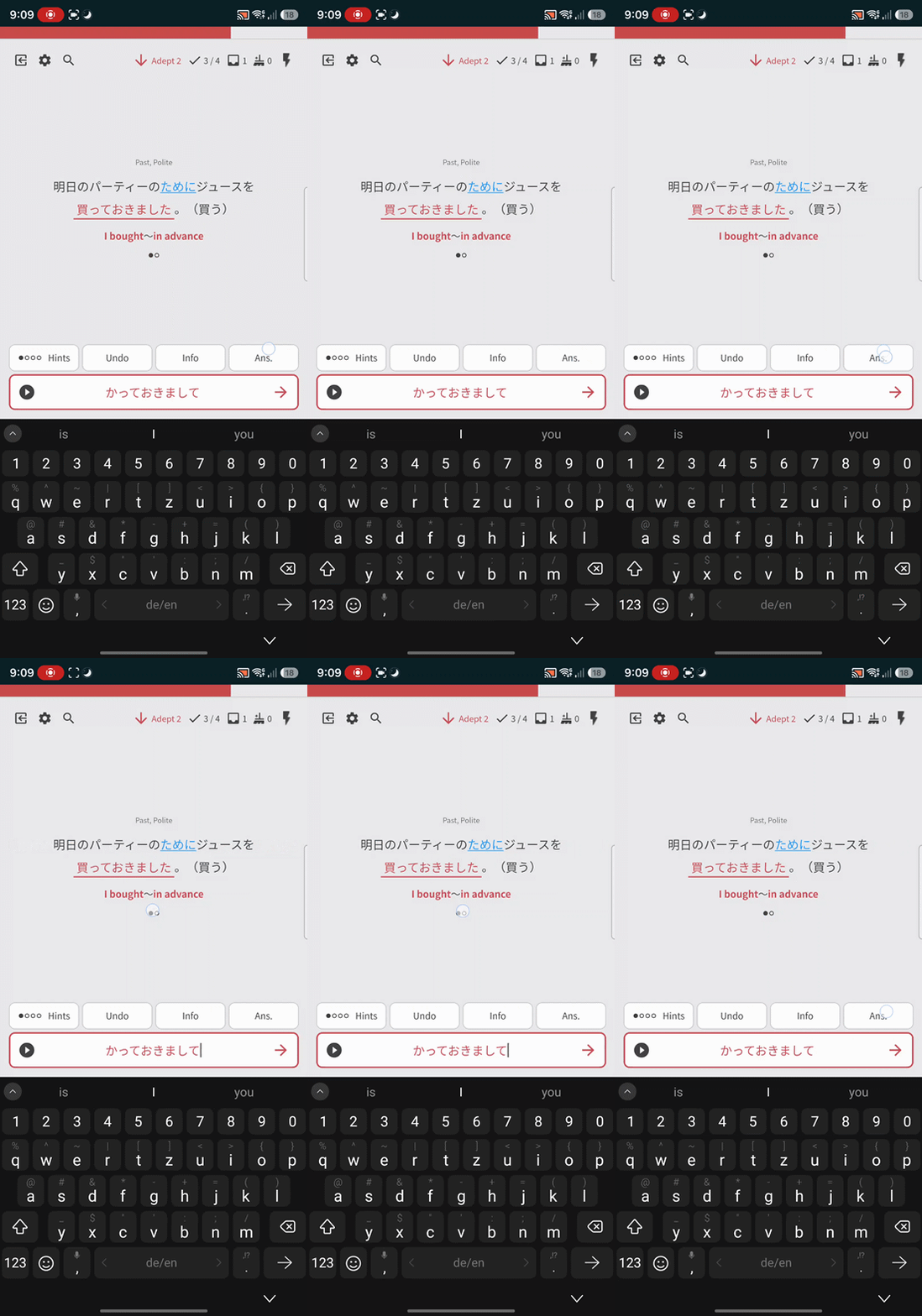
3 Likes
@EroKy
Hey, we have fixed this issue, the update is waiting for release.
It is already available in beta.
Sorry for the inconvenience 
3 Likes
Ah, was this a known issue already?
Thank you for the great work and the quick response, as always!
2 Likes
Just looking for some clarification on exp.
Essentially, it seems completely arbitrary and random? For a while I thought that it must be that you only get exp for the highest rank a given item has reached, but that doesn’t really explain the totals I’m seeing.
Honestly, the not being able to figure it out is more vexing than not getting XP sometimes.
(Also, posted this in bug reports because it may be a bug, who knows. I’m on the iphone app)
1 Like
I’m currently on iOS version 0.5.8 (the latest as of this post). The queue order on the app doesn’t respect my chosen preference. Loading up bunpro in the browser (on mobile or desktop) the ordering works as expected.
The odd thing is, it doesn’t seem totally random… as an example, I use “ascending SRS stage” as an order sometimes and the first time I load up my reviews I’ll get a few (like 5-6) items in a row that match my expectation (the most recent beginner stage) but then adept and seasoned will start appearing in random orderings. If I quit the review and start again I’ll get more beginner items at first again but not exactly in order.
2 Likes
Yes, I’ve posted in the past about inconsistencies with the order of reviews on iOS and I still notice issues. On descending I often seem to get a mix of advanced SRS reviews, as expected with that setting, but also newer ones 
Just now I had a Beginner 2 review pop up. I have 1700+ vocab reviews due, so there is no way that should be coming up. Unless I sit down and write down every review’s SRS level as I go I’m not sure how to check this, but there must be hundreds of review items that should be showing before ones like this.
It’s extremely frustrating because it really slows down clearing a big backlog of reviews.
3 Likes
I did a practice test, ended my sesseon after 1 hour 15 minutes, when I continued the current time was suddenly at 3 hours and 9 minutes.
I pause the session via the button on the top right.
Is that a known issue?
1 Like
Hi!
I finished a deck but the progres bar still says 256/257 (99.6%). When I click inside the deck, it shows that I studied every word, it doesn’t offer me any new word and it also shows the green “Finished” tag. I don’t know if this happens for every deck or just the “Wagotabi Vocab” deck. This looks like a classic “off by one” error. Not sure if this has been reported already, but I found it difficult to search for.
Thank you for having this thread
1 Like