
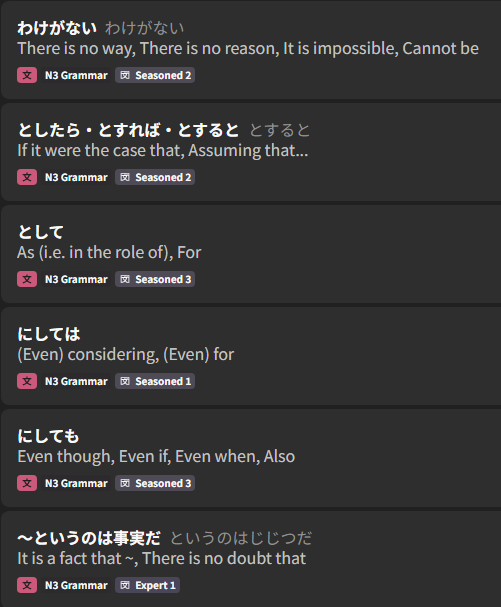
Hello! Some time ago I resetted my progress of the N3 grammar deck. Until a bit ago, everything worked perfectly but as soon as I entered the “lesson 5” of the deck, everytime I study a new grammar point the recall level won’t be set to beginner anymore, but to seasoned or expert.
In the image you can see the last 6 grammar points that I studied, 3 yesterday and 3 today.
What should I do? For now I have resetted the level manually
1 Like
Have you checked your default level settings for that specific deck? Those are higher in priority/override the defaults, so if they’re all starting at a higher level, that could be one cause.
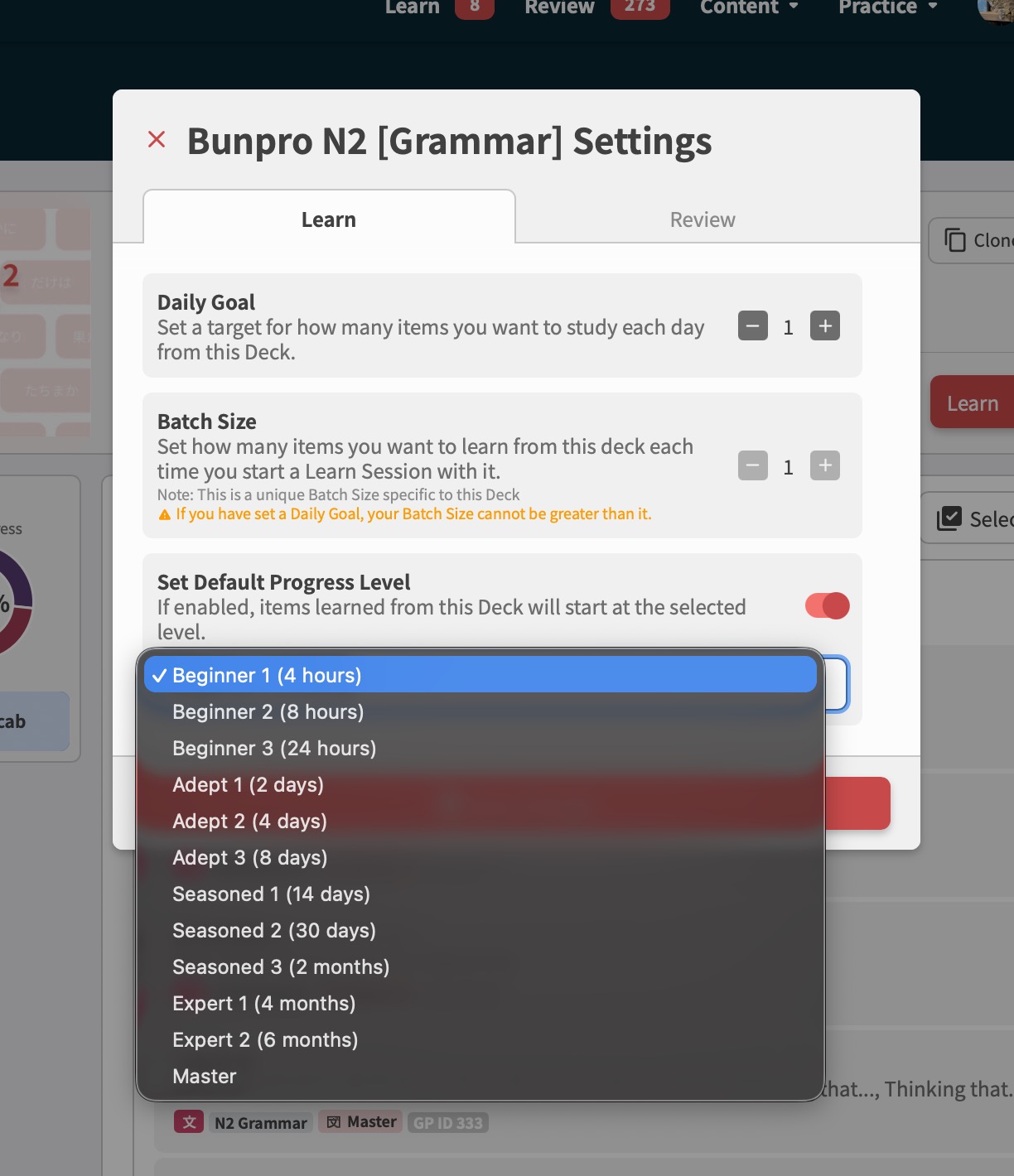
If you however tried that and it’s still happening, it’s likely a bug and we need to take a closer look. What are your deck settings showing?
1 Like
Hi! Yes I have checked it, and there wasn’t anything set. I also tried to set it to Beginner 1, but it still set new grammar points to Expert/Seasoned
The strange fact is that until lesson 5 everything worked perfectly, so I think that when I have resetted my progress, for some reason, it didn’t reset that particular lesson? And everytime I try to learn something from that lesson it reverts to the old level before the resetting
(I hope my English makes sense)
2 Likes
I’ve had this same issue. Removing an item doesn’t reset it’s progress when you learn it again. So you need to be explicit about how you reset it.
1 Like
Oh okay! Maybe I had manually resetted the first 4 lessons before removing them, that’s why it worked for those
1 Like
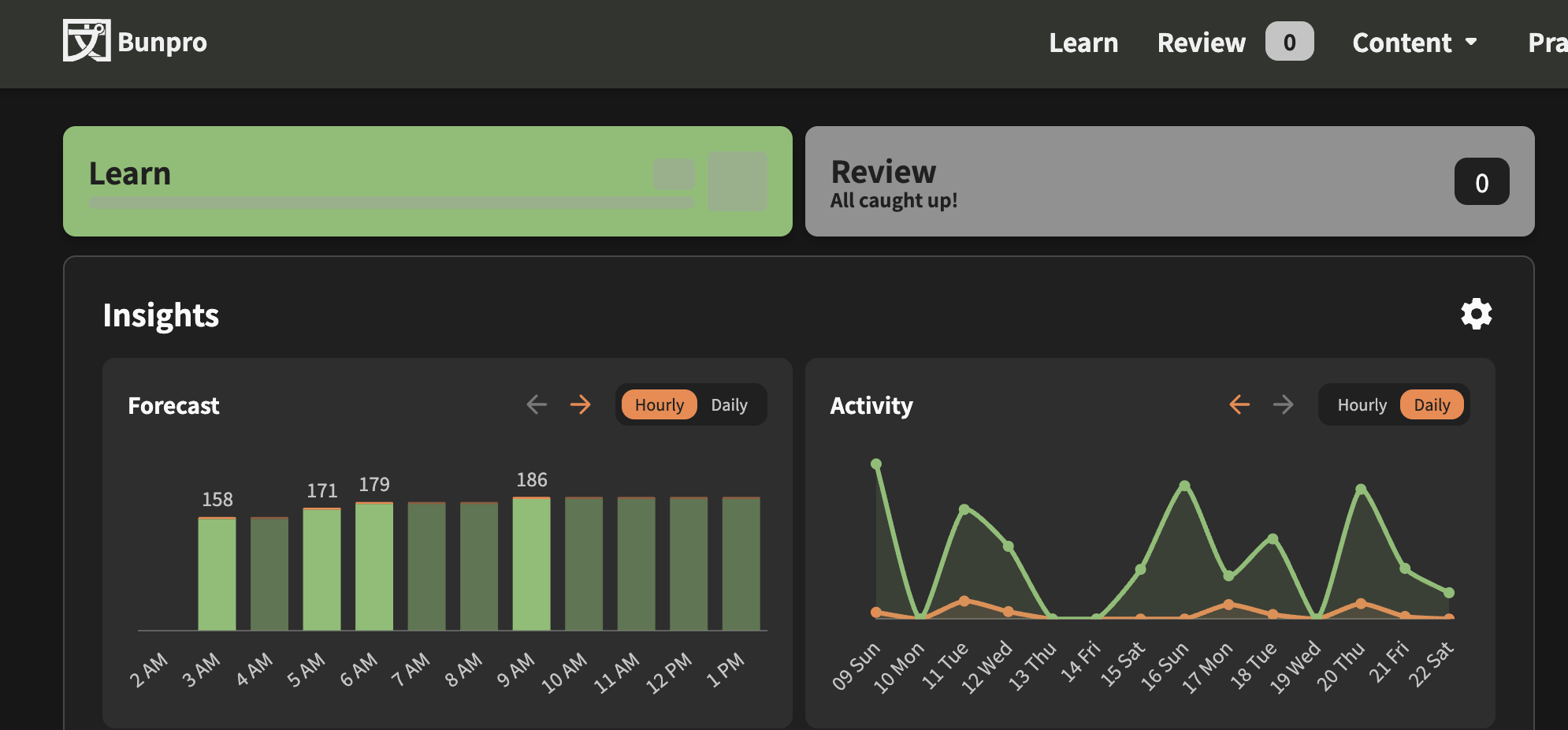
I don’t know if this is a known bug or not, but I a was adding a few decks to my learning queue, and now my learning function doesn’t work. Even if I manually try to learn by going through decks, it is permanently stuck in a loading loop. I’ve deleted my browsing cache, restarted my computer, and even enabled and disabled vacation mode. Still it is stuck, and my learning UI on the dashboard is acting as if it is constantly loading/ determining how many items I have to learn today.
1 Like
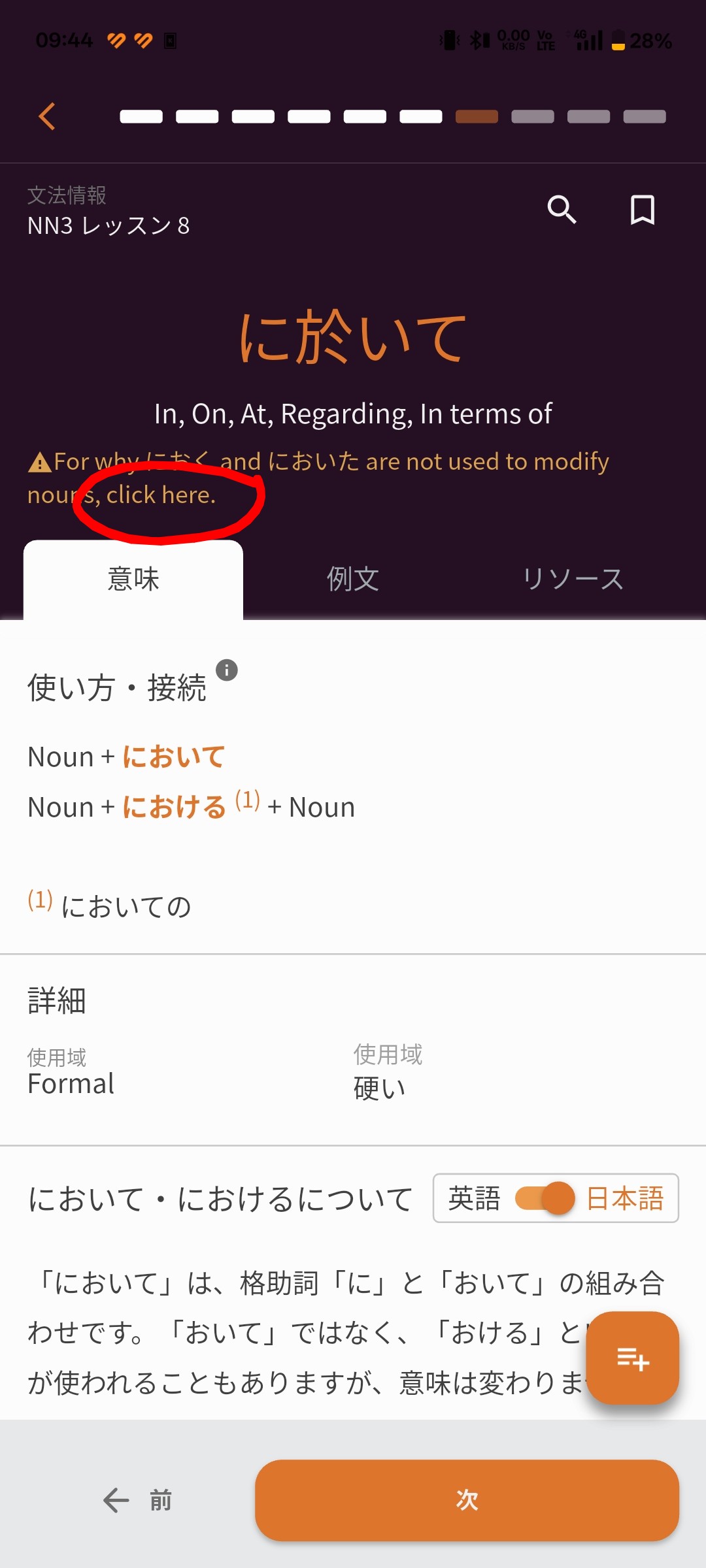
The clickable link in hint on the grammar description page isn’t clickable on Android.
Not sure if for all grammar, or just に於いて.
2 Likes
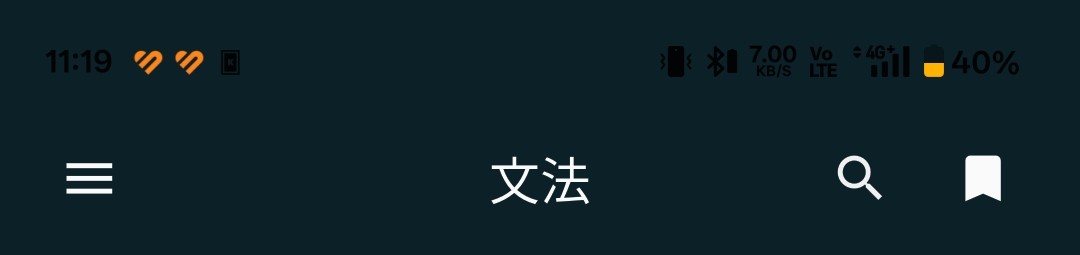
Android 15, OxygenOS (OnePlus). Status bar has incorrect color.
On dashboard it’s always white, as it should be.

On all the other pages (even when opening the left hamburger menu on the dashboard) the status bar is dependent on dark/light theme in android.
So in light mode the status bar color is dark, making it’s content unreadable.
1 Like
Hello, I came back from a 2 week vacation and now I have 0 reviews and 0 reviews for the next two weeks in the forecast widget. I turned on vacation mode when I left and turned it off this morning. On the browser app the progress text in the vacation mode setting indicated it had processed 1800 reviews but when I refresh the page there are none. Before the vacation I was averaging 60-80 per day. The number of items in my progress widget looks normal (non-zero).
Hey!
We have fixed this issue, the patch is already in the android beta. Will be released within few days to all users.
Sorry for the inconvenience,
Dominik from Bunpro
2 Likes
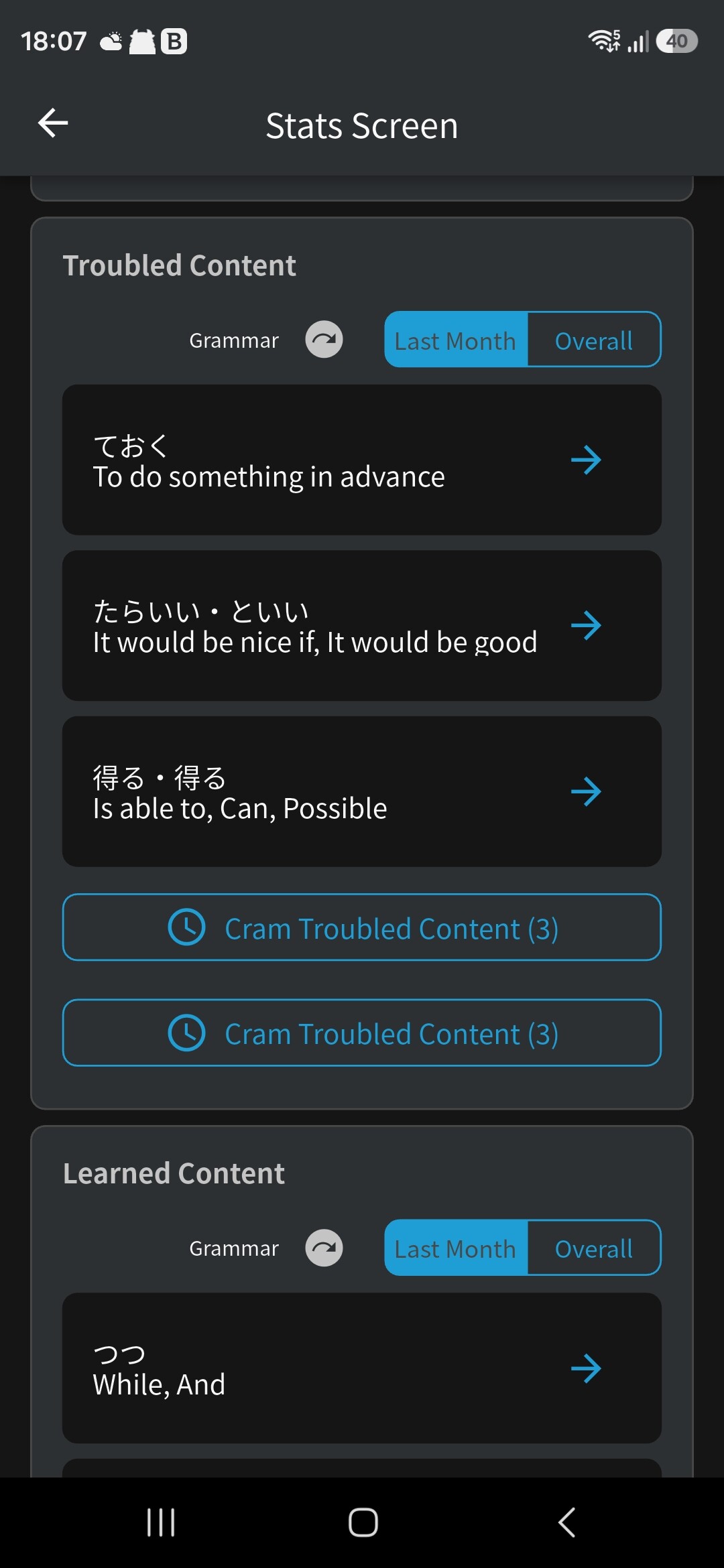
In my stats page there is always two buttons to cram troubled content but only the first one works, the second one does not do anything. Noticed it quite some time ago, just forgot about it. Android app.
2 Likes
Out of curiosity, where/how are you Remove-ing items?
E.g. through the app or web? Through the Grammar Library page or through the individual Vocab/Grammar pages?
The items should get Reset before removing (we changed it recently), but there may be a bug with this.
Sorry for the inconvenience… but I think I’ve found the cause of the issue!
Question – when and how did you add “Nihongo so-matome N5 (Vocab)” to your queue of Decks?
I removed them some months ago in the browser version, through the deck page
Probably that’s the reason why it didn’t work for every of them: I started resetting them and then I realized I could just remove them and removed every single element, even the ones I didn’t reset yet!
Thank you 
Will look into it 
1 Like
Thank you very much, I appreciate it 
1 Like
I was adding them through the Content>Deck>Select Deck> Learning toggle feature, where you slide the toggle to add to learning queue.
1 Like
I found the source of this one!
It’s fixed on your account now.
Sorry for the inconvenience, and thanks for the follow up 🙇♂️
Do you use the mobile app or the website?
i’m wondering if it’s a bug or is it how it is. i subscribed to a monthly plan from around august to december 2025, and stopped. i resubscribed currently august 2026
, and i was expecting i got a stockpile of reviews and i actually got none. I learned 10 to 15 words per day and everyday the reviews are only about the most recent things i’ve learned. i wonder will i get the reviews about the things i’ve learned last year?
1 Like
Thank you so much! I primarily use the website as I prefer to study with my laptop, but the mobile app has been helpful in this interval, as I was able to continue learning.
1 Like