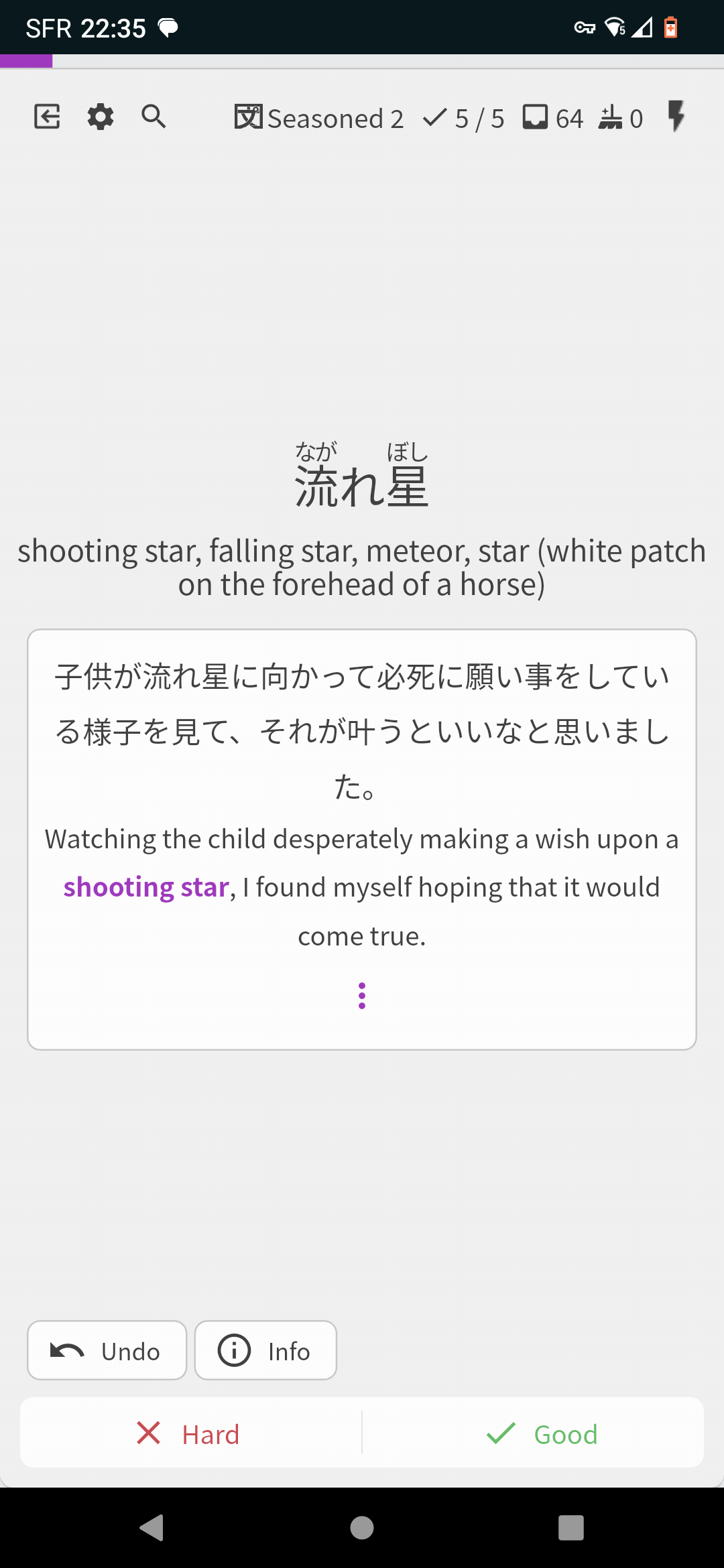
While not exactly the same thing, you are currently able to set the max amount of Reviews you would like to do per session. (While doing reviews, click the cogwheel in the top left and choose the Queue Order section.) If you’re only doing one review session per day, this is a decent option for you.
Ahh you’re right, looks like there is no support for Cramming your Learned Decks yet on iOS/Android.
@mrnoone
As a workaround, you can create and start a new Cram Session on the website, and then continue it on mobile!
Cumbersome, but it should work.
Thanks for the feedback.
The bunpro ios app feels pretty slow and needs to be improved
Are there any parts that specifically feel slow? Or just overall?
There is a complete revamp for it in the pipelines, we can maybe work some performance updates in there too maybe.
Also I want to be able to use the halloween theme on it.
B-Point Shop support and support for the new Accents is on the way!
I’m guessing you’re using IOS? I can copy just fine on Android/PC
Welcome to the forums! 
That is a fair suggestion.
Like how we’re creating a tool to practice conjugations, there might be similar ones we could create for early grammar like the particles.
Let us know how you get on with the grammar a bit further on (from about でしょう onwards)!
I am using Android as well… so it is broken just for me?
I can’t necessarily speak for others, but I can copy-paste fine
What Android version are you using? I’ve had (other) problems using previous OS versions in the past
@mariner929 I think I have a solution for copy-pasting with iOS (and some android phones), will try to add with next version!
Heya 
Would it be possible to display A-rank vocab example sentences as questions instead of answer-only ? It feels like a waste not to use them the same way the JLPT vocab sentences are, even if there is no audio yet. But maybe I’m missing a toggle option somewhere ?
If it hasn’t been suggested before, I would like some indicator if a review is a Ghost or not. I know we can display the current stage of an item in review, but I never look at it, if I know a word.
Often times I don’t even notice I have an active ghost. Of course I notice if I have seen a particular sentence before, but it might be, that I just got the item wrong and are now back at that sentence’s level.
Or I wonder when the normal review stage comes up, if I didn’t just do that vocab.
It’s not a big deal, just a little hiccup, in what could be a smoother review experience. Perhaps a very faint ghost in the background. Like a watermark would already do the trick?
I would like to be able to control the “SRS Strictness” of the reviews above the certain Stage, same like it is on ghosts.
I don’t want my progress to return by 2 Stages in the early days because it will increase the number of reviews too much, but for having this option after Stage 9 for example would help me to see the problematic grammar point more often as it would return 2-3 stages back for example
Seconding this. In my case I might do the opposite though. Having a total reset to stage 0/1 in the early days but then only half etc later would be good. This might be a moot point if the SRS is improved.
I’m not sure if this has been suggested or not but shouldn’t 仮に and 仮にも be grammar lessons instead of just some vocab items? At least the latter should since it has some nuance with negative sentences. I’m not sure how it should be rated by the JLPT levels though.
Another suggestion would be, that in the graph that shows the number of vocab and grammar reviews done over time, there would be an option to both stacked. At the moment doing 50 vocab and fifty grammar reviews only looks half as impressive as doing 100 vocab reviews and 0 grammar reviews.
seconding this. A cummulative graph in addition would be nice 
Oftentimes, when a grammar review has multiple correct answers, the order of the answers can be somewhat jumbled up as you rotate through the “Alts”.
It would be clearer if these possible answers were in some kind of logical order. Alphabetically might be a good start, although this may not always be the best way for every example.
In some cases it may make more sense to order the answers “from most casual to most polite” or “from most common to least” or “from most verbose to most terse” (or reversed) - to give a non-exhaustive list of examples.
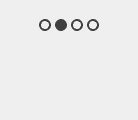
One good point about the multiple answer feature is that the one that matches the audio is the one that is shown by default upon correct answer. That said, it would be nice if the black dot jumped to the correct spot in that case. It does sometimes, but not always - possibly depending on whether it was a correct or incorrect answer. I often find myself having to loop through the answers a second time so I can see what the first dot really is.
When I say dots, I mean these: 

Feature Suggestion: Option in settings to only play recorded audio, not AI-generated audio. I’m using Bunpro a lot recently and the AI audio is starting to grate on me so I’ve turned off autoplay, but it would be nice to still hear the recorded audio, although currently there is no way to know which sentence has recorded audio or AI.
Ah great thank you.
Random idea I’ve had while going through the N5 and N4 vocab deck. I already have it set up to where furigana is hover-only, which is great for this, but I was wondering if there’d be any interest in setting it up to where, when learning new vocab, you can also hide the definition at first. This way I can feel more confident about clicking “mark as mastered” when appropriate! I’m imagining this would just be a simple preference setting in your profile - I think having it the way it is now as default makes the most sense. Unless this is already a possibility and I’m just blind… Totally possible