A big +1 from me too. I’d be thrilled to have a feature like this.
I’d find it beneficial to have the time spent per study session and time spent studying on Bunpro per day recorded after each study session and in the stats page respectively. Likewise, a time spent per card would be valuable for both of those.
Currently I use my phone’s screen time stats, but that doesn’t distinguish whether the 3 hours I spent studying today was spent admiring my medals and gawking at my empty B-point wallet, or actually studying.
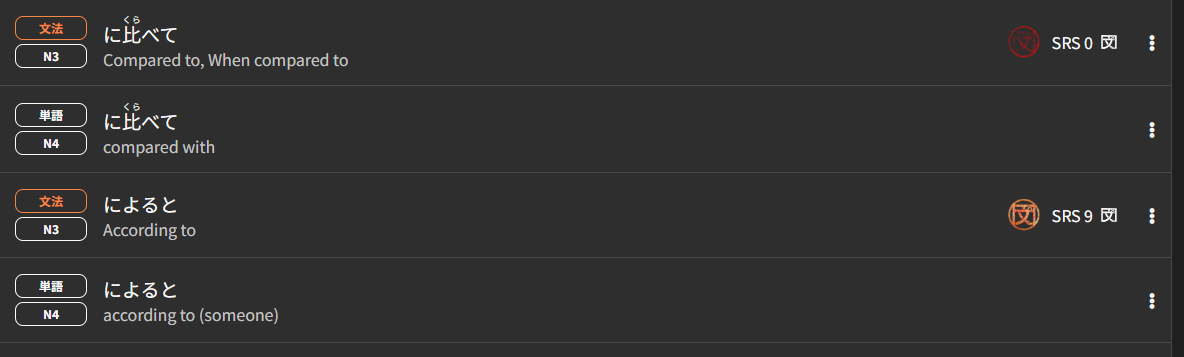
In conjugation lessons, it would be SUPER helpful to show the root verb alongside the example sentences. I don’t yet know most of the words being conjugated so I can’t see what has been changed. It’s very, very frustrating and makes learning harder.
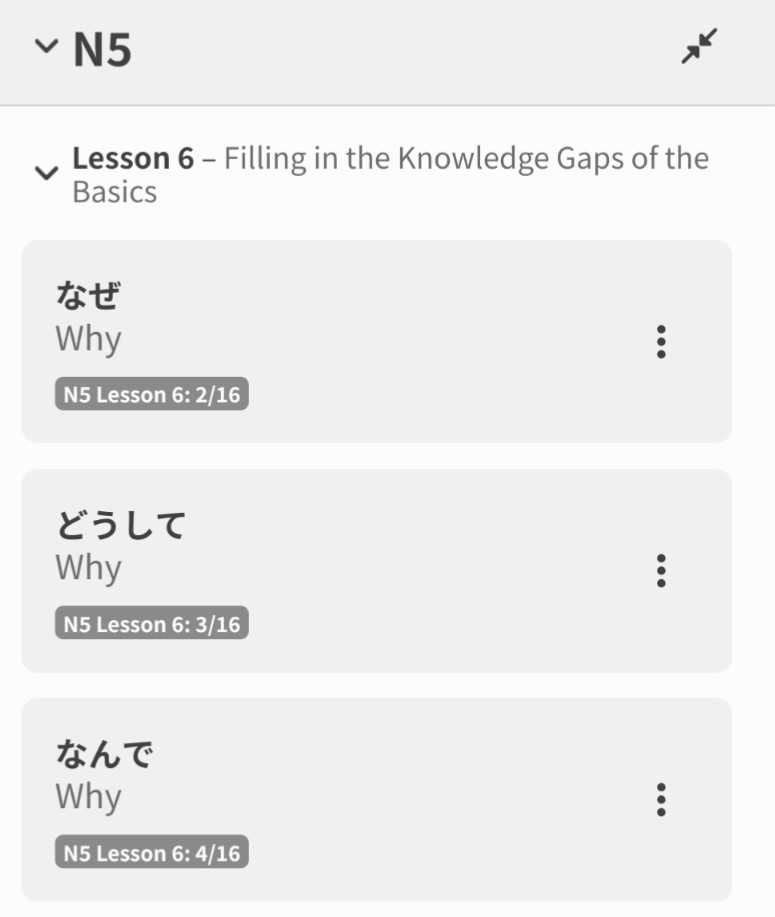
Not sure if a better thread exists, but I was updating my word bank and discovered that the Words and Grammar and considered different JLPT levels lmao. Doesnt matter much I think but I would imagine if someone is going through one level it doesnt make to much sense to for them to then see it again in the next. Maybe keep em together?
I always have problems to use the right Form of e.g. おそい / おそく. Is there already a way to learn that separately on Bunpro? Like the Kaijugation Game?
I’d like to have a “weekly goal size” or “weekly goal” instead of a “daily goal size” on the decks that I’m learning. I’ve found that even one grammar point a day feels like too much. There should be an options to specify “every __ days” or have a MTWThFSaSu picker. For example:
Every 2 days
or
Every M,W,F
There’s lots of schedulers with this feature, for example setting up recurring events on a calendar, automated watering or smart lights, etc.
Agree. This is completely reasonable especially if you want to study vocab proportionally alongside the grammar.
When doing grammar and I get something wrong, would it be possible to have a feature where I compare my answer to the correct answer instead of just skipping ahead.
EX since I just did something like this it was using the てほしい form with 考える.
I went through like 3 forms of me making some type of typo mistakes and just being dumb in general before finally putting it in correctly.
If I understand you correctly, you can already do this by pressing the “Show Answer/Alternatives” button above the answer field after inserting your answer (or by pressing hotkey A). You can also click on “show info” (hotkey F) to read about the grammar point before continuing with the next review.
What I’d love to see on Bunpro is the ability to go back to the previous question for when you accidentally skip forward after getting one wrong. Exactly like pressing undo in Anki. It’s not super common, but sometimes I manage to skip by accident without knowing what the correct answer was and then, of course, when the review session asks me that same question again, I usually don’t know either.
Could we maybe add a total bar for the jlpt grammer and vocab bar underneath n1 with all the levels totaled up collectively. Thoughts?
A feature to bulk select vocabulary and mark them as mastered in Bunpros vocabulary decks.
I see there is thousands of vocab in the n5 - n1 decks. Some of us joining at say a N4 level may already know most the N5 vocab however there may be some we don’t know or would like to practice more.
It would be nice to able to select multiple and mark as mastered instead of one by one which would take forever.
Please add the verb かかる
This already exists as a vocab item. Do you mean as a suggestion for a grammar point?
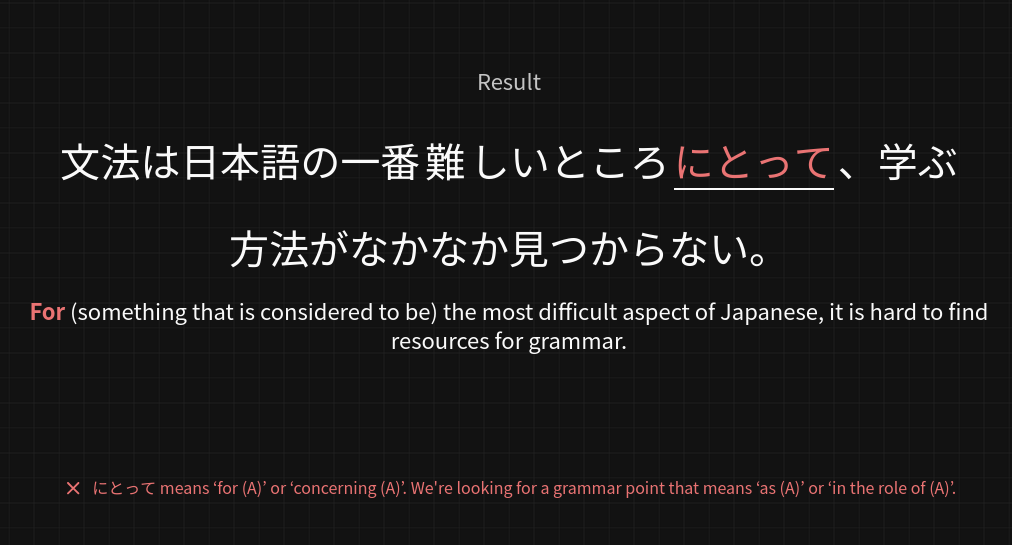
I’m thankful these hints are in place, but perhaps this one could use a little improvement:
The correct answer here is として.
It just seems super confusing to me that the question would ask for “for (A)”, and then the red hint would say “no, because that means for (A)”.
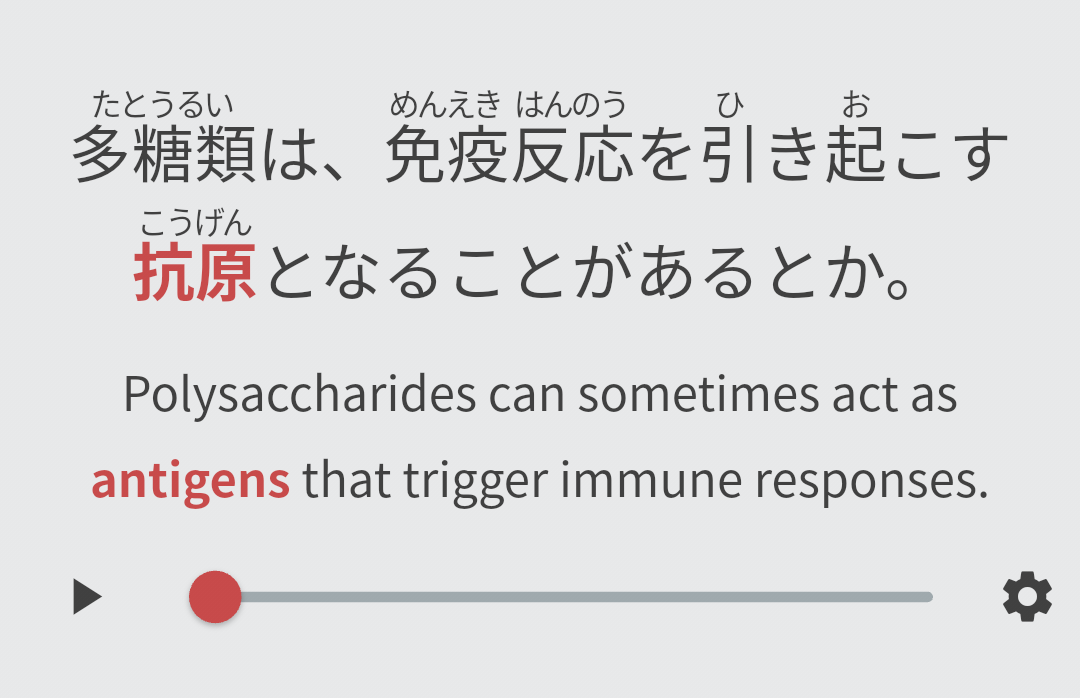
I hope words will be selectable to look up their definitions, but sometimes I wouldn’t mind a JLPT-style definition attached to technical vocabulary to help with context.
At higher levels there’s a lot of vocab that as a native English speaker I need to look up the English definitions for. Ironically the kanji gives a better clue than my understanding of Latin.
I do like the fact that there’s essentially no filter for the technical nature of topics covered in example sentences at N1+, but making it a bit more accessible would be nice.
It would be great to be able to have push notifications in browsers for when new review cards get added (configurable to alert only for new cards/total cards, grammar/vocab, similar to options in forecast section)
It would be really great to be able to customize the hints on the flashcards. In particular, the anchor words. A lot of the difficulty at N3+ levels comes from working out which grammar point is meant by ‘rather’ or ‘instead’, etc, when those words are used in a variety of grammar points. This is because the English meanings are very broad, and cover a wide range of narrower Japanese grammar points.
To me, that difficulty feels artificial. On some cards, I’m not learning the grammar, I’m learning that specific question + answer combo. Being able to use my own ‘anchor words’ in the hints would help focus attention on the grammar again.
Please revert Dusk accent color nav bars back to greyish this #281017 color is hideous.
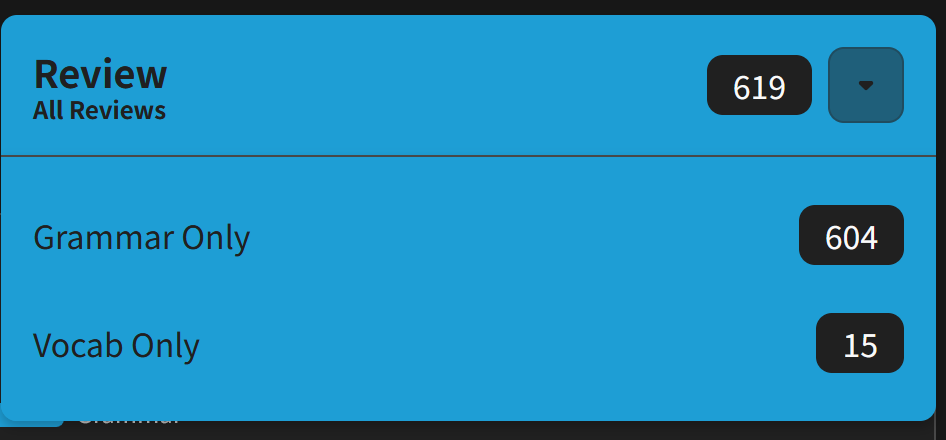
It would be nice to be able to further filter which reviews to do in a session.
Currently we can only select all, all grammar, or all vocab:
In addition, I’d like to be able to select question types, for example:
- only reading reveal&grade
- etc
I think different question types call for different mindsets, pacing, and also environmental factors. E.g. not typing when on the phone and postponing those until you have a keyboard and can properly focus.