
The N1 vocab list has many NSFW words, notably in the past 500 words. Apparently the NSFW filter doesn’t work. But even so, super casual NSFW words don’t appear in the JLPT, and probably should not be in the JLPT (unless they actually have appeared in the past, but I’d be shocked!)
1 Like
I’m assuming it’s just an iOS thing but often I’ll have a session time out and end prematurely, for example if I get distracted and have to leave the app for a few minutes. When I come back it’ll have disappeared and I’ll be back at the Dashboard (stats from that session won’t be shown either which is a shame). Can’t imagine it’s good for the SRS system either…?
1 Like
Currently self study sentences become new cards with their own SRS. I’d much rather prefer them to become part of the regular pool of examples the system draws from when reviewing. Not getting drowned in hundred grammar cards is part of why I use Bunpro.
1 Like
Is it possible to add an adjustable threshold for the Cram > Troubled Grammar and Troubled Vocab items? Seems right now it’s anything below 50%, but that’s a little low IMO. I’d like to set it to 70% and I’m guessing others would have their own value in mind.
1 Like
You can effectively do this by reducing the default hint level and then clicking the hint button to level it up again.
1 Like
I think you might have misunderstood me. This isn’t in the review tab. This is when you are learning an item.
I’m currently working through a lot of sonkeigo grammar points, and I’m not really interested in learning them at the moment. Therefore, I would like to skip them. Is there an option to mark a grammar point as “suspended” so I can come back to it later? Because if I don’t keep them active, they will remain in my “new” stack and come up everytime I try to learn a new item.
2 Likes
Sorry if this has been posted before. But If there is a feature for forcing all reviews per day, it would be nice.
For examples, my daily review are between 200-300. And most of them only come after 10 pm my time, which is my sleepy time and it takes a lots of time to finish well. Also, I am kind of a bit ossessive when it comes to finish daily reviews before bed.
I know that SRS work better with correct timer, but retention rate also work with a good focused mind.
So, if there is a button for forces those daily 300-or-so reviews to appear at 10 am, that would be great.
Sorry again for this trivia idea. I am just a guy who want to clear all my Japanese apps before bed.
Love Bunpro app and teams regardless. My fav Japanese app.
1 Like
Hello Bunpro team!
I’ve been working through some of the data of my personal study as a side project and I’ve been meaning to track total study time of things like Anki and total immersion. In line with this I’ve been trying to find a way to get my own study time data out of Bunpro but haven’t been able to find anything on the stats page, profile page or otherwise.
I’m aware that there are some statistics that are tracked by Bunpro that we don’t typically see (study time in minutes for example, as shown by the end of year wrapped summary).
I was wondering if it could be implemented as a feature for users to export their own study data in a JSON format or something so that we can use it for our own purposes. I’m really mostly interested in tracking personal daily study time and daily reviews for my own sake.
Appreciate the consideration
1 Like
@Alerean
I am looking into it, could you [PM] me more details.
Do not worry about SRS though, should not be affected.
@Hairymini
Thanks for the details  The clearly NSFW words have been marked
Hi, this feature is already available:
- First, ensure your timezone is set correctly in Settings > General.
- Then go to Settings > Reviews and change Review Queueing Timing to “Daily”.
- Press Update All and the reviews for each day will be available in the morning.
2 Likes
Thank you, I have not been paying enough attetion.
Feature request: a volume slider within the bunpro review app.
It’s possible to set the volume of the TTS/Japanese Speakers by playing around with the operating system mixer but that affects all other websites. It would be nice to have some granularity and to be able to set a custom volume within the Bunpro web app.
P.S. and also some shortcuts for it while we’re at it 
1 Like
The Tsurukame iOS app for Wanikani has an optional feature where it can automatically switch between English and Japanese keyboards for you, depending on the review type. I would love it if the Bunpro mobile app could add this as well.
I know you can do reviews by typing with the English keyboard and converting to kana, but I personally prefer to use the kana flick keyboard on my phone to get more practice with that. Switching the keyboards back and forth manually is very slow on my phone, so the automatic option would be a huge help.
2 Likes
I’m new Bunpro user, can anyone guide me how to do review for ghost only. When i make all reviews done, i want practice more only ghost session.
Thank you.
1 Like
Hey!
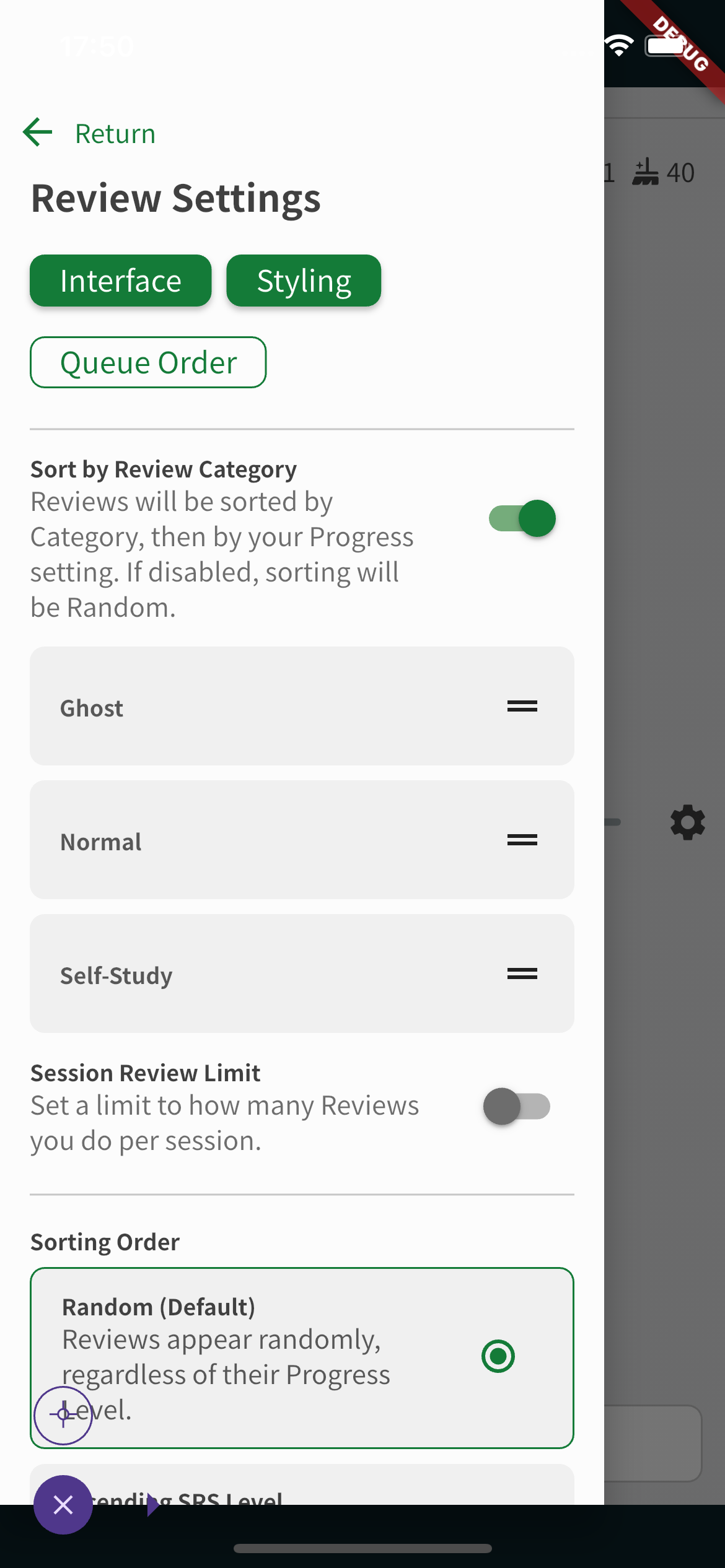
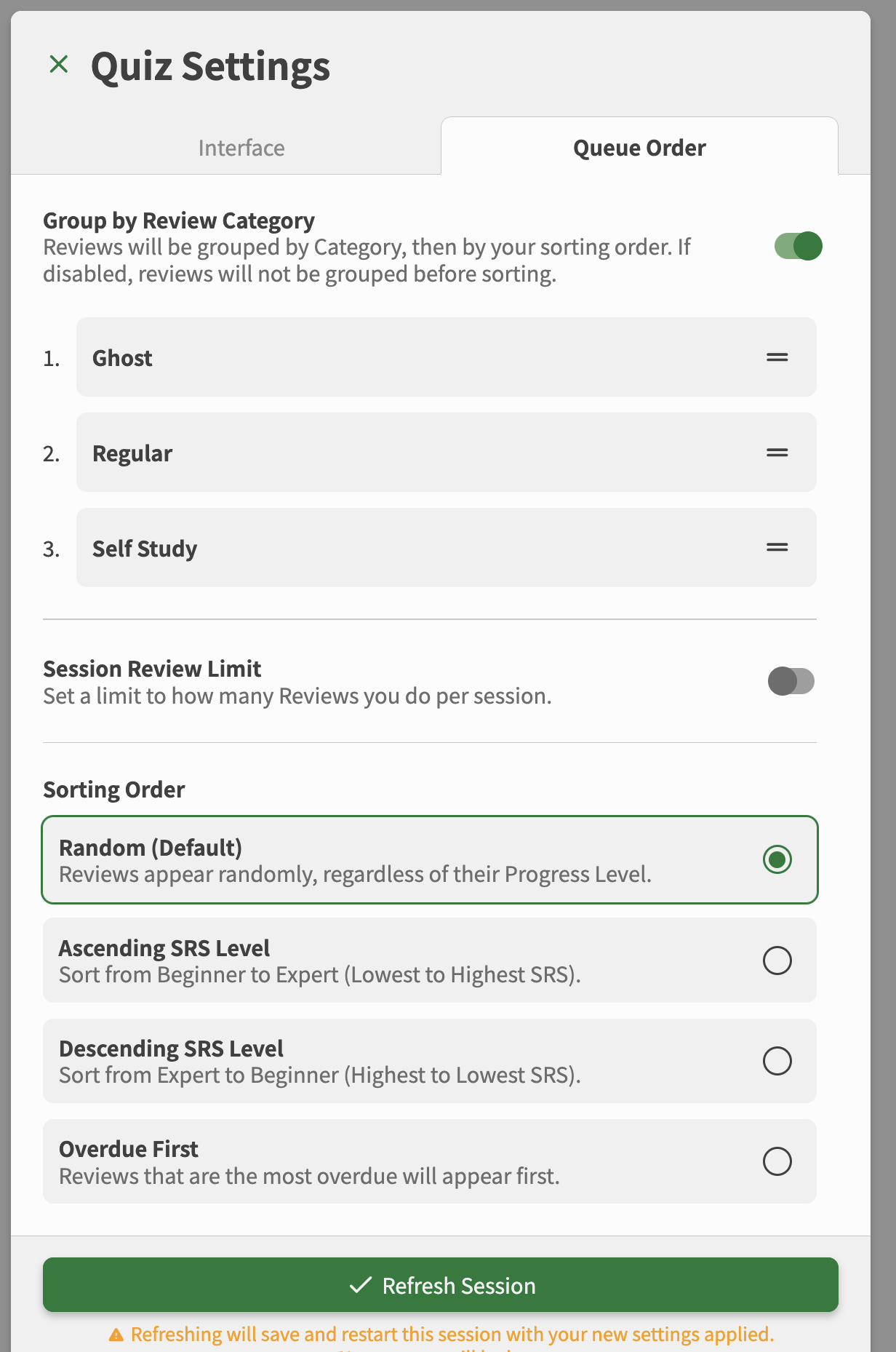
If you just want to review ghosts, I recommend to open review settings and enable sorting, and there put ghosts first. When you reach the last ghost you can just tap on ‘wrap up’ and finish them.
(website)
1 Like
For the love of all that’s holy. Please do something about the density of 尊敬語 and 謙譲語 in the N4 section. I went over about 6 or so different grammar points that are practically right next to each other and I keep messing them up because I’m overwhelmed by the many different styles of conjugations there are. Better pacing for this would alleviate some headache.
5 Likes
Thanks for helping.
But i mean quick way to do review for ghost only.
Similar to wanikani Recent Mistake secsion. When click on it, can do the same function as review but only for ghost item. We do not need to wait for it appear in review.
Happy if we have this function
I’d like the ability to set my badge to level 102. I think the drop down is gone or isn’t showing it as an option.