:bunpro_icon: Feedback - Suggested Improvements/Feature Request

I’ve been doing some Cloze reviews to polish my grammar.

Given the inevitability (and frustration) of synonyms and 2 ways to say the same thing, it might be nice if the “correct, but not quite right” attempts at a grammar review were listed, with their hints beside them. It’s a small UX change that would embrace the frustration, rather than try to avert it.

This could help mitigate a sense of going in circles. When you see a huge list of valid synonyms you’ve tried, it helps visualise how many synonyms you’re guessing from. And where a phrase has many alternative ways of saying to help compare and contrast those methods. It also helps revise those misses too.

For example:

“____ 寝坊したの?” (Answer is また)
Attempt 1 - 再び❌ - Searching for something less formal.
Attempt 2 - もう一度❌ - Searching for something less specific.
Attempt 3 - また✅

Maybe it’s a bit like Wordle in helping you build up clues to the correct answer.

5 Likes

Feature request: on the screen after being done with a review, you currently see the list of items you got right, and the list of items you got wrong.

I think it would be cool to have a counter that shows how often you got each item wrong in this review session.

I assume the information is already available internally since it’s used for the “minimal ghost creation” setting?

1 Like

Feature request:

I’m not sure if this feature improvement is already requested or have been implemented (I have look around and didn’t find anything related to it), but could you make it so that after learning new grammar / vocabs, make the quiz in random order? Currently the order of the quiz is the same as the order of the items being learn. Sometimes I know the answer solely because I remember the order.

Thank you.

1 Like

We made a change a little bit ago to have it work exactly like you mention, but it seems like something recently got tripped up in the system and reverted the change. Devs have been made aware and the fix will be relatively soon, thanks for bringing it to our attention! :bowing_man:

2 Likes

Hello,

Are there any ways to hide furigana for a custom set of Kanji ?

I do not use wanikani. So for now I set furigana on all kanji. However, with anki I learned N5 and N4 Kanji. But because brain is lazy, it always read furigana even for kanji I know.

2 Likes

Seems like it’s fixed now.

1 Like

I would like to be able to make my own “related” links from grammar or vocab items to other grammar or vocab items.
For example, some words (like もし) exist as both a vocabulary word and a grammar point, so it would be useful to be able to make a link from the vocabulary word to the grammar point.

Another example, I often confuse some grammar points with each other and I’m left thinking “So what’s the meaning of what I said?” In that case it would be useful to be able to put a link to my own commonly-confused grammar point.

If possible, I’d like if the ios app review notification (the red number that appears on the app icon) could update automatically. The app I use for Wanikani updates the number on its own, but the bunpro app requires me to open it and refresh to see if there are any reviews.

1 Like

This may be something already exists, so perhaps I just didn’t find it, but something I noticed is that since I synced my progress with WaniKani, some items have been marked as mastered, but I do not posses the ability to recall them in other instances, other than passive recognition, which is what WK is good at.
I was hoping there was a way to display or sort all studied material by level of knowledge, that way it would be easier to to custom reviews or changes to that content, like resetting it.
Again, perhaps this exists and I just haven’t fully explored the options, if so, please let me know!

Android app

  • Show furigana after a correct answer, like it does on the web version. If that’s impossible, show ALL furigana for one tap instead of making me click each kanji grouping individually.
  • Better support for offline/spotty wireless connections.
    • Stop showing the “lost connection” dialog
    • Record progress locally, upload in background
    • Full offline support
  • When doing reviews and you typo Japanese, sometimes it shows you the full answer instead of just saying “wrong.” I want the ability to turn this off. I abuse the undo button sometimes, but when it shows me the answer, it’s hard to know if I would have figured it out. There is no “Auto Highlight Errors” option in the Android app settings like the web UI has.

Web

  • RESOLVED: Disabling “auto-highlight errors” on the web UI as suggested below fixed this issue.
  • When I have wrong answers in my queue, don’t save reviewing them all for the end. I would prefer you mix them in with the new reviews. (It works this way on Android app and I strongly prefer it.) Benefits:
    • The end of a review session is painful. Sometimes I just wrap up early to avoid a huge backlog of wrong answers at the end.
    • I think I just learn better this way.

Wanikani integration

  • I only want to add Wanikani vocab that includes fill-in-the-blank sentence translation style reviews. Otherwise, I prefer to just use Wanikani to learn the vocab, as it already does the same thing as Bunpro. Currently, when they get added to my queue, I just mark them as mastered if they don’t support fill-in-the-blank. I want Bunpro to do that automatically.
2 Likes

Just tested this myself and I think this is what you’re referring to - go to Settings > Reviews, then under the Review UI you’ll see ‘Auto Highlight Errors’. Let me know if that’s what you’re looking for or not!

1 Like

A tinder like feature to filter out vocab that you already mastered, it’s tedious with the current vocab panel

1 Like

Any chance we can get an update to offline/online resources? To my knowledge we are still using Genki V2 pages despite the update some years back and for at least the official bunpro quartet grammar book the pages are not in their at all.

(I would also like to request the ability to add personal books if possible of even a community section?)

Responding to my own feature request here. For 8 months, I’ve had a workaround for the “unable to copy the review question text” problem (Android app). I would jump to the lesson and find the example problem there, where copying was possible. It wasn’t convenient, but it worked. Tonight for the first time ever I encountered a review sentence which was not an example in the lesson… meaning it broke my workaround.

So… one more plea for the ability to copy from the review itself. :pray:

Thanks! Do you know if the same option exists on the Android app? I can’t find it and it didn’t sync the settings with the web app.

Doesn’t look like it’s in the App yet. I’ll pass it along to the mobile dev but it probably won’t be added for a little bit as there’s some higher prio stuff getting worked on, but thanks for bringing it up!

1 Like

The Cloze UX is really poor. I wish the hints distinguished between:
a) grammatically incorrect
b) grammatically correct, but wrong nuance/politeness/usage
c) grammatically correct and correct usage, but asking for a different item.

At it’s core the Cloze system asks the user simultaneously to:
a) Select the appropriate grammar point.
b) Select the correct nuance.
c) Conjugate it correctly.
d) Select the correct synonymous grammar point.

Some of these have to be constrained in the question, otherwise I’m just hopping through hints. At what point do I mark a question I got eventually correct, but with hints wrong? Even if I am cycling through hints, that doesn’t actually test whether I understand the nuance/politeness of the grammar.

Having a blank box to type into is useful because you cannot just reverse engineer an answer like in Duolingo, for example. However, most textbooks don’t test grammar points like this. They usually test conjugation, or correct usage, or both at once in highly constrained settings.

I think the Bunpro UX would benefit from a separating out the “selection” of the correct grammar point/nuance/politeness and the conjugation like many textbooks do.

The search function could be better. When I type no or の in the app I don’t see the grammar topics の. Instead I see, もの、だれ、上で etc. Even after scrolling all the way to the bottom, it’s not there. I started thinking it wasn’t included which I found disappointing. But then I go to N5 grammar and it’s right there? Why didn’t it show up when i searched it? It’s really annoying when I’m looking for a particular grammar point to go through.

1 Like

So in the JLPT vocab decks, I get the feeling that a lot of the words aren’t necessarily words that were asked on the JLPT, but words that were introduced as part of an educational passage for the reading comprehension section. I was doing an audit of the lower-level decks and noticed some very surprising vocab in N5. One that jumped out to me as being the topic of an essay and not actual vocab was “halal meat.” Like, I can’t imagine any teacher in 1-2 year Japanese putting that on the board, but I absolutely have read passages in the essay portion of practice tests explaining things like that, that might be considered culturally interesting for the test taker. Being a katakana term it’s probably not a great example of being out-of-level, but it feels like an indicator that the definition of “was on the N5 test in the past” is being used very loosely. There are definitely some words in N5 that feel more appropriate for N3 or N2, but I don’t have the time to go back over the list to pick them out. The N5 list feels like a comprehensive list of all the words I knew when I passed 2-kyu 20 years ago.

Would it be possible for someone to go through the lower levels and do a gut-check purge of words that might be used for flavor in lower-level exams, but which the test taker isn’t exactly expected to know?

1 Like

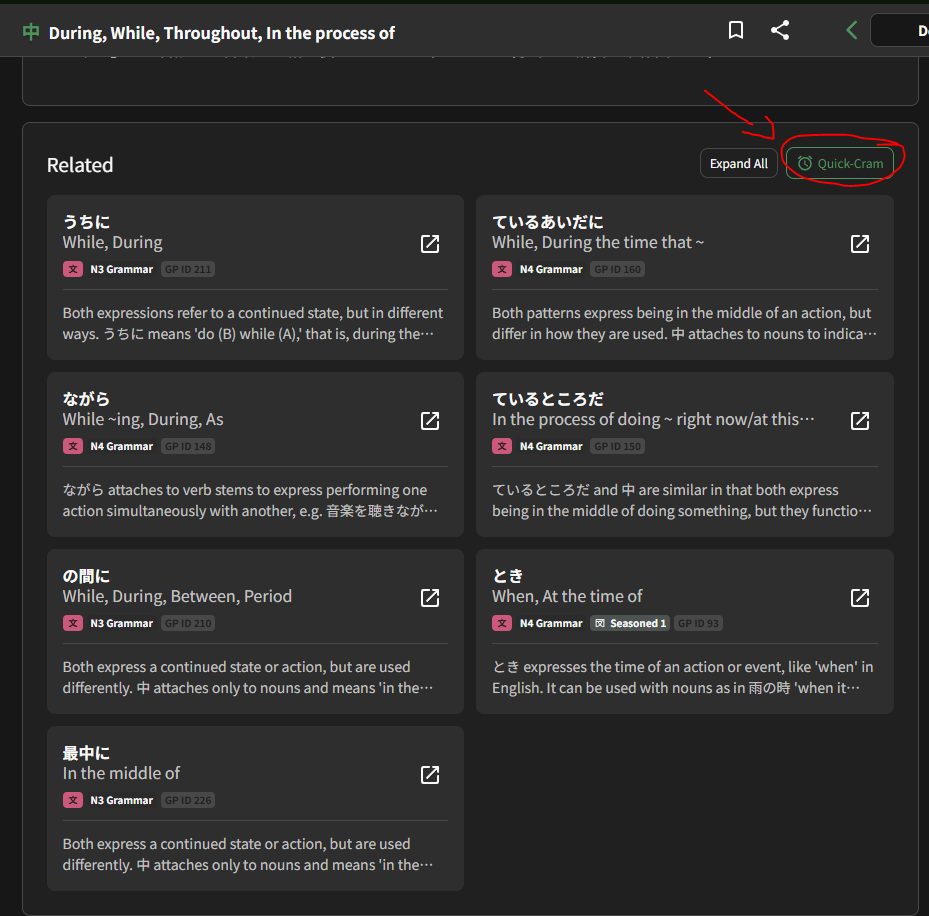
Feature request: an on-site drill mode specifically for nuance differentiation between grammar points that learners have already unlocked. Something like a “contrast practice” feature where users can study and get tested on sets of similar or easily-confused patterns.

Example sets:

Marking durations

中(ちゅう)

中(じゅう)

間(あいだ)

Obligations

なくてはいけない

ないといけない

なければいけない

A feature like this would help reinforce subtle differences that don’t always stick through normal SRS exposure alone. Being able to drill these side‑by‑side would make the nuances much easier to internalize.

6 Likes