:bunpro_icon: Feedback - Suggested Improvements/Feature Request

In fact, immediately after writing this, the book shoves 3 separate grammer points into one, while the official bunpro book only has one of the three listed, but then expanded another separate grammer point, into two separate points.

aka Quartet Chapter 6 has
① ~(とう)わけではない
②からみると・からすると・からいうと

But then the official Bun has
①わけではない
②とうわけではない
③からみると

with no mention of the other two forms すると・いうと

I think I have the answer for you. Inside the Deck, click this lil’ button here to Clone the Deck.

This basically makes a copy of it and puts it under your Deck area where you’re able to make any changes and adjustments to it as you see fit, without it changing the original Deck. From here you’re able to move Units around in different orders, add/remove works, etc. Depends on the scope of how much you need to change, but don’t think it should be too terribly annoying to get it all done.

Let me know if this helps you or not! Will see if there is anything else I can do if not. :male_detective:

That is a bandaid to a site-wide issue imo. If I wanted to do that I could have, but why go through the extra steps on my end you know? Plus I’m pretty much done so it’s more of for the next set of people that potentially use it. Planting the tree type deal.

Genki needs to be updated to Gen3(offline resource$ don’t exist for gen 3 and they don’t match with gen 2) same with Tobira having released a new book this year.
Having an official quartet vocab list.
Shinkansen master is becoming popular recently too.

Honestly resource management could probably be its own part time position.
Finding which community decks are made to support books and turning them into official decks.
Go through and mange popular resources used whether it’s offline or online and which language it’s in since bunpro is slowly moving to also having Spanish as I recall. But also if it’s immersive Japanese or not.

Anyway, when it comes to something as this, My role as a user should be to remove, not have to add or alter an “official” deck to ensure it matches what I have.

Maybe a role or tag can be made for volunteers if a community deck gets converted as well? Since many community decks do exist but it might look good for the site/community to make it feel like we are adding to the site we like.

1 Like

I agree, though my Clone suggestion was merely to answer your question about how to move things around. A resource cleanup is planned for later this year, but users submitting bugs/feedback like yourself help expediate things along. I’ll see what I/we can do it about it in the meantime though, especially in regards to your last paragraph.

3 Likes

Excellent! Continued thanks for all your hard work!

In a few weeks it will start the pride month. What about adding some pride flag pins to the b-point shop?

6 Likes

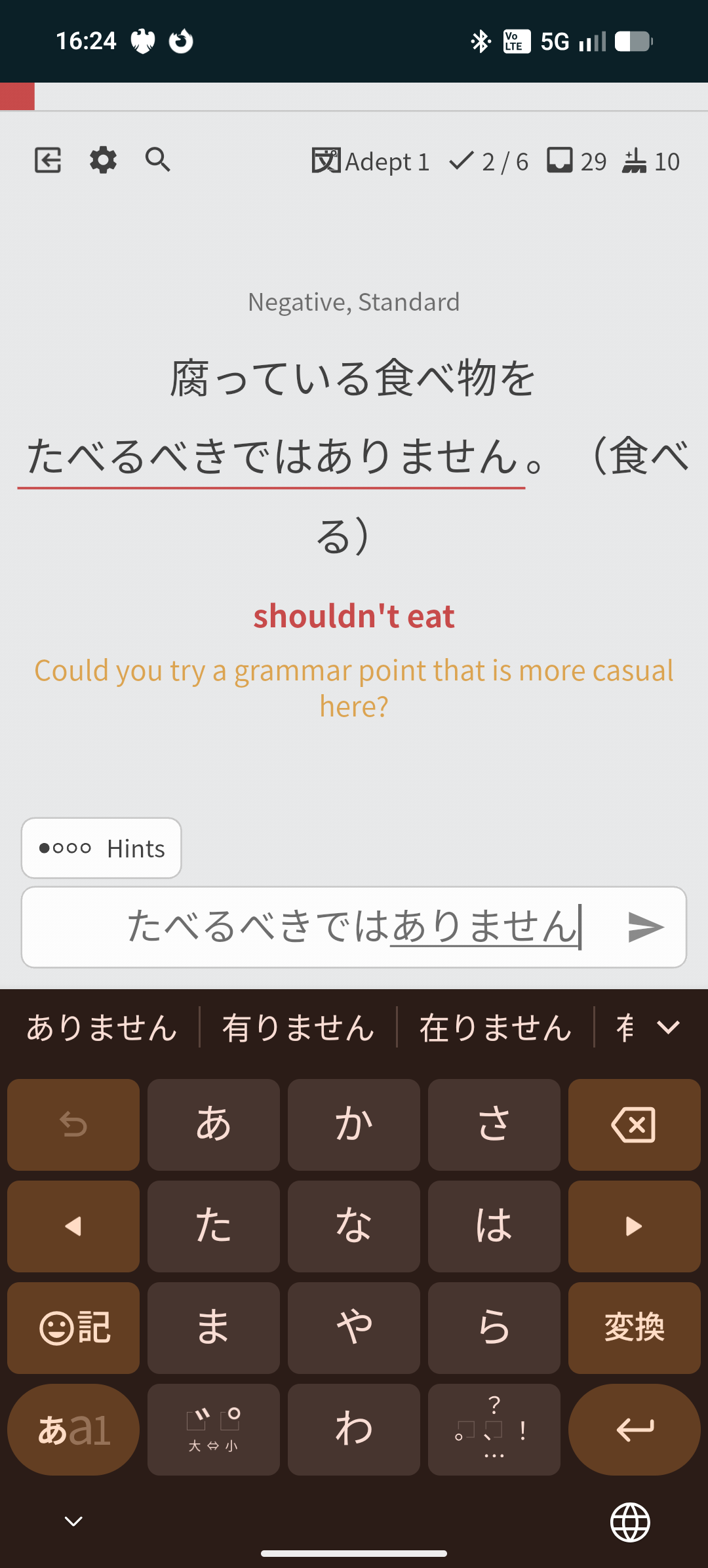
Instead of feeding back “Could you try a grammar point that is more/less polite?” when you get the politeness register wrong it would be more intuitive if it just said “Check the register you used.” or similar. Trying a different “grammar point” suggests I should try something completely different.

2 Likes

Do you have a specific example of this (preferably sent in through the bug report tool)?

The hint “Can you try a grammar point that is more/less polite” should only apply to actual instances of us wanting an entirely different grammar point. Our standard hint for mistakes in politeness is “Can you check the tense hint”.

It’s happened so much that I thought it was a stylistic choice. I will report them as bugs, but I would typically report one-off exceptions than persistent issues in the content.

In this example ありません is a different grammar point from ない even though what it’s looking for is べきではない. I don’t believe those 2 are actually distinct grammar points.

I have reported this too.

1 Like

These are fixed! Thank you for letting us know about them! :fire:

The standard should be “Check the tense hint”, and I believe it is that way in almost all cases. :muscle: (I’ve spent a LOT of time poking around the hint data for our grammar points)

If you find any more cases, feel free to reach out and we will get it addressed. :bowing_man:

2 Likes

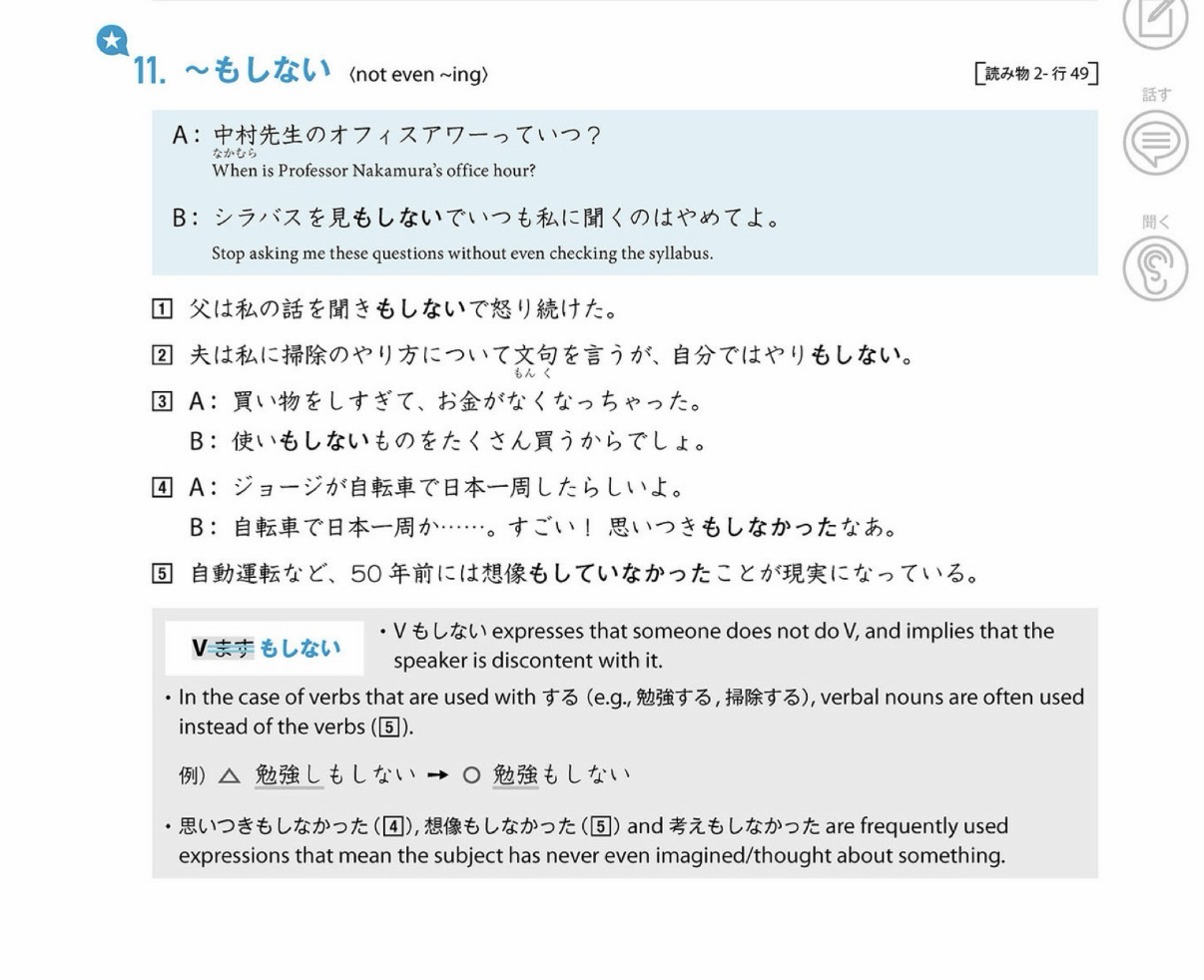
Can you add the grammar point もしない?


It is in Quartet 2, Lesson 9

2 Likes

thank you!

1 Like

I accidentally hit the button so that the warning pop up when using the undo will never show again. Is there a way I can bring back the undo popup or reset the “never show again?”

もせずに (grammar point) as in Minna no Nihongo Intermediate II Lesson 21 would be a nice addition to have :slight_smile:

Under your Settings > Reset, you should be able to see this option to do exactly what you’re asking for:

Hope that fixes it! :male_detective:

2 Likes

I have a small suggestion for the Wanikani import that I think would make sense…
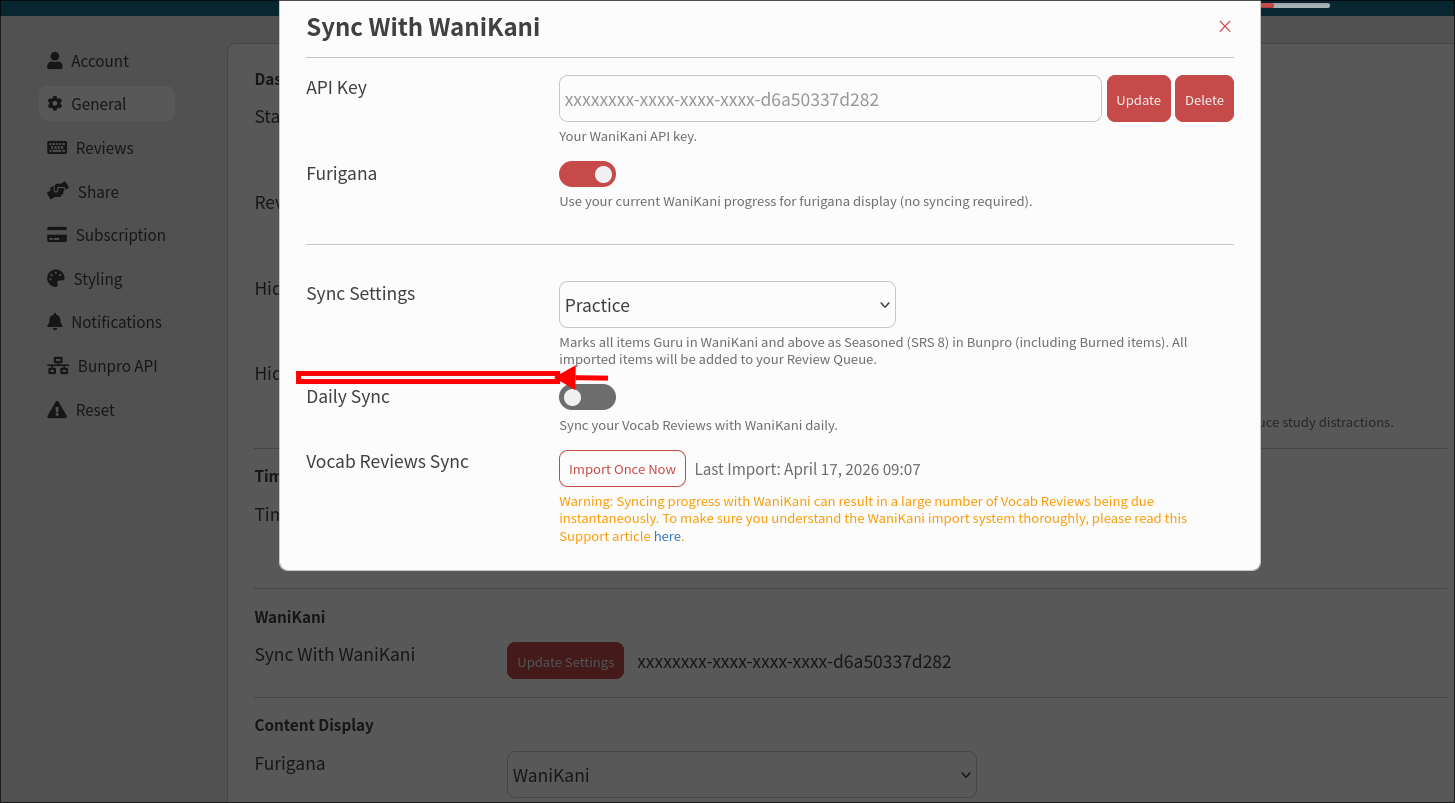
Currently, when I trigger the import, the imported items don’t all belong to N5-N1 decks, but also to decks like A15 and E1. My problem with that is that those don’t have example sentences and they only support the “Translate” review type, but not the “Fill-In” review type.
This makes the review of those words essentially the same as Wanikani, meaning just translating Japanese to English. But a big reason why I’m currently using Bunpro (besides amazing grammar lessons, of course) is learning the words the other way around (English->Japanese) which really helps me speak.

So, my suggested improvement is as follows: In the Wanikani import settings screen, would it be possible to add a dropdown that would let me decide to only import items that support the Fill-In review type?

That’s where the I have the biggest gains from the time invested in the reviews, and the other words wouldn’t weigh down my review pile :slight_smile:

Here’s a possible spot for adding this:

I hope this makes sense!

EDIT: You might wonder, why not just import them as mastered and that’s it? Well, I planned to use the “Practice” sync setting because I do want to practice all the items :smiley:

3 Likes

Thank you!! I reset them on the site! I was looking in the IOS settings and couldn’t find anything I appreciate you pointing it out!

1 Like

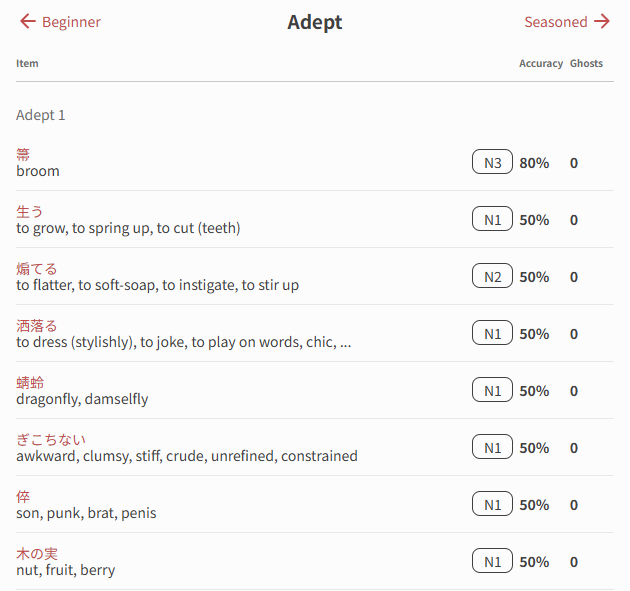
Would it be possible to have a view of how many cards I have on a per level basis e.g. Adept 1/Adept 2/Adept 3 respectively? I would find a simple number next to each rank would be very helpful.

Currently I estimate I have 600-800 cards in my Adept 2 pile, but this is based on: Measuring how fast the scrolling is on a known number of cards (e.g. Adept Grammer points), calculating that the app scrolls at ~60 cards a second, measuring the remaining number of cards in Adept 2 at around 10 seconds to scroll from Adept 2 to Adept 3. How do I know when I reach Adept 3? The app has a huge stutter when loading the Adept 3 pile, so it stops my scrolling. Anyway, thought I’d share a slice of my madness.

1 Like

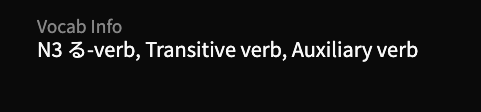
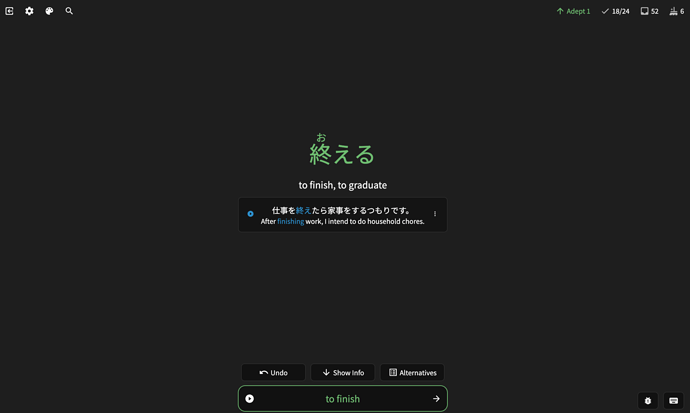
I think it would be good to show general info of an item
image
When we correctly guess it in the review page
efcd5c8bdbad9359ae55f72a719ce5aceebdee8e_2_690x413

3 Likes

I’ve been reporting a few more weird hints. The issue of a です/ます form suggesting a “More casual grammar points” instead of “Check the tense hint” seems quite common.

Another thing I’ve seen a few times is where I’ll put in a different grammar point and the hint references another grammar point. e.g. for なかなか~ない I put in ほとんど and the hint came up referencing めったに. This is reported as well.

I wonder if because I learned Japanese for 7 years before Bunpro I end up breaking the hints with “correct, but not right” answers which might not see the same level of testing as people learning from the ground up with Bunpro.