:bunpro_icon: Feedback - Suggested Improvements/Feature Request

Feature request: Please add the same keyboard hot keys to the iOS iPad app that the web version uses. (In my case specifically for flashcard style reviews; Add spacebar to reveal answer and 1+2 keys to mark wrong/correct.)

I prefer using the app version because wrong answers get mixed in with new reviews - which unfortunately doesn’t happen in the web version. But when using the app docked on an iPad, I’m forced to use my mouse to reveal and select answers.

2 Likes

Will try to add them for the next release!

2 Likes

Geez, that was quick. :stuck_out_tongue:

Thanks in advance, hope it works out!

1 Like

I’ve brought this up in here before, and I doubt it’s going to change. But in my ongoing battle with Bunpro about this…

Every so often there’s a word that has all of these synonyms and nuanced ways of translating it crammed into the reviews. It undermines the learning through repetition that reviews are meant for and I have a hard time seeing the sense in structuring it this way.

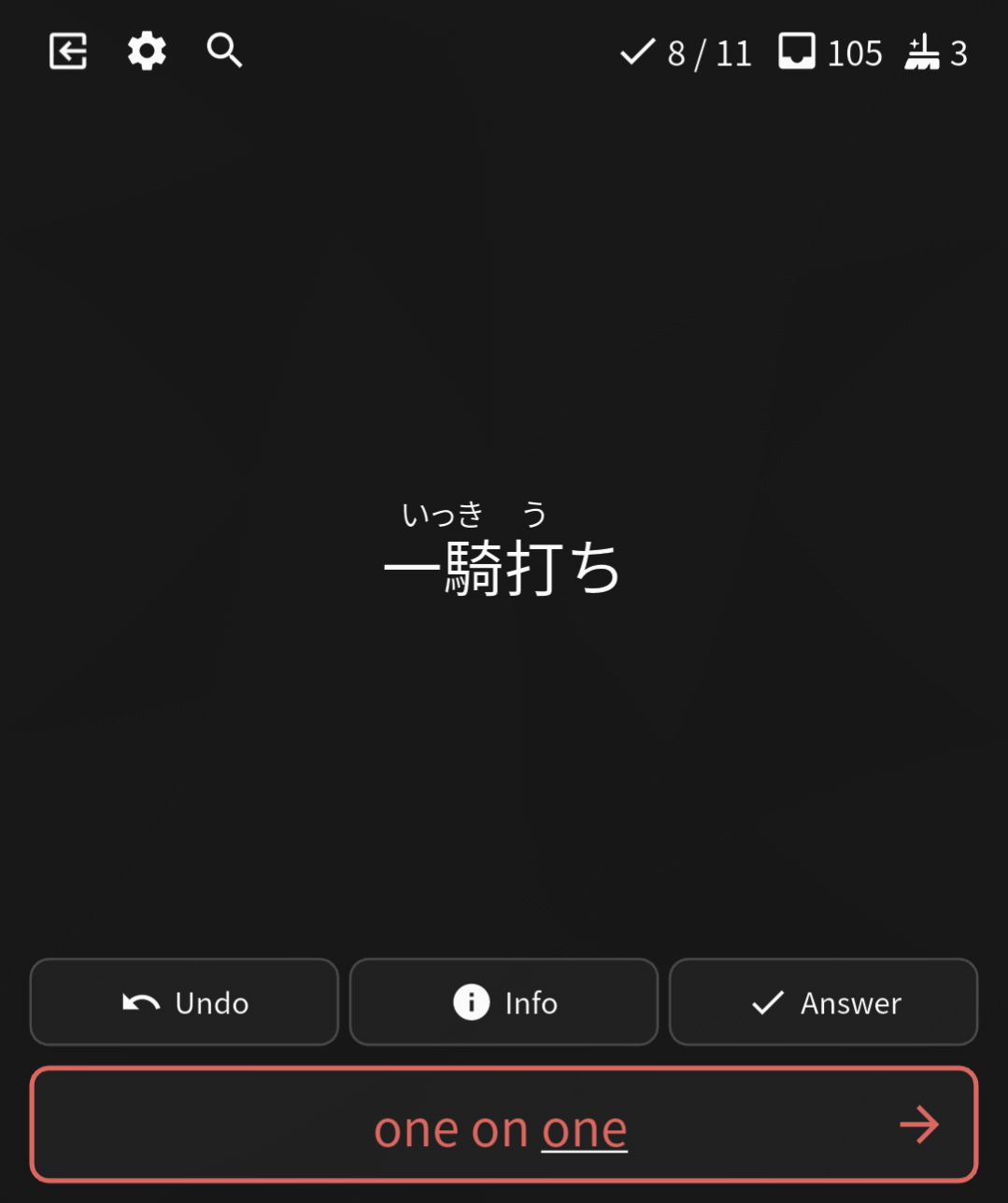
Today’s exemplar is 取れる. Literally each review is unique and uses a synonym of or deviates in nuance from the listed 20+ dictionary definitions. So, my suggested improvement would be to break it up into separate vocab where the definition drifts enough, similar to how grammar cards are (e.g. かと言うと).

1 Like

Hello,

Sorry if this feature has already been suggested, but I would like to propose something like this.

Currently, after a review session, there are two cram options:

  1. Cram missed items
  2. Cram all items

I would like to suggest adding a third option: Cram items that were not wrapped up during the review session.

Example workflow

  1. Complete a review session.
  2. Some items are still not wrapped up because I haven’t fully memorized them yet.
  3. Finish the review.
  4. See a button that allows me to start a cram session containing only the items that were not wrapped up.

This would make it easier to focus on the items that still need work without having to cram all items or only the ones that were missed.

2 Likes

Feature request: ability to add wrong answer as synonym and mark as correct upon failed review.

For example in this case if I could just click a new button like “add as synonym” I could just mark this answer as correct and add the synonym all in one fell swoop.

Instead I have to hit “Info” then go down into the page and add the synonym manually then go back to the failed review, and then input one of the other accepted definitions (not the synonym, since synonym only takes effect on the next review). You can see how this is quite cumbersome and messes with the review flow.

2 Likes

@BoshkaS

Agreed, I’d like to see this. Especially the last few things in a review session. I know that if I ‘remember’ and get them right, it’s only because there are so few items left and recency lets me pass them. For those I also don’t wrap them up, and instead just let them come up in a future session. Experience has taught me never to wrap up things I got wrong, because I really don’t remember them properly yet.

To be honest I sort of wish there was a “speed session” or “strict session” option, where you either pass or fail an item and that’s it. If you fail it just goes back into a future review session, and you can’t progress it anymore that session.
I feel like if you can’t get it right the first time in a session, there’s not much point being tested on it again so soon. If you need to see it again and again to remember it, that’s what cramming is for right?

1 Like

@Alerean

It’s worth noting that when you repeat the item during Wrap Up, even if you get it right the second time, it’s still counted as wrong overall.

So Cramming it after getting it wrong the first time so that you can get it right during Wrap Up isn’t going to change anything in the SRS (apart from you getting more practice with it before the next time it shows up)


I feel like if you can’t get it right the first time in a session, there’s not much point being tested on it again so soon. If you need to see it again and again to remember it, that’s what cramming is for right?

This is a fair enough statement.
Maybe a “No Wrap Up” option is more what you’re after?
And then just cramming your Troubled Grammar / Ghosts?

@Sean

Good to know, thanks!

And yeah, I agree. Disabling wrap-up and then cramming troubled items later sounds like what I tend to do. It means focusing on quickly getting through easier reviews first to catch up and leaving the harder stuff for later.

It’s been talked about a lot but I think a snooze button is also worth thinking about in this context. I think we all sometimes have the occasional review that comes up and we just don’t have the energy or will to tackle it.

1 Like

Hi Bunpro team,
Not sure if it’s been suggested before. But, it would be cool if when you’re doing your N3 grammar (for example) reviews and the sentence contains an N3 vocab word that you haven’t studied, if there were an option to add the word to your reviews.

I currently do this by searching the word in a separate tab, as a way of adding vocab as I encounter it. But it word be convenient if there was an option in a hover-over popup or something like that.

3 Likes

This one is very high up on our to-do list

3 Likes

It would be nice if I could pull ALL the reviews of the day on demand, instead of having to wait hours for them to pop up on the review list.

My use case is that I do reviews once a day, but not always exactly 24 hs afterwards. Sometimes I do reviews at 4 PM, sometimes at 8 PM, sometimes at 11 PM. Sometimes I do a second cram round but that’s another story.

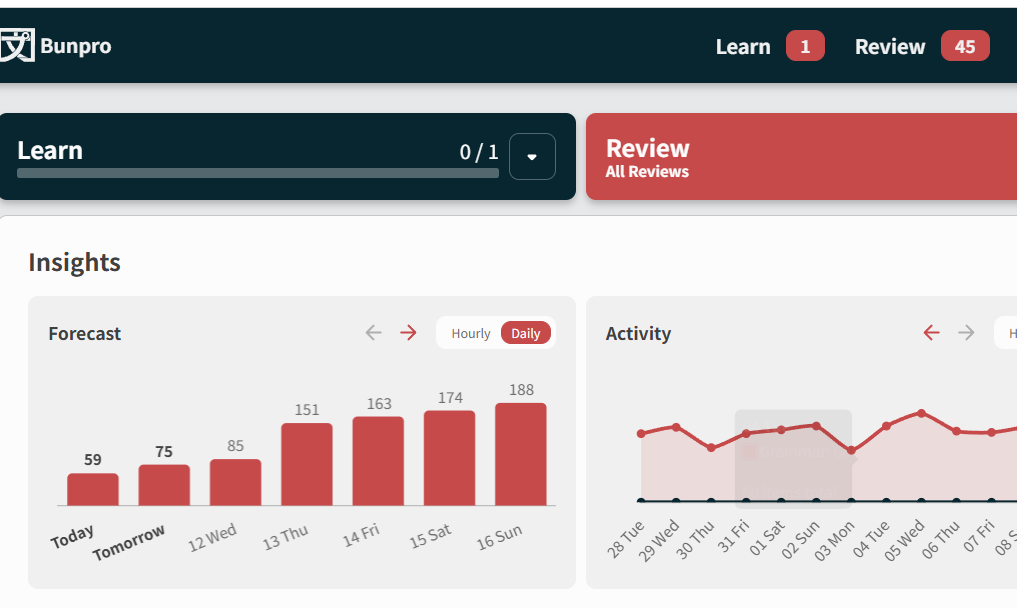
If I do my reviews earlier in day and the previous day I finished my reviews late at night, the Review count will show 40, but the Forecast for the day may show 55. That’s because the 15 will pop up a few hours aftewards. By that time I’m done with Bunpro for the day (either sleeping or studying something else), so I’ll get those 15 leftover reviews on the next day, which on some days pile up quite a bit.

The SRS algorithm seems to consider hours or perhaps minutes. I doubt in terms of grammar, a matter of mere hours is going to hurt the efficiency of the algorithm.

EDIT: Nevermind, the different values in daily Reviews and due for today was caused by Ghosts

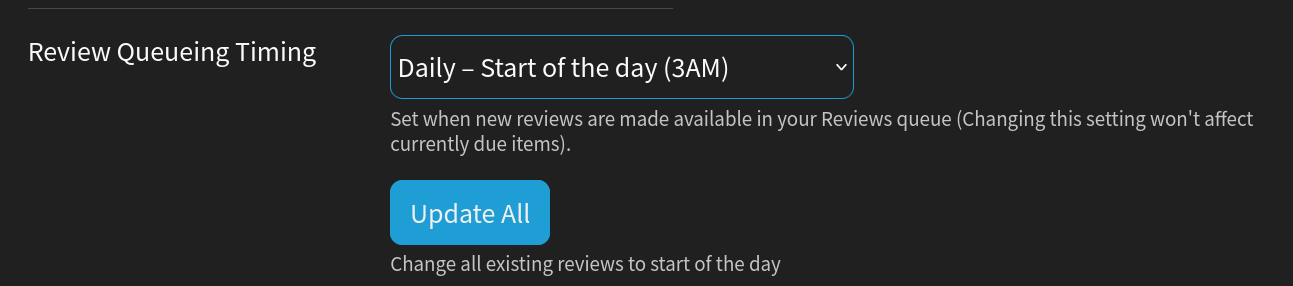
Well, there already is a setting to change when the new reviews become available (hourly or daily)

1 Like

Feature request here

It would be great to have a feature for pronunciation and pitch accent visualization, displaying the pitch waveform of the native recording alongside the user’s microphone input, so you can visually compare your pronunciation and pitch accent.

Few examples of such thing would be: “Emurse.io” or “Aomi Japanese: Speaking”.

There are even some tools with documentation and description that explain the very problems of building such apps:

1 Like

I have that set up as well with Daily - at 3 AM. Maybe I’m misundertanding how it’s supposed to work?

This is what I get. I finished my reviews yesterday at around 10 PM.

Now at 3 PM, there’s a difference of 14 reviews that will pop up in the upcoming hours.

EDIT: Nevermind, the different was due to the Ghost reviews.

1 Like

I usually have it on hourly, so there is a possibility I do not completely understand it either. I set it to daily, and updated the reviews, and I see a few upcoming reviews before 3 AM as well.

I did not think about this before, but it probably works so that if the review is due before the next day 3 AM, then it will appear in the hour it is due, which would make sense as the first 2 SRS levels are less then 1 day long, so they would lose their purpose. But as you only do reviews once a day, for you they did not have a purpose to begin with. Maybe a switch to turn this feature on and off could help people with schedules like you…

1 Like

Hello!

Not sure if this counts as a feature or not, or has already been discussed, but in the settings options, I would really like if there was a “reset all to default” option for all the settings that I may have changed regarding the SRS, the study settings themselves, or anything of that nature, and everything goes back to the “bunpro reccomended” settings and study habbits. I would really like this in both the “general” and “reviews” settings areas, but anywhere convenient would be nice. Either that, or more areas in those settings that make it clear that a certain option is the default setting. I sometimes like to play around with settings just to see what they do, and sometimes I need to figure out how to go back to the default setting, which isn’t fun sometimes. It also messes with my anxiety for things to be put back to normal :rofl:

Thanks!

Hello, It is a small thing but why are the vocabularies put into “lessons” at random? I found two opposites of the same vocabulary in separate lessons, while if they were kept together, it would help people to memorize two at the same time. Same with topics on the same subjects. Having all the vocabularies talking about “finance” or “relationships” together would help memorize them I feel. just a thought. Thanks

1 Like

It would be great if the app version could be slightly improved.

First, could we have our notes appear at the top of the card entry, as they do for the PC version? Right now you have to swipe down a fair way to see the notes you’ve written.

Second, could we keep the formatting consistent between the pc and app versions? Right now, if I spend time using the color options on my pc notes, for example, those colors do not show up on the app. Equally, applying bold font on the PC also turns the text blue, but that is not the case when I look at that same note on my ipad.

1 Like

How many ghosts do you have? I get post 3AM reviews too, but they’re purely ghosts. Ghosts operate outside of the regular SRS timing, and their time associated with the ghost level (1-4) has to run down first. They gotta incubate before they’re loosed upon your review queue, lol. This is most notable with ghost 1 and ghost 2 reviews, since the timing is so short.