Grammar Library Beta – Feedback Thread

Hi all!

Gonna keep this post short – we’ve released a Beta for the new Grammar Library (previously Grammar Points) to the site now.

If you just wanna check it out quickly but don’t want to permanently switch to it, you can directly visit this link:

https://bunpro.jp/beta/grammar_points


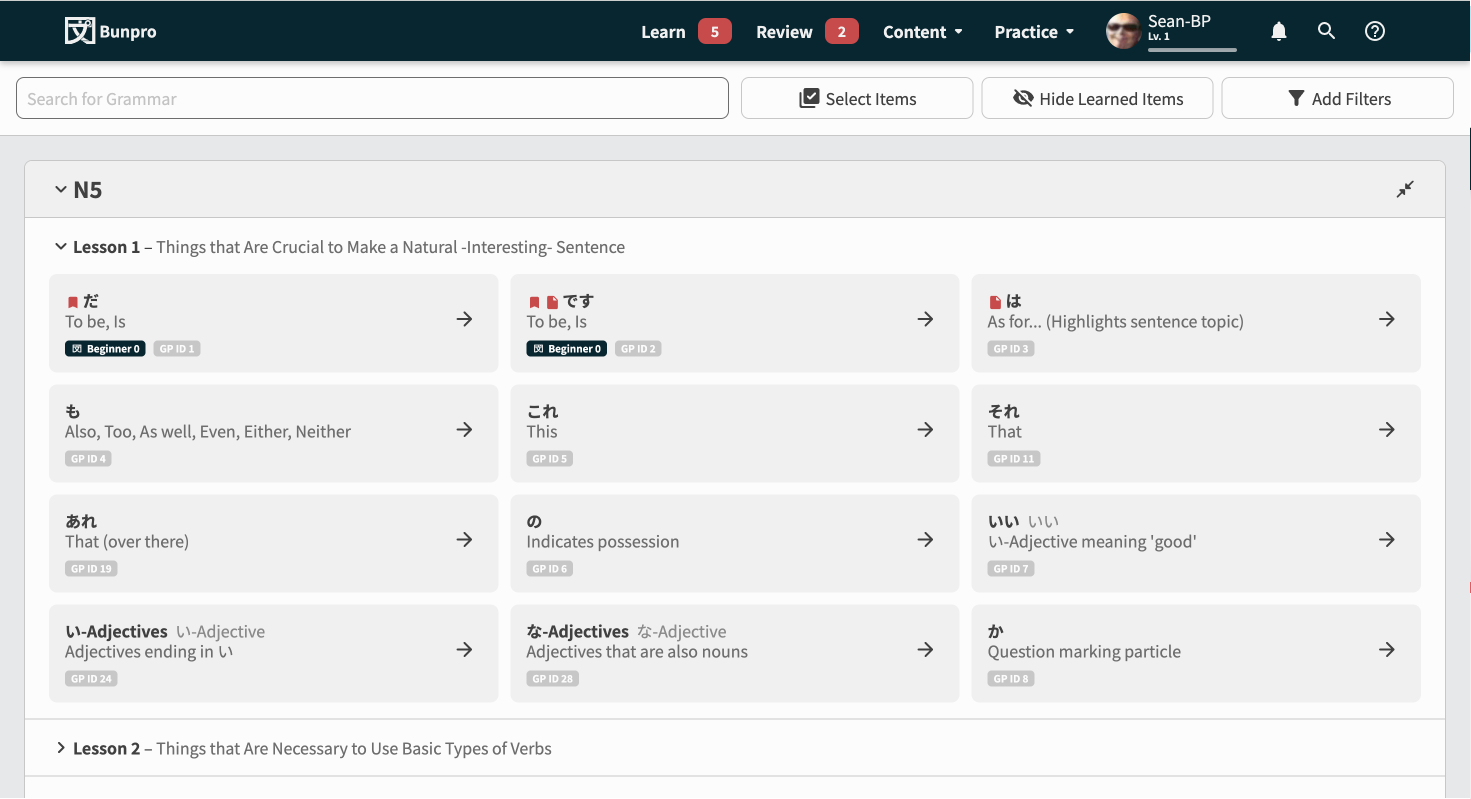
Some Screenshots

Features

Overall the base experience should just feel a lot cleaner/snappier now.

But we’ve also added:

Tiered collapsible section system

Lessons and whole JLPT Levels can be collapsed to hide information
Lessons will remember between sessions if they’ve been collapsed or not.

Multi-select + batch action system

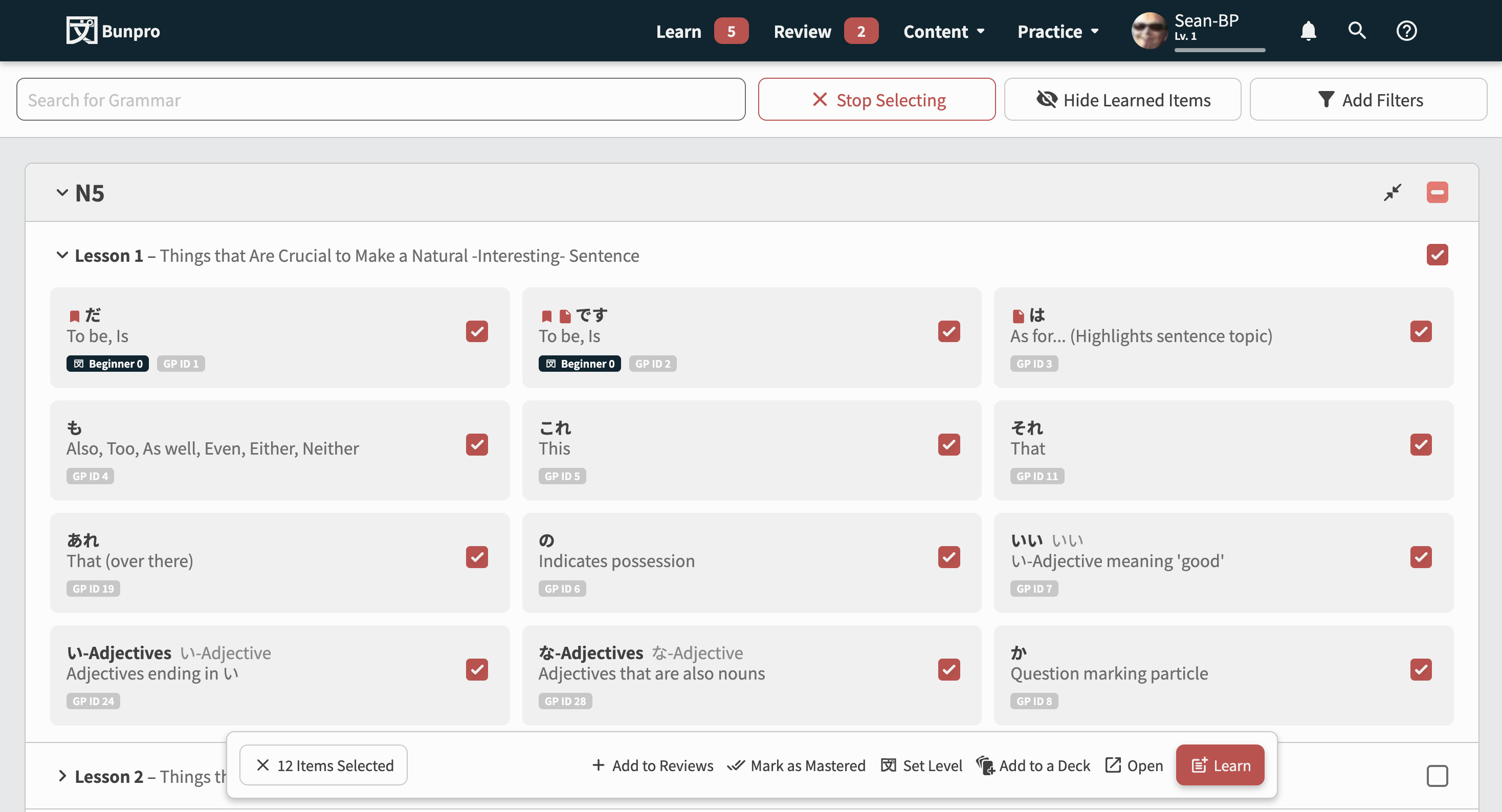
As you can see in the second screenshot, we’ve implemented a system that allows mass actions.

This is the biggest feature introduced with this Beta.
You can do the following actions on large amounts of GPs without it crashing/lagging/breaking:

  • Add to Reviews
  • Mark as Mastered
  • Set (SRS) Level (NEW)
  • Add to a Deck (NEW)
  • Open (NEW)
  • Learn

We’re looking for any and all feedback related to how it looks and feels (and of course any creepy crawlies (bugs) that have got into the code).

Please comment below! :point_down:

Thanks!
The Bunpro Team :bunprogold:

15 Likes

Overall, much better experience than the previous Grammar page!

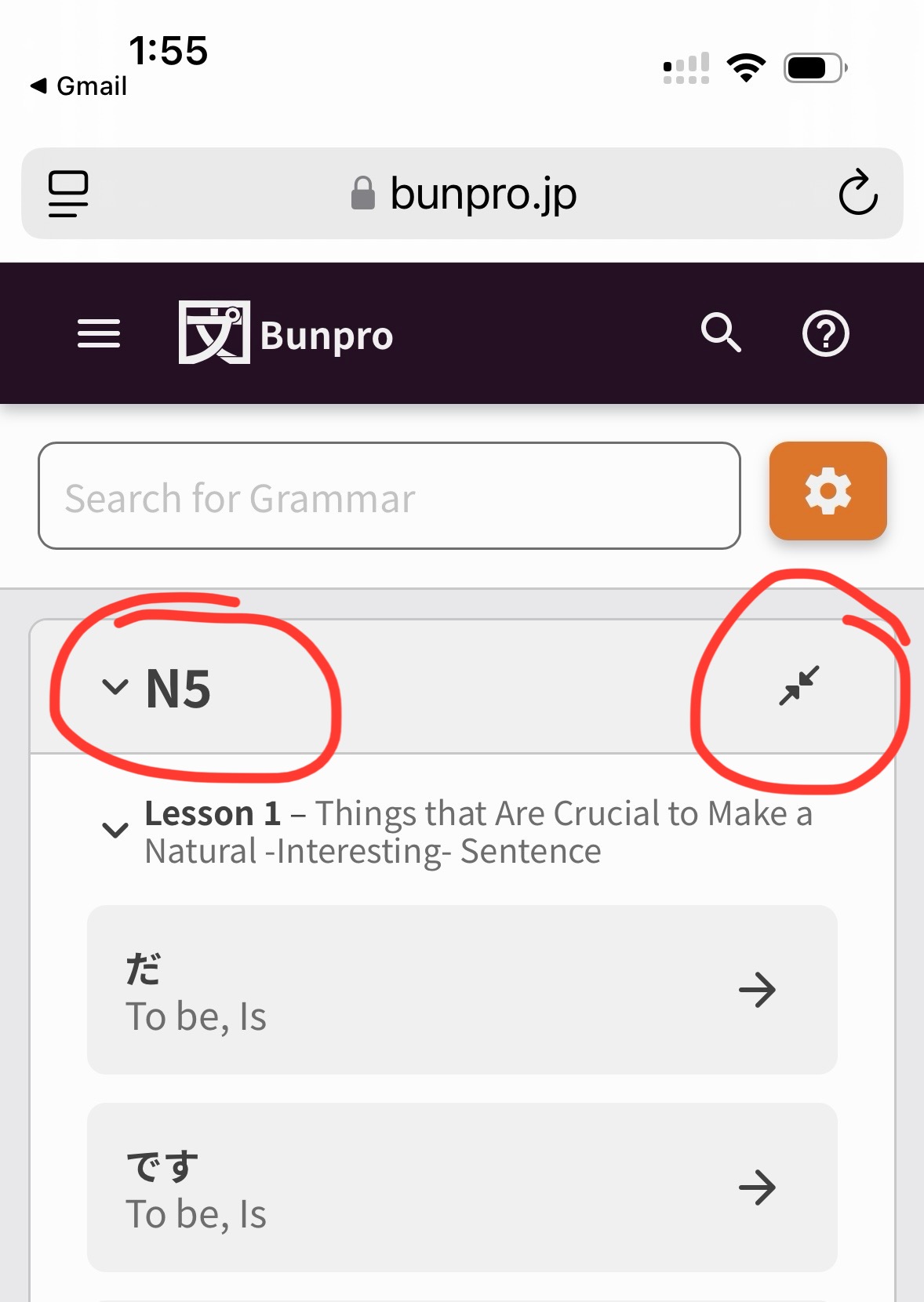
One small feedback item though about iconography. I’m not sure if maybe I’m missing something, but is there a reason for the additional icon in the top header?

It’s standard UX practice to use “V” “>” to indicate if an item is collapsed or not, which it seems is already happening next to the Nx indicator, so I don’t really think the additional icon is necessary and adds clutter to the UI (and also makes it difficult to add something there in the future if another feature needs that real estate). If it’s performing another function though, I’d been keen to know that it is, as it wasn’t apparent from first glance!

3 Likes

Nice stuff! :grin:

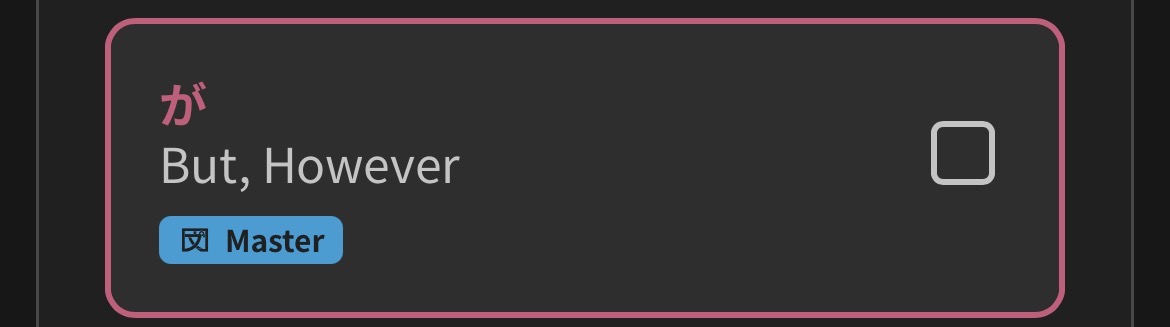
Just a small suggestion: Perhaps use your theme’s relevant color when hovering over something, e.g. change red to blue here:

4 Likes

It would be nice if every tab defaulted to collapsed, so that I didn’t have to close N5 and N4 to see N3, or do a ton of scrolling to get down to N3. If everything is collapsed, just one quick click and no scrolling gets me to N3, for example.

4 Likes

Hi!

I think @Dasutin has already covered my main comment.

Derived from that one, as a diehard supporter of the old Lessons page, would it be possible to make the grammar tiles smaller, as they are in the old Lessons page?
(As per I can see, the old Lessons page’s ones are half the size of the new ones.)

2 Likes

Just wondering if this will also be created for vocabulary in future? My only barrier to switching from anki to bunpro for this so far has been how tedious it is to manually select the vocab I want to add to reviews. If there was a big library with a multi select function like this it would be brilliant!

3 Likes

I second that, along with my own suggestions:

  • maybe a small button to toggle “collapse/expand all”
  • instead of the redundant collapse button on the right, maybe a “pin to top” option so a power user can always have their current focus area on top and easily accessible? I’m not sure that’s pertinent though, I’m still a newbie and I have no idea how a bunpro veteran would navigate this.
1 Like

When the Tabs are closed I can’t see if I’ve already learned every Grammar Point from a certain Lesson / JLPT niveau.

1 Like

You fixed “on-JLPT級” in the Japanese translation :frowning:

Personally for me all-expanded is the better default.

I “hide learned items” and scroll through all remaining unlearned points regardless of JLPT level to see if there are some familiar points to add to reviews. Having to click expand on every JLPT level and every lesson would kill this use case.

What’s the use case for all-collapsed that’s not covered by “hide learned items” or N-level filter?

I miss the old lessons page, I personally felt there was nothing wrong with it, and it was so satisfying watching all the lessons get filled in as I completed them… the library to me feels like a really good page to have, but unwieldy by comparison, because it gets so long!

I don’t want the old lessons page to go away permanently. :frowning: It was so compact and comfortable. I wish it would be kept in tandem with the new library.