Beautiful students of Bunpro
We have another site update to announce!
We’ll be sharing a few changes we’ve made to the Deck pages.
Some you may already be aware of (the new Deck Index), some are new.
 Deck Details page Beta
The old crusty individual Deck page has been replaced with a slicker experience.
The load speed has been increased dramatically, and has been given similar upgrades to what the Grammar Library got a few months ago.
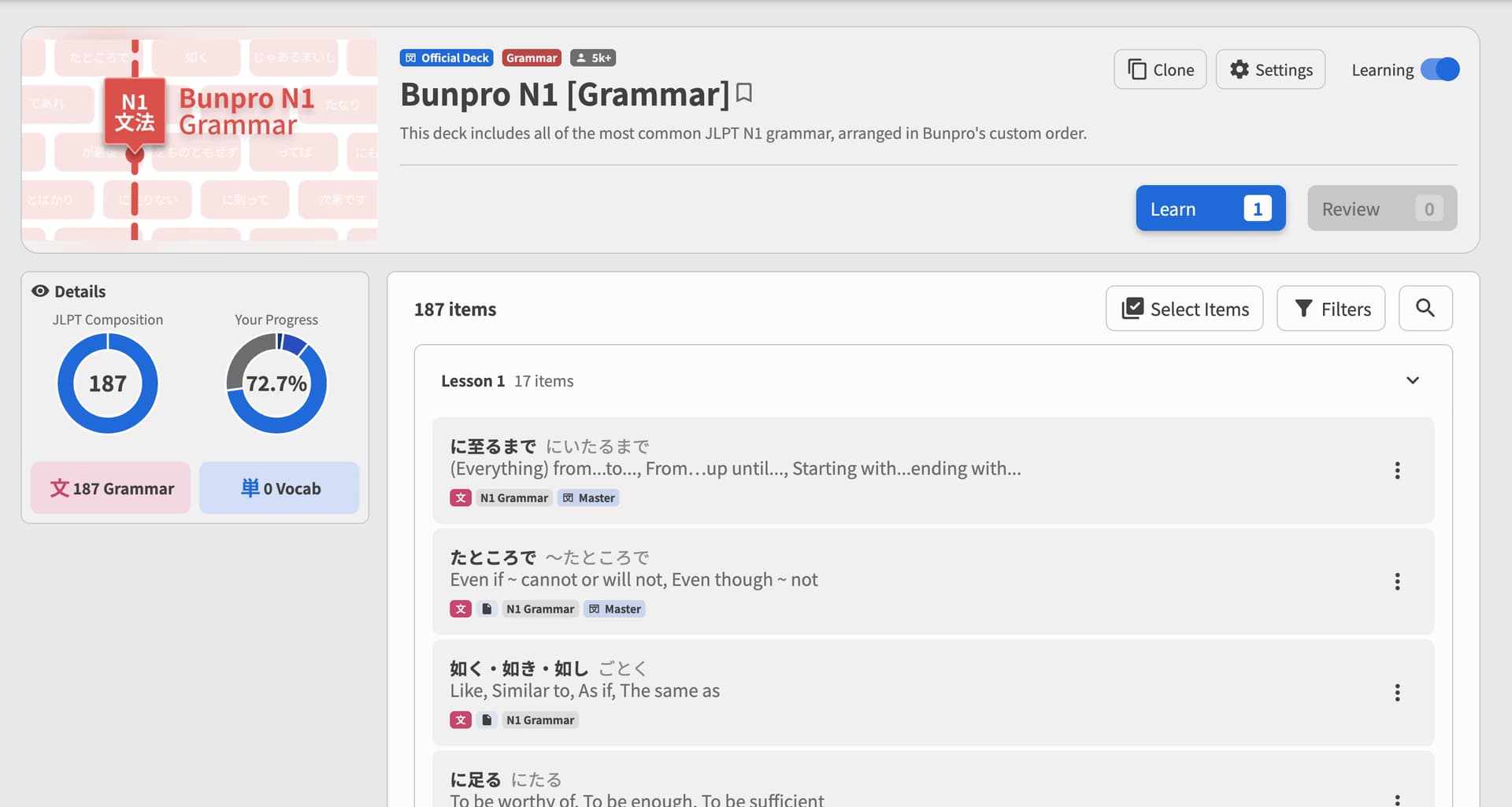
Upgrades are as follows:
 Selecting Items
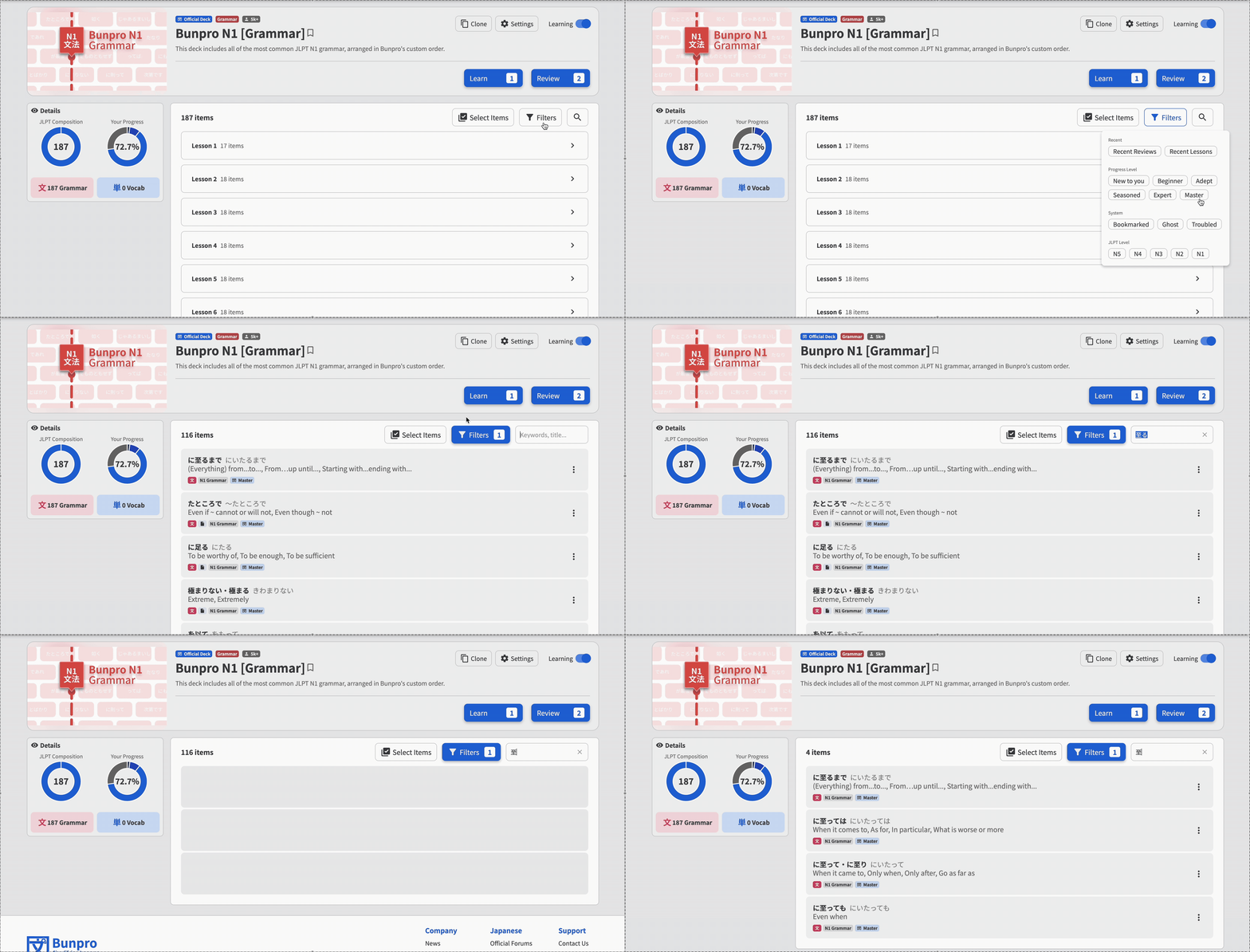
Clicking on the Select Items button now lets you, well, select items.
Whether this be whole units, or individual items within units, you now have the usual floating action-bar at the bottom of the page where you can do the following actions:
- Add to Reviews
- Mark as Mastered
- Remove from Reviews
- Reset Progress
- Set SRS Level
- Set Review Type
- Knowledge Check [ NEW! Details below ]
- Cram
- Add to a Deck
- Learn
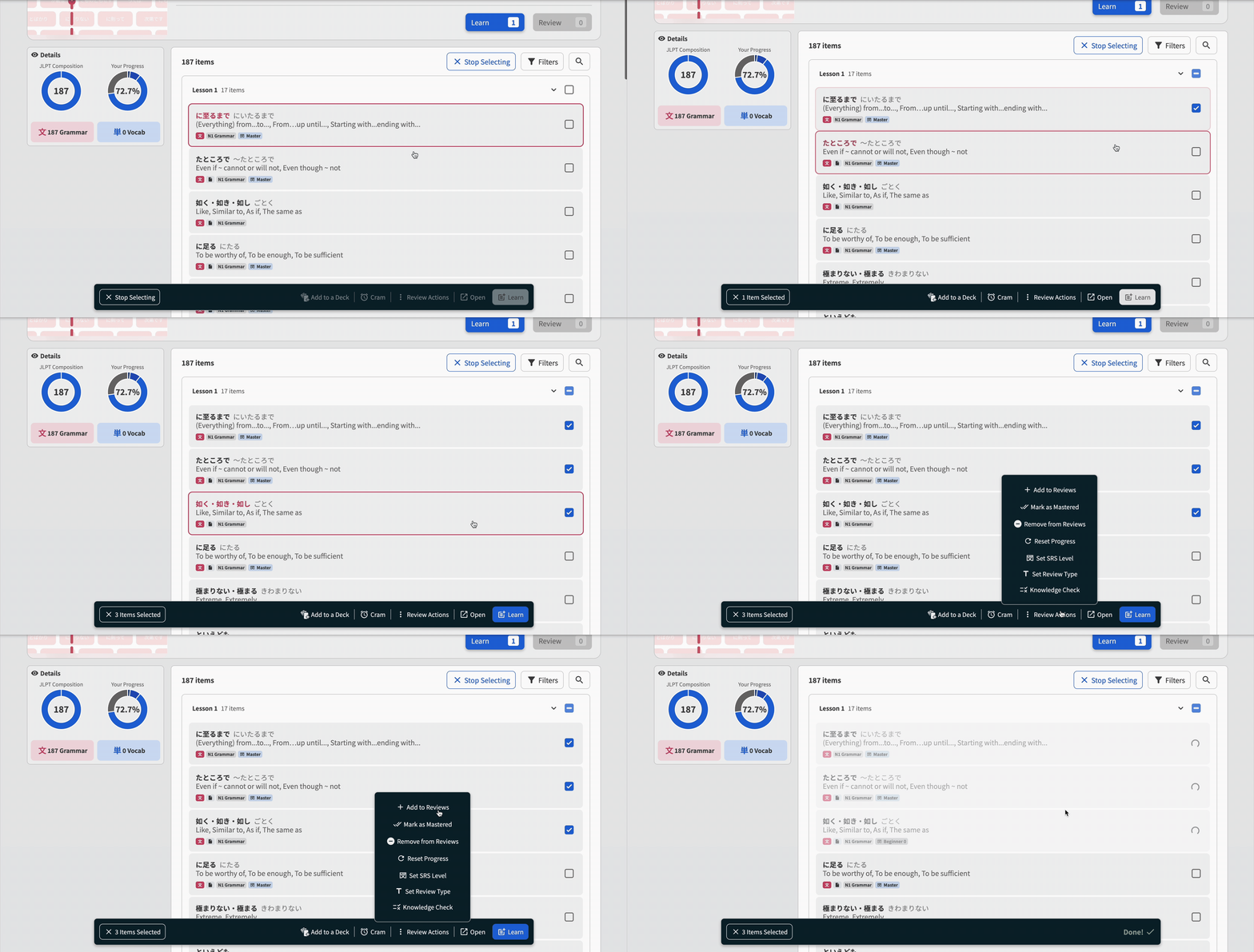
That’s right! It’s been a long time coming, but now you can have finer-grain control over the progress of your Decks.
 Filtering
As the name suggests, show and hide Deck contents based on a selection of Filters!
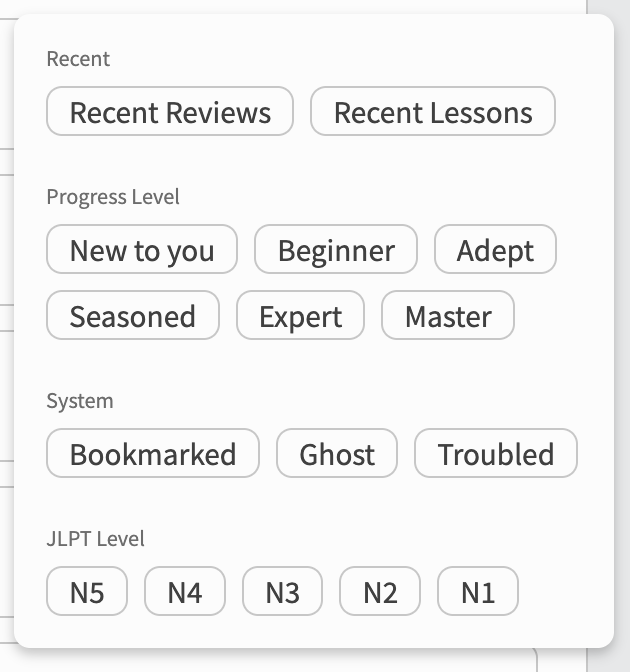
This also works in tandem with the Search feature, so you can really get down to the nitty gritty details when finding something.
 Access:
All users that have Beta Mode turned On should already be part of the Beta, otherwise:
You can access the Beta through your Account Settings.
This will start redirecting you to the new page instead of the old one.
If you just want to check the new pages out without fully committing to the Beta, follow these instructions:
Instructions
You can add /beta before the Deck’s URL to see it manually.
E.g.
.../decks/nn10ai/bunpro-n5-grammar
now becomes:
.../beta/decks/nn10ai/bunpro-n5-grammar
 Knowledge Check
We have renamed the “Vocab Coverage” feature from Grammar that we announced a few months ago into “Knowledge Check”.
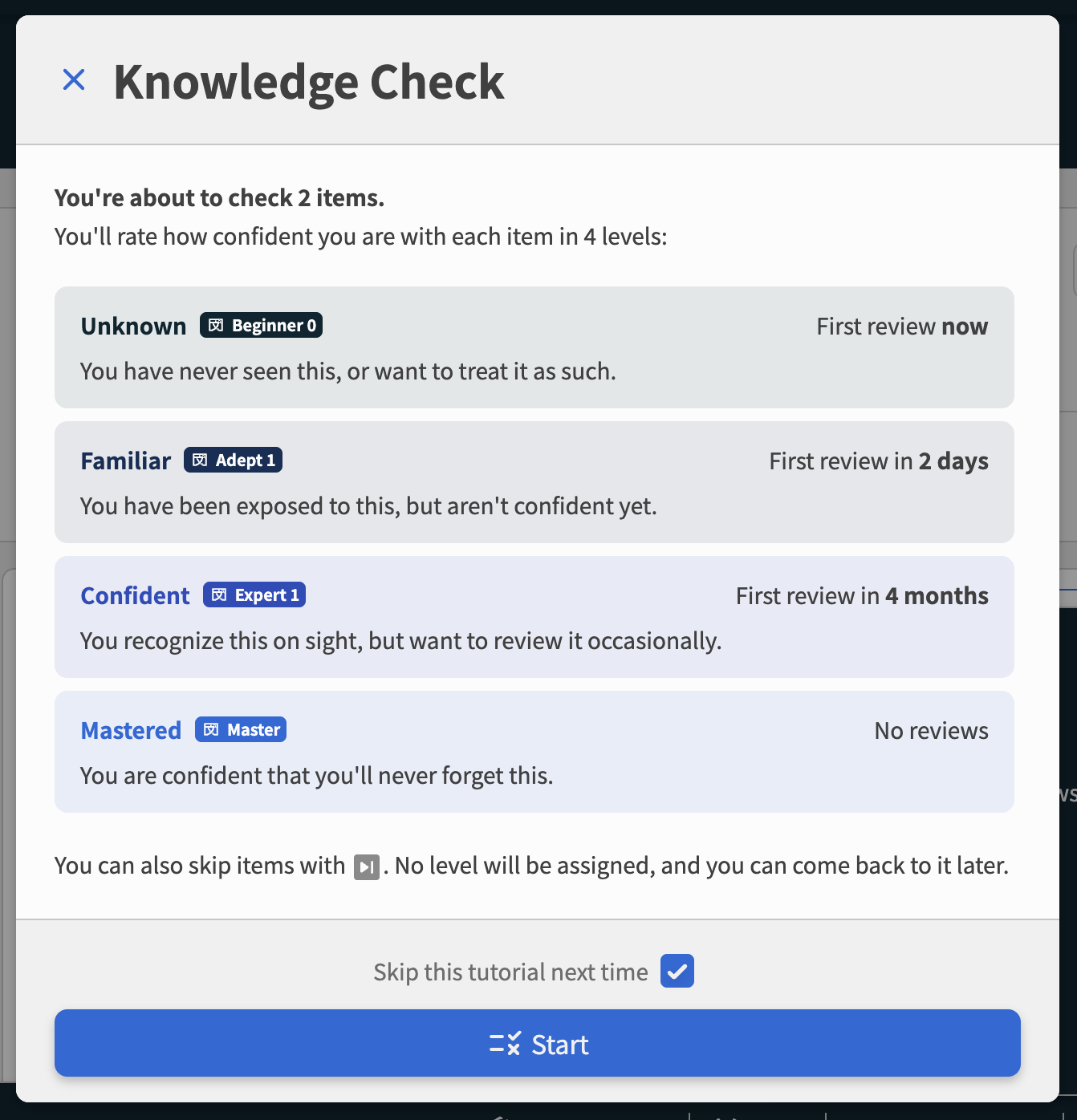
This now closer represents what it is used for – checking your knowledge and filling in gaps in your Bunpro progress, quickly.
This ties into the Deck update, as you can now run this check over your existing Decks, using the Select Items button + action-bar.
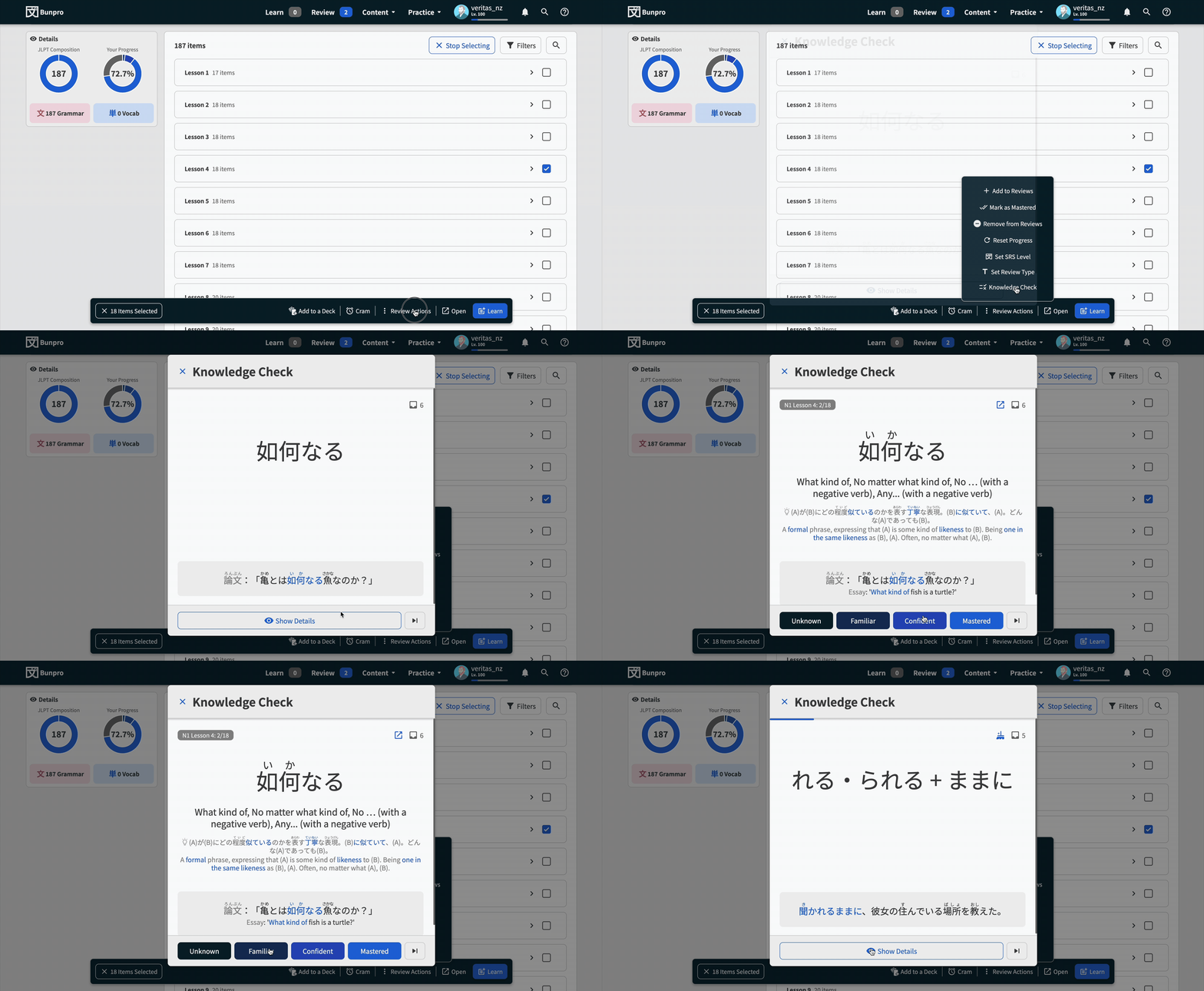
We hope you like it!
 New Deck Index
We actually had a silent Beta for this and released it a few months ago, so many of you may have already seen this.
It did not however have an official forum post about it, so here we are.
I’ll go over a few of the changes here:
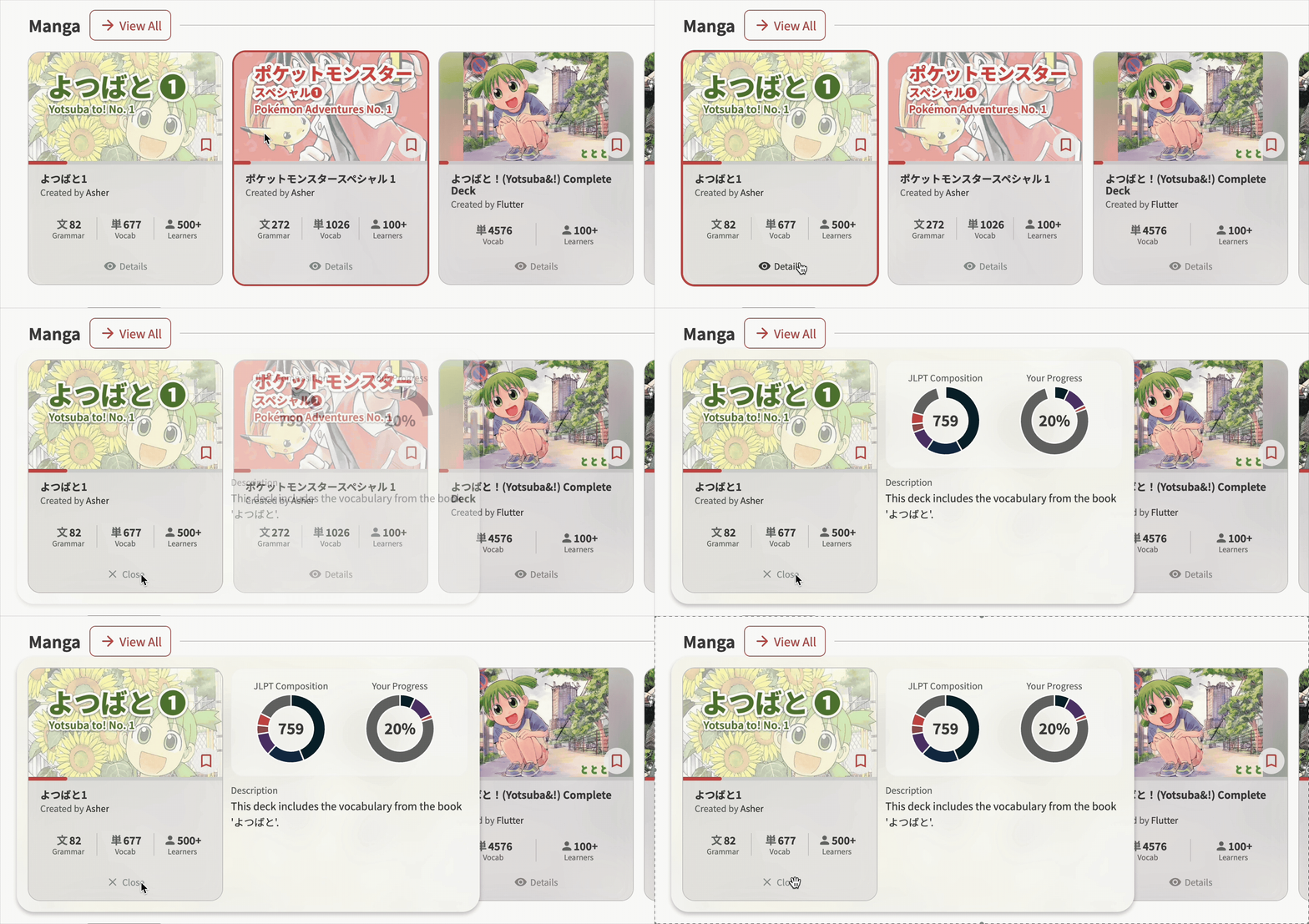
“Details” popout
Get all the pertinent info about the Deck with a single click. The new popout includes JLPT composition and a better Progress breakdown.
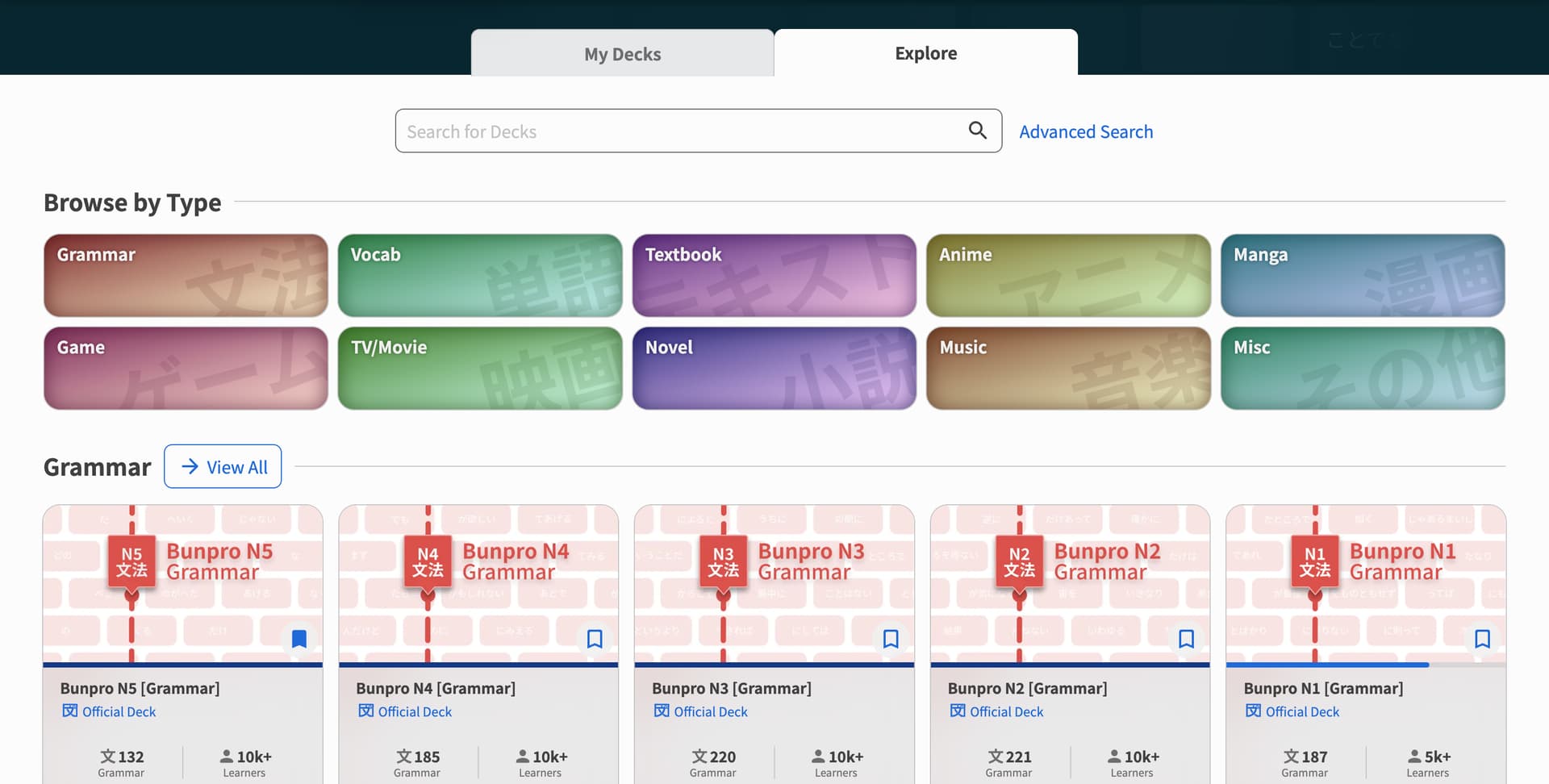
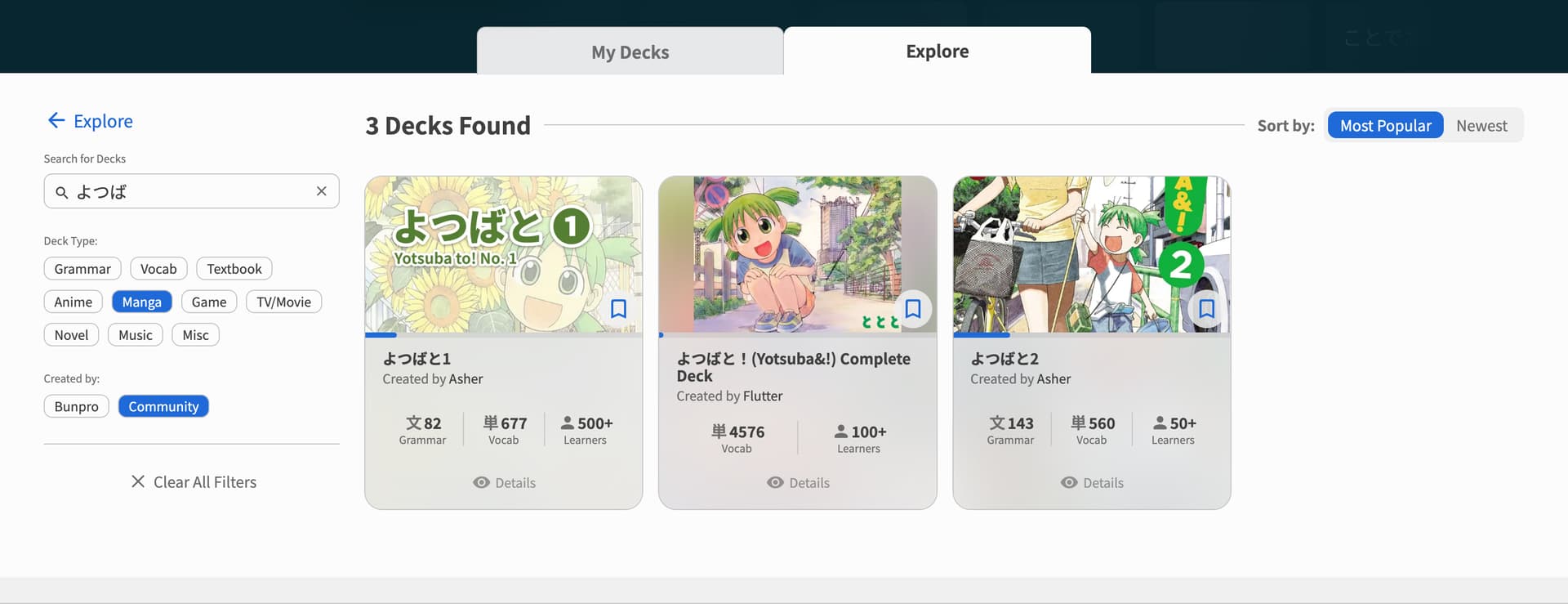
New “Explore” page
The page is accessible here, or by clicking the Explore tab from the My Decks page.
It includes:
- Search
- A new feature that allows you to type in keywords or titles and find all Decks that fit that query
- “Browse by Type”
- A quick grid to see all the different categories of Deck, and the Official / Community Decks within them
- Filters + Sorting
- When using the Search feature, you will also be able to filter by Deck Type and also by creator (Official vs. Community)
- At the top right of the page, you can also sort by Most Popular or Newest
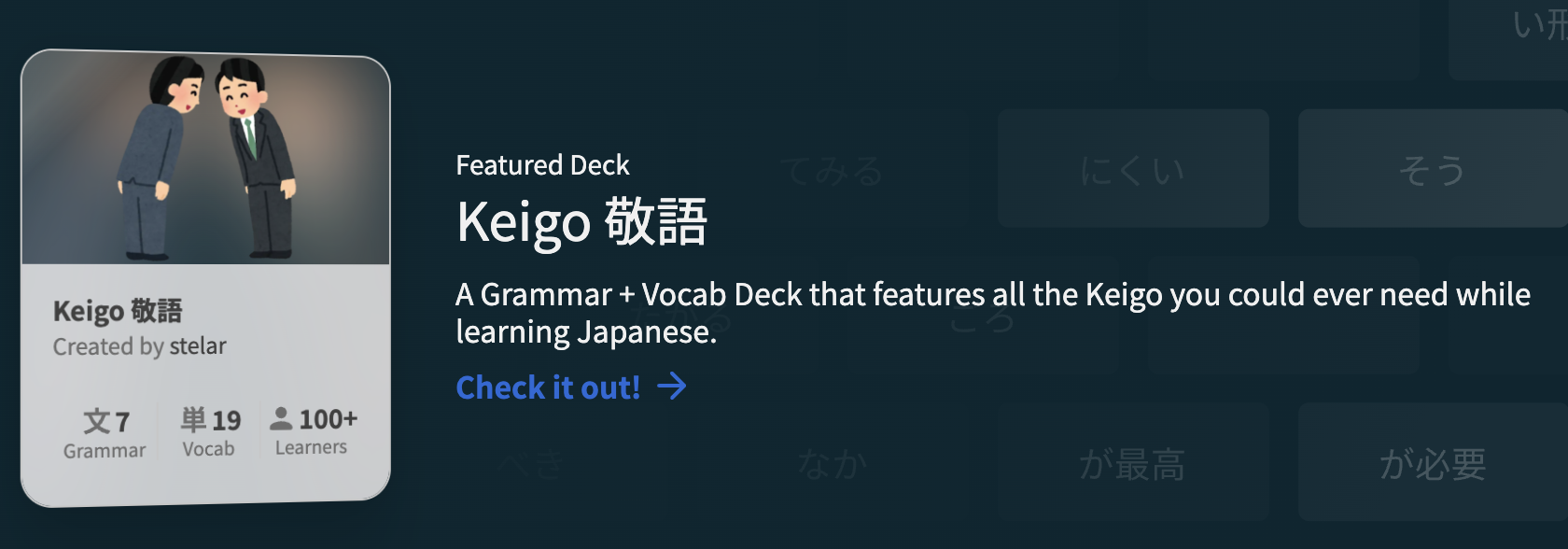
Featured Deck section
A little Community-made Deck showcase for our users that bless us with their curated creations. We plan to rotate this regularly.
Message us if you have a Deck you think would benefit learners, and fits the spotlight well.
 IN PROGRESS
Next we will be working on the Edit page for Decks.
With the project, we’ll be trying to improve the overall experience and smoothness of creating custom Decks.
If you are a Deck builder or have tried to create a Deck in the past, we would love to hear about any features or quality-of-life improvements you would like to see during Deck editing.
Please leave a comment below!
 That’s all folks
Anyway, that was a long one.
The TLDR is that using Decks has gotten a lot better, so if you had a frustrating experience with Decks in the past, we urge you to check out the new pages and sign up for the Beta.
As always, let us know your thoughts, opinions, praise and everything else below.
We read all comments.
Happy studying,
 The Bunpro Team


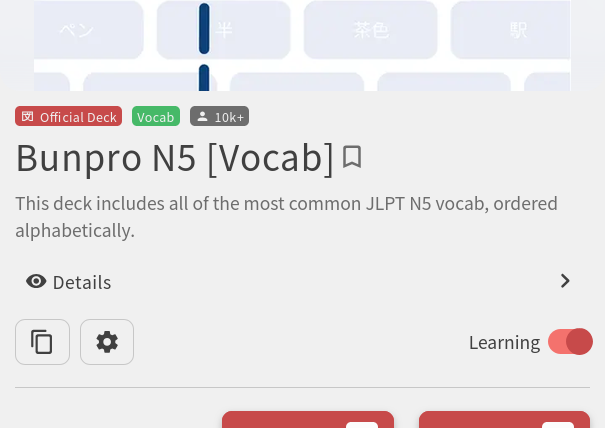
 On the app I can see if a deck has reviews without going into it