Feedback - Bug Reports

I finally got the chance to test this on desktop, and the order was perfectly fine. This seems to only be a thing in the app :slight_smile:

2 Likes

Unable to clone Bunpro Vocab

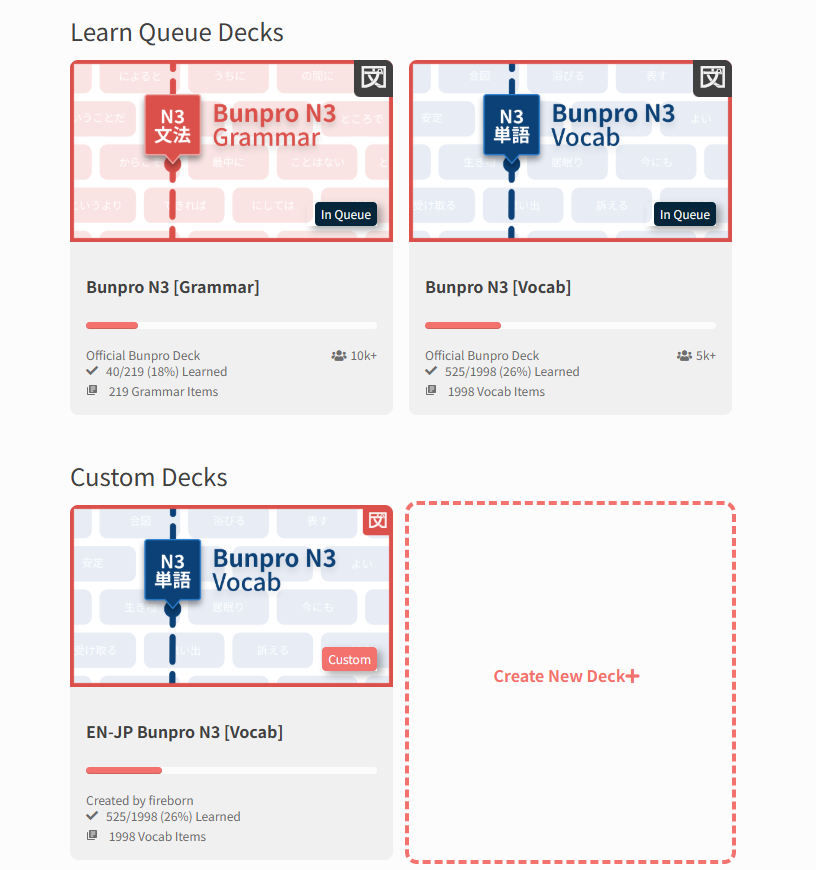
I am trying to clone the Bunpro N3 Vocab deck, so I can study in both directions (JP-EN for 1 deck, EN-JP for the other deck) but I can’t get it to clone properly. This is the error I get:

After, the deck has been cloned, but only with PART of the items (only 1485/1998 items):

image

1 Like

I also made a small visual representation of what is happening with my reviews on mobile.

image

(The letters stand for Beginner, Adept, Seasoned, though in reality it is also similarly clustered for subcategories like Beginner 3 or Seasoned 2 and stuff.)

1 Like

Hello,

I’m using the Android app and have “Due notifications” enabled, which I understand should mean I get notifications when new reviews are available. However, this option doesn’t seem to work and I never get any notifications for reviews becoming available.

When I try enabling the “review notifications”, I do indeed get the daily notification, so it doesn’t seem to be a general issue with notifications from the app.

I’ve noticed this for a long time in the Android app, but I’m getting back to using it regularly after a bit of slacking and so figured I’d mention it. Please let me know if there’s anything I should try to resolve the problem, or any other information I could provide that would be helpful.

Thanks,
m0g

1 Like

I just logged on to your account and checked out your Reviews.
If you sort the order your Reviews to by Self-Study Reviews first, I don’t see any issues with the sentence input.

What I think is probably happening is that you’re adding Self-Study Sentences, thinking that they will behave as if you’ve added your own sentences into our list of sentences.
This is unfortunately not how the Self-Study Sentences work at the moment.

The sentences you create have their own individual SRS level, and are completely outside of the SRS flow of the item they’re added to.
E.g., In the case that you:

  • Have a Vocab (三角形 as an example) that has no sentences
  • Create a Self-Study Sentence
  • Also add it to your Reviews

You will now have TWO questions during your Review session:

  • JA → EN translation (see 三角形、enter “triangle”)
  • The Self-Study Question you created, with Japanese input

Does sound like where the confusion is coming from?

If so, then yeah I agree it’s confusing.
We’ve had this forum post literally just added.
I’ll bump it in the list of things we need to fix

2 Likes

Cloning giant Decks indeed currently breaks a lot of the time :pensive:

It’s on our list of things to fix in a massive Decks overhaul we’re working on.

I’ll see if I can implement a fix in the current version tho

3 Likes

I’ve had a similar issue with reviews order on the Android app for quite some time now, but it might have gotten even worse lately

2 Likes

Hey!
I think the ordering bug is fixed and will be released this week :slight_smile:

Sorry for the inconvenience :bowing_man:

3 Likes

Hi there,
I noticed that once in a while, a page on Bunpro (web version) doesn’t load. Sometimes it loads slowly, but other times the page doesn’t load at all. It’s gotten to the point that it’s quite annoying. :frowning: Other websites work fine, so I don’t think it’s my internet connection.
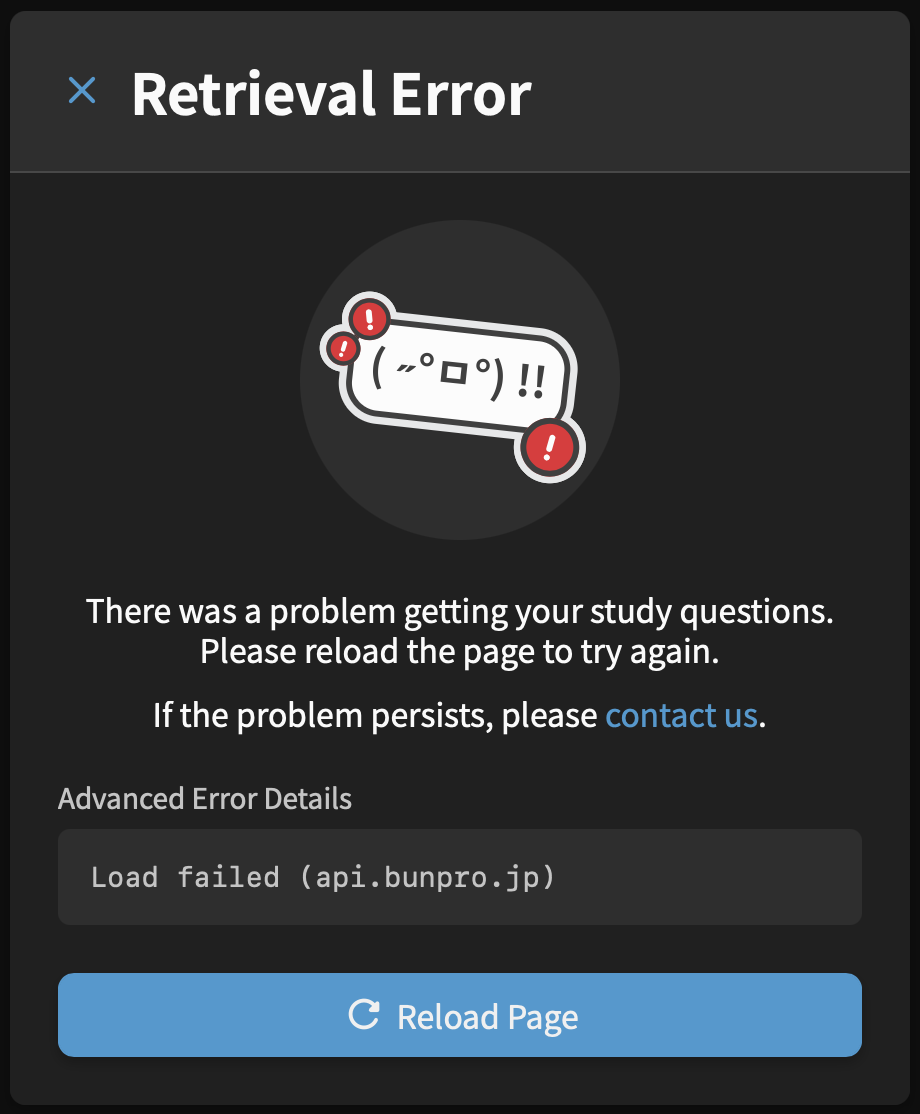
I posted about it in another thread and some people also reported having the same issue – Bunpro often slow or doesn't load
I keep seeing these error messages regularly:

1 Like

Thanks!! So glad to hear. Haven’t done reviews at all lately because of this so I’m very hopeful.

1 Like

An update – I implemented a fix that will be out tomorrow/Friday.

Will try and remember to tag you when it’s out

2 Likes

This fix has been released to the live site.
You should now be able to clone way faster.

1 Like

Ah perfect, it worked now, thank you so much!

1 Like

Sorry to bother you again, but there seems to be a big bug in the feature.

I cloned the N3 vocab deck. But now, EVERY change I make to the CLONED deck is ALSO changed in the original deck! I would think the two decks would be 100% separate after cloning?

I marked all of Lesson 1 in the CLONED deck as “reset all”, but it ALSO reset all items in the original deck. Then I marked them all as “remove all”, and it ALSO removed ALL OF MY items from the original deck and ALL of my progress :sob:

Can you please take a look at this? I’m now afraid to delete the cloned deck in case it would remove my original N3 deck too!

1 Like

Ahhh then unfortunately this is a feature and not a bug:

Unlike something like Anki, Progress is shared across Decks

I.e., if you have です at level Expert 2, then it will appear as that level in every Deck that includes it (Bunpro N5, Genki 1 etc.)

Basically, there is only one instance of Grammar/Vocab (and your related Progress), and Decks are specific orderings of those items

EDIT: Was it just the one Lesson that you wiped?

Wow, okay, I think there should really be a disclaimer or explanation on how that works then. Because I seriously messed up my reviews/progress in the original deck now :frowning:

Yes, just Lesson 1, thankfully, 75 items apparently.

I meant to do reviews in the one deck one way (JP-EN, Translate Question) and reviews in the other deck the other way (EN-JP, Fill In Question). But if progress is shared across BOTH decks, that wouldn’t be possible? As in, if I get it correct in one deck, it would update the progress in the OTHER deck, and that’s not what I want?

1 Like

Ah, and to add to this… Maybe another term other than “Clone” would be better then, too? “Clone” to me implies “Copy”, not “Copy and share a progress connection with original deck”…

In your opinion, what would be the use case for even cloning a deck, if progress is shared across both decks?

1 Like

Correct, you can’t have different Review Types for a single Vocab/Grammar!
We’re planning on adding Dynamic Review Types in the future however (likely this year).

Hmmm I think Clone is the right word, but indeed their needs to be more friction added to the Reset/Remove action, especially when you are doing so for more than ~5 items.

A question I have purely for my own research – what other learning platforms are you coming from (if any)?
Will help me figure out the best user experience for this sort of thing

I made a custom deck, for some reason it says it only contains 3 vocab and 1 grammar point and that I have completed/finished studying the whole deck!

It actually contains about 70+ vocab and I have only studied a few of them. Because of this, when I try to learn any, they don’t show up and my account currently shows -3 to learn and 175% studied.

My connection with wanikani is no longer working. Had it set up with API. Tried creating a new API key on the wanikani side, still not working on Bunpro side. I’m seeing furigana for everything :frowning: