Feedback - Suggested Improvements/Feature Request

I would like to be able to control the “SRS Strictness” of the reviews above the certain Stage, same like it is on ghosts.

I don’t want my progress to return by 2 Stages in the early days because it will increase the number of reviews too much, but for having this option after Stage 9 for example would help me to see the problematic grammar point more often as it would return 2-3 stages back for example

3 Likes

@Skretkowicz

Seconding this. In my case I might do the opposite though. Having a total reset to stage 0/1 in the early days but then only half etc later would be good. This might be a moot point if the SRS is improved.

I’m not sure if this has been suggested or not but shouldn’t 仮に and 仮にも be grammar lessons instead of just some vocab items? At least the latter should since it has some nuance with negative sentences. I’m not sure how it should be rated by the JLPT levels though.

Another suggestion would be, that in the graph that shows the number of vocab and grammar reviews done over time, there would be an option to both stacked. At the moment doing 50 vocab and fifty grammar reviews only looks half as impressive as doing 100 vocab reviews and 0 grammar reviews.

3 Likes

seconding this. A cummulative graph in addition would be nice :slight_smile:

2 Likes

Oftentimes, when a grammar review has multiple correct answers, the order of the answers can be somewhat jumbled up as you rotate through the “Alts”.

It would be clearer if these possible answers were in some kind of logical order. Alphabetically might be a good start, although this may not always be the best way for every example.

In some cases it may make more sense to order the answers “from most casual to most polite” or “from most common to least” or “from most verbose to most terse” (or reversed) - to give a non-exhaustive list of examples.

One good point about the multiple answer feature is that the one that matches the audio is the one that is shown by default upon correct answer. That said, it would be nice if the black dot jumped to the correct spot in that case. It does sometimes, but not always - possibly depending on whether it was a correct or incorrect answer. I often find myself having to loop through the answers a second time so I can see what the first dot really is.

When I say dots, I mean these: image
Feature Suggestion: Option in settings to only play recorded audio, not AI-generated audio. I’m using Bunpro a lot recently and the AI audio is starting to grate on me so I’ve turned off autoplay, but it would be nice to still hear the recorded audio, although currently there is no way to know which sentence has recorded audio or AI.

@ussuri

You can disable TTS audio in settings. It’s in general settings for some reason.

Ah great thank you.

Random idea I’ve had while going through the N5 and N4 vocab deck. I already have it set up to where furigana is hover-only, which is great for this, but I was wondering if there’d be any interest in setting it up to where, when learning new vocab, you can also hide the definition at first. This way I can feel more confident about clicking “mark as mastered” when appropriate! I’m imagining this would just be a simple preference setting in your profile - I think having it the way it is now as default makes the most sense. Unless this is already a possibility and I’m just blind… Totally possible :sweat_smile:

My feature suggestion as a data goblin is an ability to view total in each SRS level rather than just beginner, adept, seasoned, and expert somewhere.
Also, a way to see what the breakdown of forecasts based on the level would be nice to see also. Even if just a toggle for the beginner, adept, etc. classifications or average SRS level.

1 Like

Hi, is there any chance that we could get an option to hide furigana by uploading a file with a list of known kanji? Or by pasting a list from clipboard or something like that

I’m sure it’s been suggested before, but I wonder if it’s actively being considered?

Thing is, without wanting to rely on wanikani, the only way to selectively do away with furigana is to disable it for each encountered kanji in the wild, which can get tiresome. Still happy that it’s at all possible, but it would be nice to see a better option at some point!

2 Likes

It would be nice if the review spacing was randomly offset for a small number of reviews to diffuse them across the timeline a bit better. That is ~20% of reviews are offset by one day earlier or later.

The way the adept spacing works (1, 2, 4, 8) days means that if you miss one day you’ll have “waves” of reviews piling up every 4 days.

3 Likes

Greetings.

I think it would be a good idea that instead of deciding between reading, fill in, translating or listening for reviews you could pick multiple of those.

Each way of reviewing focuses more on one side of the language so why not mix them up and have the reviews come randomly in the types you selected. I believe it’s more beneficial for learning that way rather than just focusing on one type of review.

9 Likes

Hello Bunpro.
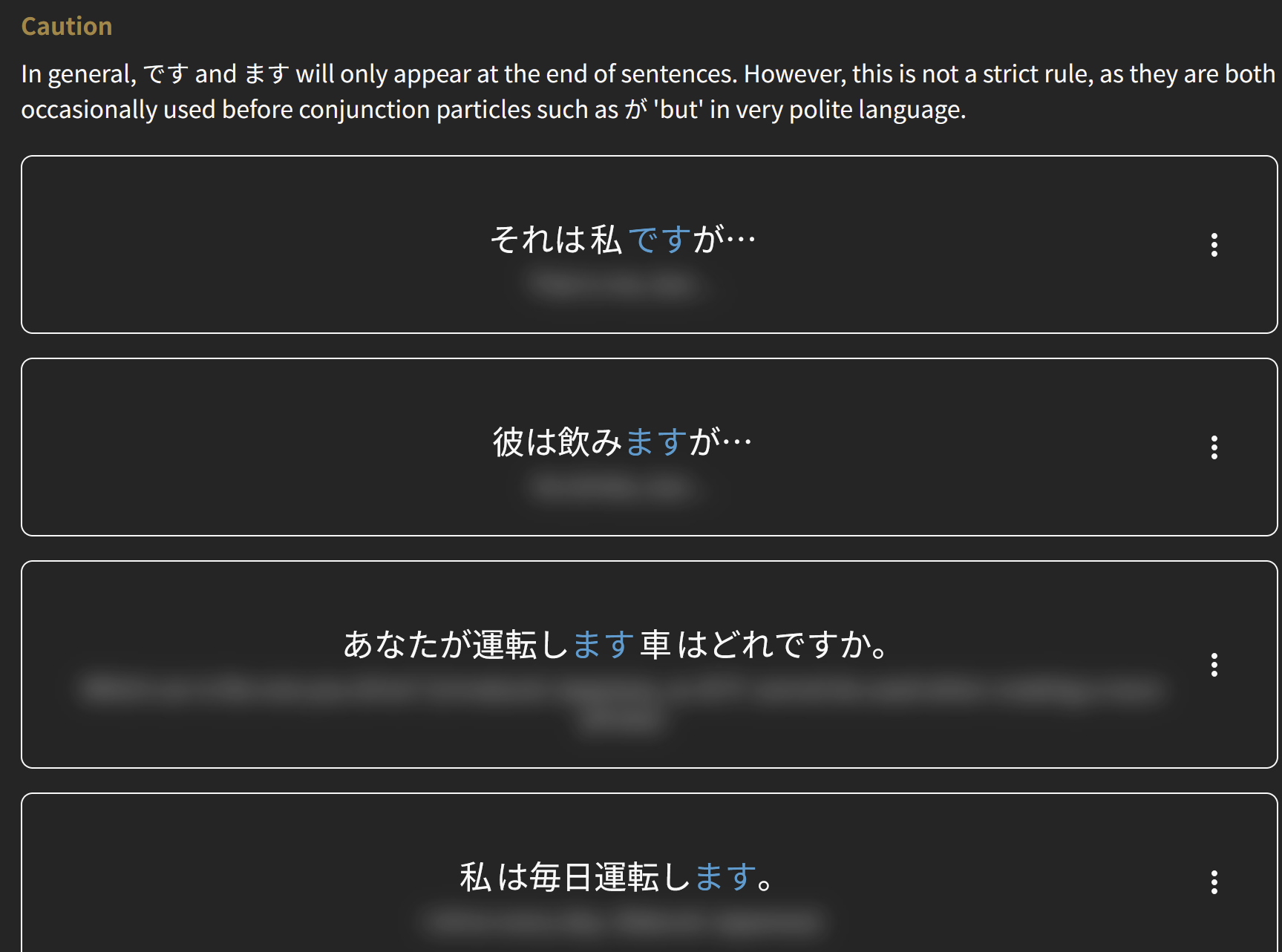
There’s a feature to automatically hide/blur English translations, like so:

ss

ます (JLPT N5) | Bunpro

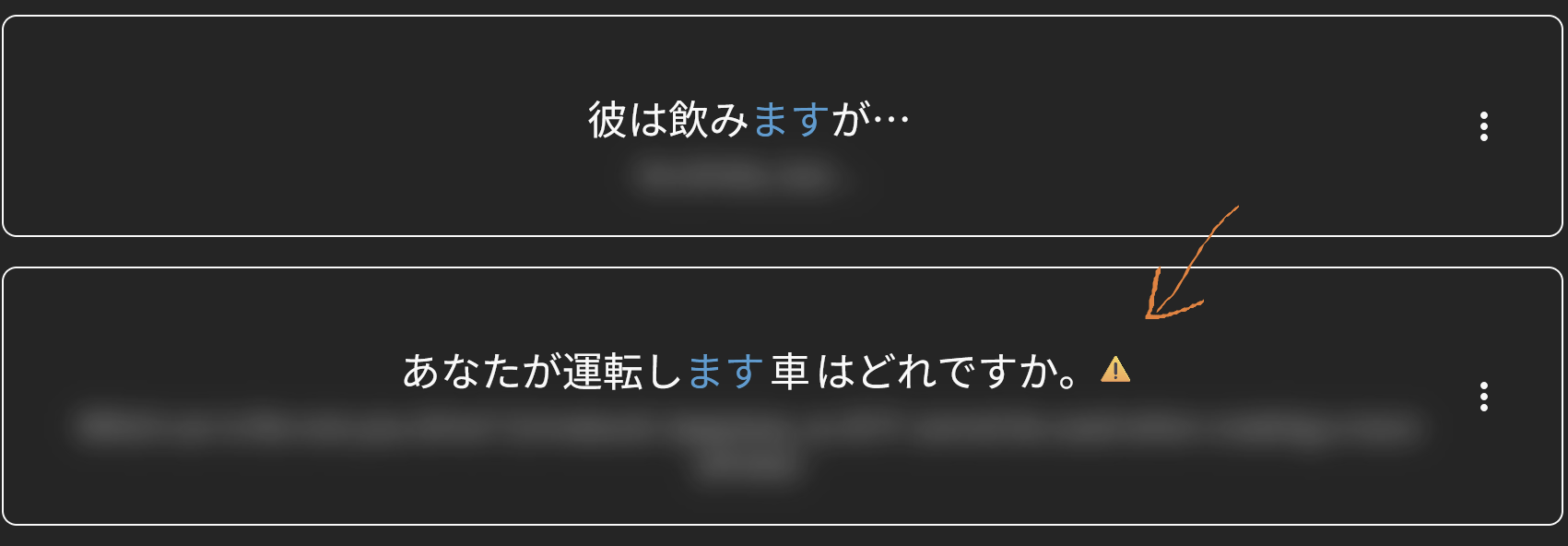
But when it’s on, it also hides “Unnatural Japanese” notes. I find this quite confusing.

I’d like to request that “Unnatural Japanese” note is clearly marked somehow even when the translation is blurred, for example like so:

ss

4 Likes

A lot of example sentences fall into common categories:

  • Manga/anime
  • Novels
  • News report
  • Political/economic
  • Global/culture
  • Home life
  • School life
    etc.

As someone who uses the reading mode a lot, it would be fun/helpful if the sentences were categorised as such, and your success rate on each given category was tracked. This way I can identify strengths/weaknesses with studying.

3 Likes

Huuuge agree. Being able to randomize between fill in the blank and read/self-grade would really be helpful.

1 Like

In this section of the dashboard I can choose to:

  • learn from a specific deck
  • review all grammar
  • review all vocab

However, I would appreciate the ability to also:

  • review from a specific deck

This is because sometimes I just want to review N5 vocab, or N4 vocab.

The workaround is to open the decks page first, but doing it from this dashboard section would be preferable.

Right now there’s a significant inconsistency in the degree of conjugation that some cloze cards require; while most cards will accept either the conjugation of the word that the card’s sentence explicitly calls for or the dictionary form of the word, there are also some that will only accept the precise conjugation called for by the card’s sentence.

I prefer to enter the dictionary form of the words when I do my reviews, and the maority of cards accept that input; this does however lead to a significant number of irritating false negative submissions when I stumble across one of the more specific card. Combine this with the fact that it is impossible to manually roll back a review, and my learning metrics for some cards wind up corrupeted to the point of uselessness.

Is there a review pass planned to standardize the required responses across all cards?

4 Likes

+1 for this.

There are a few features that could benefit from a consistency review (see also my comment about the ordering of possible answers: Feedback - Suggested Improvements/Feature Request - #3696 by discopatrick ).

In fact, my comment and @C77A1 ’s are closely related.

1 Like