Feedback - Bug Reports

If I understand your question correctly, you need to add the N3 Vocab Deck to your Learn-ing Decks!

The N3 Vocab Deck is here.

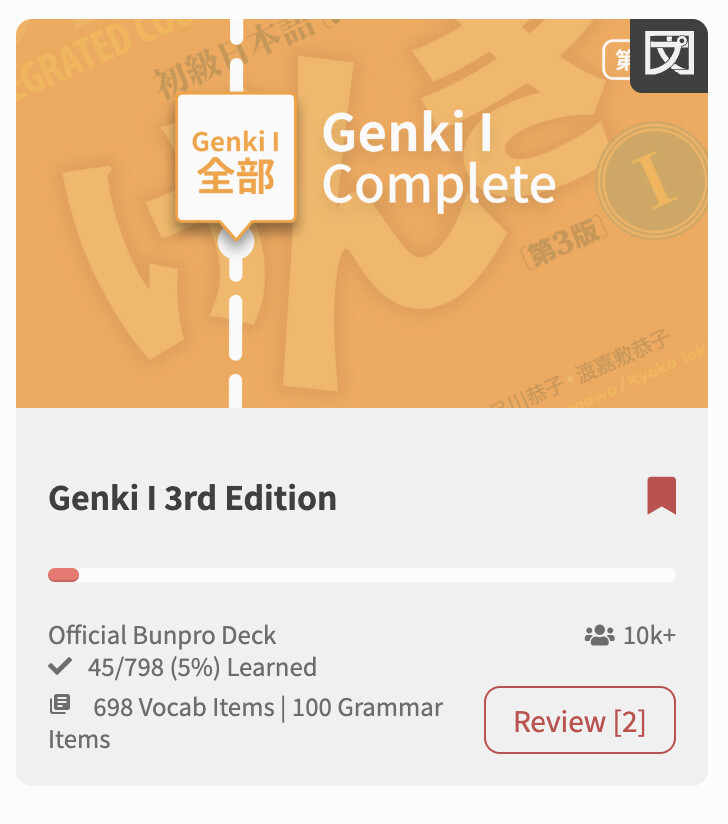
Also it’s worth noting you can manually Review from Decks using the “Review” button in the bottom left of the cards in your My Decks page (see the screenshot).

Ok, it seems I wasn’t clear at all. :slight_smile:

Each vocab item has different example sentences ranging from N5 to N1, but I only get quizzed on N5 and N4 ones.
I assumed unlocking N3 sentences was tied to completing the N3 grammar deck, but I’m still only getting lower level sentences.

Im a bit confused about how bunpro evaluates my level and what determines when N3 sentences become available in reviews

And I previously suggested adding a way to bypass this behind the scenes calculation, so users can decide up to which N-level they’d like to be quizzed on.

Hope it’s a little better articulated now.

2 Likes

@LagonKa
Each vocab item has 8 example sentences which do steadily increase in complexity, but I don’t think they’re categorised at all as N5-N1. I think it’s mostly random which sentence gets selected, with perhaps exception to the first time you learn it.

That said, N1 vocab items will use N1 grammar points more frequently, and I get the impression the lower vocab levels target the approximate grammar level too. However the vocab the sentences can use can range across the JLPT spectrum, but the higher you go the more obscure vocab they tend to reach into.

1 Like

Hi!
Bunpro classifies example sentences by N level, and each sentence is marked if you scroll down on the item page. I’m currently studying the N4 voca deck and have already completed the N3 grammar deck, but I never get any sentences marked N3 or higher in my reviews.

I assume there’s some kind of filtering based on the user’s level, which makes sense. However, in my case, I don’t understand why I seem to be limited to N5/N4 sentences.

1 Like

@Hairymini

Unfortunately there is nothing that smart/complicated going on.
For earlier levels – levels N5~N3 I believe – we only allow Cloze-ing from the first 4 sentences, as they have the simpler Vocab in them.

It’s to protect lower level users from being exposed to Vocab that is too hard for them.

We’ve discussed internally a system that allows exposing of those higher sentences, automatically based on user level, or manually based on user settings.

First we need to actually figure out what more accurately what level each sentence is, which requires us to know exactly what Vocab is in each sentence.

3 Likes

It seems to always cycle through the same first three sentences. For example with 親しい, I only get those, and they’re tagged N4, which made me assume the selection is level-dependent.

Also, what do you mean by “cloze-ing”? I’m using reading mode for vocab reviews.

What exactly defines a user’s level on Bunpro? How are higher level sentences unlocked?
I feel comfortable tackling them, so it’s quite frustrating not to have access to them.

Edit : I suppose if these N-level tags correponds to something in your database, a “Study sentences up to N-X” option wouldn’t be to complicated to implement. Hopefully. If not, I’d rather see all sentences up to N1 than only N5/N4 and a simple switch to bypass the “protection” would be sufficient.
The way it works now may also be annoying for people who are already quite advanced in Japanese but are just starting with bunpro.

Suddenly getting 404s on https://bunpro.jp/api/user/{bunpro_api_token}/study_queue recently… this may be the ancient legacy API by now but it’s the only one the browser extensions available to show a queue size on an icon etc support right now

1 Like

What browser extension is this?

Bunpro Checker (Chrome) is the main one I’m using here, it hasn’t been updated in a couple of years but there are no newer options available that do the same things. I also used Bunpro Alerts on Firefox but it is now delisted

1 Like

Now I know who the holdouts from the Legacy API are!
The API docs have been gone from the site for years now.
We finally removed Legacy API support a few days ago.

I’ve emailed the developer of that extension asking them to get in touch.
Will wait for a response from them!

Current discussion RE the API is happening here:

I’ll make a post updating people there too.

2 Likes

Off-by-one stats calendar bug.

This off-by-one bug is still affecting the calendars / heatmaps on the stats page.

  • All mouseover labels are wrong. An easy verification method is hovering over the first day of 2026 to see a label for the last day of 2025.
  • Everything except for the mouseover labels is correct.

I’ve posted this here and in the feedback tool.

  • Here, it was overlooked. That’s likely because I asked it as a question to the others here before editing it.
  • In the feedback tool, it was incorrectly marked as solved. I sent a message over 24 hours ago with no response, so now I’m posting here so that I can forget about it again.

Some weeks ago, the labels were working correctly. But it was either reverted or a coincidence. No comment was ever made, even when it was marked “solved”, so I don’t know. It was marked “solved” weeks after it went back to not working correctly.

1 Like

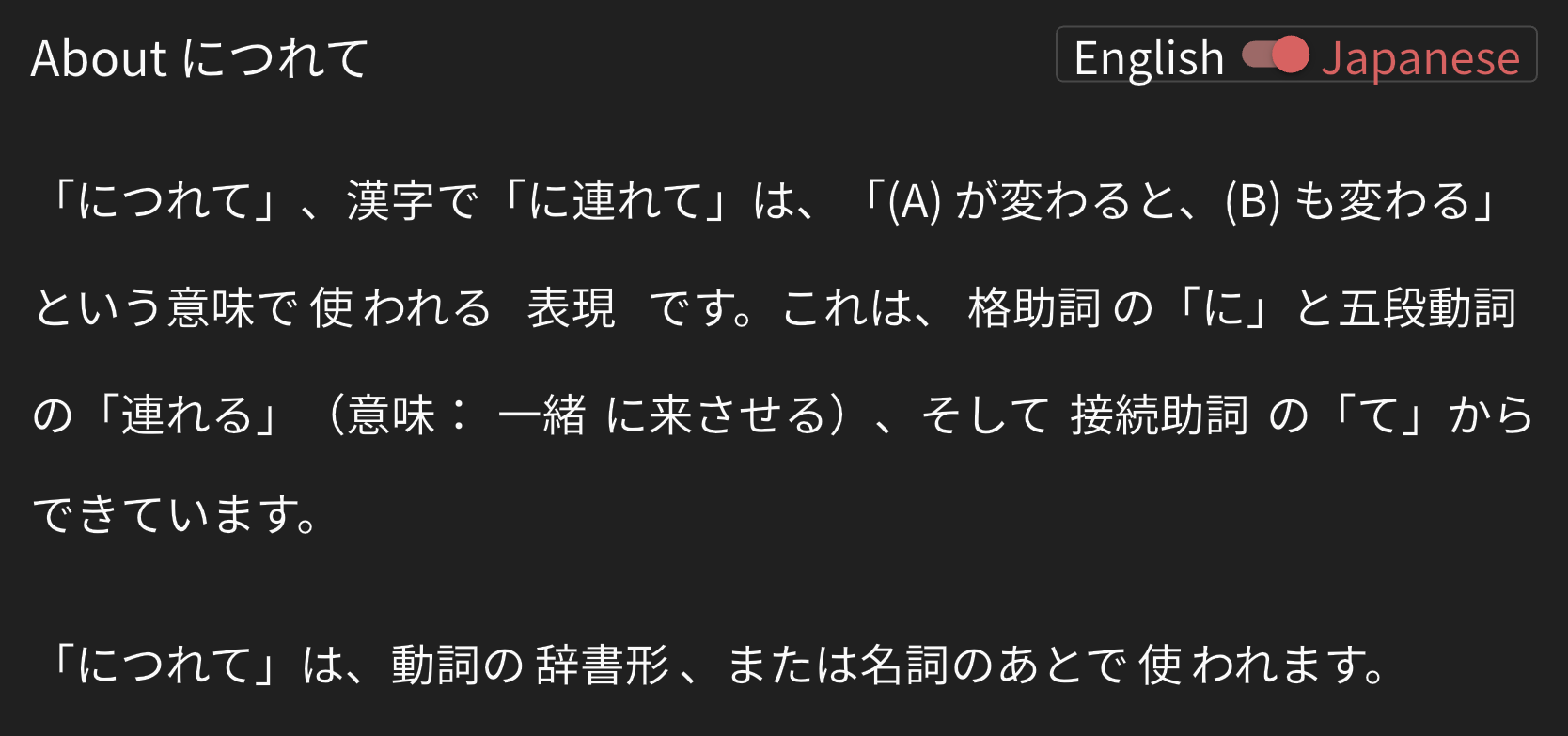
This looks like a typo.


Isn’t 連れる an 一段動詞?

Hello @Sean

So any idea how this works exactly and if something could be done about it ?
It’s still quite frustrating to only be shown a fraction of the review sentences. :slight_smile:

Hey @LagonKa , hopefully I can provide a bit more clarity! What you are describing is intended behavior. For vocabulary, each example sentence is given a tag: N5-N1. If a vocabulary is N5, it will only populate sentences tagged as N5 for reviews, if a sentence is N3, it will only populate sentences tagged N3 for reviews, and so on.

As Sean said, this is to ensure that sentence level is appropriate for the learner’s level. When you move into N2 vocabulary, you will be given sentences at the N2 level.

I hope that helps clarify things a bit further!

Hi @Jacob-Bunpro,
Thank you for your answer. I’m not sure I fully understand what you meant, though.
Why would N2 tagged (or higher) sentences be written for N3 tagged vocab if those sentences never show up in reviews? I feel like I’m missing something obvious, but I don’t quite get it.

For example, 大きい has sentences across all levels. Why is that, if we only get quizzed on N5 sentences ?
Wouldn’t it make sense to let users decide up to which level they want to be shown sentences ?
Or is this what Sean meant by “allow cloze-ing”, meaning that the higher-level sentences are not set up in the backend for cloze style quizzes ? If that’s the case, simply enabling reading mode for those sentences would already be a great improvement.

Do I make sense ?:slight_smile:

1 Like

I believe @Fernando-Bunpro is working on this!
Thanks for the report 🙇‍♂️

1 Like

Sorry for not replying to your previous message.

Or is this what Sean meant by “allow cloze-ing”, meaning that the higher-level sentences are not set up in the backend for cloze style quizzes ?

Yes this – they’ll need additional configuring to allow the sentence question types (Listening, Reading etc.).

If that’s the case, simply enabling reading mode for those sentences would already be a great improvement.

This still leaves the issue that lower level users will be overwhelmed by sentences they’re not ready for.


If it’s any consolation, we’re working on the issue, and I personally feel strongly about it, as I basically only use Bunpro now for the Vocab sentences.
It’s definitely a waste to only make ~4 of the 8 sentences available for quizzing, when the rest are valuable additional context.

4 Likes

Yeah, this was happening for us users on (GMT-XX).
Fixed it a while ago but somehow got reverted back, should be fixed again in the next update 🙇‍♂️

2 Likes


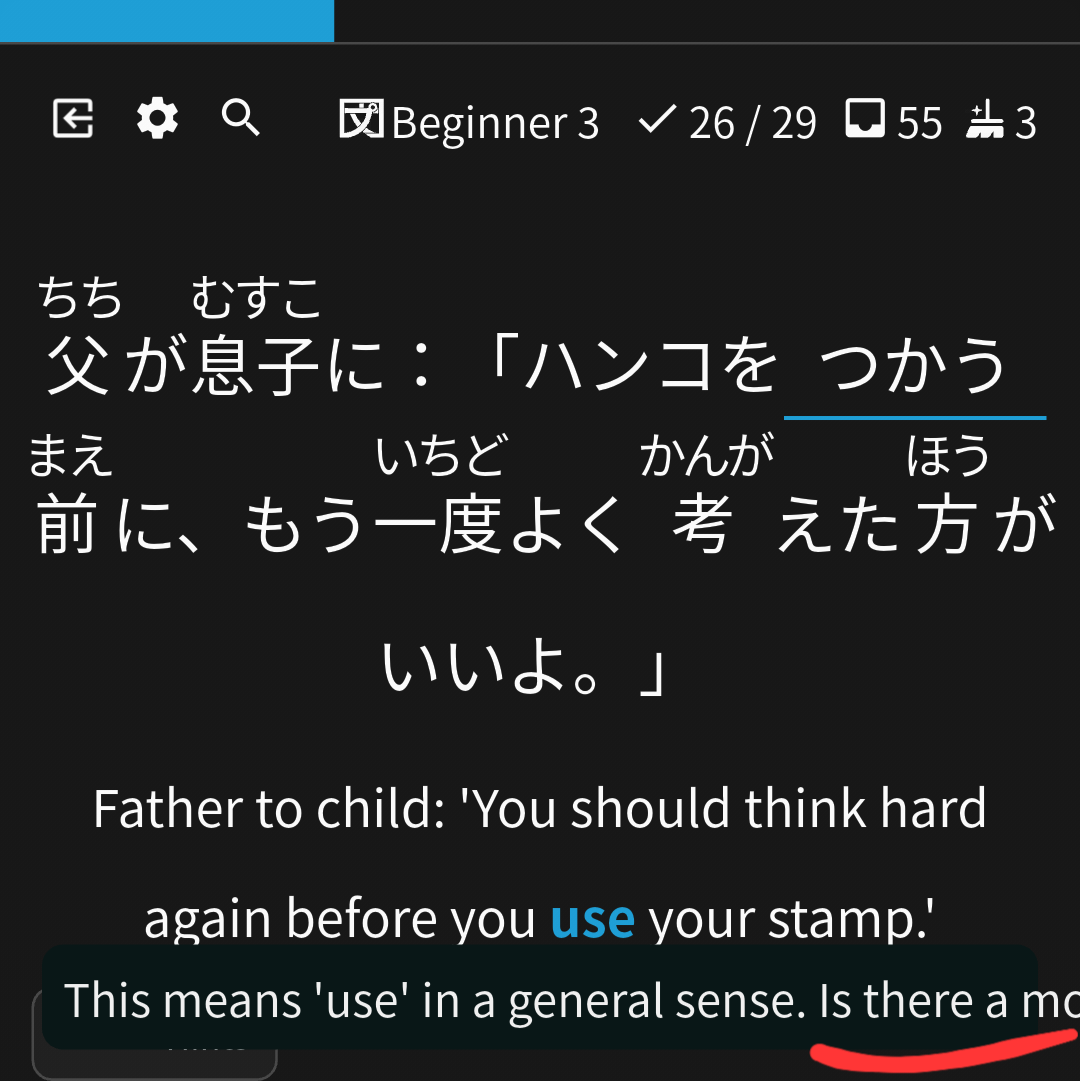
On Bunpro Android app, in some UI elements texts are not wrapped properly. Of course it’s not super high priority, but it would be nice if it could be fixed.

When using web Bunpro on a mobile device, some vocab pages don’t have enough vertical length for the “open sidebar” button to appear when scrolling down. Specifically the vocab pages with so example sentences. This makes it impossible to add synonyms on mobile.